Desertcart purchases this item on your behalf and handles shipping, customs, and support to Croatia.
🎯 Elevate your creative edge with ASUS ProArt — where precision meets power.
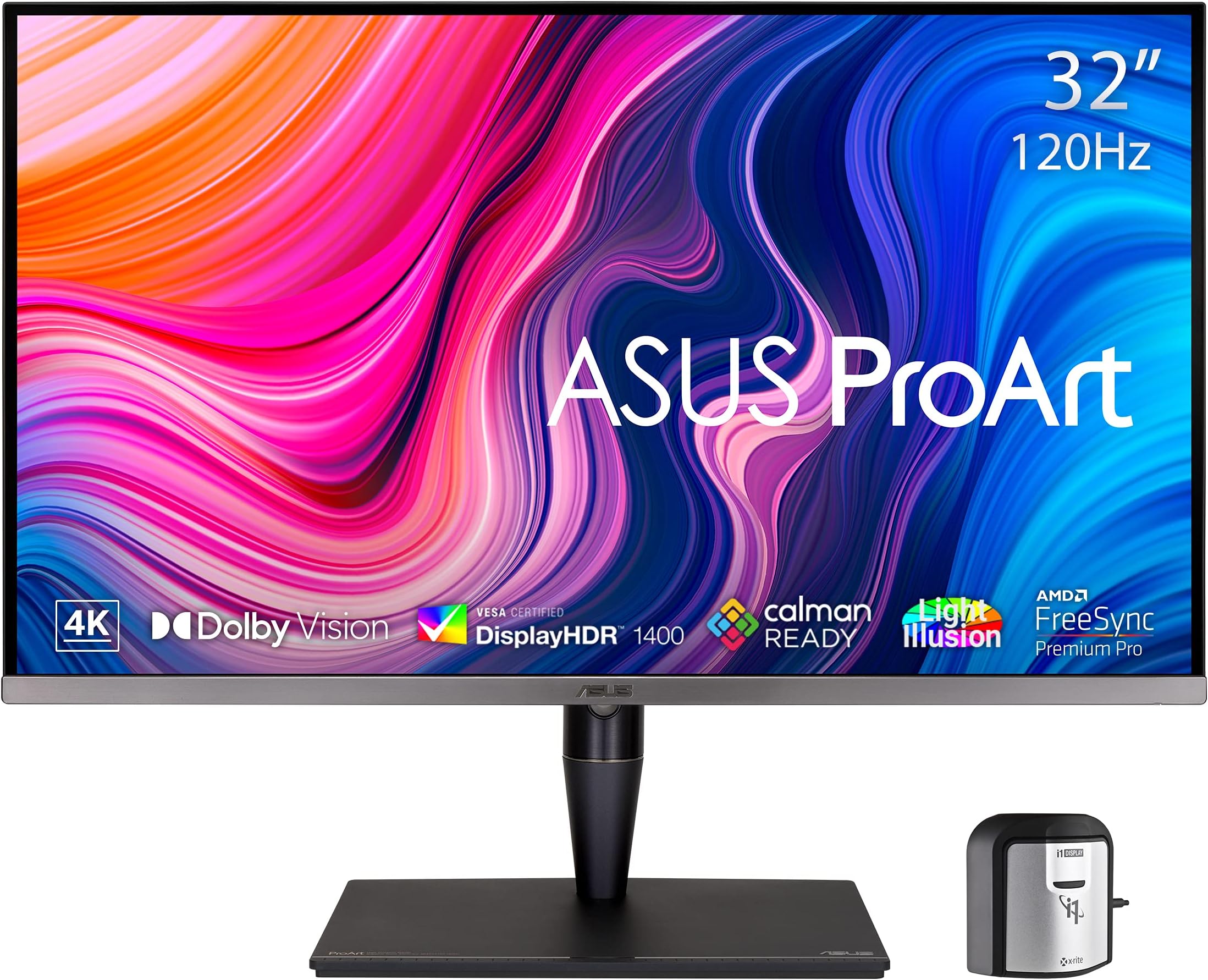
The ASUS ProArt PA32UCG-K is a 32-inch 4K HDR professional monitor featuring Mini-LED backlighting with 1,152 local dimming zones, delivering up to 1600 nits peak brightness and exceptional color accuracy (Delta E <1). It supports multiple HDR formats including Dolby Vision, offers a 120Hz variable refresh rate with FreeSync2 HDR, and includes an X-rite calibrator for hardware calibration. Connectivity options include dual Thunderbolt 3, HDMI 2.1, DisplayPort, and USB hubs, making it a top-tier choice for creative professionals demanding precise color fidelity and smooth performance.


| ASIN | B08ZC54V7C |
| Adaptive Sync | FreeSync |
| Additional Features | Blue Light Filter, Flicker-Free, Height Adjustment, Mac Monitor Compatible, Swivel Adjustment |
| Aspect Ratio | 16:9 |
| Aspect ratio | 16:9 |
| Best Sellers Rank | #154,077 in Computers ( See Top 100 in Computers ) #3,458 in Computer Monitors |
| Brand | ASUS |
| Brightness | 1000 Candela |
| Built-In Media | Calibration report, HDMI cable;DisplayPort cable, PA32UCG-K Monitor, Thunderbolt 3 mission bridge cable, USB cable;Power cord |
| Color | BLACK |
| Color Gamut | 1.0 |
| Compatible Devices | Laptop, Desktop |
| Connectivity Technology | HDMI, 3x USB 3.2 Gen 2 Type-A, Thunderbolt3 x2, display port |
| Contrast Ratio | High |
| Customer Reviews | 3.2 out of 5 stars 35 Reviews |
| Display Resolution Maximum | 3840 x 2160 Pixels |
| Display Technology | Mini LED Backlight |
| Display Type | LED |
| Hardware Connectivity | Bluetooth, HDMI, MicroSD, USB, USB Type C |
| Has Color Screen | Yes |
| Image contrast ratio | High |
| Is Electric | Yes |
| Item Dimensions D x W x H | 47D x 72.7W x 24H centimeters |
| Item Weight | 32.28 Pounds |
| Manufacturer | ASUS |
| Model Name | PA32UCG-K |
| Model Number | PA32UCG-K |
| Mounting Type | Wall Mount |
| Native Resolution | 3840x2160 |
| Number of Component Outputs | 4 |
| Picture Quality Enhancement Technology | Mini-LED Backlight, Local Dimming, Quantum-dot Technology, HDR support, High Refresh Rate |
| Pixel Pitch | 0.3175 |
| Power Consumption | 60 Watts |
| Refresh Rate | 120 Hz |
| Resolution | 4K |
| Response Time | 5 Milliseconds |
| Screen Finish | Glossy |
| Screen Size | 32 Inches |
| Screen size | 32 Inches |
| Screen surface description | Glossy |
| Shape | Rectangular |
| Specific Uses For Product | Business, Gaming, Personal |
| Total Number of HDMI Ports | 1 |
| Total USB 2.0 Ports | 2 |
| Total USB 3.0 Ports | 3 |
| Total Usb Ports | 3 |
| UPC | 192876548424 195553016469 |
| Viewing Angle | 178 Degrees |
| Voltage | 240 Volts |
M**T
Great monitor...impres color and range
I upgraded to this monitor to obtain a higher range of color fidelity and pixel count for video and photo editing. The resolution and color accurracy across the monitor is stunning.
A**R
Broken backlight system. Noisy cooling system.
The monitor works well intermittently but there are two major issues: - The backlight is bad at times. This only happens in Dolby HDR for me at the moment. Sometimes the right half is dark. Other times the left half is dark. The halves are not off entirely but it looks like there is some sort of ghosting or memory effect. The picture I took showing the half-white / half-gray content is the playback of a 100% white video. Note that the gray on the screen is not a reflection. That is what the video appears like on the screen. - The screen appears to have a cooling system consisting of one or more loud fans. When these kick in, the unit is disturbingly loud. Much louder than a modern workstation. I will return this unit.
R**H
Great display, well packaged
The image is incredible. To get it working with Windows v10 in 10-bit HDR mode I had to use DisplayPort, not HDMI. It does give off a small but noticeable amount of heat in HDR mode. Good for working during the winter.
B**S
Accurate at low brightness. Power limited. Uniformity issues. Costs 1$ per pixel.
I got the monitor from Amazon Wearhouse Deals in 'Like New' condition. Its default contrast setting is 80/100. The monitor is power limited, so when you take a white word page and blow it up to full screen, it decreases brightness, to keep power consumption low. This is why Linus Sebastian's review reported accurate δE at a small screen portion and poor δE full screen. But do not trust misleading reviews. Linus isn't as bright as his monitors. Reduce contrast to 50/100 or lower, and this issue is gone. After calibration in lower contrast, I measure an average δE less than 1.0. This is exquisite accuracy. Until you move the colorimeter to a different part of the screen. The Asus OLED suffers from uniformity issues. 50% gray looks patchy. 100% white shows shades of pink or red. This can happen with consumer OLED TVs, but not what is expected for a $4K monitor. We are being charged $1 per pixel to beta test premature inkjet printed OLED technology. Not acceptable. My 2014 Sony PVM A250 OLED is perfectly uniform. On the plus side, this display is very accurate at low brighness/contrast and discerns shades of gray very well. This was very important to me. Much more accurate than the Sony PVM A250 OLED (which crushes shades of gray at low brighness, they all look black). Some people, like Linus Sebastian, enjoy bright monitors, but I don't fancy a torch shining into my eyes. I prefer to work at a comforable low brightness, while keeping high accuracy. This monitor looks like a photograph, perfectly accurate without too much light hitting your retina. It can easily distinguish between all shades of gray, unlike my Sony PVM OLED. I can thus use the Asus OLED at much lower brightness and work much more comfortably. With the Sony, I have to increase brightness too much to discern different shades of gray, which makes it tiring and uncomfortable to use. This is why I prefer the Asus OLED over my Sony PVM 250 OLED, despite the uniformity issues of the former. Finally, 4K @ 60Hz is hard to push for all Intel GPUs. You will need a computer or laptop with a discrete, modern AMD or Nvidia GPU. Otherwise you will see 4K @ 30Hz, which is horrible, or you will have to reduce resolution. Unfortunately, lower resolutions look horrible in this monitor. It would have been better if Asus made this monitor at 1080p native resolution. You do not see 4K pixels at 21.5", so anything beyond 1080p is useless. UPDATE 1: I received a replacement. Same uniformity issues. Seems a problem with OLED technology. LG OLED TVs have it too. The replacement also has a new problem. Every minute or so, it displays a message 'power saving' and dims the screen. A minute or two later, the screen goes black, while I am writing this review, or watching a youtube video. Turns out the Human Sensor is defective and turns off the monitor, thinking there is nobody present. The issue can be avoided by turning off the Human Sensor in the monitor settings, but the replacement went back. I ultimately decided to keep the original monitor as the uniformity issues are difficult to notice. I really enjoy the accuracy of this monitor at low brightness, as I can still discern dark grayscale without having too bright white that burns my retina. Its lack of backlight makes it really comfortable to use. My visual cortex is incredibly relieved and for me this is totally worth the price tag. Update 2: I've been using this for several months. It is so comfortable, even for editing text, I don't want to go back to an LCD monitor.
R**R
Too many bugs and quirks
Not at all friendly on MacOS. For an HDR screen, I wouldn’t expect a giant white ghost to follow the mouse pointer when using apps in dark mode. Several combinations of settings result in the screen just displaying a giant RGB grid. Often requires rebooting and reconnecting for the screen to show correct contents. Extremely slow to startup. This isn’t a hassle free reference monitor.
Trustpilot
2 weeks ago
4 days ago