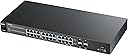
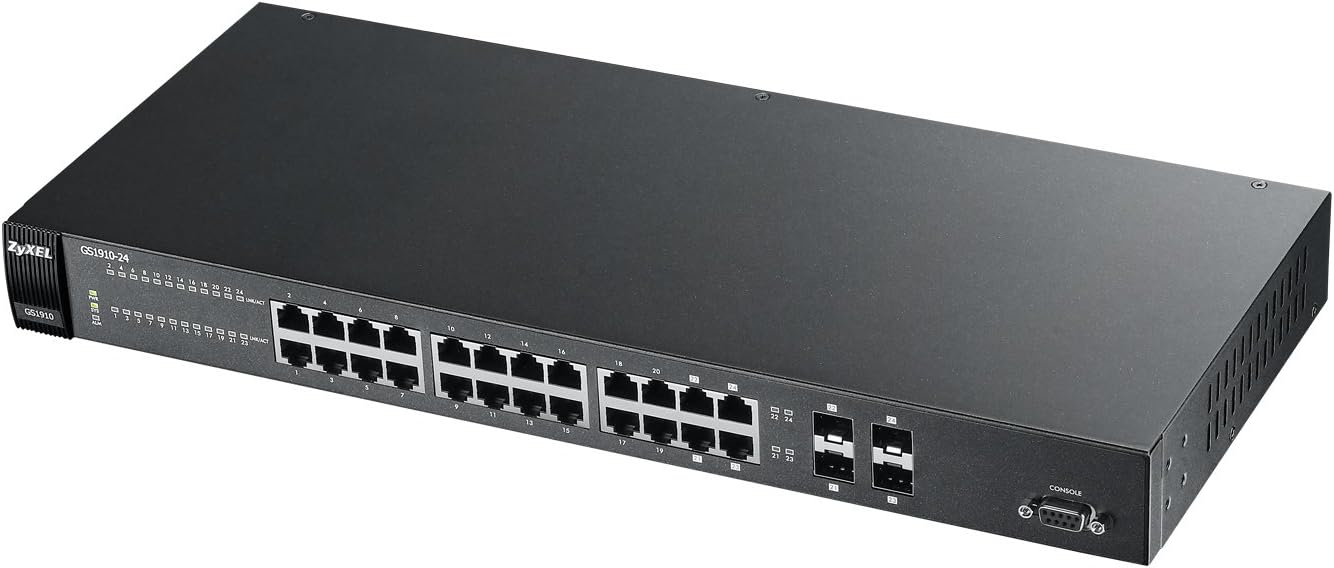
🚀 Elevate your network game with silent power and unstoppable speed!
The ZyXEL GS1910-24 is a professional-grade 24-port Gigabit Ethernet web smart managed switch featuring advanced Layer 2 ACL capabilities, IPv6 support, and a fanless design for silent operation. Delivering a robust 48 Gbps non-blocking switching capacity, it ensures high-performance connectivity for small to medium businesses while optimizing energy efficiency with IEEE 802.3az standards.
| Global Trade Identification Number | 00760559120207 |
| Manufacturer | ZyXEL |
| UPC | 760559120207 566031567450 012303253144 |
| Wireless Type | 802.11ab |
| Item model number | GS1910-24 |
| Item Weight | 0.01 ounces |
| Product Dimensions | 21.46 x 11.93 x 3.74 inches |
| Item Dimensions LxWxH | 21.46 x 11.93 x 3.74 inches |
| ASIN | B008XAU9ZU |
| Is Discontinued By Manufacturer | No |
| Date First Available | August 13, 2012 |
D**H
This is a great switch for the price
This is a great switch for the price. It's dead silent, fast and doesn't take up to much space. I have put a lot of data through this switch and I have not experienced any problems or issues. I see a lot of customer complain about the default IP. Changing an IP on a network device is quick, painless and easy, I don't see what the big deal is. The link aggregation (LACP) works great and it's solid. The web interface is not the best but after using it for a while I know how to navigate quickly. There's a few features and options I wish it would have, but for the price I can't complain.
T**N
Failed right after 90 days
It worked fine in the beginning, setup was easy enough, racked with other switches with UPS.Less than a week after the 90 return period, the unit just fails to work; will power on, supply POE, but no response to any command or interface, and all ports are dead. Left our office scrambling to get things working again, and is not the kind of stress that anyone needs.Will be returning to ZyXel for their 2 year warranty, but given the suspect timing, I wonder about the vendor.
E**E
Old firmware with insecure keys
It does the job but the security certificates baked into the unit have been marked as insecure in almost all modern browsers. It requires a hack to get Chrome or Firefox to even let you connect to the admin pages. Once you get logged in it does seem to be a reasonably capable admin interface though. Sadly I didn't explore any further once I found I could not replace the keys with more secure ones.
H**S
Works but configuration is a little clunky
After my gs1910 24-port met an early end due to some lightning, I decided to hop back on the zyxel wagon and get the gs1910 48 port version. Here are my impressions with the new switch with some user experiences from the older switch thrown in.Unboxing: No power cord, no manual, and server brackets/screws were loose in the box.From the prior hours of learning how to configure my old zyxel switch, I knew that I could hook up to the console with a virtual terminal. You will need to buy a vga to usb cable with a comport driver. The reason I tried this first is because I know that the ip address should be 192.168.1.1. My router IP is 192.168.0.1. Therefore, they won't talk to each other unless one or the other is changed.After successfully accessing the device through the terminal,, I looked at the current configuration. The ip address was 10.10.10.10."That's odd" I thought since I know the ip address to be 192.168.1.1. Oh well, maybe the 48 is slightly different. I proceeded to try to enter the correct syntax to setup the ip, but I kept getting a bad syntax message. I know that I entered it correctly as I have done so on my other switch many times.I decided to reset the device to factory default and still no dice.I gave up and hooked up to my router and changed the router ip to 192.168.1.2. This allowed me to access the switch using the web configuration tool and I changed the zyxel switch ip to a static ip of 192.168.0.**** . Then, I went back into the router and reverted it back to 192.168.0.1.I have it up and running and all seems fine, but a few things that are annoying about these switches:I haven't found a way to cut power to an individual port so I reboot everything if I need to restart a POE device.The mac addresses of the connected devices do not show up and neither do their manufacturer information. This makes it difficult to know which device is connected to which port.If you happen to change the ip address in the web configuration to one that is not on your network, you have successfully locked yourself out of the switch and need to hook up to the console..Overall, the switch does what it's supposed to and has most of the options needed. The initial configuration is a pain, especially when there is no provided manual (it's online) and no mention of the need for a virtual terminal. Also, you might end up getting a used one like I did.Be aware of the danger of lightning and power surges. I believe the surge came from the port side of things and it ended up frying my poe power source on my first one. If anyone knows how to repair this power source, please let me know.
Z**L
Can't beat it for the price.
I mean listen, the web interface and the way they handle the VLAN stuff is absolute crap. But it is cheap, and I can't complain about the throughput. It is going to take you awhile to figure out what on earth they did, but once you have it configured then it shouldn't be a problem. If you are used to the cli for configuring switches then dump the backup file into a text editor. You will see what it is doing and be able to configure it better.
E**9
Excellent switch
For a mid priced layer 2 switch, I received exactly what I paid for, perhaps a touch more. The quality is outstanding. It doesn't seem like anything was over-looked. The user interface is pretty well laid out (Perhaps a future firmware update will improve it further). The GUI provides access to every feature I needed, in order to set up a decent Layer2 network, along with VLANs. The status lights are small enough that they aren't overwhelming and they aren't so bright as to be annoying. The console connection works excellent as well. I haven't had to use the CMI much, but I would guess that there aren't any hiccups there either. The only feature request I have is the ability to control the main fan as I have control over the aux fan. It would certainly be nice to trim down the speed of the main fan, since the unit runs quite cool and really doesn't need the extra wind. I highly recommend this product line.Another reviewer mentioned that his item doesn't have a fan, it's passive only. I'm not sure if he is referring to another product line, but I can confirm that this exact product number has (1) Main fan, which runs continuously, and (1) Secondary fan that only runs as the board temperature makes necessary.
G**B
Great price/performance
I've used at least 15 of these on different clients' networks, they are stable(I've seen 1+-years uptime), performance is excellent,and can't beat the price. VLAN, RSTP, and other network features are very easy to configure for anyone with knowledge of TCP/IP networking concepts.
Trustpilot
5 days ago
1 month ago