


Buy anything from 5,000+ international stores. One checkout price. No surprise fees. Join 2M+ shoppers on Desertcart.
Desertcart purchases this item on your behalf and handles shipping, customs, and support to Croatia.
๐ Elevate Your 3D Printing Game!
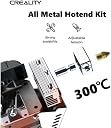
The Creality Direct Drive Extruder Kit is a cutting-edge upgrade for Ender 3 series 3D printers, enabling direct extrusion and high-temperature printing up to 300ยฐC. With a dual fan design for superior heat dissipation and a double gear feeding mechanism for reliable performance, this kit is easy to install and comes with lifetime technical support.




| ASIN | B09WVHNPHH |
| Batteries required | No |
| Best Sellers Rank | #358,929 in Industrial & Scientific ( See Top 100 in Industrial & Scientific ) #5,384 in 3D Printer Accessories |
| Customer Reviews | 4.2 4.2 out of 5 stars (441) |
| Included Components | Creality Sprite Extruder Pro Upgrade Kit |
| Item Weight | 1.27 pounds |
| Item model number | CR-0330 |
| Manufacturer | YOOPAI |
| Product Dimensions | 5.12 x 7.68 x 2.97 inches |
| Warranty Description | 1 |
A**R
Not for Ender 3 v2 Neo but a good Direct Drive Extruder.
Let me start by saying I bought this knowing there was a chance it wouldn't be compatible with the Ender 3 V2 Neo I intended to install it on, so no star deductions. Being new to the whole Creality 3D printer line up, I wasn't sure what differences the Ender 3, Ender 3 V2, and Ender 3 V2 Neo would have that made them so different. Well through trial and error, I learned a lot. Let me start by saying I love this thing, this comment is not so much on the performance of this but my exploration into learning why this didn't work on my Ender 3 V2 Neo. The Sprite itself is great! Using the base version of the Sprite on an Ender 3 S1 printer now. Before I get started, if anyone is looking for an Ender 3 V2 Neo that uses this Direct Drive Extruder, the Ender 3 S1 uses the base model of the Sprite and the Ender 3 S1 Pro uses this exact Sprite model with High Temp. The entire S1 and S1 Pro printer looks like a modern version of the Ender 3 V2 Neo. It uses some of the same parts too. Either model is great and I currently use both of them. I wish I knew that a little earlier because before I bought the S1 I was trying to essentially convert my V2 Neo to the S1 Pro without knowing. But this kit unfortunately was designed for printers using setups like the Ender 3 and Ender 3 V2, the Neo model changed enough to make this kit, well, useless from the box. The kit offers a back plate to mount your Extruder to the X Axis rail. But on the Neo the limiter switch is place differently to the Ender 3 and V2 versions. This kit has the back plate for those versions. I went as far as to buy the limiter kit for the Ender V2 to adapt my printer for this kit's use. That worked to establish the X Axis limit. Unfortunately the dimensions changed dramatically and the printer could not zero automatically the whole hotend assembly. I had to work with G-Code (since I do not have the means to customize the firmware) to try and adjust the homing of the Extruder. I was able to get away with something close enough. But because I didn't customize the firmware, the auto leveling capability was off the bed and never functioned. Although I managed to manually level the bed it kind of makes the CR Touch pointless beyond homing and offsetting the Z Axis. Couple that with the wrong facing Filament Holder on top and you end up with an awkward setup missing various functions. Despite it all, when I did set the printer to print, it worked wonders, kind of. Hotend heated up quickly without much delay. Extruding was smooth as butter. Until I noticed the major issue that made using this kit entirely useless on my Neo. I haven't found any answers to the problem so if anyone knows why this happens please share. While true that it was operating smoothly it only did so on 1 layer. The initial layer. The system would display the whole gantry would move up but physically it did not. In short, for whatever reason, the system could not send during printing motor commands to the Z Axis motors. When homing or using manual controls the system worked 100%, only during printing did it just... not move, even when the screen said it was several layers higher it would be ironing layer 1 indefinitely. I flashed the firmware to every possible version that would function. But to no avail. I'm sure if I customized the firmware I could have gotten a full functioning system, but that is too much customization for me and the time I have to give to this pet project. So when the opportunity arose I put in a purchase for the S1 and keeping this Extruder Pro kit gives me the best version of the Sprite. With the S1 I have the necessary base that matches my Neo with the added upgrades and the Pro kit to swap it out and get the higher temp functions when I need it. Since both Sprite models have the same external dimensions and use the same Flat Cable? Swapping the units is easy and quick. I have my V2 Neo back to nearly 100% OEM and it prints fine. The images attached shows a Mew that was printed on the Ender 3 V2 Neo just before the S1 arrived. The 2nd image of Mew was take on the bed of the S1 after installation was complete. The last image of a rectangular model being printed is from the Ender 3 S1 with the stock Sprite. That one is printing a Nintendo Switch OLED base wall mount. All of the images display a thermal cover I use with the primary FDM printer. It has RGB LED strips installed which gives it the hue of color. So unless you want to dramatically work out all the little details to make it work. This product does not function with the Ender 3 V2 Neo. But it is a good piece of technology and worth it if it runs on your printer model out of the box. I really wish there were more clear comments and replies on the net about this unit and the Ender 3 V2 Neo.
G**X
The new version is great. Please read.
If youโre looking at the Sprite Extruder Pro youโre probably also considering a Hermera or Micro Swiss. The short answer in my opinion is that this is probably going to be the best choice for most people. The Hermera is a great extruder but it needs custom mounting and is a more extensive setup. The Micro Swiss has way too long of a filament path and you lose Z height. Youโll also need custom mounting for the CrTouch. The Sprite Extruder Pro install is dead simple and works great. So far Iโve printed PLA+ at 60mms and TPU at 35mms and it prints wonderfully. Now letโs look at the details of the Sprite. First of all, the issues with packaging and broken parts seems to be fixed. This new version also supports CrTouch perfectly. Mine was packaged very well, with no issues. I installed this on a Ender3 V2. The instructions are pretty basic but after installation, I can see that thereโs not much needed. The install is very easy and they also give you the steps/mm for the extruder. It is solidly mounted and modular so things like new fan ducts and accessories should be easy to accommodate. It comes with an extra nozzle and is the same as other MK8 style nozzles. This updated version does work with a CrTouch and comes with all the connectors well marked and a diagram of the board. The CrTouch works flawlessly. The probe offsets are different than what I had previously on my Ender3 V2. It was simple enough to figure it out and change them. Iโll include a photo of my settings. Once installed you might need to run a PID auto tune of the hot end. The filament tension is adjustable and the cooling is adequate. Iโll be looking for a different setup that allows for more equal cooling. Youโll have to figure out how to hold the cable. I just zip tied it to the old extruder bracket. The cable is plenty long enough that it should work with a Cr10S or other larger machine. I wish it had a provision for a Bowden connector on the top of the extruder. I use dry boxes that keep the filament contained away from humidity at all times. Itโs not a huge deal but it would be nice. Again, this is a great extruder. I would definitely buy another for my Cr10S if I didnโt already have a DIY setup. Iโll update if anything changes.
T**M
I just did a bunch of upgrades on my Ender 3 because I wasn't able to finish a print and not have it fail. I did my x axis rail, dual z screws, bought a new screw to replace the old z screw, new bed, and of course, this. This is probably the best upgrade you could probably do for smoother prints. If your Z screw is sticking, that's probably better, but if it's not, definitely get this if you haven't already. There is no other word to describe this thing other than it can print butter. It's amazing. Just get it. No more half finished prints. It connects to my E3V3 and it was fairly straight forward. Connects to BLTOUCH just fine, no rewiring anything. Everything is just plug and play. Only note is the wire for the hot end is NOT connected, just stuffed behind it so make sure you pull that out and plug it in before use. I had to do a quick search to find out what was wrong because it wasn't in the instructions and the tag they put on it was stuff in there too so it wasn't obvious.
M**T
Used this kit to upgrade from the stock setup on my ender 3 v2. Install was very simple and setup was easy using mriscoc Professional firmware. My existing bl touch fit perfect without printing any special brackets and the short cable was included. I was ready to throw my printer out before because of random nozzle plugs with PLA. I recently completed a 40 hour print without any issues and better print quality than ever before. My only suggestion would be to upgrade the parts cooling fan as it only cools from the front side of the nozzle.
B**H
Why I messed around with micro Swiss knockoffs and big clones I have no idea. Should have just bought the sprite pro day one to upgrade my Aquila X2. Have yet to have a jam even with tpu on default cura settings. If you're thinking maybe going with this or a biqu h2 or even a spider... don't even think one more second and pick up the sprite pro. It's so good.
C**E
Bought to use on my Ender 3 Neo. While it's not a direct fit, a slight modification to the carriage and a fair amount of setting adjustment and it's good to go. Remember to do a PID tune before putting it to work.(If you know, you know)
C**R
Well built very easy to load filament , but I have struggled to get good quality prints with this on my trusty old ender 3 pro. Maybe due to the weight or the fact I added the dual Z motors and linear bearing X axis as the same time. Its probably time for a new printer
Trustpilot
5 days ago
1 day ago