Buy anything from 5,000+ international stores. One checkout price. No surprise fees. Join 2M+ shoppers on Desertcart.
Desertcart purchases this item on your behalf and handles shipping, customs, and support to Croatia.
🚀 Elevate your home network—fast, secure, and unstoppable.
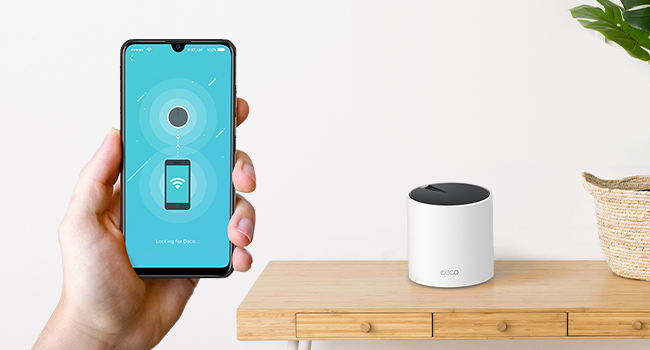
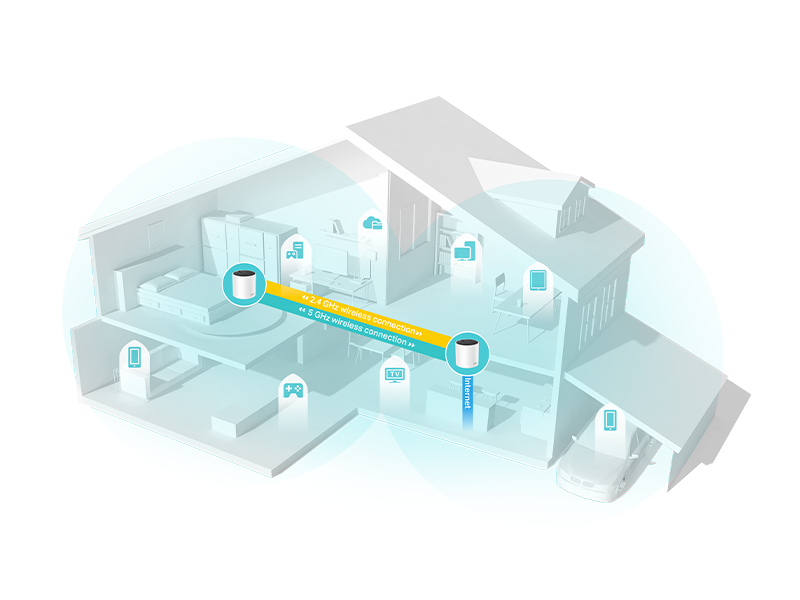
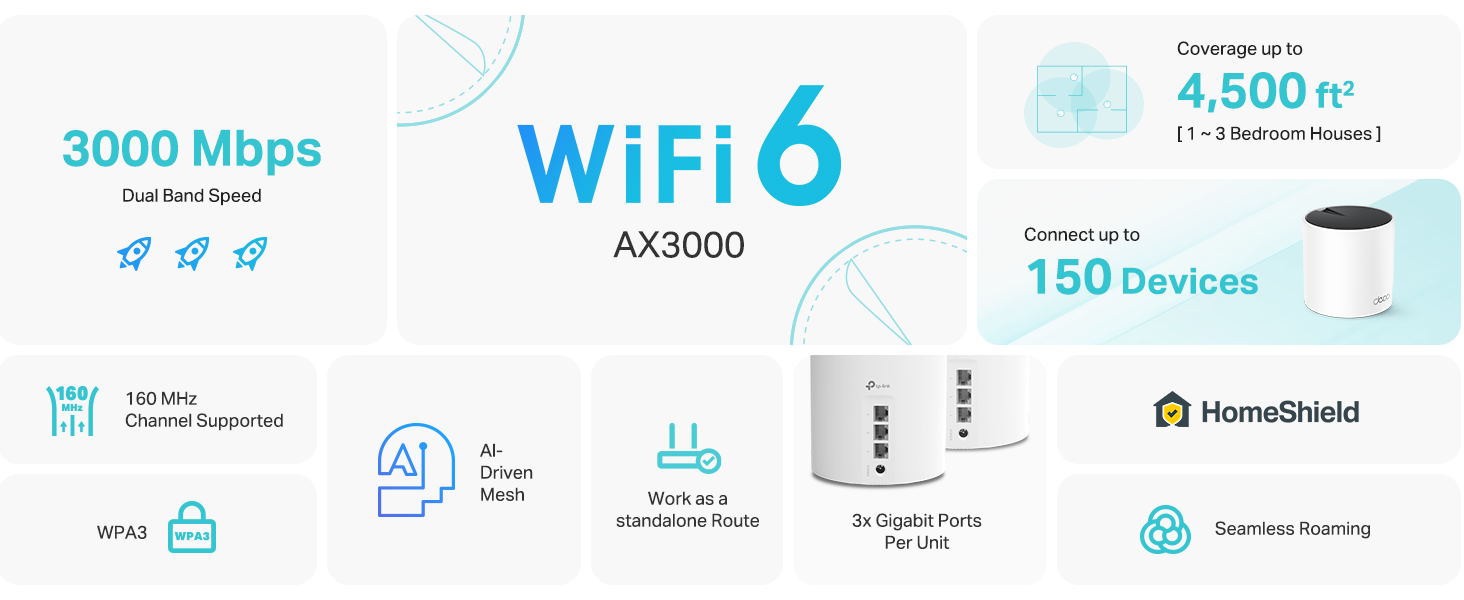
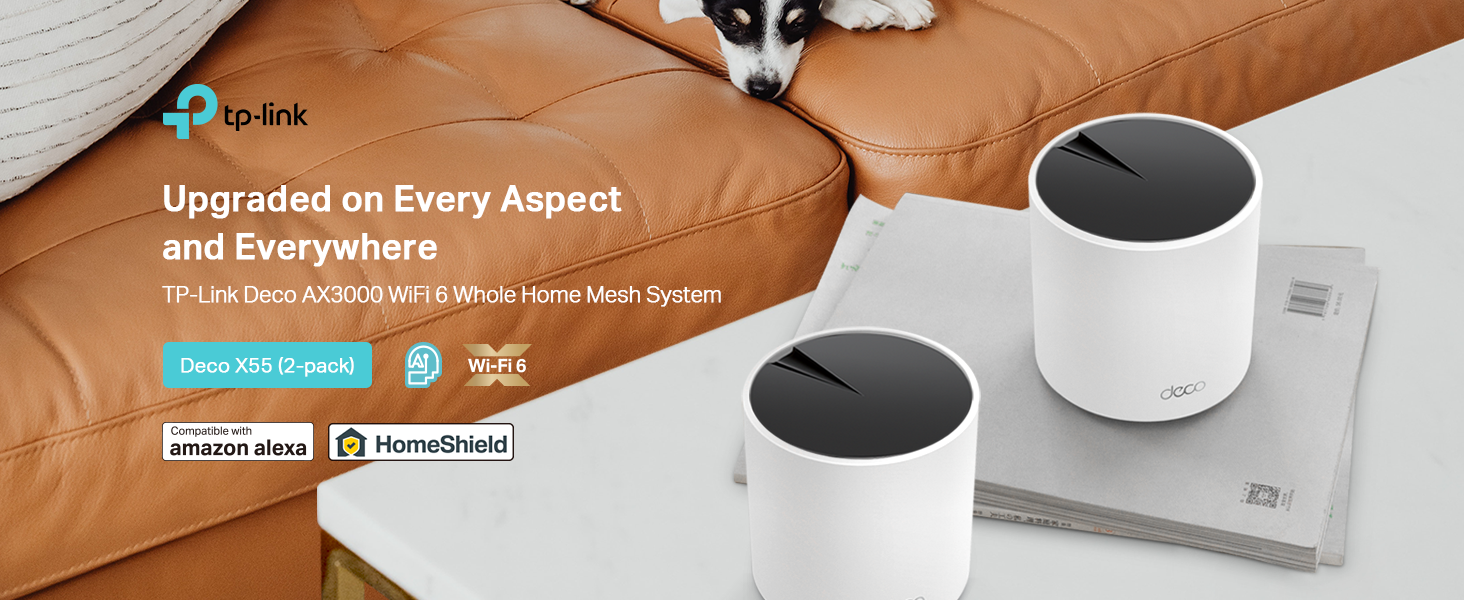
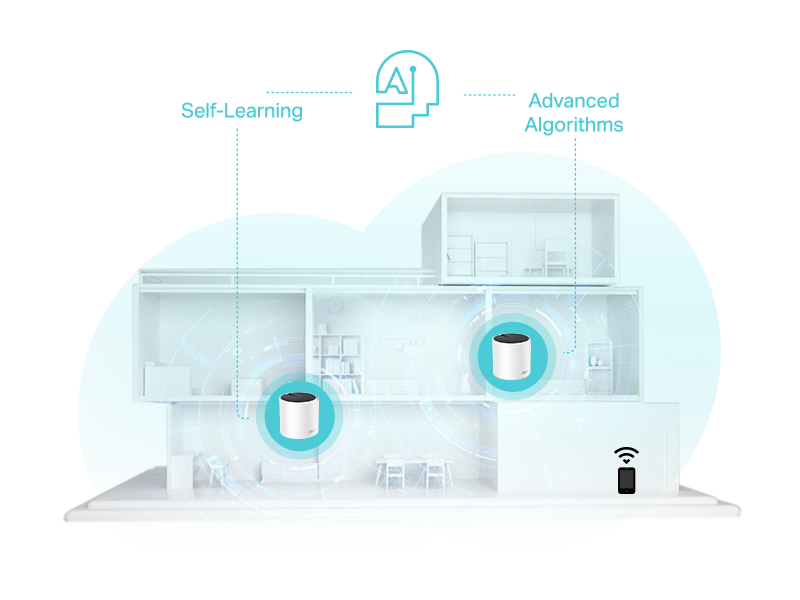
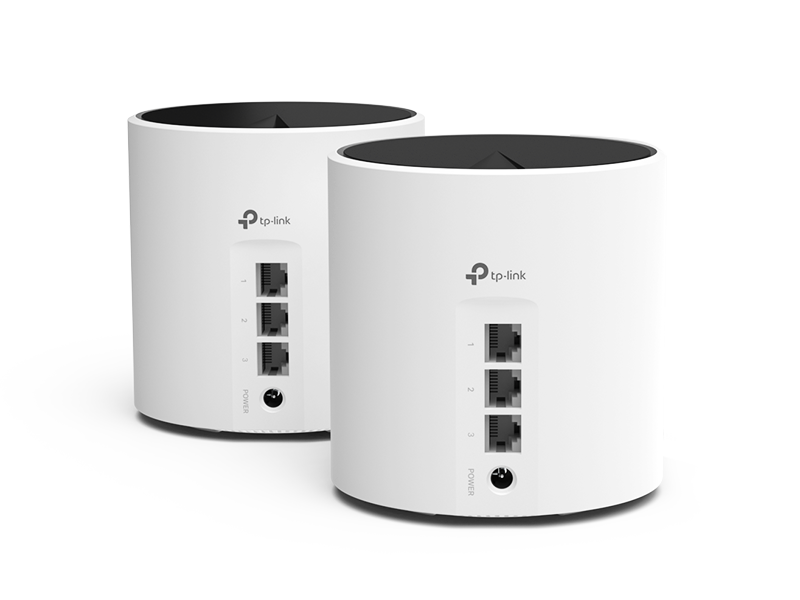
The TP-Link Deco X55 AX3000 WiFi 6 Mesh System delivers next-generation Wi-Fi 6 speeds up to 2402 Mbps, covering up to 4500 sq.ft with seamless mesh connectivity. Designed for busy smart homes, it supports up to 150 devices simultaneously and includes 3 Gigabit Ethernet ports per unit with Ethernet backhaul for superior wired performance. Enhanced with advanced cybersecurity features and easy app-based setup, this 2-pack system replaces traditional routers and extenders to eliminate dead zones and buffering, ensuring a fast, secure, and reliable network experience.


| ASIN | B09WTM34DF |
| Antenna Location | Home |
| Antenna Type | Internal |
| Best Sellers Rank | #95 in Electronics ( See Top 100 in Electronics ) #1 in Whole Home & Mesh Wi-Fi Systems |
| Brand | TP-Link |
| Built-In Media | 1 x Quick Installation Guide, 1 x RJ45 Ethernet cable, 2 x Deco X55 units, 2 x Power adapters |
| Color | white |
| Compatible Devices | Smartphone, Personal Computer, Gaming Console, Laptop, Smart Television, Security Camera, Printer, Tablet, Smart Thermostat |
| Connectivity Protocol | Ethernet, Wi-Fi |
| Connectivity Range | 4500 Square Feet |
| Connectivity Technology | Ethernet, Wi-Fi |
| Control Method | App, Voice |
| Controller Type | App Control |
| Coverage | up to 4500 square feet |
| Customer Reviews | 4.4 4.4 out of 5 stars (16,980) |
| Data Transfer Rate | 2402 Megabits Per Second |
| Frequency | 5 |
| Frequency Band Class | Dual-Band |
| Has Internet Connectivity | Yes |
| Has Security Updates | Yes |
| Is Modem Compatible | Yes |
| Item Dimensions L x W x H | 4.33"L x 4.33"W x 4.49"H |
| Item Type Name | WiFi 6 Mesh |
| Item Weight | 1.61 Kilograms |
| LAN Port Bandwidth | 10/100/1000 Mbps |
| Manufacturer | TP-Link |
| Maximum Upstream Data Transfer Rate | 4804 Megabits Per Second |
| Mfr Part Number | Deco X55(2-pack) |
| Model Name | Deco X55(2-pack) |
| Model Number | Deco X55(2-pack) |
| Number of Ports | 3 |
| Operating System | ZyNOS |
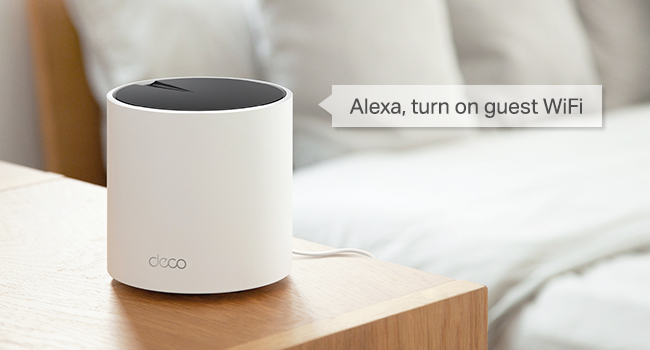
| Other Special Features of the Product | QoS, Internet Security, Parental Control, Alexa Compatible, WPS, Remote Access, LED Indicator, Guest Mode, Beamforming, Access Point Mode |
| Router Firewall Security Level | High |
| Router Network Type | Wireless |
| Security Protocol | WPA-Personal, WPA2-Personal, WPA3-Personal |
| Smart Home Compatibility | Smart Home Compatible |
| UPC | 840030703003 |
| Unit Count | 1.0 Count |
| Voltage | 12 Volts |
| Warranty Description | 2 year manufacturer |
| Wi-Fi Generation | Wi-Fi 6 |
| Wireless Compability | 802.11ac, 802.11ax, 802.11b, 802.11g, 802.11n |
J**S
Solved my issues 👍 - Easy install and network management
Very satisfied with this set. Connectivity has notably improved (from very slow seed test results to fast in my weakest location), even though I still have a bottleneck unrelated to this product. I will try a different topology and update. Easy to set up with the app, which is very good, with a lot of features: easy network configuration and management, like using 2.4, 5GHz or both, allowed list vs blocked list, beaming, etc. The device design is also nice. It is not like having one of those old routers that looked like an electrical box. I am not using it with Alexa. TL;DR: great product, easy setup, speed: very slow --> fast
S**K
Better than advertised.
We have a detached garage about 35 ft from the main house. With just the basic 3 part system, the coverage extends there no problem. We also live on a acre and have found our wifi phone works well even farther from the house. I definitely recommend. It was easy to install overall. I just had a few issues once I removed the existing router because I have a static IP. Once resolved, it worked seamlessly wired directly to the fiber.
E**R
Wow. Super easy and effective upgrade for all skill levels.
Highly recommended upgrade for those looking to increase their wireless speeds with several connected devices. I thought it wouldn't be much of an improvement over my DOCSIS 3.0 cable modem/router + Wifi extender, which appeared to be significantly throttling my bandwidth, but mesh Wifi is in fact different and more effective at extending range and providing speed consistency throughout the home. Why I purchased: I decided to try a mesh network as we were having some issues with streaming video quality, such as blurry/pixilated picture on our streaming TV, or buffering/loading on tablets or other devices playing video. A couple suspected reasons for these bandwidth issues were ethernet connected computer(s), use of a Wifi extender, and/or a Wifi security camera at the extent of the Wifi signal range that were reducing the connection quality of the other devices mentioned. Improvements after installing: One main issue I was seeing was an outdoor security camera that had a weak signal was having trouble staying connected. On my smartphone, I also had trouble staying connected to my Wifi when standing next to the camera outside. After installing this system, I have a strong signal throughout the house and near this camera, and speed tests indicate a much faster connection speed than before. There was a +50 Mbps jump in the upstairs far corner of the house. The security camera also remained connected much more reliably. I thought that it wouldn't be possible to still get a great signal across the house, figuring there was no way connecting through a satellite would provide any kind of decent speed, but it does! My understanding is that the software for this system is able to appropriately manage consistency of connections (through all connection points), so there is in fact an advanced capability over older routers to keep speeds high regardless of distance from the main router. Setup: Installing this system took less than 10 minutes to be fully up and running - very easy plug-and-play. May take 20 or 30 minutes for someone not as savvy.. but between the app and the automatic connections between the routers, it couldn't have been easier, and very difficult to mess up. Simply connect an ethernet cable from your modem to the main router (each of the 3 units is the same), connect the power cable, then download the app on your smartphone. In the app, after some brief setup steps (includes creating an account), the main step is to connect to the router through the on-screen prompts. From there, you can name your wireless network and password. Connecting the other 2 satellite routers: Place them within a reasonable distance from the main router (~20-30 feet/1-2 rooms away), then plug in to power. Wait ~2 minutes and done! The whole system was live and wirelessly connected through the main router. I couldn't believe it. In my relatively square-shaped house with the main router on one far side, I was able to place the 3 routers in a triangular pattern, where both satellites are about equal distance from the main router in the middle of the house (about 20 feet each). If your router is in the middle of your home, you may want to place the satellites at either end. I believe a daisy chain (main router at one end like I have, then 2 satellites in a line across the house) is also an option for larger, more expansive homes to maximize the range. I didn't test the daisy chain, but I'd expect diminishing speed at the far end (although one may be surprised based on my observations so far with the management of the traffic at farther distances). While at the far end of my house and running a speed test, I can't tell that I'm not connected to my main router as the speed is still very good. The daisy chain may slightly differ, but can't say for sure. 2.4 GHz vs. 5 GHz networks: Wait, you don't need to set up 2 different networks?? The app basically eliminates all complexity over traditional router setup apps, making the setup choices totally accessible for anyone of any networking skill level. In the app, there is an option to broadcast 2.4 GHz + 5 GHz, 2.4 GHz only, or 5 GHz only. I remained on the first option as I needed support for 2.4 GHz-only devices. Otherwise, 5 GHz would be fine and preferred for everything (supports faster speeds). Apparently, the single network name/password automatically creates a dual band setup, if choosing both. Devices that connect apparently are favored to the optimal band - frankly, I don't know the details there, but would assume 5 GHz connects first over 2.4, unless only compatible with 2.4. Refurbished vs. New: No difference here. If you want to save a little money, refurbished is a good option for you. The box came with everything in it including an ethernet cable as if it were new. As far as condition, there were a few scuffs on the units, but nothing terrible. I could almost rub off any blemishes. I'm not looking at them anyway. Overall, highly recommended for those looking to make the leap to a mesh network, or debating whether mesh is just all hype (it's not with this system).
T**K
Easy set up but one of the satellites failed after 6 months.
It worked great, improved wifi. Set up was not hard. The satellite i used as base went dead after 6months. that was disappointing. It is under warranty, but it is a pain. still working on getting it sent to TP to get it replaced. Will update once i get complete, i will comment on warranty service.
J**.
UPDATED: Now 5 star! Super fast Wifi-6, easy install, good choice to upgrade to a mesh system!
Thanks to Prime Day it was time for me to finally upgrade my home network. I was looking for a reasonably priced WiFi-6 mesh system with 3 stations (1 main + 2 satellites), at least AX3000 speeds, and a price tag of up to $300. It came down to two choices: the Eero 6+ and what I chose instead, the TP-Link Deco X55. Both systems had similar specs, but I liked how the TP-Link Deco had 3x Gigabit ethernet ports per satellite (the Eeeros have just 2). That meant I could wire each satellite in a daisy-chain configuration for a wired backhaul AND connect the 3rd ethernet plug to the gigabit switches I had at each satellite location. This meant that all of my hard-wired devices could stay hardwired, while adding mesh WiFi at full speeds (no bandwidth reserved for transmission thanks to the backhaul). Installation was quick and easy - I simply turned off my cable modem, disconnected my previous router, installed one of the Deco X55's in its place (in my bedroom), and turned everything back on. After downloading the TP-Link Deco app I had an internet connection set up and good to go in less than 5 minutes! Once that was working, I added the other two Deco's into the mix - one in the living room and one in the family room - with all three forming an almost perfect triangle for whole-home coverage. In less than 15 minutes after opening the box, I had a fast, Wifi-6 mesh system in my home. I had been using an older AC1900 router for almost 10 years now and back then it was just fine - but with more and more smart home devices being added to my home, it no longer was enough. I have a medium-sized amount of smart home devices (around 50 devices including hubs) and on occasion, I'd experience signal dropouts on some of the farther cameras, and other devices would sporadically go offline/online at random. With the X55 mesh installed, all of my issues disappeared! My smart cameras used to show a signal strength of between 80% (indoor cameras) down to around 55% (outdoor cameras). With the TP-Link Deco mesh in place, the signal strength changed to 100% indoor and 95% outdoor - a major improvement for sure. Pulling up live and recorded footage from the outdoor camera is so much quicker now. All of the other indoor smart devices I have all show 98-100% signal strength. Needless to say, this was a definite upgrade! As for my rating, I give it a solid 4-stars. There are a few small details that keep me from giving it a full 5-stars: some missing features that I had with my old router. One of them is being able to bulk reserve IPs by entering them into the app beforehand; with the TP-Link Deco, the device has to be connected to the network FIRST (with whatever DHCP IP address the Deco gives it), then you have to go into the app to reserve it with a static IP. I would rather have the more common table where you just enter each Mac address, static IP, and device name and it's done. Another missing feature is being able to have at least 2 separate SSIDs (not including a guest SSID). With the Deco you can only have one main SSID and one isolated guest SSID. Finally, to see some speed numbers I ran speed tests using both fast.com and speedtest.com, and the day before installing the mesh system I had an average internet speed of around ~260Mbps. The day after I installed the TP-Link mesh system my speeds went up to well over 490Mbps! Downloading is a lot faster, and streaming is super snappy as well. So in the end, I am very happy with my purchase of the TP-Link Deco X55 Wifi6 mesh system. Aside from the small feature complaints above, everything is awesome! I no longer have devices going offline/online. My internet speed has almost doubled (my old router was the bottleneck!) and streaming seems quicker as well. If you are looking for a mesh system to upgrade your current home network to the current WiFi6 standards, I would say that this is definitely a good buy! ------------ EDIT 02.18.2024: TP-Link Improvements Are Awesome! TP-Link has been steadily pushing out Deco firmware and app updates, and my -1 star complaint no longer exists thanks to two added features that completely address my complaints: - CUSTOM IP RESERVATIONS First, I don't have to play the game of connecting a new device, letting the Deco assign a DHCP address to it, then having to go back into the app to manually change the reserved IP. Now I can go straight into the Deco app and under the "Address Reservation" tab I can now select "Custom"; this brings me to a page where I can manually type in a MAC address AND the local IP address that I want to assign to it - without having to connect the device first. - SEPARATE IoT NETWORK My other complaint was that I only had the option to have two SSIDs - one main and one guest network. I wanted to be able to configure another SSID specifically so I could group all of my Smarthome devices, and after a couple of firmware updates later TP-Link not only gave me that option, but an even better one: they added a dedicated Iot (Internt of Things) network! Not only does this group my sparthome devices separate from my main network, but it also restricts communications between networks so that the IoT devices stay isolated. This is exactly the feature I wanted them to add during my initial review. - VPN COMPATIBILITY TP-Link has also added the option to use a VPN (server or client) directly through the router, as opposed to having to VPN each individual device manually. Furthermore, the VPN can be assigned to the network in two ways: either all devices (every device connected to the mesh will go through the VPN) or I can select specific MAC addresses that must pass through the VPN before reaching the Internet (tI chose option #2). With this I can make sure that certain devices that like to "call home" can only do so through the VPN, helping to protect my network and privacy. All in all, TP-Link has done a great job at supporting these devices, and their ability to add additional features over time have made me feel confident to revise my initial review now give this system a worthy 5 stars!
K**I
Good
A**N
Keeps disconnecting from the . unstable operation. I returned 2 of them, got stuck with one because I lost the box.
A**Y
Much better than my BT extenders!! Was easy to set up and install and the network is much more stable now. Was recommended by a friend and can't fault the mesh network!!
A**O
Estaba dudando si usar o no una red mesh, pero realmente fue una gran decisión, el x55 me sirvió perfecto compré el nodo en buena oferta y me solucionó mis problemas de conexión, automáticamente se habilitó el protocolo wifi 6 y ahora lo puedo usar tanto para mi computadora de trabajo como para la de jugar, celulares, Alexa, cualquier cosa Es una maravilla la app, lo recomiendo para México, si tienen Telmex con fibra óptica, les va a cambiar mucho la conexión
G**N
He venido empleando desde la pandemia productos de 2 y 4 antenas, los tipicos rompemuros de Steren y la verdad no tienen nada que ver con este producto en el sentido de instalación, estabilidad y cobertura. Debido a mis necesidades, confundí la cobertura con la velocidad de internet contratada, al ver que no llegaba a todos los rincones de la casa incremente la velocidad del contrato de internet y seguía el problema en las habitaciones mas alejadas del modem (mi casa es de 110 m2 de construcción y de dos plantas, el modem esta en la esquina de la planta baja). Teniendo una velocidad de 200 mbps pegado al modem, en la segunda planta en el otro extremo del modem medía 8 mbps y con oscilaciones. Adquirí el paquete de dos antenas de este producto, uno de ellos lo conecté con cable ethernet al modem y el otro lo puse en la segunda planta, en el centro de la casa, con lo que recibí 190-200 mbps en toda la casa. Y me di cuenta que para mis necesidades está sobrado por lo que solicite bajar la velocidad de contrato a 100 mbps que me resultan excelentes para mi contrato de 4k de Netflix y para las tabletas de los niños (juegos y videollamadas), para el internet de trabajo, etc. Solo puedo decir que ya ni me acuerdo de ese tema porque todo funciona a la perfección. Lo recomiendo mucho.
Trustpilot
1 month ago
5 days ago