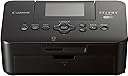
📸 Print your story anywhere, anytime—because memories deserve to be vivid and wireless.
The Canon CP910 BK is a compact, wireless dye sublimation photo printer designed for professionals and creatives who demand lab-quality 4x6 borderless prints on the go. Featuring Wi-Fi with AirPrint support and a unique access point mode, it enables seamless direct printing from smartphones, tablets, and cameras without a network. Its durable prints, portability, and cost-effective consumables make it an ideal choice for mobile photo printing in professional or personal settings.


| ASIN | B00HK8V4NC |
| Additional Printer Functions | Print Only |
| B&W Pages per Minute | 25.00 |
| Best Sellers Rank | #401,630 in Office Products ( See Top 100 in Office Products ) #179 in Desktop Photo Printers |
| Brand | Canon |
| Color | Black |
| Color Pages per Minute | 25.00 |
| Compatible Devices | Laptops, PC, Smartphones |
| Control Method | Touch |
| Controller Type | Android, iOS |
| Customer Reviews | 4.3 4.3 out of 5 stars (1,519) |
| Display Type | LCD |
| Dual-sided printing | No |
| Duplex | simplex |
| Hardware Interface | USB |
| Ink Color | Black |
| Item Weight | 3.95 Pounds |
| Manufacturer | Canon USA Inc. |
| Maximum Copy Resolution Black and White | 10000 dpi |
| Maximum Copy Resolution Color | 10000 dpi |
| Maximum Media Size | 4 x 6 inch |
| Maximum Print Resolution Black and White | 10000 dpi |
| Maximum Sheet Capacity | 20 |
| Maximum print Resolution Color | 10000 dpi |
| Model Name | CP910 |
| Model Number | CP910 BK |
| Model Series | SELPHY |
| Other Special Features of the Product | Auto Document Feeder |
| Paper Size | 4 inch x 6 Inches |
| Print media | Labels, Paper (plain) |
| Printer Connectivity Type | Wi-Fi |
| Printer Output Type | Color |
| Printer Type | Dye Sublimation |
| Resolution | 10000 |
| Scanner Type | document |
| Specific Uses For Product | personal |
| Total USB 2.0 Ports | 2 |
| Total Usb Ports | 2 |
| UPC | 013803224962 |
| Warranty Description | 1 year limited |
| Warranty Type | limited warranty |
| Wattage | 60 watts |
S**N
Good for snapshots and printing your favorite photos that live on your phone
This is an affordable printer for snapshots that would otherwise live on your phone forever. The printer itself comes with 5 sheets of 4x6 paper and a trial sized ink ribbon. This trial stuff prints out exactly 5 photos, just like it says it will. The ink and paper packs that you can buy separately print out exactly the amount of photos stated. For example, I purchased the Canon KP-108IN Color Ink Paper Set, which includes enough paper and ink for 108 prints. There are 3 ink ribbons included, so they each print 36 prints. Each time I print out 36, I am prompted to change the ink ribbon. It's that simple. There is a free app you can download from the App Store, for iPhone users. I assume there is something similar for people with Android phones. You can print other sizes besides 4x6. If you have some odd shaped photos, or maybe some other common aspect ratios like 5x7 or 8x10, just select the "border" option within the Canon Print app on your phone. It will shrink it down, but it will stay in proportion to the original photo. I like selecting the border option on all my photos, even those with the 4x6 aspect ratio, because I know the entire photo will be there and won't be clipped off a little. You can also print multiple photos on one sheet, although I have not tried that myself. I would imagine the photos would be scaled down extremely tiny to fit on the 4x6 sheets. Higher resolution photos, say from a DSLR, tend to print out much nicer than your standard cell phone camera photo on the Selphy.Because the prints are small, most photos will turn out acceptably sharp. There have been a few times where I'll try to print something and the app on my phone will simply crash and I'll be taken back to my home screen (I have an iPhone 6 Plus). Usually this happens when I try to print a very large file, normally resulting from a print that I have scanned in very high resolution. I just scale back the size of the file and keep trying until it prints. Kind of annoying, but I guess the app can handle only so much data. Even with the few app crashes I have experienced, for $99 bucks it's a good value, IMO. The prints are not pro lab quality, but what do you expect for this price? All the prints I have made on this thing have been pleasing to the eye. Some of my photos come out a little drab, and if there is a person in the photo with dark hair, the hair will print out as an dark blob, void of details. But I don't really care, since I am using this for snapshots. If you don't nitpick and take the print for what it is, then it's the perfect gadget for liberating your photos from your phone and showing them to the world. Best of all, this thing is extremely easy to use. It's a no-brainer. I have read the complaints about people running out of ink before they run out of paper, but so far I have not had that problem.
A**S
Great little printer, you get much more use of this than the more expensive alternative instant printers...
I've been considering a "mobile printer" for a while, after deciding that getting a small printer that printed photos from my phone was more practical than buying an instant film camera (i.e. instax cameras or fujifilm's versions etc). I also looked around trying to find examples of printed images from other mobile printers such as the Polaroid Zip and the Fujifilm Instax printer. I ruled out Fujifilm's because they only print on credit-card sized paper, which then has a border, making your actual image even smaller. I actually originally ordered the Polaroid Zip, finding it's print quality better than Fujifilms, and also the option to print borderless. However, within 10 minutes I was regretting it, cancelled the order, and headed right back to the SELPHY on amazon. Can I carry it around and print from it directly from anywhere I am, without it plugged in? No. But everything else the other printers offered, it still can do, and will MUCH better print quality. 1. If I want a "smaller" picture, I can do that. I can even print a square picture WITH borders, snip off the top border, and there it is - a polaroid-esque print. I can print collages of multiple photos. I can print photos with borders around them to print them smaller if I'd like. I can print borderless to a 4x6 paper. This printer does it all, and for what? For LESS. Much less than it's "competitors" that though they may be more instant, do not produce great prints. And the cost per print is far, far less. Even more so if you print multiple images on one sheet. It's crazy to me how much cheaper this was, and it was a big reason besides all that I mentioned for why I cancelled my previous Polaroid Zip order, and opted for the SELPHY. My only gripe is one that many have mentioned - the fact that it does indeed have a "bleed" that goes over the perforated edges. I guess what I don't really understand is why those edges are there. Besides that they cut off a significant (3-5mm) of your printed image, they also leave the edge not so clean. But that all isn't as much of an issue to give it a lower rating, as I'm likely going to print with borders anyway. Though be aware that Canon's printing app is miserably clunky. I'll be looking into alternate apps to print to this wifi capable printer.
V**V
Great printer and it lasted 10 years!
Wifi connection is great, the printer size is great, it's portable and light and the picture quality is good. Functioned perfectly for 10 years, the ink cartridge gets stuck and recently getting paper error.
P**T
Pros: very compact, excellent print quality, durable prints Cons: mobile app is junk I picked up the Selphy 910 on sale and couldn't be happier. The prints are nothing short of phenomenal in terms of colour reproduction and details and don't fade like inkjet prints. I have calibrated displays and it's a 100% match without using a dedicated printer profile. Even black & white looks fantastic! I mostly use it to get an idea of what a bigger print would look like in natural light and then order prints at my regular lab if I want a large one. It's also quite fast and super easy to use, which is great when I just want to give away a print. The cost per print is very low and, being a dye sub printer, there's never any issue of clogged print heads and wasting ink in cleaning cycles. The wifi setup was painless and the driver makes it dead easy to get a very good quality print. The mobile app is junk, it looks like Canon hasn't updated it in years - which is a shame. The app either crashes on the latest version of Android (Marshmallow 6.0.1) or gives a fatal error when sending the file to print. No big deal but it's irritating. I wish I could get the same technology to print 8x10 at home!
D**Z
Tengo un año que la adquirí a través de Amazón y puedo recomendarla ampliamente. Una impresora fácil de usar, con excelente calidad y que se puede utilizar desde una pc, laptop o smartphone. Si lo que requieren es imprimir sus fotos a todo color en tamaño postal, esta seguramente será su impresora.
A**ー
不良品であった。スイッチは入ったが、それ以上動かなく、電源も落ちない。返品はしていない。
T**5
I actually saw this little guy at a recent office party I was at. I have been on the constant lookout for a picture printer that can quickly print snaps directly from my phone. I'm not even a mother but I somehow manag to have 4500+ pics on my phone at the moment so a picture printer was a must for me. The printer is great and I have no complaints so far besides the fact that the paper and ink and printer is slightly pricey. (I could technically buy a large desktop printer dor a fraction of the cost) Other then that, it is super easy to set up, the picture quality is very clear and vivid, and it is compatible even without downloading any silly apps (which was a big selling point for me-hello! With all my pics I have no room for any additional apps to download) I haven't played around with the features and settings so there is not much else to say regarding that but altogether it was definitely a good buy, i would recomend it and I don't regret it.
P**8
Esta impresora es muy recomendada, es totalmente compacta e imprime fotografías con mucha calidad. es fácil de configurar a la red LAN o conectar directamente a otros dispositivos de forma directa sin cableado.
Trustpilot
2 weeks ago
3 weeks ago