๐จ๏ธ Print Smart, Sell Faster โ The POS Powerhouse You Can't Miss!
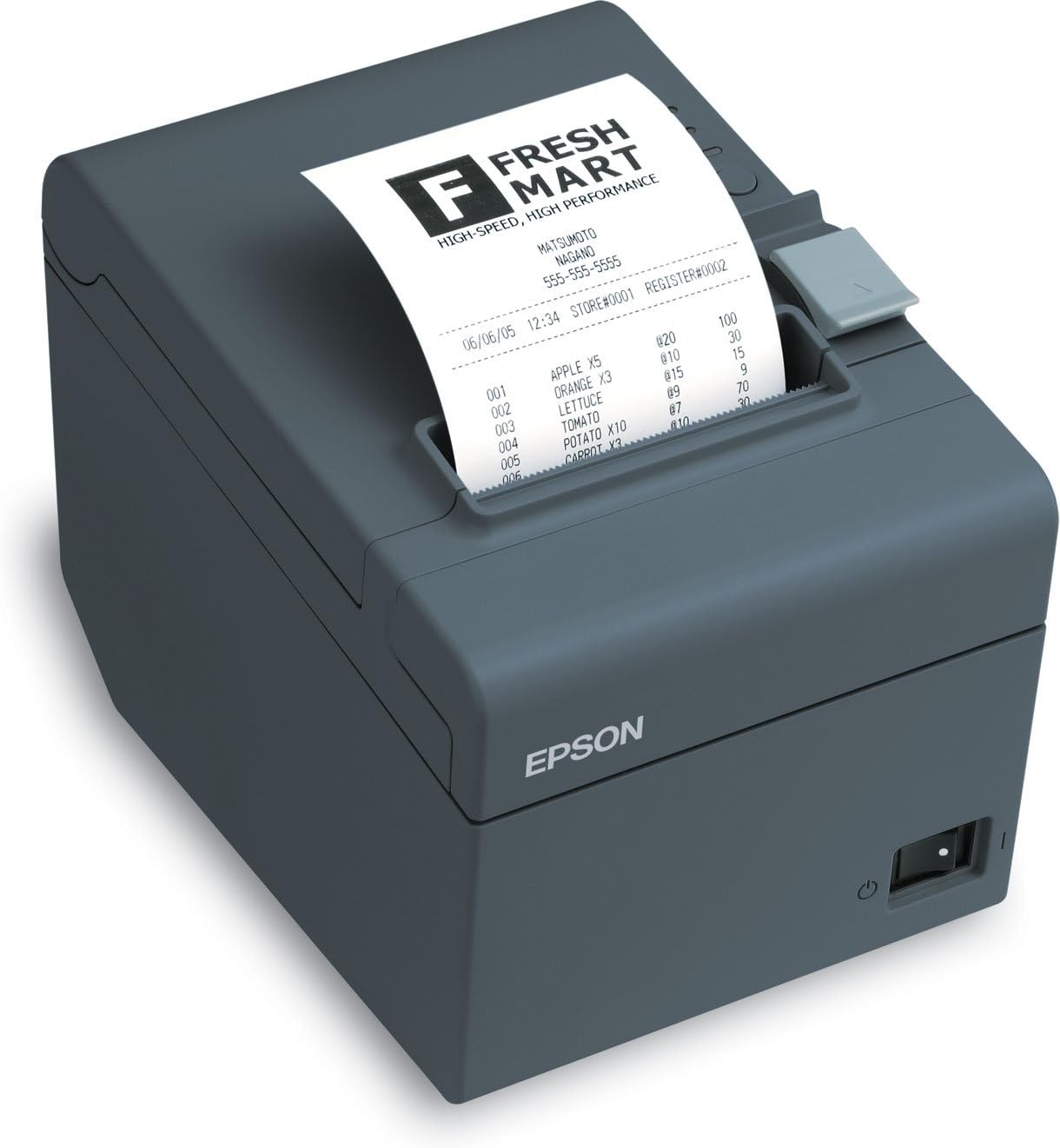
The Epson ReadyPrint T20 is a monochrome direct thermal desktop printer designed for retail and office POS environments. Featuring USB-only connectivity, a built-in auto cutter, and a cash drawer port, it supports multiple paper widths (58mm and 80mm) with 203 dpi print resolution. Compact and lightweight, it offers reliable, high-quality receipt printing with 64MB memory storage, making it an essential tool for efficient transaction management.
| ASIN | B005X11CS0 |
| Additional Printer Functions | Print Only |
| B&W Pages per Minute | 1.00 |
| Best Sellers Rank | #572,726 in Office Products ( See Top 100 in Office Products ) #594 in Receipt Printers |
| Brand | Epson |
| Built-In Media | Auto Cutter, Cash Drawer Port |
| Color | grey |
| Color Pages per Minute | 1 ppm |
| Compatible Devices | Laptops, PC |
| Connectivity Technology | USB |
| Control Method | Remote |
| Customer Reviews | 4.5 out of 5 stars 316 Reviews |
| Display Type | No Display |
| Dual-sided printing | No |
| Duplex | Manual |
| Hardware Interface | USB |
| Ink Color | black |
| Item Dimensions D x W x H | 7"D x 5"W x 5"H |
| Item Weight | 1700 Grams |
| Manufacturer | Epson |
| Maximum Copy Resolution Black and White | 203 dpi |
| Maximum Copy Speed Black and White | 1 ppm |
| Maximum Media Size | A4 |
| Maximum Print Resolution Black and White | 203 dpi |
| Maximum Sheet Capacity | 250 |
| Model Name | C31CB10021 |
| Model Number | C31CB10021 |
| Model Series | C31 |
| Number of Drivers | 1 |
| Number of Trays | 1 |
| Other Special Features of the Product | Energy Star |
| Paper Size | 8.5 inches |
| Print media | Paper (plain) |
| Printer Connectivity Type | USB |
| Printer Output Type | Monochrome |
| Printer Type | Thermal |
| Printing Technology | Thermal |
| Processor Count | 1 |
| Scanner Type | Thermal |
| Special Feature | Energy Star |
| Specific Uses For Product | Office, Retail, POS |
| Total USB 2.0 Ports | 1 |
| Total Usb Ports | 1 |
| UPC | 755918569322 123456789999 799198089774 |
| Unit Count | 1.0 Count |
W**S
EASIEST AND EFECTIVE PRODUCT
Simple... Uninstalled my POS 5870 cheapo Installed the drivers for this printer Open the printer options and turned on open cash drawer before print WORKS! Nothing in the world couldn't work out any better than this product. Prints super fast! FYI, don't expect to have the POS/esc commands in the manual because it tells you that it's not open to the public but not like google can't fix that. WINDOWS 8 COMPATIBLE!!! SO YES, IT WORKS WITH EARLIER VERSIONS The printer comes with a few extra pieces... Kick them to the side as they are not needed BUT USEFUL Includeds USB printer cable and everything else Prints up to 80mm USB ESC/POS COMMANDS but i have to find my correct programming language to use it (java/jscript/PHP) I don't know if I can Use VB on my custom pos system but if anyone knows me, i will figure out and will work... Uses the RJ12(Phone Jack) plug for Cash Drawer and it's PIN2 if anyone is wondering and Secondary is PIN5 This one I didn't see the secondary plug in unless you use a splitter or what not, never seen a use for two cash drawers for one POS system but it's capable. Great quality Even the sample receipt paper comes taped and wrapped! To the point easy software installation Ignore the paper instructions, it will take you for a ride just to see that all you do is put the paper in and be done with it. You don't need to screw around with the extra settings, just turn on the cash drawer before/After print and be done. All of that coupon set up, barcode stuff on there is good but is best to use within your software development for better control but it too is useful. I use code 3-9 and scanner picks it right up for my transaction numbers. Now you do have programming options to setup the cutter and all of that but for those needing something fo there store on a quick, serve my customers base, this is by far the best and a heck of a lot cheaper that the t88 models by which I don't see any difference by any means Acts as a regular printer, you install it, and print whatever you want to it and it automatically scales it down to the margin on the printer paper and done deal(No need to go around playing with settings) NOTE: CHROME STILL LIKES TO USE 2 MILES OF THE PAPER SO I DONT KNOW ABOUT CHROME AS MY POS FRONT END. I USE FIREFOX OR OPERA) Like I said the only issue im having which is not the printers fault is me utilizing the ESC/POS commands but I was having that issue with my other printer simply because I don't program in C# and VB.Net(ALTHOUGH IT HAS SOME SAMPLES FOR VB6 FOR THOSE WHO STILL USE VB6!!) If you want something quick, easy, ready to go, no bs'ing around, reliable and good quality and just print on the fly without the messfull setup ... BUY IT.
F**D
Great Printer for a Great Price
Easy to set up, does what I need it to do, seems sturdy and well made. It can sit vertically or horizontally which makes for flexibility in meeting individual space requirements. I have it sitting vertically on my computer tower under my desk meaning less clutter on my desktop and allowing the receipts to be in easy reach. The price is super - my credit card merchant wanted to sell me the same one for $300 or rent it to me for $10 a month.
M**M
Great printer for my small restaurant.
I installed an open sourse software (floreant pos) on an old computer and attached this printer to it. The printer fits excellently with the system. Installation is easy -- installed it on windows XP and on SuSE Linux 11.4 and 12.1. For the Linux system (mine is SuSE) you will need internet connection, the software provided was not good (or I could not use it correctly, more likely my inability). I connected it with a cash drawer and works excellent - needed adjusting printer setup on print manager (windows). I do not remember using it (printer + cash drawer) on Linux.
A**R
Best Receipt Printer I Have Ever Used!
This receipt printer is FAST, and automatically cuts the receipts. The print quality is amazing for a thermal printer, and it is relatively easy to set up. Some have complained about it not working with cash drawers, and I had the same issue, but it only took about 30 seconds of troubleshooting to get it to work, at least in my case... Our old receipt printer would open the cash drawer with every receipt, but this one only opens it on cash sales, which is much more convenient. If you are willing to do a little bit of troubleshooting, and have a moderate receipt-printer budget, you will not be disappointed with this machine!
K**N
Cash Drawer Compatible?
No issues with the quality of the printer. My concern is I got it to use with a POS system and was needing a printer to connect to an electronic cash drawer. Does anyone have this particular printer connected with a cash drawer? It's supposed to open automatically when the receipt prints...have read through the settings and can't find any information.
M**K
Worth it!
I purchased two for my father's grocery store. The included CD has plenty of software. I was happy to find the Port Assignment Tool or port emulation software. This was very helpful with my POS software which didn't support USB. It worked like a piece of cake. You just assign which port you want the Epson device to use. You can even see the devices assigned to ports used in other programs. Also, the sample roll has sufficient length for testing purposes. I think it is 80" but check the manufacturer site. You need to download the official manual off their website too. The only sheet included in the package is for hardware setup.
J**K
Works, but short return/notification policy
Worked right out of the box. No hassle. I purchased this one and another Esky model that was a real lemon. Accidentally sent one of several messages meant to address the Esky unit problem to the POS Megastore for this Epson. POS were quick to tell me their 30 day policy was up and to talk to the hand. No 60 day, no 90 day, 30. Beware-- if you have any issues, address them early because after 30 days these guys are done with you.
E**R
Fantastic little device.
Really solid receipt printer. Less expensive than 90% of the machines in its class, but it holds its own without an issue. Installation was slightly more involved than other reviewers had let on (it helps to know which port you're connecting this through), but overall it was still pretty simple to get working. Just make sure that you don't have an old version of the Epson receipt print driver on your computer, as this can cause the installation to fail.
C**N
Works great, super fast printer
Worked properly - had to install OPOS driver to work with our Point of Sale software.
M**E
Excelente producto.
Excelente! Llegรณ antes de los esperado. Todo funciona bien. Proveedor confiable. 100% recomendado
Trustpilot
1 month ago
3 weeks ago