Buy anything from 5,000+ international stores. One checkout price. No surprise fees. Join 2M+ shoppers on Desertcart.
Desertcart purchases this item on your behalf and handles shipping, customs, and support to Croatia.
🚀 Elevate Your Storage Game!
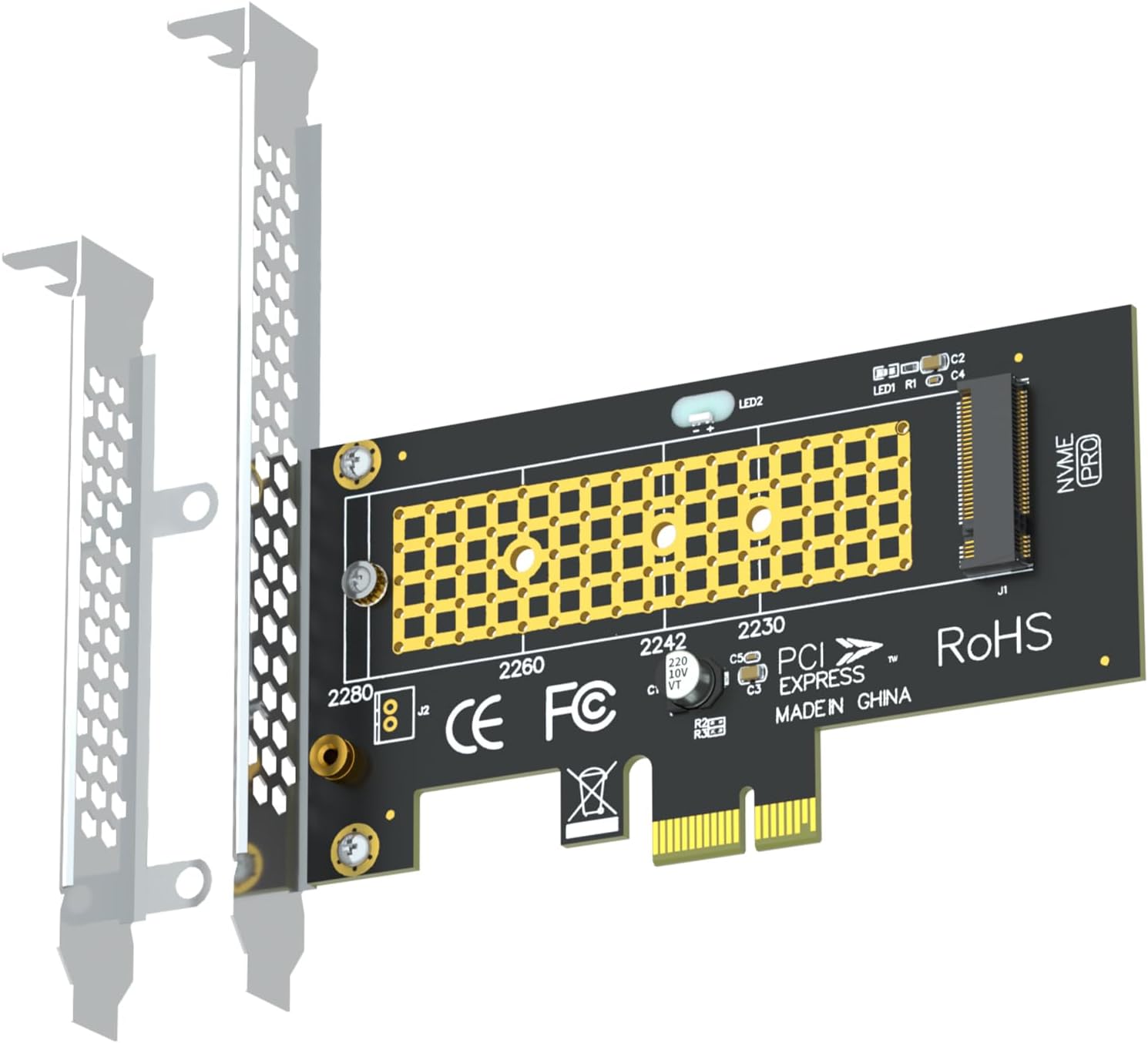
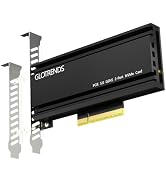
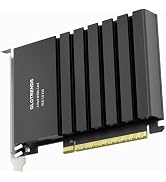
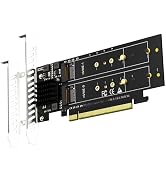
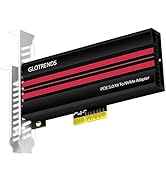
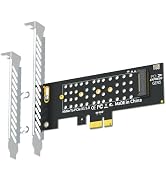
The GLOTRENDSPA09-X1 M.2 NVMe to PCIe X1 Adapter allows you to convert a PCIe X1 slot into an M.2 Key M slot, enabling the installation of M.2 NVMe SSDs. It supports SSD capacities of up to 4TB and is compatible with various operating systems, making it a versatile choice for enhancing your computer's storage capabilities.


| ASIN | B09P3HY3P3 |
| Best Sellers Rank | 11,391 in Computers & Accessories ( See Top 100 in Computers & Accessories ) 623 in Components & Replacement Parts |
| Brand Name | GLOTRENDS |
| Compatible Devices | M.2 NVMe SSD |
| Customer Reviews | 4.5 4.5 out of 5 stars (1,756) |
| Hardware Interface | PCI Express x1 |
| Item Weight | 0.08 Kilograms |
| Manufacturer | glotrends |
| Manufacturer Part Number | PA09-X1 |
| Model Number | PA09-X1 |
| Operating System | Windows 11, Windows 10, Windows 8, Linux, Mac OS |
| Product Warranty | 30 Day Warranty Against Manufacturer Defects |
| Style Name | M.2 NVMe to PCIe X1 Adapter |
G**E
It just works....
Superb little adapter that let me use an NVME SSD drive i had lying about to upgrade an older PC. Came with different back plates to fit STD and SFF chassis, and simple to swap. didn't test read/write speeds, but PC works nicely
J**E
High quality NVME to PCIe adapter at a great price.
I bought this particular card as my motherboard only had one NVME slot and this was already filled with the OS, and I had one PCIe 3 x 1 slot free. I needed to update the firmware on a couple of NVME drives that were to be used in a NAS which I had already tried to update using an external USB NVME enclosure but unsuccessfully. This board arrived and I was immediately impressed with its build quality, the PCB is very thick and has very few components. In the box were two PC brackets, 1 x full height and 1 x low profile. A small screwdriver, one brass standoff and 2 x M2 screws. The PCB already has a brass standoff permanently fitted in the 2280 length position so you only need one of the M2 screws to hold down the NVME if using that one. The other standoff can be fitted to one of the other predrilled holes for shorter length NVMEs and screwed through the bottom of the PCB using the other M2 screw, all in all a well thought out design. The card fits snuggly in the PCIe slot and there was plenty of room to take an NVME with Heat sink or a third party add on one, not that I needed one in my user case. I fitted a 2280 NVME to the card, installed in the PC and booted windows 11. The NVME was immediately found in the Disk Management utility and by the Crucial Storage Manager software. After the firmware was updated I repeated the process and left the empty card in the PC for future use. Overall I am very please with my purchase, it performed at the speed I expected and was perfectly compatible with my motherboard. You could buy similar boards at a slightly lower price but I feel this one offers exceptional quality for the price I paid, which was more than reasonable.
J**N
Decent quality
Works fine only downfall is it sits right under gpu making it work harder may put some strain on the gpu other then that runs great and is very good for price
R**P
Works as intended, but not the best way to install a NVME drive.
I give this 5 stars for doing what it is intended to do, which is to provide a way of connecting an M.2 NVME to a motherboard that has no dedicated NVME socket available. Installation is very easy and it can be fitted to low profile cases as well as standard size. The board has no additional circuitry other than an LED that illuminates to indicate access. However, it only has one PCIe channel so the data throughput is only marginally better than a good SATA SSD. If you are using this on an older motherboard that does not have an NVME slot/socket, then the BIOS will probably not allow it to be used as a boot drive or access it before you get into the operating system e.g. MS Windows. As such, it has limited use. Having discovered the above, I eventually decided to replace the motherboard, an old LGA1155, with a newer motherboard with NVME support built into the motherboard. The new motherboard and Gen4 NVME has made my aging Intel i7 2nd gen PC boot into Windows 10 in just a few seconds. If you want to use this adapter to just add some additional storage then it may be OK for you. If you want to use your NVME to operate as the Boot disk then this probably won't work and you will need to buy a SATA drive. Note that there are no SATA adaptors to convert M.2 NVME to SATA (at a sensible price), and SATA is slower than just one PCIe channel in any case. A native NVME socket will have 4 PCIe channels and will thus be a lot faster than SATA.
I**N
Does what it needs to
Neat little PCIe board that lets you add any NVMe module to a PC with a spare PCIe slot. works well fits snugly. easy to install and seems to provide high speed access to the NVMe module.
J**N
Not bad
Did the job but blocked my GPU fans so had to switch to a low profile
J**D
add an additional NVME SSD and quicker than SATA based SSD
I upgraded my Son's PC with a larger M.2 NVME SSD so had a spare 512GB Patriot Viper N.2 NVME PCIe3 SSD just sat around doing nothing as my own PC has 2 onboard M.2 slots, both PCI 4 and both currently populated with fast NVME's. However thought this would make a good dumping ground drive for video/photo editing, music for videos, etc but obviously no free slot in my PC. hence this little chap coming in handy. due to my 3080 graphics card i can only access the lower PCIe 1x slots so this was ideal running at max PCIe x 1. I wasn't looking for blistering performance just a way of adding the Patriot Viper and it been faster than my current dumping ground SATA SSD (240GB Corsair force 3). even at 1 x PCI speed my Viper M.2 NVME installed in this card is about twice as fast at random reads/writes and 4-6 times faster at sequential than my SATA SSD. This card was easy to install. just pop your M.2 NVME drive on top and screw down, slide into the PCIe slot on the PC then power on, no drivers/software needed. whole process took about 5 minutes, formatted the drive then good to go. i have included benchmark performance differences between the SATA based SSD and the NVME based SSD sat on the adapter/expansion card so you can see the results for yourself two slight niggles to note, it has a bright red light which is on constantly but flashes when drive accessed (would have preferred this the other way round!) and the little screwdriver included isn't useful for anything other than the bin, outside that cannot fault the card
N**O
Easy install & works well.
Found this very easy to install & it works a treat! Very well priced too!
R**Y
It does it's work. Speed is reduced but that's expected. Finally that little pcie slot has some use. Also for some reason my PC wouldn't accept the nvme without first formatting it. Luckily I didn't have any important stuff on the nvme. Overall it's solid quality
A**I
ممتاز يركب بدون تعريفات
A**N
Het werkt goed op mijn pc
B**N
I've bought 2 SSD M.2 NVMe one Crucial and one Samsung. My motherboard has avaible one slot for M.2 NVMe and the other M.2 was normal. This adaptor help me a lot, it works perfectly.
T**L
Bardzo przydatna do montażu dodatkowego dysku
Trustpilot
3 weeks ago
1 day ago