Desertcart purchases this item on your behalf and handles shipping, customs, and support to Croatia.
๐ฅ Step into Comfort with Smart Heating!
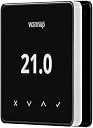
The Warmup Element WIFI Underfloor Heating Thermostat in sleek black offers modern control for your heating needs. With Wi-Fi connectivity and an intuitive app, you can effortlessly manage your underfloor heating from anywhere. Its stylish design and easy installation make it a perfect addition to any contemporary home.
| ASIN | B09RPBR5P7 |
| Backlight | Yes |
| Best Sellers Rank | 99,152 in DIY & Tools ( See Top 100 in DIY & Tools ) 18 in Floor Heating |
| Brand | Warmup |
| Brand Name | Warmup |
| Colour | Dark |
| Connectivity Protocol | Wi-Fi |
| Connectivity Technology | Wi-Fi |
| Control Method | App, Touch |
| Control Type | App Control |
| Controller Type | Android, iOS |
| Controller type | Android , iOS |
| Customer Reviews | 4.0 out of 5 stars 12 Reviews |
| Display Type | lcd or led |
| Included Components | Floor Sensor, Mounting screws, Power Base, Screwdriver |
| Item Dimensions D x W x H | 1.6D x 8.6W x 8.6H centimetres |
| Item Shape | Square |
| Item Weight | 290 Grams |
| Manufacturer | Warmup |
| Manufacturer Warranty Description | 12 year manufcturer warranty. |
| Material Type | Plastic |
| Model Name | Element |
| Model Number | ELM-01-Parent |
| Model name | Element |
| Mounting Type | Wall Mount |
| Power Source | Hard Wired |
| Product Style | Modern |
| Product dimensions | 1.6D x 8.6W x 8.6H centimetres |
| Special Features | Digital Touchscreen Display, Temperature Display |
| Special feature | Digital Touchscreen Display, Temperature Display |
| Specific Uses For Product | Radiator Underfloor Heating, Underfloor Heating |
| Temperature Control Type | Heating |
| Voltage | 230 Volts |
O**Y
Looks nice - but that's about it.
This thermostat looks nice, but thats where it ends. It was easy to install. I can set the thermostat to 21 degrees and it overshoots considerably to 22-23. It doesn't seem to have any intelligence. The display does not show whether the thermostat is calling for heat or not or whether its on or off. This is quite annoying because you have to check the app to determine what temperature it is set to and whether its on or off (eco mode). Not very smart at all. I'm considering swapping it out for Meross that I used to own which has better functionality and app.
M**E
Some Serious Wireless Limitations They Dont Tell You About
Just installed this and removed it an hour later! Needed it specifically for the Wifi feature and they simply do not work (at least not for me). I know what I am doing with this network stuff and found it impossible to connect to correctly. The Warmup app is awful, spelling errors all over it is a bad sign anyway. BEWARE - according to some well hidden FAQs this will only work if your network ID (the SSID) is 10 characters or less and your password is 9 characters or less (even when I tested it by changing my network to meet this just to see it still did not work). Why do you have a product that does not support proper long passwords? Why should I have to re-connect 30 or so existing devices to make this one device work (they would all need reconnecting if I shortened the password). Terrible usability limitations that you dont even mention in the very poorly written manual. There are some much cheaper and more flexible option (look at the Meross product).
D**N
Terrible on-device user interface. Incredibly buggy app connection/control
Using this without the app works, but is really painful and unintuitive, poorly responding controls, weird icons etc. If you have a few hours to spare, try connecting with the app. Some time ago, I was successful, but it took about an hour, requiring multiple reboots of the device and the app, just trying again and again. I have no idea what made it "work" when it did - I was just using the same steps as I'd done previously. One incredibly annoying thing is that the QR code for connecting is on the back of the device... so you need to prise it off the wall, scan it, then notice it's turned itself off, and start all over again. In the end I took a photo of the QR code, copied it to my computer, so I could scan it without taking the device off the wall. Once connected, it mostly worked for a few months. I could control it via the web interface, which was convenient (better than using the device, or the app). Some bugs (reporting NaN for some temperatures, and just being a bit weird). Then one day it just forgot about the room. So back to square one. Except this time I could not get it to connect to the internet (via pairing with my phone). I think there is something weird where it connects via wifi to the phone, but then can't transfer its connection to the wifi. After multiple failures, and getting sick of typing my wifi password in each time, I gave up. The combination of terrible on-device UI, with a bug-filled app, makes this one of the worst devices I've used, and it's up against some pretty fierce competition.
M**Y
Dodgy app
Looks nice but the app hasn't been updated in years and barely works at all. The touch screen feels unresponsive and is confusing. Don't buy. Just in case anyone is battling with the setup and wants a tip: the Android app wasn't able to connect the thermostats to my WiFi at all and I very nearly gave up, but the iPhone app did work and once I'd added the thermostats to my WiFi using my iPhone I could then also use the Android app for the temperature controls.
Trustpilot
1 week ago
4 days ago