Buy anything from 5,000+ international stores. One checkout price. No surprise fees. Join 2M+ shoppers on Desertcart.
Desertcart purchases this item on your behalf and handles shipping, customs, and support to Croatia.
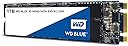
💨 Speed meets stamina — upgrade your workflow with WD Blue SSD!
The Western Digital 1TB WD Blue 3D NAND Internal SSD combines cutting-edge 3D NAND technology with SATA III interface to deliver up to 560MB/s read speeds and 530MB/s write speeds. Designed for professionals seeking reliable, high-capacity storage, it boasts an industry-leading 1.75 million hours mean time to failure and 500TB written endurance. Its energy-efficient design reduces power consumption by up to 25%, extending laptop battery life, while the compact M.2 2280 form factor ensures easy installation in a wide range of desktops and laptops.


| ASIN | B073SB2MXT |
| Additional Features | Portable |
| Best Sellers Rank | #724 in Internal Solid State Drives |
| Brand | Western Digital |
| Built-In Media | cloning software |
| Cache Memory Installed Size | 1 |
| Color | Blue |
| Compatible Devices | Laptop |
| Connectivity Technology | WD Blue Internal SSDs boost a variety of computing applications like gaming, HD media playback, or creative software. |
| Customer Reviews | 4.7 out of 5 stars 7,506 Reviews |
| Data Transfer Rate | 750 Megabits Per Second |
| Digital Storage Capacity | 1 TB |
| Enclosure Material | PEX |
| Form Factor | M.2 2280 |
| Global Trade Identification Number | 00718037856322, 10718037856329 |
| Hard Disk Average Latency | 0.1 Milliseconds |
| Hard Disk Description | Solid State Drive |
| Hard Disk Form Factor | 2.5 Inches |
| Hard Disk Interface | Serial ATA |
| Hard-Drive Size | 1 TB |
| Hardware Connectivity | SATA 6.0 Gb/s |
| Hardware Platform | PC, laptop |
| Installation Type | Internal Hard Drive |
| Item Dimensions L x W x Thickness | 4.96"L x 4.06"W x 0.87"Th |
| Item Weight | 0.39 Ounces |
| Manufacturer | Western Digital |
| Media Speed | 530 Megabytes Per Second |
| Mfr Part Number | WDS100T2B0B |
| Model Name | WESTERN DIGITAL TECHNOLOGIES |
| Model Number | WDS100T2B0B |
| Number of Items | 1 |
| Read Speed | 560 Megabytes Per Second |
| Special Feature | Portable |
| Specific Uses For Product | Multimedia, Gaming, Personal |
| UPC | 718037856322 |
| Unit Count | 1.0 Count |
| Warranty Description | Western Digital ("WD") values your business and always attempts to provide you the very best of service. No limited warranty is provided by WD unless your WD Product ("Product") was purchased from an authorized distributor or authorized reseller. Distributors may sell Products to resellers who then sell Products to end users. Please see below for warranty information or obtaining service. No warra… |
A**S
Understand your equipment, a great drive!
If you haven't done much research on this form factor of drive and how they work in a computer, you should read this whole review. If you know what you want already, this is a solid performer for the ssd type m. 2 and vastly out performs sata cable drives with a good price point to boot. Western digital is an old school drive maker, and this is a good example of solid hardware. If installing one of these on a desktop is new to you... If this is a new installation in a motherboard or you're switching to a new hard drive make sure you look at your motherboard specs. There are two kinds of M.2 drives that are common right now. Mid range Motherboards handle them in different ways. This drive is an m.2 ssd sata drive, so when you put it in, it uses a sata lane in order to work. This means that it may disable a sata plug on your motherboard. If your operating system (ie windows or Linux) is installed in the sata port you just shut off by installing this your system will fail to boot and you will have to move the plug on the old drive to get the computer to load or to clone your hard drive to this one. You may have to tell your bios what the new load order is. The other kind of common m. 2 drive is a m. 2 pcie ssd. It uses a pcie lane to work. If you have something plugged into a pcie expansion slot it may turn that slot off. Some folks have network cards or video cards plugged into these slots and it could be an inconvenience. These pcie drives are faster, but honestly I doubt most people will see a big difference and the list item I am posting this review on is perfect for most uses. Look at your motherboard book or do a little research before you install one of these if you are new to them so that you know what the install is going to change in your computer. This is a really great drive, it runs well, and I love how small it is... It lost one star from me in the gaming catagory because it does not come with a heatsink. I don't think it necessarily should have one for this price but I bought a cool led one because for that application it needs to have a heat spreader.
S**F
It works.
The Western Digital 1TB WD Blue 3D NAND SSD is a solid all-around performer in both internal and external use cases. In a Dell 7559 laptop, it not only boosts storage capacity over the stock drive but also noticeably improves system responsiveness and load times thanks to its SATA III interface and up to 560 MB/s read speeds. Later as an external drive in a good enclosure, it continues to perform reliably for backups, file transfers, and portable project storage. Overall, it is a versatile, dependable upgrade that works well in either role.
C**R
Good Quality SSD
Western Digital has always been my go to for storage and this did not disappoint.
C**R
SSD is great, software is junk
The SSD itself is great so far. It arrived today and so far it's working perfectly. However, the Acronis cloning software provided by WD is absolute junk. First of all it's a huge download that failed several times when I tried to get it and my connection was perfectly stable so I know it's not on my end. Secondly the software is not easy to use, it wouldn't let me easily resize my OS partition; I had to fight with it for a few minutes to get the settings the way I wanted them. Thirdly the software is glitchy - it does this thing where it reboots the computer and then works on copying the partitions without running the OS - while it was cloning my old drive it just went to a black screen with only the mouse/spinner showing. If not for my HDD light I wouldn't know anything was happening at all. After over 2 hours of waiting for this thing to finish (as I read online people waited a long time and eventually it finished and rebooted the computer normally) I decided that it wasn't going to work. I was cloning an existing, smaller, SSD and I knew that it shouldn't be taking this long. So I tried to reboot my PC to get out of this black screen and guess what - it boots right back into the black screen again. The only way to break out of it was to remove the new drive, restart, boot normally, shutdown, reinstall the new drive again. Do yourself a huge favor and use Macrium Reflect instead - it's free and works much much better. It's not that obvious how to resize partitions with Marcium (if you need to do that, which I did as I was going from smaller drive to larger one), so go watch a youtube video about it or poke around a while until you find it. Macrium was done cloning in about 20 minutes and no reboot or crazy black screen required. So far the cloned drive is working perfectly, no issues at all after playing a huge game for hours.
L**6
It's a game changer! Exponentially sped up my XPS 15
If you're not running a SSD, you might as well be using dial up. This is such an easy upgrade, and for around 100 bucks you can exponentially speed up your pc. Games load faster, loading screens are slashed to moments, your computer will boot in seconds, and maybe best of all no more annoying "Clicky" noise from the old hard drive! SSDs are loads faster, but also more reliable and less easily corruptible. Took around 20 minutes to install in my XPS 15. a quick Google search will lead you to free cloning software, and once the new drive is in, you basically just copy your old hard drive onto the new one, change the boot order and you're good to go! (note, I did need to buy a P5 Torx wrench, so make sure you have the right one!) I used EaseUS Todo Backup and made the process easy (and free!) Upgrade your PC, safe yourself time and frustration, and improve your overall computing experience. I went with WD as they have a stellar reputation and I've been buying internal and external memory from them for years.
G**T
OK speeds and quality. Compatible and reduces boot time.
OK speeds and quality. Compatible and reduces boot time. Decent storage capacity. No noted issues with heat.
B**N
Extra storage
Got it for my Ps5.. And I finally have space for my other games. Got it on sale. Very useful
A**R
M.2 WD Blue Sata III 1TB
My laptop is an Acer Predator Helios 300. A great laptop but the M.2 SSD provided with the machine is only 250gb and I need plenty of storage space on my computer. I found the M.2 WB Blue 3D NAND 1TB on Amazon and noticed it's giant 1TB of space, low power requirement and excellent price. There are much faster M.2 PCIE drives for sale but the price is double the amount so I figured as long the WD Blue drive can mach the speed of the current fast M.2 Sata drive installed in my laptop it will be just fine. After a fresh install of windows with this disk installed I ran ASSD disk benchmark and the "WD Blue 3D Nand" beat my old drive with a 20-25% speed increase. I think it's about as fast as Sata can be! I'm really happy, it's fast for a Sata disk and the low power requirement gives my laptop battery an easy time. The 5 year read-write warranty on this disk is also brilliant and the price is superb... Buy one :)
M**O
Ottimo per un HUAWEI Matebook D
Ottimo SSD per sostituire quello da 256 GB per il Huawei Matebook D di un mio amico. La versione da 1 TB è perfetta per chi lavora con foto, video ed ha la necessità di archiviare una quantità di dati notevole. Il montaggio è fin troppo facile. Per il portatile in questione, dopo aver clonato il vecchio SSD con quello nuovo tramite il software ACRONIS TRUE IMAGE, è bastato rimuovere le viti sul pannello inferiore con l’aiuto di una ventosa e una sim ed estrarre semplicemente il vecchio sostituendolo con quello nuovo. Un gioco da ragazzi! Consigliatissimo!
K**.
Producto confiable y eficiente
Llevo 3 años usándolo y estoy más que satisfecha con el producto, mejora mucho la velocidad del equipo y a día de hoy no he tenido ningún problema con él. Sobre sus puntos fuertes: Rendimiento Mejorado: La tecnología 3D NAND y la conexión M.2 SATA proporcionan velocidades de lectura y escritura significativamente mejoradas en comparación con los discos duros tradicionales. Esto se traduce en tiempos de carga más rápidos para el sistema operativo y las aplicaciones, así como una mayor capacidad de respuesta general, si siempre has utilizado un HDD normal vas a notar mucho la diferencia cuando cambies a este. Capacidad Espaciosa: Con 1 TB de almacenamiento, este SSD ofrece una capacidad generosa para almacenar una amplia variedad de archivos, desde documentos hasta juegos y archivos multimedia. Fiabilidad y Durabilidad: Los SSDs son inherentemente más resistentes que los discos duros tradicionales debido a la falta de piezas móviles. Además, la marca WD es conocida por su calidad y fiabilidad en el campo de almacenamiento. Facilidad de Instalación: La interfaz M.2 SATA facilita la instalación En comparación con otros SSDs M.2 SATA de marcas competidoras, el WD Blue 3D NAND destaca por su equilibrio entre precio, rendimiento y fiabilidad. Marcas como Samsung con su serie 860 EVO y Crucial con la serie MX500 ofrecen productos similares en términos de rendimiento, pero a menudo a precios ligeramente superiores. Puntos Débiles: Precio en Comparación con HDDs: Los SSDs, en general, tienden a ser más caros por unidad de almacenamiento en comparación con los discos duros tradicionales. Sin embargo, la diferencia de precio se ha reducido con el tiempo y el rendimiento adicional justifica el costo. En resumen, el WD Blue 3D NAND Internal SSD M.2 SATA de 1 TB ofrece un rendimiento confiable y una capacidad espaciosa, haciendo de él una excelente opción para aquellos que buscan mejorar la velocidad y la eficiencia de almacenamiento en su sistema. Espero que te haya resultado útil mi reseña :)
O**E
Satisfaction
Super fonctionnel, parfait.
M**E
Un buon acquisto
Non me ne intendo molto, ho acquistato l'hard disk insiene ad altri componenti, su consiglio di un amico che ha provveduto ad assemblarmi il mio nuovo PC. E' estremamente veloce in accensione del pc e durante il lavoro. La consegna è stata cosi rapida che a momenti il pacco è arrivato prima ancora della spedizione, per non considerare il fatto che l'ordine è stato effettuato e consegnato durante le festività natalizie. E' anche vero che ho un account primer. Comunque sono soddisfatto dell'acquisto e il rapporto qualità prezzo mi sembra accettabile. Le consiglio.
A**A
Aprendiendo de mis errores.
Mi placa base es una asus x99 deluxe, que cuenta con conexión m.2 x4 con interfaz PCIe y una tarjeta de expansión Hyperx4 para instalar discos ssd M.2 en un puerto PCIe de la placa base, en paralelo a la gráfica. Mi error ha sido no tener en cuenta que este disco SSD M.2 es de interfaz SATAIII, por lo que es incompatible con el conector M.2 de mi placa base, que es interfaz PCIe únicamente. Ténganlo en cuenta los potenciales compradores de la versión M.2 de este producto. El producto es perfecto, pero asegúrate que tu placa base tiene conector M.2 compatible tanto con interfaz SATA como con interfaz PCIe para asegurarte que la motherboard lo reconozca. He solicitado un reemplazo a Amazon por su modelo equivalente en formato 2,5. Me resultaba más interesante este debido a que no requiere cableado a placa y fuente, pero no me sirve. Error mío por no revisar bien las especificaciones placa/producto.
Trustpilot
2 months ago
3 weeks ago