Buy anything from 5,000+ international stores. One checkout price. No surprise fees. Join 2M+ shoppers on Desertcart.
Desertcart purchases this item on your behalf and handles shipping, customs, and support to Croatia.
🚀 Elevate your small business Wi-Fi game with Cisco’s powerhouse access point!
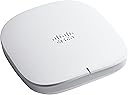
The Cisco Business 150AX Access Point delivers enterprise-grade Wi-Fi 6 performance with 2x2 streams, advanced security via Cisco Umbrella, and flexible PoE mounting options. Designed for small businesses, it supports easy setup and scalable coverage through mesh extenders, ensuring fast, secure, and reliable wireless connectivity.


| ASIN | B0B4FBTQB4 |
| Antenna Location | Security |
| Antenna Type | Internal |
| Best Sellers Rank | #226 in Computer Networking Wireless Access Points |
| Brand | CISCO DESIGNED |
| Built-In Media | CBW150AX Access Point, Support contact pointer card, Mounting bracket and hardware, Power over Ethernet injector, Cat5 Ethernet Cable and Quick Start Guide |
| Color | White |
| Compatible Devices | Personal Computer |
| Connectivity Protocol | Wi-Fi |
| Connectivity Technology | Ethernet |
| Control Method | App |
| Controller Type | Switch |
| Coverage | Up to 400 clients, large area coverage |
| Customer Reviews | 3.8 out of 5 stars 74 Reviews |
| Data Transfer Rate | 1 Gigabits Per Second |
| EU Spare Part Availability Duration | 3 Years |
| Frequency | 5 GHz |
| Frequency Band Class | Dual-Band |
| Has Internet Connectivity | Yes |
| Has Security Updates | Yes |
| Is Electric | Yes |
| Is Modem Compatible | No |
| Item Dimensions L x W x H | 5.92"L x 5.92"W x 1.57"H |
| LAN Port Bandwidth | 10/100/1000 megabits_per_second |
| Manufacturer | Cisco |
| Maximum Upstream Data Transfer Rate | 1488 Megabits Per Second |
| Mfr Part Number | CBW150AX |
| Model Name | CBW150AX |
| Model Number | CBW150AX |
| Number of Ports | 2 |
| Operating System | Cisco IOS |
| Other Special Features of the Product | Access Point Mode, WPS |
| Router Network Type | wireless |
| Security Protocol | WPA2, WPA2-Enterprise, WPA3 |
| Smart Home Compatibility | Not Smart Home Compatible |
| Special Feature | Access Point Mode, WPS |
| UPC | 889728424394 |
| Unit Count | 1.0 Count |
| Warranty Description | Cisco 3-Year Limited Hardware Warranty |
| Wi-Fi Generation | Wi-Fi 6 |
| Wireless Communication Standard | 802.11ax |
| Wireless Compability | 802.11ax |
F**O
Good product but those reboot times… oh man.
Bought two for better coverage throughout my home and to replace our ISP modem. Price was great for me which included the POE injector. Will eventually purchase of their 250 series POE switches. Setting up through the web UI was easy but through the business dashboard no so much. It involved a few more steps and I didn’t bother with the app. So far signal is strong throughout the house and no issues. Update: - They randomly started rebooting. I would go through logs from the AP and switch but would not find anything useful. I believe I encountering link flapping (port goes down and comes back up repeatedly). Followed some steps to try and negate that but it didn’t work. Last.. the AP itself got stuck in a boot loop so I ordered a UniFi AP as a replacement.
R**0
Stable fast access point throughout the house, excellent value for money
Stable wifi connections, faster sustained download speeds compared to my Netgear Nighthawk routers. Easy setup. Yes, it's a bit slow setting up, but acceptable given the device updates firmware and configures device. Very happy with purchase. I will buy more as needed.
E**D
Bricked before it ever saw use )-
Configuration was not intuitive, options were not clear nor follow the manual. Device bricked itself so never got to see service. It may have had corrupt firmware which may have caused the above issues. Was not impressed.
G**Y
No Static IP and LONG reboot times.
Disclaimer: Installation of AP was today. 1) You can not staticly assign it's IP. If you want it to stay at an IP I recommend you set up your DHCP reservation for it before you plug the AP into power. 2) As other reviewers have said, this takes longer to reboot than some other APs. I clocked the reboot at 5.5 mins to 6.5 mins. 3) Acceptable range for my small house. Standing next to it I can get 350~Mb on the down, 20 feet away (and though 3 walls) I get 90~Mb, 40 feet away (and though 1 interior wall and 1 firewall) in the garage I get 80~Mb. Reasonable and seems stable but it's not going to win any awards for strong connections. 4) Latency is normal, I've seen as low as 16ms but normally it's in the low 30s. Edit (After 9 months): Staying at 4 stars. Correction to the original review, you CAN static assign this AP's IPs (yes there are two of them) but it was very difficult for me to figure out. An internet guide, not by Cisco, was necessary. There are two dead spots in my house where the signal has to go through a wall, a metal AC duct, a ceiling, and another wall. Both of these spots are less that 30 feet from the AP. I am ordering another one of these which will also be CAT6 back to the router; I am hopeful this will solve my issue. Still a good AP for the price!
A**R
Disappointing Purchase
I can't recommend buying this Cisco access point. I had 3 in a 2 floor 4000 sq ft house and they all stopped working within a week in January '25. The light blinks green off for a while, then white, then back to green off. They don't connect to my network and there is no way to load a working image onto them via console cable or via network cable. I put them up in September '22. They take a while to boot up and get going with the blinking light patterns. Cisco has a diagram that explains the color and blink patterns — solid blue is good! I walked around the house and yard with a laptop, iPhone. Solid WiFi! A few weeks in I started to have issues, the light on one would be red or blinking red and green, not blue! Ring cameras would disconnect, iPhones bouncing between 5G and WiFi. What the heck? Is it updating?? The app would report it lost connection with the AP. I would reboot it, reboot the primary, reboot all 3. Sometimes they all worked, sometimes 2 worked, sometimes 1, sometimes none. Reboot reboot reboot! Most of my devices are on CAT6, but I have around 20 on WiFi, laptops, phones, kitchen appliances, etc. Each of these business class APs is supposed to support 200 users each. What a light load! Surely Cisco will update these to a solid state at some point. This went on for 2 plus years until January 2025. I contacted Cisco support, TAC, and they want to know your ID that has a support contract tied to it and where you work. Huh? The description on Amazon says they have a 3-year hardware warranty, "Cisco Business 150AX Wi-Fi 6 2x2 Access Point 1 GbE Port - Ceiling Mount, 3-Year Hardware Protection (CBW150AX-B-NA)" is the title of the order. My order details also state, "Product support window closed on August 9, 2024." Anyone that has worked with Cisco gear knows about their business support contracts. I've configured all kinds of Cisco switches, routers, firewalls, VPNs. I have a CCNA. I didn't expect the same type of support arrangement for home use. I thought I was getting the best I could get for a work from home setup. I've crawled all over the Cisco site, tried the warranty RMA page, support pages, all of it. I tried TFTP on a private 10.0.0/24 network. I tried the reset buttons, which BTW, only resets the config, not the OS. My post on the Cisco Community (Cisco Community > Technology and Support > Small Business Support Community > Wireless - Small Business) site has no replies, zero point zero replies for over a week now. I also had a Microsoft Zune, so there's that... Good luck to everybody out there!
A**R
Works Amazing, Fast Configuration.
As with all Cisco products new out of box startup is slow however setup is fast. This is a workhorse without the subscription fees. However do not attempt to use with 151AXM Mesh AP's (They are junk).
S**N
Amazing product and price
Didn’t have a single problem deploying, managing or upgrading firmware. It’s been up and running for months since I got it and added it to the setup I have, and didn’t have to reboot it even once except when I uploaded the latest published firmware from Cisco, despite the heavy load of traffic on multiple devices didn’t cause any drop in the performance! I read some reviews couple from people saying they’re network engineers, well I guess they’re not as good as they think they are in the field, specially it’s a GUI manageable AP not “command based”. And some others try to find a workaround of not having a full Meraki setup, unfortunately there is none afaik; you opt in for Meraki you must be willing to pay for licenses period.
R**R
Still evaluating the device not impressed thus far
This is replacing some older Cisco AC units, and while the AX I think will be far better in the long run the boot time and initial configuration is a disaster! I am a network engineer of 20+ years and in all my time working with Cisco equipment I have rarely been as challenged with the initial setup of a device. The lack of a console is one thing, but the boot time and initial configuration is atrocious. Granted I have tried other access points as well, all of them are poor as far as what you get for the money without go to a full controller based units.
G**O
Excelente AP vale mucho la pena!
Este AP que se supone es una gama baja de la marca Cisco es el mejor equipo de todos lo que he probado en casa para el servicio de red inalámbrica. Lo recomiendo mucho. Importante para aprovechar todas sus excelentes prestaciones actualizar el firmware desde la primera vez que se configure. Sorprende de verdad su calidad vale cada dollar su precio.
R**Z
Excelente producto de calidad y funciona de maravilla
Lo recomiendo
Trustpilot
2 weeks ago
5 days ago