Buy anything from 5,000+ international stores. One checkout price. No surprise fees. Join 2M+ shoppers on Desertcart.
Desertcart purchases this item on your behalf and handles shipping, customs, and support to Croatia.
🚀 Print smarter, faster, and effortlessly—because your workflow deserves the best.
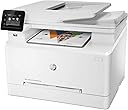
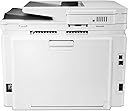
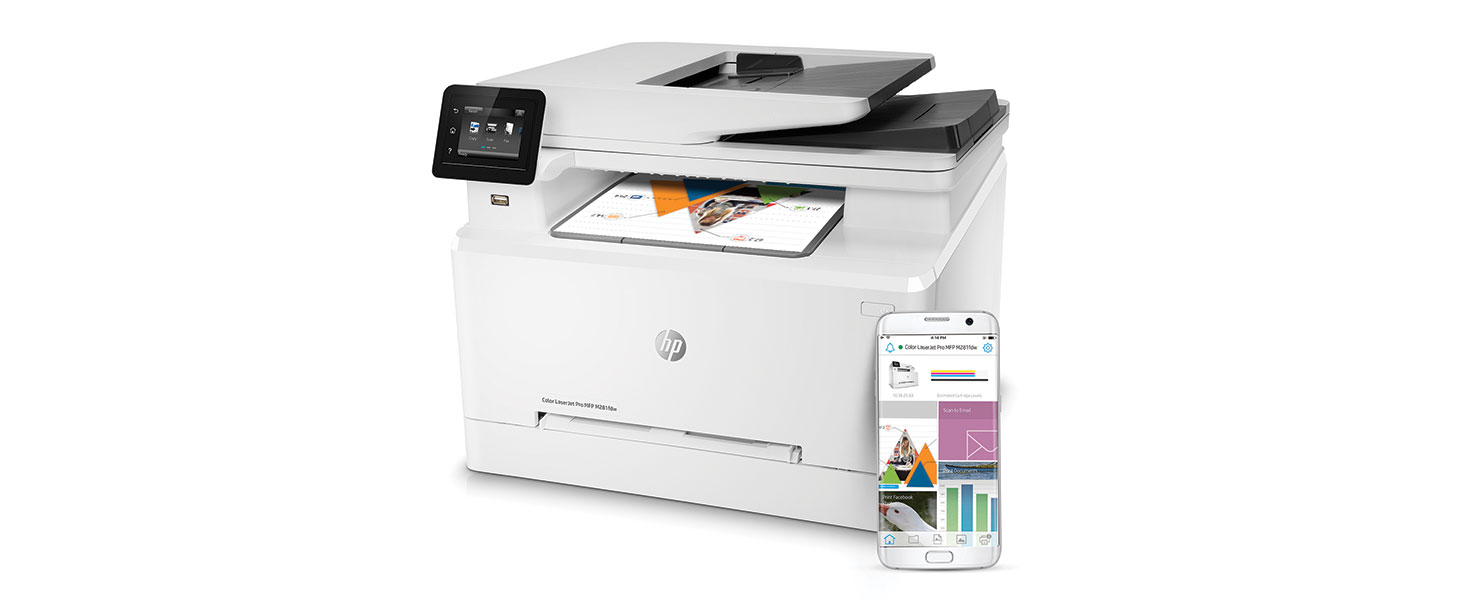
The HP LaserJet Pro M281fdw is a compact all-in-one wireless color laser printer delivering up to 22 pages per minute with ultra-fast first page out times. Featuring auto double-sided printing, a 2.7-inch color touchscreen, and seamless mobile/cloud printing via the HP Smart app, it integrates smart toner replenishment through Amazon Dash for uninterrupted productivity. Dual-band Wi-Fi and Ethernet connectivity ensure reliable performance for busy professionals.


| ASIN | B073RG8Z72 |
| Additional Printer Functions | Copy |
| B&W Pages per Minute | 22 ppm |
| Best Sellers Rank | #124,275 in Office Products ( See Top 100 in Office Products ) #152 in Laser Computer Printers |
| Brand | HP |
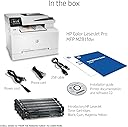
| Built-In Media | ; Introductory HP LaserJet Color cartridges (~700 color composite (C/Y/M) page yield and ~1400 page yield black), HP Color LaserJet Pro MFP M281fdw, Installation guide, Power cord, Printer documentation and software on CD-ROM, USB cable |
| Color | White |
| Color Depth | 24 bpp |
| Color Pages per Minute | 22 ppm |
| Compatible Devices | Laptops, PC, Smartphones |
| Control Method | App |
| Controller Type | Google Assistant |
| Customer Reviews | 4.0 4.0 out of 5 stars (1,856) |
| Display Type | LCD |
| Dual-sided printing | Yes |
| Duplex | Automatic |
| Global Trade Identification Number | 00190780300084 |
| Hardware Interface | USB 2.0 |
| Ink Color | cyan, magenta, yellow |
| Item Dimensions D x W x H | 16.5"D x 16.6"W x 13.2"H |
| Item Type Name | HP Color LaserJet Pro MFP M281fdw (T6B82A) |
| Item Weight | 41 Pounds |
| Manufacturer | HP |
| Maximum Copies Per Run | 250 |
| Maximum Copy Resolution Black and White | 600 dpi |
| Maximum Copy Resolution Color | 600 x 600 dpi |
| Maximum Copy Speed Black and White | 22 ppm |
| Maximum Media Size | 8.5 x 14 inch |
| Maximum Print Resolution Black and White | 600 dpi |
| Maximum Sheet Capacity | 250 |
| Maximum print Resolution Color | 600 x 600 dpi |
| Model Name | T6B82A#BGJ |
| Model Number | T6B82A |
| Model Series | LaserJet Pro |
| Number of Trays | 1 |
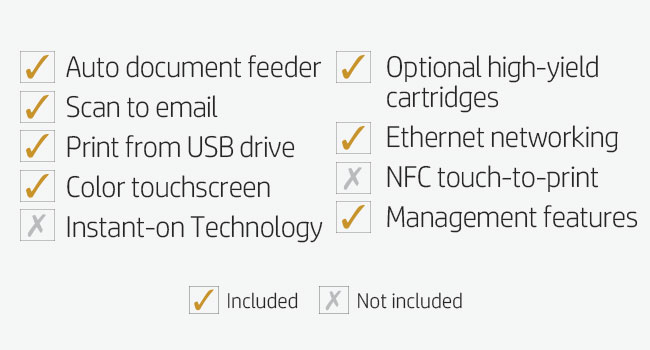
| Other Special Features of the Product | Auto Document Feeder, Auto-Duplex, Cloud Print Enabled, Ethernet Networking, Management Features, Network-Ready, Optional HP High-Yield Cartridges, Print from USB Drive, Scan To E-Mail, Touch Screen |
| Output sheet capacity | 250 |
| Paper Size | 3 x 5 to 8.5 x 14, Letter, Legal, Envelope |
| Print media | Card stock, Envelopes, Glossy photo paper, High-resolution paper, Labels, Paper (plain) |
| Printer Connectivity Type | Ethernet, USB, Wi-Fi |
| Printer Output Type | Color |
| Printer Type | Laser |
| Resolution | 600 x 600 |
| Scanner Type | Sheetfed |
| Specific Uses For Product | Office, business |
| Total USB 2.0 Ports | 1 |
| Total Usb Ports | 1 |
| UPC | 190780300084 |
| Unit Count | 302.4 Ounce |
| Warranty Description | One-year limited hardware warranty |
| Warranty Type | limited warranty |
T**Y
Another quality HP product
I work a virtual job as a Systems Analyst and needed a quick and easy to use printer to replace my all in one HP inkjet (just not enough for the print volume I have now) for both myself as well as my wife who is very tech challenged and my children. I have always used HP printers going back to my days at Dell back in 2000 and HP has always been to me a quality and super long lasting printer (I am running 9 years now on the same HP P2055DN Laserjet). That said my criteria was for the printer to handle color prints, duplex printing, flatbed scanning, feeder scanning, fax and scan to email. The HP LaserJet Pro M281FDW met all the criteria for me while also being a great price. Packaging – The printer came very well packed with the main drawer, flatbed access, paper stops etc all locked down and removing the packaging to get the printer ready for use was a breeze that took all of 5 min. Ease of setup – Setup was easy and quick, yes I am very tech savvy but I feel someone with minimal tech knowledge could get this setup in maybe twice the time it took me, which was about 35 min from first power on which included the WIFI setup, and setting up the printer on my Win10 desktop, two Win10 laptops, my android phone and android tablet. Setup of WIFI was a breeze, and I am sure would have been quicker using WIFI protected setup (which I do not use). Windows 10 caught the printer the moment it connected to the network and if you are looking for basic printing and scanning you can simply use the “HP Smart” windows app and be done with it. NOTE: if you want to have an easier time with two-sided scanning you WILL need the HP Scan software (see Scanning). Setup on our android devices was as simple as just installing and starting the HP Print Service plugin then starting HP Smart and adding the printer, it probably took all of 2-3 min per phone/tablet. Print speed/quality – The print speed is very fast both color and black and white and of course is lightspeed compared to the inkjet we are replacing. We are seeing about 20 ppm on average. The print quality on Cardstock, 24lb bright white paper, and 32lb premium glass paper that I have used are ALL excellent and look professionally printed. Duplex printing works flawlessly even with Cardstock. Scanning – Scanning is a breeze whether it be on the flatbed manually or via the document feeder, if there is a drawback with this printer it is the lack of automatic duplex scanning via the document feeder. This is however very easily overcome if you go to downloads page for this printer on the HP Support website, download and run the “HP Color LaserJet Pro MFP M281fdw/M281cdw Printer Full Software Solution” and use the HP Scan software it installs. Using this software you can choose two-sided in the scan options and if you scan one side in a stack, pull the stack from the output tray, rotate (DO NOT FLIP) the stack 180 degrees and place it back in the tray the add pages in the scan, it will auto sort the second side in the correct orientation in the correct order with the first set of scanned pages. Final thoughts – This is a great printer that continues to support how I feel about every HP product I buy (I own a HP Envy Desktop and have owned 5 HP printers over the years), HP stands for long lasting quality in an easy to use product. If I had ANY con at all it would be regarding HP leaving out duplex scanning in an All-In-One printer, other than that lapse in design, this printer is HP perfection.
S**E
Super fast wireless printing with amazing quality.
This HP M281fdw laserjet printer is amazing. I’ve had cheap $20-$30 inkjet printers my entire life and you get what you pay for. We needed a printer that could print on transparency film and vellum sheets so we decided to go with a laser printer. For comparison, current printer is a Canon Pixma MG5750 and it is slow as molasses. This HP printer printed the pictures and documents in seconds... I barely had time to turn around from my computer to the printer before it was done. I tested it with a laptop through the wireless print function and from 2 different phones using the wireless print as well as the HP Smart app. Every function worked perfect and was simple to use. Set up was super easy too. I just plugged it in, entered the wifi setting, and downloaded the software from there website and I was printing in less than 5 minutes. The picture quality was amazing on the plain white paper it honestly didn’t even look like a picture it looked like the actual item. It also printed flawlessly on the vellum sheets and transparency films. My uncle is 60 and not technology savvy at all but even he figured out how to set up and operate the printer super fast. He probably knows how to work the printer better than his phone now. This printer is definitely user friendly for anybody at any skill level when it comes to technology. It also came with the wire for the fax function and a usb cable for wired printer. I’m so happy with this purchase, the quality, speed and setup.
L**R
DON'T BUY THIS!!
I bought this printer, without the extended warranty, then of course, it crapped out in less than 2 years, would not work at all and was not repairable. Had to do with "communication with the toners" regardless of which brand I used, INCLUDING HP. So this went in the trash. I was STUPID and bought another, this, exactly the same printer! Thinking I would be smart this time and get the extended warranty! Yesterday my printer did a firmware update and all of the sudden, I had, you guessed it, a "communication with the toners" problem. After troubleshooting for an hour I can never get back, Asurion sent me to HP for technical support even tho the Manufacturers warranty was expired. Now Asurion was able to determine that it was a Software issue (big surprise). HP on the other hand was determined that my toner cartridges were no good, and that was all they were willing to work with. I finally convinced them it was NOT the toner cartridges (which had been replaced just 10 days prior) by opening yet another set of toner and replacing ALL 4 toners. Then he admitted my printer had to be replaced. But of course, I had no warranty with them. After getting a case number, I called Asurion back and again went through everything, giving them the case number from HP and the information. They finally admitted that yes, they would replace my printer (if it could not be repaired). After making arrangements for them to send me a box, ship it out, etc. (I would be without a printer for almost a month) life moved on. Or so I thought. This morning they called me back and told me they would not honor the warranty because I was using it for an In-home business. WTF? How my little business here at home affected my warranty is beyond me, but now I am out a printer, again, even AFTER getting the warranty. DO NOT BUY THIS PRINTER, and whatever you do, DO NOT BY THE EXTENDED WARRANTY!! They will just find a way to not honor it!
W**F
La instalación en Mac o en Windows funciona de maravilla, todo conectado vía wireless y sin problemas. La calidad de las impresiones es mucho mejor que la impresora de tinta anterior. Si hace un poco más de sonido por ser laser al momento de imprimir, pero nada de que preocuparse. La configuraciónde Wireless no es tan amigable como lo piensas, pero tampoco es para preocuparse
Y**A
Its so good scan fax print from phone print 2 face m281 same modal
G**N
Works perfectly and is simple t operate. Does double sided colour printing and is a high quality copier/scanner. 100% satisfied with this printer. Purchased replacement toner because the printer indicated that the original toner was running low. After several months of use, still haven't had to replace that original toner. A bit of the "printed that cried wolf" but am happy the toner is lasting so long without quality issues.
G**S
Cada dia imprimimos menos, mas é uma necessidade ainda. Só tive jato de tinta. E não tem nenhuma que não esgote sua paciência. Se um dos cartucho estiver meia boca, já não imprimem mais e por aí vai. Sem contar o alto preço dos cartuchos HP, a não ser que você faça impressões todos os dias, aí há soluções interessantes, mas só se usar muito. Esta impressora é top. Pode ficar meses sem imprimir e isso não afeta em nada o desempenho e qualidade. Já devia ter adotado há tempo. E garanto que a qualidade é bem superior a essas jato de tinta mais baratas. Essa aqui pelo preço e qualidade é imbatível. E olha que estou acostumado com essas laser corporativas, geralmente de outras marcas. Não valem o preço inferior em relação às HP.
K**7
مميزات هذه الطابعة انه لو اتخليها سنه ماتطبع مايجف الحبر فيها ولاتصير لها اي مشكله يعني طابعة الليزر جت افضل من الطابعات العاديه
Trustpilot
3 weeks ago
4 days ago