Desertcart purchases this item on your behalf and handles shipping, customs, and support to Croatia.
๐จ๏ธ Print Bold, Print Smart โ Stay Ahead with Every Page!
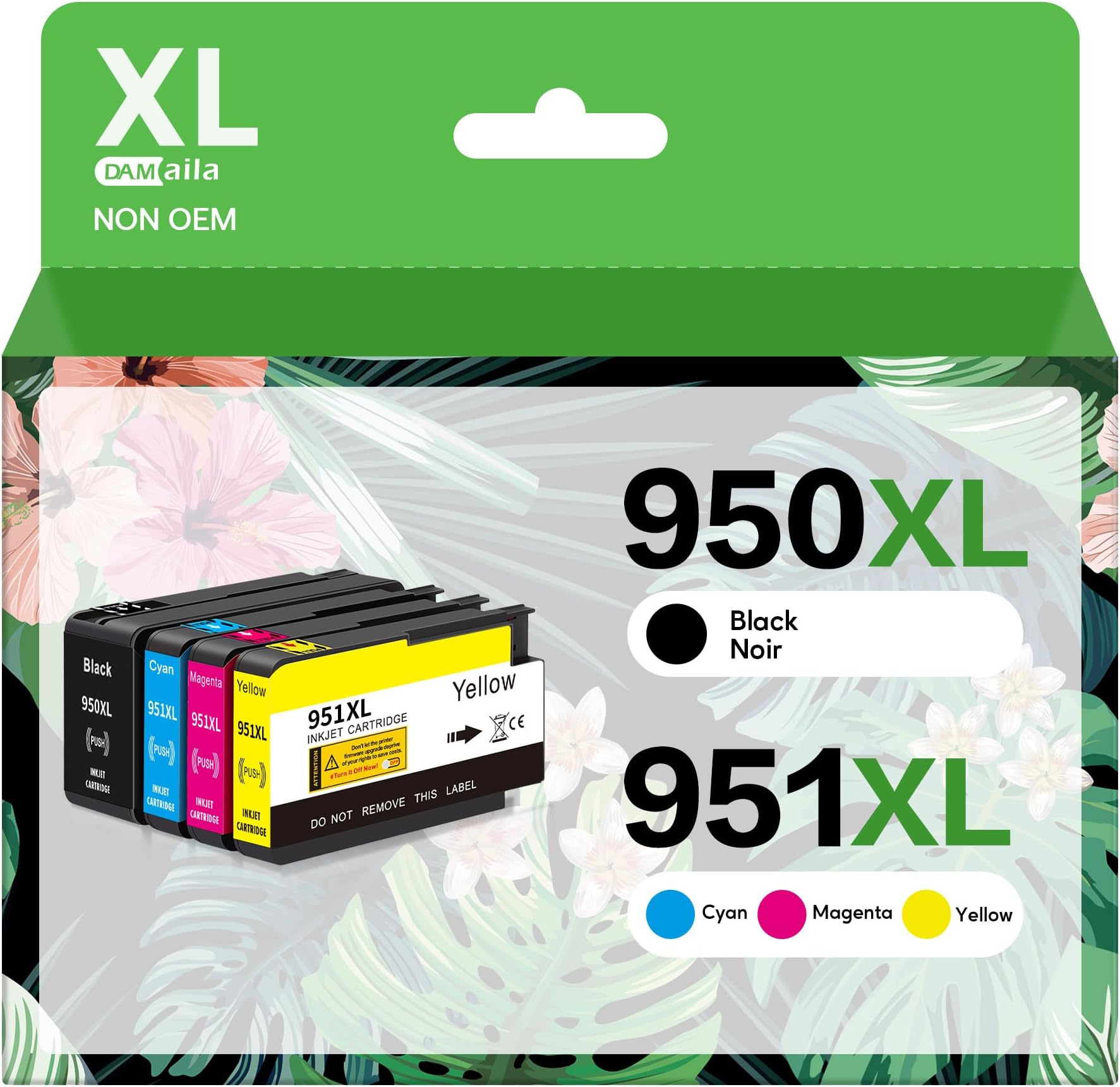
The DAM aila 950XL 951XL Combo pack offers a high-yield, compatible ink cartridge solution for HP OfficeJet Pro printers, delivering up to 2300 black and 1500 color pages per cartridge. Featuring advanced chip technology for accurate ink monitoring and vibrant water-based inks, this 4-pack ensures professional-quality prints with seamless compatibility and cost efficiency.


| ASIN | B0B5WRMYTQ |
| Additional Printer Functions | Print Only |
| Best Sellers Rank | #3,764 in Office Products ( See Top 100 in Office Products ) #150 in Inkjet Printer Ink Cartridges |
| Brand | DAM aila |
| Built-In Media | 1 Black, 1 Cyan, 1 Magenta, 1 Yellow ink cartridges |
| Cartridge Type | Compatible |
| Color | 1 Black, 1 Cyan, 1 Magenta, 1 Yellow |
| Compatibility Options | Compatible |
| Compatible Devices | Printer |
| Compatible Printer Models | HP OfficeJet Pro 251dw, HP OfficeJet Pro 276dw, HP OfficeJet Pro 8100, HP OfficeJet Pro 8100-N811a, HP OfficeJet Pro 8600, HP OfficeJet Pro 8600 Plus-N911g, HP OfficeJet Pro 8600-N911n, HP OfficeJet Pro 8610, HP OfficeJet Pro 8615, HP OfficeJet Pro 8616, HP OfficeJet Pro 8620, HP OfficeJet Pro 8625, HP OfficeJet Pro 8630 |
| Customer Reviews | 3.8 out of 5 stars 4,765 Reviews |
| Ink Base | Water |
| Ink Color | 1 Black, 1 Cyan, 1 Magenta, 1 Yellow |
| Ink Colour | 1 Black, 1 Cyan, 1 Magenta, 1 Yellow |
| Manufacturer | DAM aila |
| Mfr Part Number | 950XL 951XL Combo |
| Model Name | 950XL 951XL Combo |
| Model Number | 950XL 951XL Combo |
| Model Series | HP OfficeJet Pro 8600/8100 |
| Number of Items | 4 |
| Number of Packs | 1 |
| Other Special Features of the Product | High Yield |
| Package Size Name | 4 Pack |
| Page Yield | 2300 |
| Print media | Glossy photo paper, Paper (plain) |
| Printer Model Compatibility | HP Officejet Pro 8100, HP Officejet Pro 8600 |
| Printer Output Type | multiple colors |
| Printer Type | Inkjet |
| Special Feature | High Yield |
| Unit Count | 4 Count |
S**L
Useful
Liked
H**T
Only work for a short time
I ordered this June 1. It worked fine for 4 or 5 doc of less than 5 pages. It set for a month and when I tried to print on July 27 the printer errored and will not print listing the cause the ink.
R**B
Works. Clean electrical contacts if not working
At first I thought it didnโt work but I needed to clean the contacts.
R**N
HP Printers are very picky
Yellow cartridge not recognized by the pinter so the printer, an HP 8100, will not print. Had to buy a HP yellow - then the printer worked. The other cartridges seem to work. Revision: The problem WAS NOT with the yellow ink, but with the printer software or hardware so I cannot give the ink a bad rating. Perhaps a sensor failed or whatever absorbs waste ink filled up. After only a few pages, the HP printer stopped recognizing the HP brand yellow. I replaced it with the yellow I purchased that the printer had previously rejected, and it recognized it - for a few pages, then it stopped again and then did not recognize cyan and black as well as the yellow. I replaced ALL of the ink, and the printer worked and it printed a page, then, after a day of no use, again did not recognize black, yellow, and cyan when I went to print. The problem was NOT with your yellow ink - but apparently with the HP printer software, waste ink storage, or error sensors. It was a very old HP printer that worked well for many years with aftermarket ink, and it has apparently finally died.
M**E
Not good with my HP8600
?? I cannot use with my HP 8600.
A**R
Printer cartridges
Perfect
A**.
Nearly bricked my printer. HP 8600s users, beware!
Read the other reviews! I own an HP Officejet Pro 8610 and experienced a similar problem to another reviewer. I don't know what about the chip in this particular aftermarket cartridge alarms HP printers -- but whatever the issue, it nearly bricked my 8610. The printer began alerting me that all cartridges were damaged, even the original HP cartridges. I probably tried a couple dozen solutions over the past week to fix this issue... tried to clean the printhead numerous times, tried semi-full resets, factory resetting, etc. Still the same error on every single cartridge, and that eventually resulted in the printer carriage getting stuck. I almost believed I had lost my whole printer. Today, I got lucky when I found advice from an obscure thread on a forum. Entered MFG mode and was able to unstick the carriage... now I've inserted another set of cartridges from a different seller, and the machine reads no errors with the printhead at all. Finally! Now am waiting on the printer's built-in cleaning procedures to see if it has ultimately survived the mess caused by the DAM aila cartridge chips. I was able to luckily contact Amazon to discuss a refund for these cartridges. The default replace/refund option asks you to send back the items by mail or to drop off at an Amazon (or Amazon partnered) location for them to ship back. How on earth am I supposed to send back an item like a printer cartridge that is obviously and visibly used by the time you find out it's faulty? And how should I be expected to ship it -- or how should I expect employees of Amazon hub locations to do so -- when activating the cartridges mean they will be dripping ink everywhere when not actively inside the printer? Connecting to customer service chat eventually resolved this. I will be tossing out the DAM aila cartridges and I would advise anyone with the HP 8600 series (or HPs broadly, just to be safe) to avoid these.
R**.
Works as well as any HP Ink cartridge. Very Well. 1/3rd the cost.
Works as well as any HP ink cartridge. Very well. 1/3rd the cost.
Trustpilot
1 month ago
2 weeks ago