![LANRUO GPD Win Max 2 2025 [AMD Ryzen AI 9 HX 370-32GB+2TB] 10.1 Inches Mini Handheld Win 11 PC Video Game Console Laptop 2560X1600 Touchscreen Tablet PC](https://m.media-amazon.com/images/I/71Pv4JijFOL._AC_SL3840_.jpg)


Buy anything from 5,000+ international stores. One checkout price. No surprise fees. Join 2M+ shoppers on Desertcart.
Desertcart purchases this item on your behalf and handles shipping, customs, and support to Croatia.
🎮 Pocket-Sized Powerhouse: Game, Work & Stream Like a Boss Anywhere!
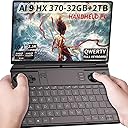
The LANRUO GPD Win Max 2 2025 is a cutting-edge 10.1-inch handheld Windows 11 PC gaming console featuring an AMD Ryzen 9 HX-370 processor with 12 cores/24 threads and Radeon 890M graphics. It boasts 32GB RAM and a massive 2TB NVMe SSD for ultra-smooth multitasking and storage. Equipped with a high-res 2560x1600 touchscreen, Hall sensor joysticks, and a robust 67Wh battery, it supports Thunderbolt 4 and multiple USB ports for versatile connectivity. Weighing just 1kg, it’s designed for professionals and gamers who demand desktop-level performance in a truly portable form factor.


| ASIN | B0BFFGLQ3Y |
| Best Sellers Rank | #130,085 in Electronics ( See Top 100 in Electronics ) #1,652 in Computer Tablets |
| Brand Name | LANRUO |
| Color | Tarnish |
| Connectivity Technology | Bluetooth |
| Customer Reviews | 3.7 3.7 out of 5 stars (22) |
| Included Components | tablet, Charger,Cable,instruction |
| Input Device | Joystick |
| Item Weight | 2.9 Pounds |
| Manufacturer | GPD |
| Memory Storage Capacity | 64 GB |
| Model Name | GPD WIN MAX 2 2025 |
| Model Number | GPD WIN MAX 2 2025 |
| Platform | Windows |
| Resolution | 1920 x 1200 |
| Warranty Description | 1 year warrnaty |
| Wireless Communication Technology | Bluetooth, Wi-Fi |
J**A
Honestly very impressed with this rig!!
Never written an Amazon review, but this little powerhouse merits one. This GPD Win Max 2 (2023) is amazing!!! It arrived quickly on a Thursday, just days after having purchased it and I played with it all weekend, getting to know it. Here are my experiences so far: The "bad": Upon first boot up, barely getting thru Windows setup, the screen flickered into a checkerboard pattern (for lack of a better description) and the system froze. This happened several times, barely making it into Windows - not a good sign. The first part of the weekend was spent updating drivers and doing Windows Updates. As time went on it didn't do it as often but still happened, I would see a tiny screen flicker and everything would freeze. I got to a point where I seriously considered returning it. BUT, after watching a ton of Youtube videos, I ended up making two BIOS changes, "Maximum Memory Data Clock Speed" was on auto, I changed it to 7500MT/s and "UMA Frame buffer size" was set to 3G when recommended was 8G for my setup. Have YET to experience an issue since then. Everything else, joysticks, mouse, buttons, trigger buttons, fingerprint reader, touch screen, all worked fine from the get go. The "this sucks but oh well": On all my other laptops, I have been able to boot off the SD Card. The Boot order option is there in the BIOS, but it just won't. USB booting works fine. Ergonomics: It has it's nuances and you will have to get used to it. I have no issues with the mouse or keyboard for general usage, sometimes just using the touch screen instead of the mouse. Lengthy gaming is a bit strenuous on my hands due to the weight, but I have managed just fine for short gaming sessions on Doom Eternal or Batman Arkham games. Anything longer, well you can just use it as a gaming laptop, just HDMI it to a monitor and bluetooth a mouse and you got a "larger" experience. Plenty of ports. This is perfect for me, since I am more a PC gamer than console. Having the ability to swap back to "classic" is great. Plus, this thing is super portable. Performance: Wow. Just wow. I have yet to tweak anything but just as is, it's power and performance are amazing! Steam, PC, emulated games, watching local video files or online videos, just rocking it! Battery life is outstanding, and it charges extremely quickly. I went from 30% to 90% in about 30 minutes with the provided charger. Using it as a normal laptop would be a piece of cake. It never got hot enough on me to be uncomfortable. Fan would go up and down based on performance, but manageable and forgettable. Sound wasn't too bad, but I quickly connected my Airpods so that didn't draw my attention much. I am happy with the 32GB memory option, since most of the games I play, rarely need that much memory. I am not a big stickler for the perfect display refresh rate, or to eek out every last morsel of CPU performance, nor do I tweak every BIOS option, I just want it to run well, which it absolutely does. If I ever get to tweaking all those settings, longevity and performance I'm sure will just make this thing better. Other: Added an M.2 2230 2TB drive into that extra slot just to double the space, and ended up installing another operating system on it for some dual boot functionality. Not sure if I want to add a 4g adapter since everywhere I go, I have WiFi access. Don't own any oculink tech to play with port and how it worked. Verdict: After just a short while, this has become my favorite device. Might even replace my full size multi purpose laptop, since I can easily plug my USB-C dock to it and end up with full monitor, keyboard and mouse. Or just throw it in my backpack and take it anywhere I want.
A**R
Amazing device with way more ports than most modern laptops
LOVE LOVE LOVE THIS THING. Liked the First one they put out, and this is just so much better in EVERY WAY, sad about the lack of a LAN port, but, we get so many ports. I maxed mine out with 4TB of boot, 2TB of support, and 1TB SD and 1TB micro, for 8TB onboard storage. Just because. I didn't find it uncomfortable to play for long periods of time, and does have outdoor visible (barely, tested it with Dead Cells which is naturally a dark game) screen. Like that you can use touch, trackpad or joysticks to navigate with. Also like when you're in BIOS, you can switch to mouse and keyboard mode, use the LEFT THUMBSTICK and L3 to navigate BIOS since the arrow keys and Enter, make it awkward to do so when holding it. There are a few things to note that are SUPER ANNOYING: 1) Drivers, you can go to their site, but they use Google Drive to host the files, which means a lot of people have been trying to download their Win 4 drivers and Google has annoying policies on limiting traffic to DRIVE and will block downloads if there is "TOO MUCH TRAFFIC" , meaning most of the time, you can't download the drives. 2) If you do a clean install of Windows 11, say goodbye to the finger print reader, and I have tried many driver install software, they see it, but can't download it. Googling the driver manually to pull from the vendor's site is a no-go as well. Windows won't pull the driver themselves either. And again, GPD Win's hosting is barred by GOOGLE DRIVE TRAFFIC LIMITATIONS. 3) For whatever reason, running the RAM at 6400M/T causes it to crash, NO CLUE why. Would load up a game, even if 2D, and CRASH. Just a black screen, nothing shown. NOT A "Blue Screen of DEATH", just black screen. So just drop it one level and you'll be good to go. 4) The blue-light filter (which yellows up the screen) has a weird screen door effect. Hard to describe but makes the image ever so slightly grainy. 4TB on Win Max 2's 2280 port? I did a lot of research, and there are two limiting factors which I found out after HOURS OF RESEARCH, literally: 1) physical space inside, hence why this can only support 1 sided NVME sticks. 2) POWER DRAW So, apparently 4TB draws more power than 2TB does, but there is ONE STICK that I've found and currently employ in mine, thanks to REDDIT, that both sates the power limitation and space limitation. CRUCIAL P3 Pro 4TB. Tried the Western Digital offering, which fit fine since they put the DRAM chip on the underside which made it okay for space, but learned that DRAM is where the increased power draw comes from. Crucial's is DRAM-LESS. Which removes that excess power as well. And I just learned from a review on Amazon, that you can get the full fat Gen 4 7000+GB/s experience by downloading the CACHE software from Crucial's site. IN CONCLUSION: Yeah, totally recommend this. It's great. Has so many input options: touch screen, MPP 2.0 pens, track pad and keyboard, and controller. Has so many ports on it as well, except for LAN, sadly. SIGH. I went for 32 and 1TB since I did plan on installing a bigger internal SSD, but needed that RAM for how bad I am at TAB management and how bad Mozilla is at RAM utilization. This is basically my emulator machine, don't try to run any current gen 3D games on it. I'll go Sonic Generations at most on this.
N**A
Great backup device and portability.
I bought this just in case I want to work and be mobile, and also play some games sometimes. It's great for officework programs. It's also good at low res gaming, for AAA games at max you'll want to buy an external GPU. To get the most out of this laptop, you'll need to tinker with it a little bit, for example the oculink port is not the fastest when gaming but the 2nd m.2 slot is the fastest so you'll need to buy an adapter for that. If you want LTE connectivity you'll need to buy that add-on and open the device and connect it, but it's probably better to just have a unlimited phone data and hotspot your phone or USB tether your phone to it for unlimited internet. It's solidly built. The speakers though are tiny sounding although it sounds good. Lots of ports! Nice touchscreen, you'll want to buy a protector to shield it from scratches. the finger biometrics for login is pretty nice( for windows configuration it says swipe your finger, but it's better to just hold your finger over it instead of swiping, I found that it recognize the finger better this way so you could just touch it at login and not swipe). the micro-sd and standard size SD slots are nice! I got tons of these laying around or I could buy large capacities and plug it in for other data storage stuff like movies or animes. I really hope someone creates a hard shell for this device with integrated gaming handle bars, so it could protect and game awesomely. Finally, I hope they fix the software downloads in their websites as not all software are available most of the time. A simple online server could do this but I understand that that would cost more money for this not so big brand. Note: might need to disable HID pen to stop cursor movement when lid is closed and using external monitors.
D**D
Does everything, surprisingly good speakers
Faster than my Legion Go by a large margin, runs any game I try at medium settings! Plays Fortnite over 60fps once I lowered resolution. Gets warm, so a cooling stand is recommended. Tons of buttons, easy to customize. Keyboard is nice and comfortable to use. Excited to see how it runs blender, krita. Sound is loud and clear, screen is bright with excellent contrast, the touch screen is responsive. I bought a wired Xbox controller bc I’m not a huge fan of the short sticks while playing FPS.
D**E
Love the device, but...
So I absolutely love this machine, however, I expected a nice black machine as depicted in the photos. Instead I got a light purple one. I also did not receive the controller covers, although that is being rectified by lanrou. Dropped 2 stars due to receiving a color so far off from what is depicted in the product images. Was going to drop another for the lack of the covers, but as that is being corrected I did not drop a star for it.
L**P
This product stopped working after 50 days. And the manufacturer is doing nothing to help.
This product not cheap stop working within 50 days of purchase 20 days too late for Amazon to take it back and return it or replace it. The company that’s in. The manufacture inChina tells us that we need to talk to the additional insurance we purchased assure on Asurion tells us it’s not their problem. It’s a manufacturers problem so now we’re caught in between and Amazon isn’t helping at all, which is surprising to me and that we are such good customers, but based on their policy, they said there’s nothing they can do. Which I still find very surprising and why I buy things through Amazon. I guess I won’t do that anymore. My son has spent weeks trying to get an answer on this and it has left us frustrated, disappointed, out more than $1700.
J**R
Best Laptop Ever (hardware). Windows 11 is Not Good.
I have had laptops since the 90s, and I have been waiting since then to have a laptop computer that perfectly satisfied me in every way. The GPD Win Max 2 is that laptop. The Win Max 1 came close, and every complaint/critique I had about the original Win Max was corrected. However, I am dissattisfied with one thing: this is 2022; even my cell phones have 120hz displays these days, and they aren't even marketed as gaming devices. There should be a firmware update or something that allows end users to bump up it to at least 90hz, if not 120hz. I was really looking forward to playing Terraria and ePSX roms at 120hz, but maybe it'll have to wait for the next iteration. For the OS, this was my first experience with Windows 11 and I can only say that it's junk. After resisting the urge to get a free copy of Windows 10 on the high seas, I was forced to create a fake/throwaway hotmail account just complete setup. After that, I had to spend an additional 12 hours messing with Classic Shell and WinAero Tweaker just to move the taskbar and bring back an actually usable start menu. With all that done I installed an open source whitelist firewall to block all updates and telemetry from Microshaft, and after all that UI finally became almost as useful as the 15 year old Windows 7 UI. For the time I wasted on the project, the high seas may have been a better option. I can't wait until the GPD Win Max 2 haa SteamOS support (with an alternative desktop mode) so I can dump Windows for good.
W**I
V. Good
V. Good
C**A
I haven't to use it yet because…
Hi, I checked and searched this laptop details and items when I bought this laptop before. Why isn't there a touch screen protector for it? I haven't to use it yet. It hasn't been charged or turned on yet. I have to wait for the protected object. This is an experience for which no one is fully prepared.😭
Trustpilot
1 day ago
1 week ago