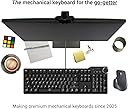
⌨️ Elevate your typing game — because your keyboard should work as hard as you do.
The Das Keyboard 6 Professional is a wired mechanical keyboard featuring tactile Cherry MX Brown switches for a quiet yet responsive typing experience. It boasts white LED backlighting with shine-through keycaps for clear visibility, a durable anodized aluminum enclosure, and an oversized volume knob with dedicated media controls. The keyboard includes a 2-port USB-C hub for added connectivity and supports full N-key rollover (NKRO) to ensure every keystroke registers flawlessly, making it ideal for professionals who demand precision and durability.
| ASIN | B0BF62THHK |
| Additional Features | Backlit |
| Antenna Location | Gaming |
| Best Sellers Rank | #2,418 in Computer Keyboards |
| Brand | Das Keyboard |
| Built-In Media | USB C |
| Button Quantity | 104 |
| Color | Soft Tactile - Cherry MX Brown Switches |
| Compatible Devices | Devices with a USB-C port |
| Compatible Operating System Family | Windows |
| Connectivity Technology | USB-C |
| Customer Reviews | 3.9 out of 5 stars 104 Reviews |
| Enclosure Material | Aluminum |
| Hand Orientation | Ambidextrous |
| Keyboard Backlighting Color Support | Single Color |
| Keyboard Description | Mechanical |
| Keyboard Layout | QWERTY |
| Manufacturer | Das Keyboard |
| Mfr Part Number | 6 Pro |
| Model Name | 6 Professional |
| Model Number | 6 Pro |
| Number of Keys | 104 |
| Number of Sections | 5 |
| Power Source | Corded Electric |
| Recommended Uses For Product | Gaming |
| Special Feature | Backlit |
| Style Name | 6 Pro |
| Switch Type | Tactile |
| Theme | Computing |
| UPC | 850030331403 |
| Unit Count | 1.0 Count |
| Warranty Description | One year |
L**N
Best keyboard I have ever found
I am a transcriptionist by profession. Before landing on this company, I was going through regular keyboards at a rate of one per year. Those big box store keyboards just cannot stand up to the daily use and abuse of typing professionally. I absolutely love this keyboard. This slightly clicky feel and sound lets me know that I have pressed the key appropriately. My fingers do not fatigue quickly with this keyboard. The one thing I really love about it is the volume knob on the upper right corner. I can quickly adjust the volume of my audio. No more opening the settings and going to the sound mixer. Do you type a lot? Then this is a keyboard you need. Definitely will plan on buying one in a few years when this one wears out.
N**A
This is the keyboard you're looking for once you're done with the [toys].
I'm replacing a Corsair gaming keyboard. There were very few things that I did [not] like about the Corsair and this keyboard fixes those things: Key backlighting and alternate key marking on this keyboard is superior to my old Corsair. This keyboard is also in a box chassis and feels more solid than the sheet metal chassis on the Corsair. It's not really a "thing"; just something I noticed. The Cherry MX switches are my switches of choice as it feels closest to my all time favorite keys on the Kaypro. The volume dial works perfectly. Turn it to adjust volume and press to mute... Perfect! The pause button pauses everything that makes noise regardless of if that thing is selected... Perfect! Two USB-C ports on the keyboard. I purchased 2x USB-C to USB-A adaptors that matched the keyboard in finish... Perfect! This is the keyboard you're looking for if you're finished with all the RGB spinning bells and whistles and just want a "tank" keyboard that is easy to see. I despised having to squint and get close to the some of the seldom used keys in low light conditions. This is no longer an issue and the all the damned keys are labeled in the customary manner without weird deviations (for U.S. users, anyhow). I feel like I got what I paid for and if you're looking at this keyboard, you know that good ones are not cheap! For gamers that like having the [curved indent] around the WASD,X keys: The Corsair layout did feel better in this regard but... This is not intended as a gaming KB. It's about to learn how tho :D The keys on this thing are fantastic!
M**S
Close but so far .. Disappointing vs DAS 4 pro ..
UPDATE Jan 2025: I lubed the switches. I did the easy lube route, meaning instead of taking apart each switch, I dropped a bit of lube on top of each switch. This made typing MUCH nicer with less friction, naturally. I hope DAS considers using prelubed switches in the future. I would not recommend this keyboard. Just get the older DAS 4 Pro or another brand. Like Ducky TKL or Corsair G65. The LED backlight has a high pitch noise (not uncommon for LED dimming, yet disappointing) I've used Das keyboards for over a decade. Thought it was cool to have blank keycaps as a teenager. Anyway, I have been using the DAS 4 Pro for many years. This is an upgraded version of that. This review is probably the same as a dozen other ones, but worth repeating, hopefully DAS gets it right with updated 7 or a 6+ keyboard. Otherwise this 1 step forward and 2 steps back. PROS -I love the smaller form compared to the 4. Needing a microphone on the left and mouse on the right, leaves little room for a full sized keyboard. The smaller footprint is very noticeable. -I like the backlight, it is a little bright on the dimmest setting but the LED refresh rate doesnt bother me, at least in the few days of usage. I am accustomed to typing in dark rooms without a backlight, anyway. -I like the new volume knob. You click it for mute instead of a dedicated button. It is not super easy to turn, noticed many comments afraid to bump the knob while gaming or working. I never had that issues with the 4 and that was much easier to spin. -The keyboard looks nice. The shift / num pad alternative symbols like !@# look great and are very clear at a glance. -USB C connector, includes adapter for compatibility. -low input delay, notable improvement vs Das 4 CONS Unfortunately the typing experience does not deliver... It feels almost exactly like some cheap Logitech gaming board I've owned. Large keys dont feel properly supported, pressing shift or spacebar is clunky. Worse, the switches/keys have seemingly no lube, which is not acceptable for a $160-200+ "professional" keyboard. I dont know if the Das 4 switches were lubricated, maybe time made a difference but I never remember fighting the keys, rubbing plastic. I remember from day one being delighted with it. -Key caps are "cheaper" plastic mold and feel as such, still they look nice. -USB C ports on board are nice but do not have fast charging. Probably lacking other USB-C daisy chain and other features but I am not positive. I wish one was a normal USB port... -Cord is normal vinyl. The pro 4 cord was appeared impressive and its braided cable stood out always. -num/caps/scroll lock lights are very bright, especially when the backlighting is off. -backlight has bleed. I've had cheaper keyboards that do not have this problem. There is a reflection on the keys. It does not bother me much but again, I expected more from DAS. -Keys/switches need lube or something. I am not sure, I have ducky2 and das 4 keyboard with same switches and they do not feel like im rubbing plastic. -it is possible to trigger the physical feedback without the switch triggering, meaning it feels like you hit the key but did not. This is probably only an issue for gaming. The worst part is the shift key. Holy heck. might have to start typing without capitals. too bad shift is necessary in computer games. i will try to get adjust, otherwise sadly i will have to return it. the experience of a Das 4 Pro is simply better unless you need a backlight. It looks good. I wish it felt as good as it looked! I don't know why Das changed. Maybe they/IP owner is milking their namesake and goodwill built up over the last decade or so. The demand for mechanical/fancy keyboards is sky high. I don't know anything about the mass producing keyboards, but it seems like they would make more money selling a keyboard people were proud to use and recommend... even with half the margins... For almost half the price, you can get a mechanical keyboard without most of those CONS, newer and arguably "better" switches, etc. It is difficult to use this over the Das 4 Professional. I hope the best for Das though, please make an actual modern, high end keyboard. Edit: missing time frame to return since I was out of state, wanted to give keyboard some time. A couple months later-- keyboard is a bit better, indeed "broken in"--shift key is now rarely abominable. Nice feature is at least so far, it is very rare to "trigger" the switch without making a click sound or vice versa. 2 to 3 stars. Usable, just disappointing at as a "professional" keyboard and @ $200. The USB-C ports barely power anything, could have been a convenient daisy chain deal. I also miss the mute button on the old DAS 4 Pro keyboard: clicking the whole chonkin sound wheel requires pressing directly above, no tangential force.
B**M
Great keyboard for work
I bought this a few months ago to substitute for the spongy keyboard they supplied me at work. I also wanted backlighting (I rarely do paper stuff) but did not want funny colored lighting. This keyboard has a nice subdued white backlight that's easily adjustable - and it REMEMBERS your settings! I did not like the screw-in feet because as the keyboard shifts on the desk during the day, they screw in or out and the keyboard becomes unstable. I removed them and glued rubber pads on the bottom to get the height I wanted and never thought about them again. I got the quieter switches because I don't need to annoy people at work, and the sound and feel is perfect for me. I've remembered to use the volume knob maybe twice, but I rarely listen to music or podcasts while working. I just turned down my volume for a phone call I made with the soft-phone on my system, which was convenient. Overall a nice keyboard, and worth the purchase.
J**I
It's an excellent keyboard. Feels like a lifetime investment.
What can I say. It's expensive, but feels solid. The Cherry Brown key presses are firm, clicky, and precise. Volume control knob works well. I love the weight - it doesn't slide around at all. In fact, I have to firmly push it to get it to budge at all. I'd like to have multiple backlight colors available, but that's not a big deal. The white letters work just fine.
M**K
BEWARE: Keycap legends are vertically transposed!
I find that I often work in a dark room at night, so I upgraded from a DasKeyboard 4 pro to the DasKeyboard 6 pro because it's essentially the same but with backlit keys. I did not look closely at the product photos to notice that all the keys with dual legends (punctuation) have them vertically transposed. For example, the digit "5" is on the top and the "%" symbol is on the bottom. This makes it briefly confusing to look at a keycap and hit the Shift key (UPWARD pointing arrow) when you want the character on the LOWER part the keycap. I believe this was done because the backlight LED is above each switch and would not illuminate the lower half of the key cap well. They could very easily have put the backlight LED below each of these switches instead. Personally, I would have MUCH preferred this alternative design. If you're a full touch typist, you wouldn't notice the legends, but then you wouldn't bother with a backlit keyboard either. Aside from that, I'm pretty happy with it. The old USB A cables I used on my DasKeyboard 4 no longer work in the USB-C jacks on the new model 6, but that's the nature of progress. I do like the feel, and I use the sleep button and volume control knob a lot. The model 6 is slightly smaller in outside dimensions than the 4, although the key layout is the same size. I will keep this model 6 and learn to use it, but if I had known of this bizarre design compromise before my purchase, I would probably not have bought it. I hope DasKeyboard fixes this egregious design flaw in an otherwise excellent product.
H**N
It's heavy -- stays planted
The important features (to me) are a SLEEP key and backlighting. Plus it has the incredible Cherry MX switches. I've been suffering a low-profile, flat top keyboard with hard to see key-tops in low light. The backlit key-tops are extremely clear. And they are nicely cupped holding my fingers in place, conducive to actual typing which I'd given up on. The keys travel down 4 mm but trigger halfway. Never misses a stroke. The strange thing is it has 2 "DAS" keys. The left one is a Windows key. The right one, according to the product specifications, is a FN key. In actuality, it functions as a second Windows key. I believe a FN key is used for secondary keyboard functions. This keyboard doesn't have any.
J**N
Well built nice quality. Finally back lit
I'm a self proclaimed keyboard snob. I game mostly, but prefer these keyboards just because they're tactile feel is very nice, and theyre well built and I've never had an issue with one. I like this specific series because of the media controls and no ridiculous added macro keys. The only downside to prior versions was no backlighting but finally they added it to this specific series of keyboards. Silky smooth switches with a nice tactile feel that doesn't hurt your fingers holding wasd keys for 8 hours in a long gaming session. I prefer the feel of the brown switches but if you need full on clicky they sell it with blue also. Great keyboard, only ones i use now.
D**M
Wrong layout
Despite all photos showing a UK keyboard layout I got sent a German one
A**C
Very happy
Great keyboard. Can’t comment on others’ experience, but mine has been excellent. Early days, but so far very happy. Keys are soft and strike well. Great, comfortable feel.
F**H
Sehr enttäuschend, hoffe auf Nachbearbeitung
Ich habe 3 von den DK 6 Pro nacheinander bestellen müssen da ich sie immer wieder zurückgeschickt habe. - Tasten die beim herunterdrücken plötzlich blockieren - Sehr lauter metallener "ping" sound beim Tippen (ich weis das ist bei mechanischen Tastaturen immer ein wenig aber das war echt zu laut und zu lange) - Beim Lautstärkerad spitzzulaufende Metallplatte die Verletzungen hervorrufen kann - Das Lautstärkerad ist recht Schwergängig und eiert - Das Rad ist eigentlich mit einer Klickfunktion versehen für "mute", herunterdrücken hatte keinen klick als response, beim loslassen dann schon - Starkes Flackern der LED-Beleuchtung wenn man die Intensität ändert Natürlich hatten nicht alle DK6 Pro die ich da hatte all diese Probleme gleichzeitig, jedoch mindestens zwei davon. Mit ist bewusst das vieles Ansichtssache ist und persönlich jeder selber bewerten muss was bei 200€ noch in Ordnung geht und was nicht. Aber für 200(!!!) Euro erwarte ich dann doch schon mehr. Es gibt Gamingtastaturen die mehr bieten und besser verarbeitet sind und weniger kosten. Meines erachtens hat Metadot ein Qualitätskontrolle-Problem. Ich habe mit dem Service (USA) Kontakt aufgenommen, sehr freundlicher Kontakt aber leider nicht hilfreich. Es wurde mir mitgeteilt das bei großen Tasten (Enter) es normal sei etwas zu hängen wenn man sie nicht richtig trifft... mein 20€ Cherry kann das aber OK! Die Überleitung zum Deutschen Support war noch besser. Nachdem ich erst ewig warten musste bis sich jemand gemeldet hat wurde ich nach einer Uhrzeit gefragt zwecks Telefongespräch zu meinem Fall und einer Lösung. Termin vereinbart, mein Mobile ständig im Auge während der Arbeit jedoch kein Anruf. Auf meine Email nach dem Termin der nicht stattfand kam nie mehr eine Antwort. Good Job
S**L
Poor Construction and Malfunctions
Have had this keyboard for about 5 months and overall the experience has been underwhelming. I expected this model to be an upgrade from the Das 4, which has been my go-to for the past while, aside from the volume knob and backlit letters (a nice addition), this keyboard is not user friendly. In comparison to the Das 4, the keys do not provide the same level of cushion for the fingers and extended use feels painful at the end of the day. Periodically, the volume knob would malfunction and the keyboard would stop working until a laptop restart. Overall, stay away!
Trustpilot
1 month ago
1 month ago