

Buy anything from 5,000+ international stores. One checkout price. No surprise fees. Join 2M+ shoppers on Desertcart.
Desertcart purchases this item on your behalf and handles shipping, customs, and support to Croatia.
🖋️ Power your creativity with precision and speed—because your ideas deserve the best.
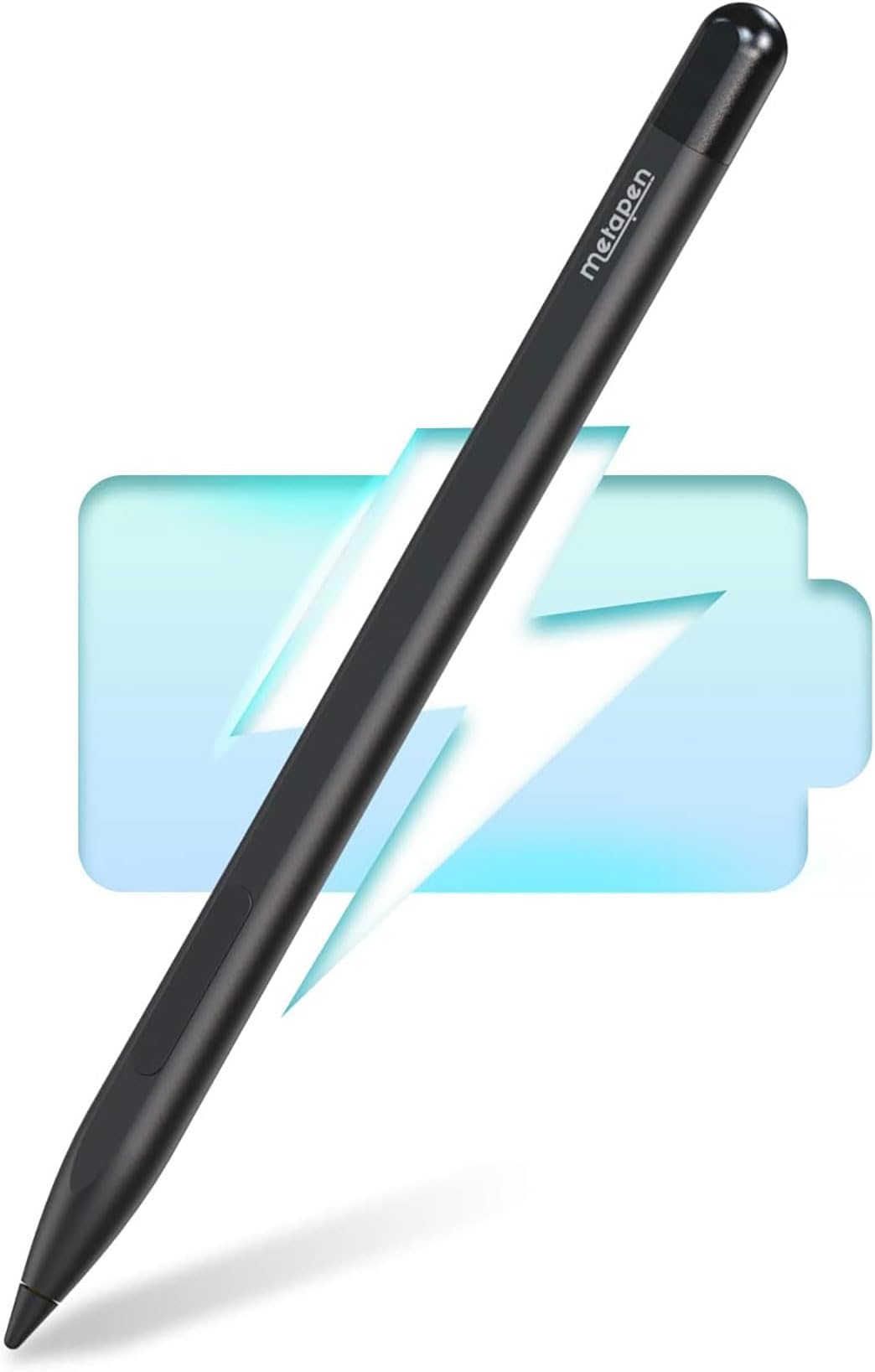
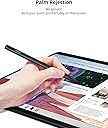
The Metapen Stylus Pen M1 is a premium aluminum alloy digital pen designed for Microsoft Surface and select ASUS devices. Featuring a 2-in-1 button for right-click and erase, 1024 pressure sensitivity levels, and advanced palm rejection, it offers professional-grade precision. With a rapid 40-minute charge delivering up to 300 hours of continuous use and magnetic attachment for easy storage, it’s the perfect tool for millennial managers and creatives seeking efficiency and style.


| ASIN | B0B1CS1XK2 |
| Are Batteries Included? | Yes |
| Are Batteries Required | Yes |
| Battery Average Life Standby | 300 Hours |
| Battery Description | Lithium-Ion Polymer, Lithium-Ion |
| Battery average life standby | 300 Hours |
| Best Sellers Rank | 2,033 in Computers & Accessories ( See Top 100 in Computers & Accessories ) 3 in Graphic Tablet Pens |
| Brand | metapen |
| Brand Name | metapen |
| Charging Time | 40 minutes |
| Colour | Black |
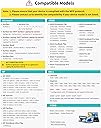
| Compatible Devices | ['Microsoft Surface Pro 3', 'Microsoft 4', 5', 6', 7', 8', X', Go', Go 2', Laptop', Laptop Studio', Book', Book Studio Duo', Duo 'ASUS Vivobook Flip 12 R211NA', 14 Transformer Mini T102HA', T103HA', 3 T303UA', T305CA', T304UA ZenBook UX370UA', UX461UA', UX550VE', UX550VD', UX560UA', UX560UQ', UX560UX', UX561UA', UX561 UN', UX561UD', TP510UA', TP510UQ', TP20 3NNA', 3NA', 01NA', TP401CA', TP410UA', … |
| Compatible Tablet Computer Models | Microsoft Surface 3, Microsoft Surface Duo, Microsoft Surface Go, Microsoft Surface Pro 11, Microsoft Surface Pro 3, Microsoft Surface Pro X, Sony Tablet S |
| Country of Origin | China |
| Customer Reviews | 4.4 out of 5 stars 7,923 Reviews |
| EU Spare Part Availability Duration | 1 Years |
| Enclosure Material | Aluminium |
| Item Weight | 12 Grams |
| Item weight | 12 Grams |
| Manufacturer | metapen |
| Manufacturer Part Number | ME-MPP712 |
| Material | Aluminium |
| Minimum Required Operating System Version | Windows 10 |
| Model Number | ME-MPP712 |
| Number of Batteries | 1 Lithium Metal batteries required. (included) |
| Number of batteries | 1 Lithium Metal batteries required. (included) |
| Pressure Sensitivity | 1024 Levels |
| Product Warranty | 1 |
| Unit Count | 1.0 count |
M**N
A decent substitute for the official pen - and cheaper!
Looks quite good. I lost the MS Slim Pen that I had bought to go with my Surface Laptop Studio 2. I didn't use it very often and really did not want to pay the very high price for the MS original, so I decided to give the Metapen a try. It feels decently built and is comfortable to hold. Also seems to work fine on my laptop - decently responsive and positioning seems accurate. As some others have suggested, the tip is quite hard. I was concerned that prolonged use might mark the screen, so this has prompted me to fit the screen protector that I have always intended to buy. Oh, and, despite various reports on the web, it does fit well enough in the "pen garage" on the Laptop Studio 2. Obviously, it will not charge there - that is for MS pens only - and the magnetic attraction is a bit less than I remember from the MS Pen, but it hangs there well enough.
K**R
Very helpful
good pen, long battery life, has worked for 2 years with no issues only have to charge it every like 4 months even with quite a bit of use daily, never had any issues with it not connecting, looks like the picture, wish it came with a few more USB-C cover as they tend to slip out, I use it for my a levels and it has been the best investment into my touchscreen laptop, if you think it might be helpful it will be!
A**X
Meta pen works well with minor hinges.
When i broke my old surface pen i wanted to by a new one, but was astonished at the price of 110 pounds. I soon browsed amazon for some alternatives and found the meta pen for only 30 pound. The product description looked promising. soon it arrived in the post and i was greeted with a quite basic package with nothing fancy. A pen, a charger (which i will not use as it is too short), a spare nib and a charger cap. The setting up was fairly basic and i had to charge it beforehand. When I firstly tested it, their were gaps in the writing. This was soon stopped. Writing in it is fairly easy and your arm does not interfere. However the button which is used for the rubber and selecting tool is in an inconvenient spot and with certain handwriting techniques, your hand might accidentally touch the button causing interference. The added charging cap is a nice bonus, but it is very easy to lose. The pen battery lasts a very long time and it only takes 10 minutes charge. The magnet on the pen makes it very easy to hold the pen and keep it safe. A very good product and the management team seems very nice as they offered to help with any questions and gave me advice on how to use the product.
D**M
Good to use.
This is the first stylus pen that I have ever used. I had recently bought a used surface pro which I am liking very much, but the price of a stylus pen is far too much, almost the same price or more than I paid for the surface pro. There were a few cheaper ones than this but in general you get what you pay for so I went with this as it seemed to be generally better than the others in most regards and being rechargeable. It worked straight away with no set up required. I charged it first which only took ten minutes and as soon as I placed the tip near the screen it was working. Firstly it feels good in the hand and has a nice weight. It isn't light but I like that. It feels solid. Writing on the screen feels okay, at least I can write my signature with it and it actually looks like my signature. It also feels responsive enough, not too laggy. I've only been used to using graphic tablets, writing or drawing onto a black slate. Being able to draw directly on the screen is far better. The tilt function is new to me and I like it very much. I have been using it lightly as I have this fear of scratching the screen but it's been fine and haven't seen any marks other than fingers and some keys from the keyboard. It fits snuggly to the side of my surface pro where it has remained and not budged or fallen off, it looks like it belongs there. Overall it is easy to use, feels good and does the job.
I**H
Rivals the real ones!!!!
I recently bought a Metapen stylus for my Surface Book and I ended up giving it a 5-star rating because it genuinely exceeded my expectations for the price. The pen feels comfortable and well-balanced in the hand, making it great for long note-taking sessions, and it writes smoothly with very little lag. Palm rejection works reliably, so I can rest my hand on the screen naturally, and the pressure sensitivity is good enough for both writing and light sketching.
P**Y
Excellent Stylus pen
Excellent stylus pen, does exactly what l need it to do. The battery life is superb and it was so easy to setup up with my laptop. Excellent quality for the price.
J**N
Great alternative to more expensive ‘branded’ accessories
Love this! Bought as a bit of an impulse buy to go with my Surface Pro so I could use with Photoshop. Compared to MS pens, this was way cheaper and got on discount so really good value for money. Feels great, is easy to use and highly accurate on the screen. First time I’ve seen anything like my natural handwriting on a screen and converts to text with a high degree of accuracy. Works really well and suitably weighted to feel like a normal pen. Not used it for drawing, but can’t envisage problems for those who would need to. Lovely bit of kit and would highly recommend.
K**N
Not very good but good if it’s temporary
Nib is slightly loose in the pen so my drawings are very shaky :( not very good for the price but this is only a temporary thing until my iPad is fixed. It’s not very accurate and doesn’t draw smoothly at all. Sticks to my laptop really well and doesn’t move, lightweight like a pencil, compatible with my surface pro 4.
R**N
Worth it for kobo
For the price, this is a solid little device. I got my kobo specifically for the annotation and journal aspect, and this stylus is doing amazing. Sure its not as flashy as the kobo name brand stylus but for the price it's worth it. I now am able to transfer my growing recipe book to my kobo, along with my daily journal and reading log. It's super easy to use. I have also accidentally yeeted it off my kobo once while unloading groceries (used my kobo as my grocery list so that was awesome) and its definitely a tough cookie. I've used it for about 24hrs now on one single 10 minute charge and it's still going strong. Definitely worth it
C**L
Great pen works well with Kobo Libra Colour
I just received my metapen M2 and my Kobo Libra Colour and it matches very well only the controls are switched in comparison with the Kobo Stylus because your eraser will be with the button and highlight with the pen tail (that would be the eraser in Kobo Stylus) but so far it’s been smooth and good experience for the price and fast delivery. You have to charge it at least 10’ before you pair it with your device.
C**Z
So beautiful
Connected so fast and very light weight. I love it
I**N
Very nice, imo
Genuinely really liked it, and I’m quite a picky person. I have to add, I didn’t use it much for drawing or more professional stuff like that.
F**Y
Tevreden
Koppelt makkelijk met mijn kobo libre color. Reageert snel op aanraking met scherm. Snel opgeladen. Zeer tevreden over prijs kwaliteitverhouding. Losse tips gekocht omdat ik 'm van de trap had laten vallen (lekker handig) en tip was krom. Werkt nog steeds! Niks mis mee.
Trustpilot
2 days ago
1 month ago