Desertcart purchases this item on your behalf and handles shipping, customs, and support to Croatia.
🚀 Elevate your Pi projects with a sleek, versatile touchscreen that means business.
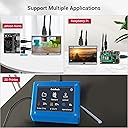
The ELECROW 5-inch Resistive Touch Screen is a compact, high-definition 800x480 TFT LCD monitor designed for Raspberry Pi and other HDMI-compatible devices. Featuring an industrial-grade resistive touchscreen with a 1 million touch lifespan, it supports gloved or stylus input, making it ideal for professional and rugged environments. With multi-platform compatibility, power-efficient backlight control, and a comprehensive accessory kit, this mini monitor delivers plug-and-play convenience and sharp visuals for developers, makers, and tech enthusiasts alike.


| ASIN | B013JECYF2 |
| Aspect Ratio | 16:9 |
| Aspect ratio | 16:9 |
| Best Sellers Rank | 47,038 in Computers & Accessories ( See Top 100 in Computers & Accessories ) 822 in Monitors |
| Brand | ELECROW |
| Brand Name | ELECROW |
| Colour | Black |
| Compatible Devices | Raspberry Pi models 4 3B+ 3 2B+, Pi zero, Jetson Nano, ELECROW monitor |
| Contrast Ratio | Gut |
| Country of Origin | China |
| Customer Reviews | 4.3 out of 5 stars 1,183 Reviews |
| Display Technology | TFT |
| Display Type | TFT |
| Hardware Connectivity | HDMI |
| Has Color Screen | Yes |
| Image Brightness | m2 |
| Image contrast ratio | Gut |
| Is Electric | Yes |
| Item Dimensions D x W x H | 1D x 12.1W x 7.8H centimetres |
| Item Weight | 113 Grams |
| Manufacturer | ELECROW |
| Maximum Display Resolution | 800x480 |
| Model Name | RR050 |
| Model Number | RPA05010R |
| Mounting Type | Wall Mount |
| Native Resolution | 800 x 480 |
| Network Connectivity Technology | USB |
| Picture Quality Enhancement Technology | IPS |
| Pixel Pitch | 0.024 |
| Product Features | Touchscreen |
| Refresh Rate | 60 Hz |
| Resolution | 800x480 |
| Response Time | 6 Milliseconds |
| Screen Finish Type | Matte |
| Screen Size | 5 Inches |
| Screen size | 5 Inches |
| Screen surface description | Matte |
| Series Number | 5 |
| Shape | Rectangular |
| Specific Uses For Product | Programming |
| Total HDMI Port | 1 |
| Total USB 2.0 Ports | 1 |
| Total USB Ports | 1 |
| Total Video Out Ports | 1 |
| UPC | 602731537505 673257102690 |
| Unit Count | 1.0 count |
| Viewing Angle | 170 Degrees |
| Voltage | 5 Volts |
A**R
Very easy to set up and use
Arrvied VERY quickly, and easy to set up and get working. The box and packaging it came it is very neat and protected the screen well. Package includes the screen, HDMI adapter, mounting hardware, a touch stylus, and a DVD that is filled with pre-setup Raspberry Pi images! These images especially are really useful as I was up and running in minutes with no configuration needed and everything working. The touch screen was already calibrated and worked out of the box on the pre-made images. The DVD also contains the manual, and also the 'config.txt' file which means you can just drop it onto any other Pi distro and it just works. They have also included the touch driver and instructions too which makes it simple. The included DVD really helped out a bunch, no downloading of anything was required it even included the tools to load the .img onto the SD card :) The screen is great quality, and is bright and clear. The touchscreen adds protection to the actual LCD panel itself so the whole thing feels robust. It is also possible to use it as an external laptop screen (providing you can set 800x480 resolution in your control panel, I found the my nVidia control panel allowed me to set custom sizes and it worked). The screen is larger than the Pi3 itself, and if you were mounting it in an enclosure the extra mounting posts would make it easy to attach to a flat surface from behind. The USB and Ethernet ports are full available and don't protrude or stick out which is nice. There are solder pads with SPI and 5V + GND labelled that can be used for other IO (the SPI pads are used for the touch screen so don't re-use these unless you know what you are doing). Overall very happy, much neater than having a giant HDMI cable plugged into a monitor that needs a PSU etc.. now all I need is a single USB cable and I can mess around with my Pi easily :)
V**R
Perfect!
I've been looking around for a small HDMI LCD screen to use as a seconday screen with Windows and it took a few months of research on and off before deciding on the Elecrow 5" HDMI monitor. For the most part, it took me a while because a lot of reviews here and on other sites were primarily about use and config with Raspberry Pi. Thanks to reviewer Alan who gave a good review with plenty of photos that convinced me to go for it. Not sure if it's just how Amazon stores user review videos but the video review was a bit pixelated so it was hard to appreciate the clarity of the screen but it seemed to be what I was looking for. Having used it for a few months now I still can't believe how clear and sharp the screen is! There are sadly no controls for brightness, colour, saturation or contrast but everything displayed looks very nice and accurate. Usually when you see the resolution 800x480 you think how bad that looks when your PC doesn't have the right drivers installed and it looks blocky. I know it's all relative and about DPI but once I had it all connected and tested it was sharp and clear, almost HD. I wish I had bought one sooner as it is exactly what I was looking for having tried a Lilliput monitor. As I'm using this with Windows, I've not needed to look through the included driver utility disc and not tried the resistive touchscreen so I can't comment on those. Windows just detects it as a second display and lets me extend my desktop. No drivers needed. The box contains the LCD screen, a HDMI bridge connector that neatly connects the HDMI socket on the top of the screen to the HDMI socket on the Raspberry Pi when mounted together. Standoffs for mounting are also supplied plus a plastic stylus. Here are some of the good points that I like: + It shows the video feed straightaway without any fancy splash screens or slow initialisation pauses. This was one of the annoyances with Lilliput monitor was a slow bright blue screen on power on before it would think about showing the feed. I know it's only a few seconds but I specifically wanted instant feed on power on for future uses. + Runs off a single micro USB (socket also at the top next to HDMI socket) connected to PC USB so no additional external power adapters or sockets needed. It powers down whenever my PC is scheduled to power down so no lingering standby. Some motherboard USB ports do still continue to supply power for charging devices so your experience may differ. + I was hoping for an on/off switch but no it only has a backlight switch which I wasn't sure about to begin with but I've since found it very useful and better. I was thinking about buying a micro USB cable designed for Raspberry Pi with an inline power switch built in but for now the brightness switch is fine. As a blessing in disguise, it prevents Windows/DirectShow from blinking all screens when it realises a monitor has been disconnected, that blink would often cause the video on my TV app to freeze. Turning off backlight doesn't cause DirectShow to have a fit. + Small and light enough that I have it attached to a gooseneck arm so can position it how I need. I was going to buy one of those mobile phone gooseneck arms but I kept reading reviews of some not even being able to cope with weight of a smartphone without drooping so I've used a photographic gooseneck clamp which is a bit overkill but no droop! - The only negative I can think of is the availability or lack of screen cases with cutouts to suit the position of the HDMI and USB sockets on this. The Elecrow has its HDMI and USB socket at the top edge of screen and nearly all cases I have looked at are designed for screens with HDMI and USB on the right edge. I've had to import one from China that had the cutouts for this screen. Took about 2 weeks to arrive. Wish I'd have ordered two cases at the same time to avoid the wait as I'm impressed with the clarity of Elecrow I hope to buy another one in near future. ! Just one more thing Columbo! I had originally wanted to buy Revision B of this screen with capacitive touch screen because it has OSD menu buttons. I can't find any manuals but I'm hoping that OSD buttons allows settings for brightness as that was my other preferred criteria. Having said that, I think it would be even more impossible to find suitable case due to the positions of sockets and extra menu buttons on Revision B screen. Maybe Elecrow could provide some insight on available cases? To solve the lack of brightness control I have just used a pieces of tinted acetate so that lessens the brightness if I'm using at night.
T**Y
A good display, but I had to measure the current to find the power consumption
I wanted a power-efficient LCD, mainly for my Raspberry PI 3b. I tried this Elecrow LCD, based on the good Amazon reviews, but I was unable find the power consumption anywhere. Well here it is measured with a digital multimeter, power fed into the LCD's USB socket: Powering up with Elecrow logo - 260mA Out of the box, no installed driver, default 640x480 resolution - 300mA (1.5W power dissipation) Backlight switch to off - 200mA (1W power dissipation) So only 0.5W of power is saved by the backlight switch. **************************************** Works out of the box on a Windows 10 PC - great. No LCD touch available - as expected. **************************************** Also works out of the box on a Raspberry PI 3b (running mid 2018 Stretch OS) - automatically selects 640x480 screen resolution. In this mode there is a small black boarder around the edge of the display - you are looking at 4.5" rather than the full 5" display. Also horizontally there is a slight stretch to this default auto-sized image which makes that black boarder even all the way around the screen - quite useable and readable. **************************************** The good news for me, there is plenty of power for this display coming direct from Raspberry PI, together with also powering a USB software radio module using the existing official 2.5A Raspberry PI power supply. **************************************** THE SOFTWARE: The config.txt file can be manually altered as per instructions to give proper 800x480 resolution - I used sudo leafpad /boot/config.txt to do this edit - works great after a re-boot if you just want the correct 800x480 screen resolution ONLY. However, the GitHub driver does BOTH the above config.txt file modification AND touch display driver install - no need to manually modify the config file and also works great. **************************************** SLIGHT CRITICISMS: This LCD unit will not time out into a standby mode to save even more power in the absence of an hdmi signal. I used the command hdmi_blanking=1 to remove the hdmi signal from the LCD when the screen blanks on the RPI 3b. But all I got was 'no signal' displayed on the LCD with full the 300mA of current drawn - it will not time out into standby. I also wish the LCD brightness could be adjusted too, as others too have also commented. **************************************** CONCLUSION: Despite the criticisms it does fulfil my needs at a good price and so I am pleased with it.
M**E
Great screen, with trivial setup.
I feel as though this product has received unfairly harsh reviews based on my experience. I installed the latest stable Raspbian to a brand new pi 3, and the monitor worked straight away, at the correct resolution. The monitor is also powered off of the GPIO, meaning that only a single power supply is needed, which is ideal. With regards to getting the touch screen working, this device is no different to any other GPIO powered/controlled touchscreen, using the trivially installed LCD-show repository from github. LCD-show just copies the necessary configuration files to the filesystem, and I'd be very surprised if any updates stop the touchscreen from working (none have so far). In terms of quality, the screen is bright and clear, though the viewing angles are not as good as you would expect from a desktop monitor. Touch is accurate, and remains so all the way to the edges of the panel- which has not always been my experience with other resistive screens. All in all I am impressed with this display, and recommend that anyone looking for a raspberry pi touchscreen consider this device. I'm looking forward to embedding mine in a project box with my bitscope to make a portable, battery powered oscilloscope.
M**R
Ideal project display with sensible connection points
I bought this for a mini arcade project. For most use cases at this scale, you kinda want to keep things as much “behind” the screen as you can. And other screens all had big chunky cables coming directly from the right side which makes it impossible without modifications. This one has a connection at the top which was a great start, but also comes with a handy “U” connector which helps even further. Placement of connectors for project monitors is a big deal, so it’s certainly worth knowing. Screen quality is good/clear. I didn’t care much for the touch screen stuff, so wiring it up required simply 5V and GND as well as the HDMI cable, so no need to mount the Pi if not necessary, especially if you want to be hooking up extras to the Pi. But for those that want to, it mounts very nicely adding no extra width/height dimensions. You’re not going to get perfect for this price. But this one is very good and worth every penny.
A**R
Great screen
I bought this screen for my friend as he has a cheese shop and wants to start doing farm markets. The issue is that sometimes they are in a field with no power so his till won’t work. He had asked me to make him a basic till program for his laptop, but it would take up far too much space on the small table he would be given, so wanted a really small screen. This 5” screen is perfect, I told Windows to rotate it to a portrait mode and made some very basic software to add up items he scans. Then two printed bar codes for when he wants to remove the next scanned item and one to complete the order (which removes all items from the list). He didn’t want anything to work out change, just the total amount of items scanned. Now the software works well and we know it is perfect, we have to work out a box to make it look nicer, but apart from that it works an absolute dream as you can see from the photos. A+ for quality and will probably buy another one since it is so cheap so he has a spare screen.
P**N
What an absolute disappointment this product was for me
What an absolute disappointment this product was for me. I was so impressed with all the great reviews I bought one. But sadly like so many electronics related products the software to make it work were so obscure as to make it worthless. As well as this, the disk included was declared by the manufacturers as being obsolete. The method for installation on the web site did not work with my monitor and once the config.txt was altered it didn’t allow either the monitor or lcd screen to load Raspbian, and what a laborious process it turned out to be. I tried it six times without success and made doubly sure that I was entering the right code. Then there is the added complication of getting the driver from github.com. Which makes my point about the lack of consideration for the end user by the software side of the business. Why on earth does a manufacturer send you to another organisation to install their driver. For some people just knowing where the on off switch is, is important. When using their instructions, My Raspberry Pi dropped Raspbian so many times into recovery mode that it forced me to reformat my sd card. I am now fluent in using Minitool partition wizard and sdFormatter as well as learning about Fat32, NTFS, and Raspbian OS. So it hasn’t all been time wasted. I have also been on YouTube where IT gurus show how easy it is, which is enough to give you an inferiority complex. Installation should be simple for all users not just experts.This is all a great shame because the product looks beautifully made and I would have loved to have seen it in action. So this product may be great for an expert but for those with limited knowledge, equipment and experience give this a wide berth.
K**L
Requires configuration
I use this with my Raspberry Pi 3 and a portable battery, put together as a handheld computer device. Requires a fair amount of configuration, and as long as you know your way around a Pi, it should be easy to set up. Other than that, it works flawlessly. Had this for nearly a year now.
C**F
Good
Nice product, wish there is hdmi angled connector.
P**T
small & works great!
works great, I can’t wait to add it to my raspberry universe of options. i’m currently using it for my server to access the user interface instead of a massive screen.
D**A
Ein guter Bildschirm für den KlipperScreen
Ein sehr guter Bildschirm über den Preis läst sich streiten aber noch okay. Ich habe ihn für Klipper gebraucht da ich nicht immer den PC anschalten will um die Temperatur zu überwachen und sonst was ich steuern will. Die Installation ging sehr schnell und der KlipperScreen war auch schnell installiert. Das Touchscreen ist sehr gut auch ohne Stift, der mit beigelegt war. Das Display reagiert sehr gut und ohne Verzögerung, also ein gute Investition. Die Größe ist auch sehr gut, voll ausreichend. Ich kann das Display wärmstens empfehlen.
D**M
Écran 5pouce pour raspberry pi
Très content de recevoir le produit et m en servir au moment de L alume il me manque deux cm d écran et le tactile ne fonctionne pas je suis dégoûté.
F**X
Solid, bright, works great.
This little screen is fantastic, and a pretty dang good deal, to boot! I wanted to make myself a little portable Pi-based machine to take with me on the go, and a 5-inch screen seemed just about the right size. There are plenty of choices here on Amazon, but I decided to give this one a shot since it could also be used as a regular HDMI monitor. As the instructions note, this will not work with your Pi right out of the box; it needs some drivers and configuration settings tweaked first, or it'll light up and look like it's broken at first. A helpful note card included with the display lists a couple websites - one is the company's wiki that lists step-by-step instructions on setting things up, and the second is a helpful youtube video that gives a full run-down as well. Following the instructions on the wiki was a snap - Just install the latest Raspbian, copy/paste some configuration settings, clone Elecrow's git repository, run the binary, and reboot. Voila, a bright, sharp, vibrant display, ready to go. I'm currently attempting to find a nice case to put it all in for safer transport, but even without that, I'd say this is a great choice if you just want a small touchscreen display for your Raspberry Pi.
Trustpilot
3 weeks ago
1 month ago