Buy anything from 5,000+ international stores. One checkout price. No surprise fees. Join 2M+ shoppers on Desertcart.
Desertcart purchases this item on your behalf and handles shipping, customs, and support to Croatia.
🎞️ Turn your vintage reels into digital gold—scan, save, and relive in stunning 22MP clarity!
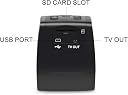
The DIGITNOW 22MP All-in-1 Film & Slide Scanner effortlessly converts multiple film formats including 35mm, 110, 126, and Super 8 into high-resolution 22MP JPEG images. Featuring a built-in 2.4” LCD screen for instant preview and editing, it operates standalone without a computer, saving scans directly to internal or SD card memory. Its fast 2-second scan time, versatile adapters, and USB/TV connectivity make it the ultimate tool for preserving and sharing your analog memories in vibrant digital form.


| Asin | B01DJCULEA |
| Best Sellers Rank | 23,845 in Computers & Accessories (See Top 100 in Computers & Accessories) 22 in Film Scanners |
| Brand Name | ZOEELEK |
| Color Depth | 24 bpp |
| Customer Reviews | 3.8 3.8 out of 5 stars (931) 3.8 out of 5 stars |
| Item Dimensions D X W X H | 8D x 10W x 8H centimetres |
| Item Type Name | negative film scanner |
| Item Weight | 0.4 Kilograms |
| Manufacturer | DIGITNOW! |
| Media Type | Negatives, Photo, Slide |
| Minimum System Requirements | Windows 7 |
| Network Connectivity Technology | USB |
| Optical Sensor Technology | CMOS |
| Product Warranty | 1 Year |
| Resolution | 250 |
| Scanner Type | Film, Photo |
| Standard Sheet Capacity | 1 |
| Upc | 190835033356 889743404210 |
User
A nice little box of tricks.
After reading through 'many' reviews I ordered this model due to the fact I had neagtives and slides of different formats. The little box arrived prompty and I was very surprised at the weight, size and fragitlity of the attachments. After one hour of attempting to read and comprehend the intructions I gave up for the night, had a glass of wine and slept on it. I woke the next morning with my challenge to get my head around this little box. After several cups of tea and a lot of patience and trial by mostly error I scanned over 300 negatives.Basically you get what you get! Do not expect 40 year old negatives to come out like your modern digital. In the 1970s there were a range of new postal firms like Trifca and Trippleprint coming out with a range of quality films and devlopment. Some of my old photos are very clear and some have that faded orange and awful green shade. Also remember that with the 126 you had those dreadful little flash cubes to take indoor photos. My indoor photos are not good. (They came back from the developers like that) Firstly the slide attachment is the easiest to use as long as you keep feeding in new slides. Remember that although you have a slide there were different film formats so make sure you press that button. Slides are fine. Next come the 35m negatives. These are fairly easy to feed through the attachment but this does involve touching the negatives a lot. Quality of scanning just depends. I have put my more modern ones through (only 10 years) old and the quality is OK. Better for outside photos though. If the negatives are scratched then use Picasa on your laptop. The auto adjust or ' I'm feeling lucky' buttons are usually enough to enhance the photo. If the photo appears very scratch make a decision is it worth it or not? The retouch button does work but it takes time. If you have any photos and the negatives are scratched then just flatbed scan them. You'll get a more natural colour. The 110 negative attachment holder is very small and I am still working on it. If you want to see a scanner then Maplins have some. Then you can decide whether to order one. If you just have 35m negatives then maybe go for the cheaper model.Just plan some time when you have time to use this machine. Yes it's pricy in some ways but them I have not found anything else out there that covers all these formats. Don't be put off straight away. Take time and have patience. You will be amazed that you come up with a past memory you didn't know you had so that must be worth it. As I said just save to the SD card to have bought and after you have done a number then transfer to laptop and photoshop.I have attached some 'genuine' photos from the past. The sandsculpture is 35m and from about 15 years ago. The old mill photo and the Jaws shark and Disney land is from the 1970s. The little girl is from the 1970s and show how orange and green looks. There is one from holiday of Tunisia from about 10 years ago.I am happy to answer questions.Two tips: If you have some photos that you can not photoshop those old greens and oranges then just turn the photo to black and white on Picasa and sharpen it. The results are so much better and colour doesn't always matter.These were 1970s again. See photos Also check the screen before you start scanning. As one reviewer mention there is dust etc inside at times. Take the adapter out and blow clear or use a hairdryer on slow and cool. It does help. I scanned a whole lot and couldn't work out why there were marks all in the same places. Easy to solve. I am now rescanning the photos I took earlier and they are so much clearer.
User
Ideal for capturing images for display on the web or in a digital picture frame.
I bought this to scan old 35mm B&W negatives for display on a website - and for this purpose it is very good. The native resolution of the sensor is 14 MegaPixels (MP) which for 35mm film gives a digital image of 3072 x 4608 pixels. The digital scan is saved as a JPG and from B&W 35mm negatives the file size is around 2MBytes (possibly bigger for colour images). This is more than adequate for any use on a website, digital picture frame or tablet - even with moderate cropping (post capture on a computer) to select part of the image. This resolution would also be fine for normal size (6x4 inch) prints. If you are comparing the scan resolution to other types of more expensive scanners then the native 14MP scan equates to a 3200dpi (dots per inch) scan resolution.There is a higher scan resolution mode (22MP) but this is created by interpolation and contains no additional image detail - the captured detail is just spread over more pixels. The only benefit of this mode is that it creates a finer pixel granulation at higher magnifications or larger print sizes. Using the 22MP scan resolution a 35mm B&W frame produces an digital image of 3760 x 5640 pixels - with a file size of around 2.8MBytes and equates to a scan resolution of 4000dpi. For my purposes I did not find the interpolated (22MP) mode added anything to the image - but for larger size hardcopy prints it may be useful to reduce visible pixelation.The built in controls allow for exposure correction (lighter or darker) and the LCD display shows a positive image - which makes reviewing the images from negatives much easier. For colour negatives and slides you also get the option to adjust the RGB colour balance - but I have not as yet tied any colour film.The unit does have a small internal memory (98 MBytes available) - enough for 30-40 B&W images. It is possible to use the unit just using the internal memory - but you would have to keep moving batches of images to a computer (via USB cable) to clear the internal memory store ready for the next batch. Alternatively you can plug in a standard SD memory card (32GB maximum) and images will be automatically stored on that. Apart from the benefit of being able to scan as many images as you want without stopping - you also get the option to remove the SD card and plug it directly into a computer to transfer the scans at a much faster speed than USB_2 allows.The biggest plus for this unit is the speed of the capture process - just a couple of seconds per frame. This compares to one to two minutes per frame for most of the more expensive high resolution scanners. The film adapter for 35mm works well - just insert it into the scanner and then feed strips of negatives through from right to left - adjusting the position using the LCD display. Each image capture requires only two key presses (assuming no changes to exposure correction) - press the Scan button and then the OK button - very simple and very quick. For bulk processing of 35mm images for use on screens this product is ideal and for standard size hardcopy prints it produces results that are as good as a 10MP camera.
User
Excellent quality
great little machine. easy to use.
User
It works but do not expect top quality of scans
My husband and I have bought “DIGITNOW! 22MP Film & Slide Scanner All-In-1,Super 8 Film,110/126 Film, 35mm Negative/Slide to Digital JPEG Converter” to digitize old negatives and slides. The attractions were a high resolution, multifunctionality and comparatively small proportion of negative reviews. The scanner arrived few days earlier. When tested, no problem with operations though it does require few attempts to get used to order in which buttons operates particularly “SCAN MENU” and “OK” to switch between scan adjustments and save modes. It is also fiddly to fit inserts into negatives holder as it is not clearly described in the instructions and all is made in plastic which easy to break. But at the end all worked.Our reservations were about the overall quality of scanned image.1) It scans at 14MP and 22MP is in-build software extrapolation of the original 14MP scan (can be done in most image processing software). File size is bigger (~2KB vs 2.8-2.9 KB with pixel resolutions 4608x3072 and 5640x3760 respectively). It would make the difference if you want to print from digitized image, but is marginally better in details when the same image “scanned” at two resolutions and compared as shown in blown up sections in the attached image.2) Although colour adjustments helped a bit to control colour cast from negatives and slides and brightness adjustment is also useful, it was difficult to get the same quality of reproduction as in the original print. I compared an about 20 year-old negative scan with DIGITNOW and the print scan on flatbed Epson Stylus SX105 at 2400 dpi. It was more truthful colour reproduction and better details (see attached image).3) Image cropping, most annoying when scanning slides. For negatives it would probably depends on the format as in the example shown, print was also cropped probably by a comparable amount.To sum up, for the price paid, it is a good way to digitize slides and negatives especially if prints are lost. It may require a bit of experimenting with adjustments to get to acceptable level, but do not expect reproduction quality of modern 14MP digital camera. Scans look OK on TV (files are quite large though and takes ages to load and display files), but on modern computer screens all the defects becomes more obvious and can be annoying. Personally, we have returned the scanner after a trial as were not able to achieve desired quality of scans. No problem with returns, thank you Amazon.Attached image description. The attached image compares DIGITNOW scan of the colour negative at 22 MP (Adjustments: Brightness +0.5, Blue -0.5, top Left (the scan was resized in photoshop to match print scan) and its print scan (at 2400 dpi, top right). The bottom row shows blow up similar sections of the image at scanned 14MP, 22MP and print scan (from left to right) for comparison of details (inserts were also resized to the same size and kept at the same (600 dpi) for easy comparison using photoshop CS5.
User
Appalling image quality
This scanner is not fit for purpose. Image quality is very poor. with a red tinted band across all scanned images on one side. Rotate negative through 180 degrees an same result but on other side, so it's definitely the scanner. Same result on both old & new negatives, which have all been scanned fine on another scanner. Also, the whole 35mm negative is not scanned, it misses off around10% on each side. The colour rendition is awful. The seller's description on Amazon is misleading to say the least. Needless to say, its being sent straight back.
User
SPLENDID LITTLE GADGET, VERY USER FRIENDLY
This little scanner was exactly what I needed to see and digitize the thousands of negatives I had collected over the years when I was into photography with "real film".Once you get the hang of popping the strips of negative (mine were mostly 35mm) into the machine it was a doddle to press the button and they were on the SD card. One tiny problem was that every time I inserted the SD card with the safety tab off, there seemed to be something inside in the way, which flipped it on - so it kept locking the card. A little bit of magic tape over the slide switch sorted that out.I also used it with 35mm mounted positive slides and it worked just as well, but the process was a bit slower because you have to slide each one in separately. I didn't bother to open the slide holder for the negatives - I just slipped them into the slot from the right hand side.A very good buy, I can thoroughly recommend it! (Doesn't come with an SD card by the way, although it will format it).
User
The product works well, but you need to get used to its idiosyncratic operation
As mentioned in the title, I got good results from slides, 8 mm film, 35 mm and 110m negatives. Its operation take some getting used to, here are some hints:1. To actually look at a new slide/negative, you have to go through the film size selection menu - there is no "view picture" heading.2. There is no obvious "Back". If you want to choose another option, you need to switch off and restart.3. Sometimes it switched off by itself for no reason.4. When taking the scan image, it should be a very quick "click" (like on a camera). If you keep your finger on for too long, it does not work.5. When trying to upload, you need to cycle through the options till you see the "USB icon". The catch is that although you see the icon on the first cycle, you cannot choose it, as it disappears. But on the 2nd cycle, it can be selected.6. The preset resolution was the lower one - this is the first thing you should adjust (going to the 22 M)7. There is a brush to clean the internal plate. Since the product was new, I initially did not bother, but quickly noticed that the images were not clean. The brush did an excellent job. My point is that this cleaning brush is not some hardly used accessory - you should use it before you start!8. The super 8 adapter should go in the Negative bracket (even if it is a positive film...)9. I wrote with some questions to their Support, and got a good answer within 24 hours10. The exposure /color control is very helpful.Most of the above is not in the instructions - I had to work it out. But it does the job, this is the main thing.
User
Not good for colour negs
A very neat little gadget. I bought this to scan in my old negatives. It is a little fiddly to alter the settings - would be better if this could be done on-screen when linked to a computer. It does the job adequately but the image quality isn't great and it can take 2 or 3 scans to get the settings right for an individual negative unless the exposure was perfect to start with.It is very good for scanning black and white negatives, OK for slides but I find it almost impossible to get consistent results for colour negatives. After making sure that the settings are correct for colour 35mm negatives a few come out OK but most (from the same film) come out with a pronounced yellow cast and it is obvious that the auto correction for the orange base of the film is not working. This is extremely annoying and makes the scanner useless
Trustpilot
1 month ago
2 months ago