๐ฎ Elevate Your Game with GIGABYTE's Ultimate Ultrawide Experience!
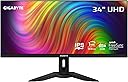
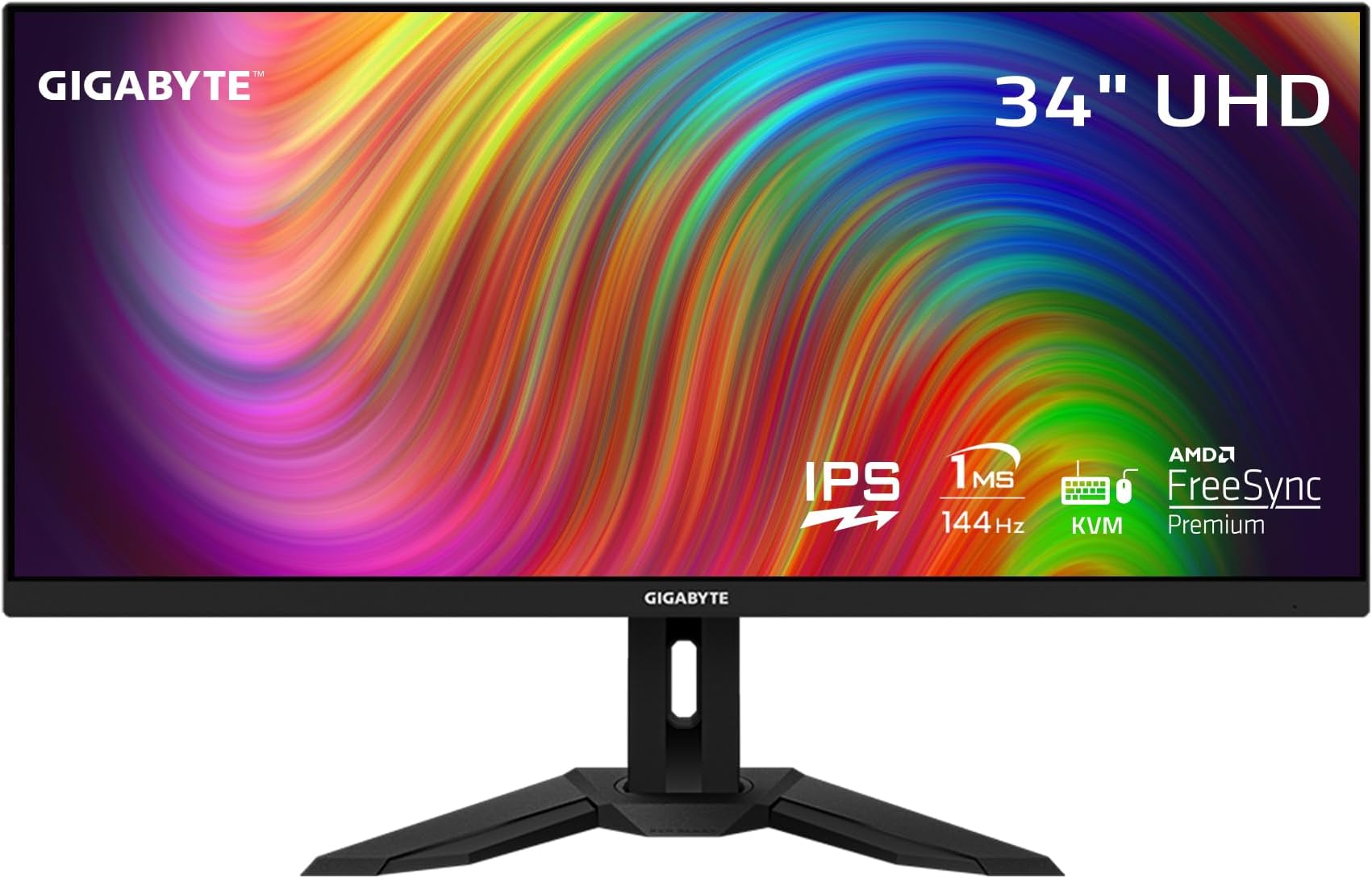
The GIGABYTE M34WQ is a 34-inch ultrawide gaming monitor featuring a 3440x1440 IPS display, 144Hz refresh rate, and 1ms response time. With HDR400 and 91% DCI-P3 color accuracy, it delivers stunning visuals and immersive gameplay. The monitor also includes KVM functionality for seamless control of multiple devices.


| ASIN | B09GL7HQ6S |
| Adaptive Sync | FreeSync Premium Pro |
| Additional Features | Built-In Speakers |
| Aspect Ratio | 21:9 |
| Aspect ratio | 21:9 |
| Brand | Gigabyte |
| Brightness | 200 |
| Color | M Series |
| Color Gamut | 117 |
| Compatible Devices | Desktop, Gaming Console, Laptop |
| Connectivity Technology | wired |
| Contrast Ratio | 1000:1 |
| Customer Reviews | 4.4 out of 5 stars 188 Reviews |
| Display Resolution Maximum | 3440 x 1440 Pixels |
| Display Technology | IPS |
| Display Type | IPS |
| Hardware Connectivity | DisplayPort, HDMI, USB 3.0, USB 3.0 Type C |
| Has Color Screen | Yes |
| Image contrast ratio | 1000:1 |
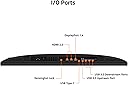
| Included Components | 2x 3W Speakers 1x Display Port 1.4, 2x HDMI 2.0, 2x USB 3.0, 1x USB Type-C |
| Item Dimensions D x W x H | 105.9D x 52.6W x 19.6H centimeters |
| Item Weight | 13.4 Kilograms |
| Manufacturer | GIGABYTE |
| Model Name | M34WQ-SA |
| Model Number | M34WQ-SA |
| Mounting Type | Wall Mount |
| Native Resolution | 3440x1440 |
| Number of Component Outputs | 2 |
| Number of Height Positions | 34 |
| Picture Quality Enhancement Technology | HDR, Wide Color Gamut, Freesync Premium Pro |
| Pixel Pitch | 0.42 |
| Power Consumption | 3 Watts |
| Processor Count | 1 |
| Refresh Rate | 144 Hz |
| Resolution | QHD Ultra Wide 1440p |
| Response Time | 1 Milliseconds |
| Screen Finish | Glossy |
| Screen Size | 34 Inches |
| Screen size | 34 Inches |
| Screen surface description | Glossy |
| Shape | Rectangular |
| Specific Uses For Product | Gaming |
| Total Number of HDMI Ports | 2 |
| Total USB 2.0 Ports | 1 |
| Total USB 3.0 Ports | 2 |
| Total Usb Ports | 3 |
| UPC | 889523026878 |
| Viewing Angle | 178 Degrees |
| Voltage | 240 Volts |
H**E
Solid Ultrawide for Work and Gaming
I've been using this 34" ultrawide for about 2 years and it's been great for my mixed workflow. The 3440x1440 resolution gives plenty of screen real estate for coding with multiple windows open, and the IPS panel has excellent color accuracy. Gaming feels immersive, though 144Hz isn't cutting-edge anymore, it's still smooth for most titles. The KVM feature is genuinely useful - I can switch between my work laptop and gaming PC seamlessly. Build quality feels solid, minimal backlight bleed on my unit. The USB-C connection is convenient for laptops. At this price point, it's a reliable choice that handles both productivity and gaming well without breaking the bank.
E**S
IPS Panel with minimal ghosting
This is the monitor I been searching for. The current price range for it is 500~ but it performs much better than any VA panel Curved 34" monitor. The flat design feels good and is stack able with other monitors. For gaming, this is a solid beast of a monitor, the best setting for overdrive to minimize the already minimal ghosting is to use Smart OD. Lets be real, this is not oled alienware monitor for 1600$, so gotta keep the expectations in line for the price. UW 1440p 144hz monitor for sub 700$ after tax? thats a good price.
.**.
Used product
I got used the product with disgusting damaged box , donโt buy
P**P
Finally a non-curved monitor that's great for gaming
This is the holy grail of monitors for me. A non-curved 3440x1440 with FreeSync and a 144hz refresh rate, and with a great one-touch KVM as a bonus! The screen is gorgeous and bright, with great contrast and nice wide viewing angles. The on-screen controls give you plenty of adjustments, including a SRGB mode and game optimizations. There is some IPS glow and some black unevenness, but that's only noticeable on a completely black screen in a dark room. It's just the nature of IPS screens, and it's better in that regard than my old LG 34UM65 was. The FreeSync is just fantastic. It works flawlessly with the two cards I've tried it with - a Nvidia 2080 Super and the card I replaced it with, a Nvidia 3080TI. It's so nice to finally be able to turn off vsync and just play without any screen tearing. The KVM feature is brilliant. I plugged my keyboard and mouse into the monitor's two USB ports, then connected the USB-C to my PC. Everything works as expected. When I need to work on my laptop, I connect it to the monitor via HDMI and the USB Upstream port, press the KVM button, and my mouse and keyboard switches to the laptop along with the display. One button press and I'm back to my PC.
G**O
Very good Monitor
Use it for work purposes and it works great. No issues
Trustpilot
2 days ago
1 week ago