Desertcart purchases this item on your behalf and handles shipping, customs, and support to Croatia.
🚀 Elevate your WiFi game with power, speed & security!
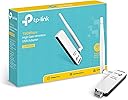
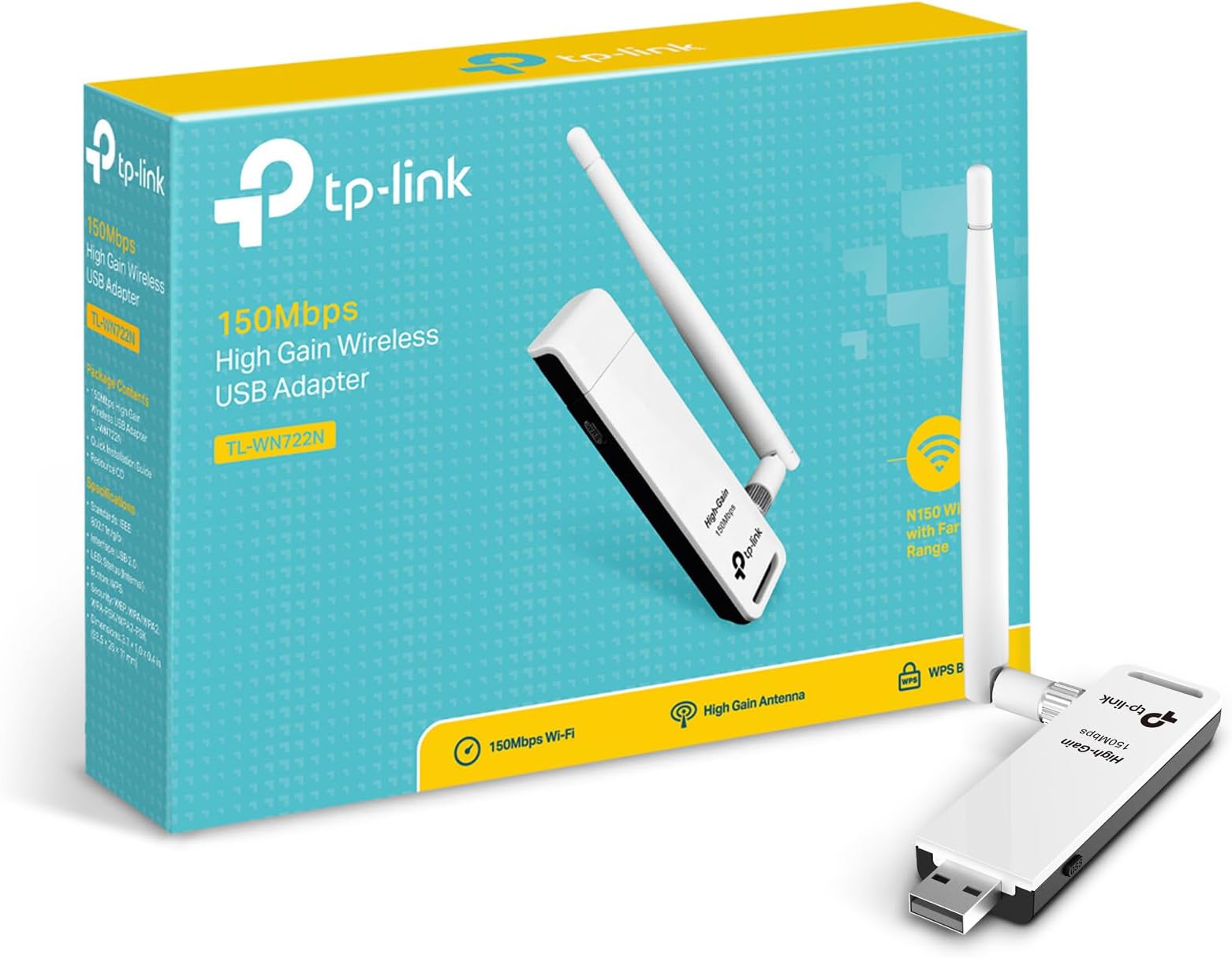
The TP-LINK TL-WN722N is a compact, high-performance USB wireless adapter delivering up to 150 Mbps on 2.4 GHz with a high gain external antenna for superior range and signal strength. It supports advanced security protocols including WPA2 and offers easy setup via USB 2.0 with a WPS button for instant encryption. Compatible with multiple Windows versions, it’s perfect for professionals seeking reliable, fast wireless connectivity for streaming, gaming, and remote work.


| ASIN | B002SZEOLG |
| Best Sellers Rank | 5,651 in Computers & Accessories ( See Top 100 in Computers & Accessories ) 47 in USB Computer Network Adapters |
| Box Contents | Package Contents Wireless AdapterOne USB extension cableResource CDQuick Installation Guide |
| Brand | TP-Link |
| Brand Name | TP-Link |
| Color | 150M |
| Colour | 150M |
| Compatible Devices | Laptop, desktop, smartphone, tablet, printer, camera |
| Compatible Operating System Family | Windows |
| Compatible devices | Laptop, desktop, smartphone, tablet, printer, camera |
| Customer Reviews | 4.1 out of 5 stars 19,464 Reviews |
| Data Link Protocol | IEEE 802.11n, USB |
| Data Transfer Rate | 150 Megabits Per Second |
| Data link protocol | IEEE 802.11n , USB |
| External Testing Certification | CE, FCC |
| Global Trade Identification Number | 06935364090456 |
| Hardware Interface | USB 2.0 |
| Hardware interface | USB 2.0 |
| Importer Contact Information | TP-LINK India Private Limited,Green Industrial Park, Dongri Pada, Poman, Kaman-Bhiwandi Road, Vasai East, Maharashtra – 401208 Toll Free 1800-209-4168, [email protected] |
| Item Dimensions L x W x H | 9.4L x 2.6W x 1.1H centimetres |
| Item Part Number | TL-WN722N |
| Item Weight | 0.4 Pounds |
| Manufacturer | TP-Link |
| Manufacturer Part Number | TL-WN722N |
| Minimum Required Operating System Version | Windows 7, Windows Vista, Windows XP |
| Model Number | TL-WN722N |
| Number of Items | 4 |
| Number of Packs | 1 |
| Product Warranty | 4 |
| Product dimensions | 9.4L x 2.6W x 1.1H centimetres |
| UPC | 845973050467 |
| Unit Count | 1.0 count |
F**R
Super wifi product
***First off, ignore all the 1 star reviews as these people have little or no computer skills and are blaming the product when it's their ignorance and lack of knowledge when it comes to their computer systems. Mostly all the problems detailed are the result of firewall problems and not with this product. I have Windows 7 64bit and this product works.*** Can not fault this product. Rated at 150Mbps and it works at that rate too. All I had to do was change the channel on my router to one that wasn't being used by other routers in my area. Use a free program called `inSSIDer`. The high gain adapter makes a big difference but can be modified to get a better signal using a can, crisp tube or tennis ball can. Just go on your favourite video hosting site or search engine and look up `cantenna`. I'm on a fibre connection and can get a wired Ethernet speed of 62mbps down and 18mbps up. With this product I can get 55mbps down and 16mbps up going through a floor and two walls. Although like a said I have modified both my router and this product by using a parabolic reflector system so it is not omni-directional but focuses the signal. I can get an `RSSI` signal strength of (-54) with this product. Windows sometimes states a 100% signal strength but `inSSIDer` gives a truer number. It installs very easily. Just plug it in and windows will install the drivers. Although I like to go and find the latest ones anyway from the manufacturers website. It comes with a USB2.0 extension lead so you can plug it into your desktop or laptop and position it somewhere or just have it sticking out the back or side. Very decent price on here. I paid £8.99 and feel it was the best USB wifi adaptor for the price and quality. Highly recommend this product for anyone who wants a 2.4ghz wifi adaptor.
S**1
Recommended for Windows 7!!
I recently invested in a new acer desktop mainly for photoshop use as the screen is MUCH larger than my laptop, but wanted to be able to check emails and so on too. I was disappointed when it only managed to pick up 1 bar of signal from my home hub, which kept disappearing meaning internet was pretty much a no-go. I started looking into wireless USB adapters to try and boost the internet, but found that all of them had terrible reviews saying they didn't work, or worked for everyone but those with windows 7, and so forth. In the end, I decided to just go for it on a cheapo one that meant if it didn't work, I would have only lost a few pounds. But I've got to say, this one is GREAT! I cannot complain about ANYTHING with this one. It was cheap, very easy to set-up (plug in, put in disk, install driver), and in seconds I had 4 bars of wireless! I have a windows 7 64bit computer and this USB adapter works a treat. HIGHLY HIGHLY recommended!
A**N
Impressed
Ok, first off, I've got to admit anybody who had a problem installing this product on Windows 7 must had been doing something majorly wrong..!! I got a small Acer Revo in my living room acting as my media PC, running Windows 7 64bit home premium. Nice little machine, but to be honest, it's in built wireless network adapter has never been up to much. My router/hub is located up stairs along with 2 other wired PCs. On average I get around 35 Mbps download internet connection from my wired PCs, whereas the Acer was only giving me around 4 Mbps. Ok, not too bad I'll grant you, but still quite a difference. The main problem was the transfer speeds across my LAN. Between my wired PC and the Acre I was getting around 8.8 Mbps writing and 13.1 Mbps reading. Between my 2 wired PCs 43.2 Mbps Write and 33.1 Mbps Read. Yeah I know these levels can change each time you run a test. The thing that annoyed me was I could get a write speed of around 27 Mbps between my wired PC and my daughters wireless laptop, also located in the living room. Duff wireless adapter on my Acer, I thought. I had 2 options: Either, run a network cable down to my Acer... I feared for my marriage at this prospect. Or Try one of these "high gain" adapters. Saw how cheap this one was and thought, "Why not." The build quality is fine as far I'm concerned. The only slight niggle (hence the 4 stars), is if your USB ports are very close together, like they are on most PCs, if you plug the adapter in direct it would block the port next to it. Luckily, and I feel this might have been an after-thought on TP-Link's part, they have included a USB extension cable. Plugged it in and Windows downloaded and installed drivers for me automatically. Didn't need the included drive disc. 2 words of advice: Even though it doesn't ask for it, you are best doing a reboot once the drivers are installed. Second, if like me you've got another wireless adapter installed, make sure you disconnect this adapter from the network after installing the new one. My system was still trying to use the original adapter by default after installing the new one. So far I've seen a big improvement. My internet connection speed has gone from around 4 Mbps up to 18.4 Mbps download and 5.4 Mbps upload. My wired to wireless connection speed has gone from 8.8 Mbps writing / 13.1 Mbps reading up to 25 Mbps writing / 26.7 Mbps reading. All in all very happy. And at this price it was a godsend as far as I'm concerned... and the marriage is still intact :)
S**Y
Gets my Synology server back online.
We changed our broadband a couple of months ago, and I noticed that the new cheap and nasty Technicolour TG589vac router supplied by SSE was blocking any connection to the Internet for my Synology Diskstation, which was connected by ethernet cable to the router - (basically SSE specify a heavily locked down version of the firmware, so it's not easy to change anything or have any control over your own network). Nightmare, I can't update my server or use the online features. No amount of fiddling with the router settings would allow my Synology to connect to the Internet. Reading round the Internet I found I wasn't the only person with this problem with the technicolour router, the solution appeared to be ethernet would not allow any Internet connection, but wifi would. Looking on the synology website, this was one of the few usb wifi adapters listed that is readily available in the UK. It's a decent price, and arrived quickly. Popping it in the usb socket at the back it was instantly recognised by the Synology. The WiFi settings was added to the control panel, and it was a quick process to connect, using the instructions on the Synology website. Instantly the Synology found numerous updates needed for the various software packages, and the main firmware, as well as the clock updating on the synology. I still have the ethernet cable connected and my home network still functions as before, but now all the extras I was used to were back functioning. Interestingly if this dongle is connected to your Synology, and your Synology is able to connect to the Internet by ethernet, this can then be used as a wireless hotspot to extend your network. When we get to the end of our broadband contract if we get a decent router, then this might be something I'd look into. As an added bonus the Synology is far quicker now when dealing with the Internet. Summary - great price wifi dongle that works flawlessly with a synology. If you've a broadband supplier that feels the need to be overly controlling with their router, this will cheaply solve your problems.
J**N
Job done, simple setup, 150mb sorted
This dongle does the job, and exactly as described, it isn't that badly built at all for the price, it gets 2 more bars (on the wireless signal) than my previous N adapter I was using that came with a router, which incidently dosen't have the whooping great aerial. I would say the size makes using it in a laptop that is moved around a lot a bit overkillesque and would only make sense If you really are always very far from the router, other wise get a smaller adapter. If it's for a tower PC that has enough room out of the way at the back for this too sit in a USB port then this is ideal. Installation was a case of placing in the USB port whilst said PC was already connected too the Internet via another dongle and letting Windows Update download a 1.7MB driver file, once that is installed it's ready to go, simple as, and less than a minute total too setup and It'll never have too be setup again unless I wipe the hard drive.. All in all couldn't be happier with the quality for the price it costs. It also comes with a USB extention lead hidden in the box which is always useful.
A**R
Great item at a Bargain price.
Why did I buy this? I was looking for something to make my old HP desktop PC wireless. I had moved my Post Office Broadband Router to the front room so that I could watch BBC iplayer via my Humax PVR and I did not want to spend nearly £50 on a pair of Homeplug adapters. I googled for advice and found out about this TP Link TL-WN722N wireless dongle.Did a search and found the cheapest one was available on Amazon at £8.33 inc delivery. ordered Sunday arrived Wednesday. What was in the box? The dongle with ariel attached. A very well made and a quality looking item. Mini CD to load driver. About 3 feet of ext cable with male and female USB connectors. Quick installation instructions. How easy was it to fit? Dead easy. Just plugged the supplied USB cable into a spare USB slot and attached the TL-WN722N. Ran the CD to load the driver and then put in the Routers password. Hey presto I was up and running in about 4 minutes. It would have been quicker but I have an old HP PC that I think runs on valves!! Was it a Good Buy? Most definatley. I have got a friend to buy one. Do check the other buying options on the Amazon page as I found on the main Amazon page the same one for over £10. Other notes. The instructions recommend that you leave the ariel attached as without it you get poor reception. My router is 3 rooms away from the dongle and I pick up the wirless signal very well. I live in an old house with thick walls. If you are looking for something cheap and easy to make your PC or old laptop wireless then look no further.
M**Y
Stopped working after 4 months.
Was working perfectly fine for the first 4 months. Didn't have a problem with it. Then we suddenly started having problems with it connecting to my router properly. Today it's given up completely and the computer won't even detect it anymore, it won't power up. All of my usb ports are still working fine, it's simply that the adaptor just stopped working. Not getting anywhere with any help on their website's support either.
A**W
Good but not amazing..
The coverage is far improved than my previous built-in Wifi card. However as some reviews suggest the coverage can penetrate thick walls and provide excellent signal strength. I would say this is very hyped up. Using this produced I noticed a more reliable signal strength connectively, with improved signal coverage. I would say for a large house with thick walls such as my situation, using wireless repeaters to expand coverage more effective than high gain adapters. The product feels flimsy when inserted into the USB port, like the metal connector and the plastic surround is not strongly tight with each other. The nice tall antenna is ideal for coverage, but has caused some disruption to nearby sound cabling running close to the adapter. Causing serious sound crackles, but is easily solved by repositioning wiring/adapter. Installation was not as fluid as one would have hoped, with Windows 7 Update doing most of the work. But within 5-10 minutes of waiting for download/install windows its up and running. By far the best value product in the USB adapater market.
F**O
Excelente antena para uso doméstico u oficina
Excelente antena, permite tener internet y compartirlo como repetidor de wifi. Útil para lugares lejanos del módem o router. Llegó muy rápido el paquete como 2 días máximo y muy bien embalado, la antena ayuda y encima tienes un cable de 1m para tener más espacio en tus entradas usb La estoy probando para reproducir los videos de las CCTV por wifi y hasta ahorita no he tenido fallas, mantiene una conexión sin interrupciones (claro, no deja de ser bueno mejor por cable). Mi caso sería para trabajar en oficina, desconozco si pueda mantener la conexión para juegos online La antena es desmontable
A**R
Must have.
IYKYK
B**O
thank you
Hello, product received. It is working as expected on my desktop. Thanks and regards;
K**C
رهيب
سعرها بسيط مقارنه بادائها , انا استعملها لكالي لينكس مايحتاج تعريفات للادابتر بس اشبكه و يشتغل على طول , مداها كبير و تلقط الشبكات البعيده و شي حلو انه يجي معها سلك يو اس بي (زي التوصيله) عشان تقدر تغير مكان الادابتر براحتك , يفضل تحط الادابتر جنب الدريشه عشان تلقط شبكات اكثر
M**J
Solid adapter
It's a solid, no-frills, stable adapter. I've received version/revision v3.2, therefore it has a Realtek chip, not Atheros.
Trustpilot
1 week ago
3 weeks ago