


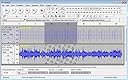
USB Audio capture (Vinyl audio cassettes and tape to PC/Mac)
Product ID: 48907259
🎵Supports WAV, AIFF, MP3, OGG
🔌USB 2.0 plug & play
🎚️Built-in audio effects & editing
Desertcart purchases this item on your behalf and handles shipping, customs, and support to Croatia.
🎧 Capture nostalgia, remix your vibe — digitize your soundscape today!
This USB 2.0 Audio Capture device transforms your vintage vinyl, cassette, and tape collections into high-quality digital files compatible with PC and Mac. Featuring plug-and-play ease, multi-format export (WAV, AIFF, MP3, OGG), and a professional-grade editing suite with effects and VST support, it empowers millennials to preserve and personalize their audio heritage effortlessly. Compatible with a wide range of operating systems and including all necessary cables and software, it’s the ultimate tool for turning analog memories into digital treasures.
B**O
Great little piece of equipment
This is excellent for the price, though you will need a set of male to male phono leads as the device only has female sockets (unless you can alternatively use the supplied 3.5mm audio lead with your cassette player/amplifier). Audacity (bundled with it but better to download the latest version for free) is used to record from tape to computer but it does mean that if you want to do several contiguous tracks then either you have to stop and start the tracks to record them separately, or record all the tracks as one unit and then split them. After one cassette side I had enough of this and downloaded (free) EZ Vinyl/Tape Converter by MixMeister which splits the tracks automatically (after recording them all as one unit) and then allows you to add the most important mp3 tags (though it also uploads the split tracks to iTunes before you can get hold of them). The reviewer and others who have found Audacity too complicated would be well advised to download the MixMeister program as it is extremely user-friendly and also seems to happily take an amplifier line output without distortion (provided you select the tape and not the vinyl option). Of course once they are in mp3 format they can be used to create a CD if required either from iTunes, Windows Media Player or any other similar burner. Anyway, the Audio Capture device works a treat and is a dream to use.
M**D
Yamaha piano recording to Windows 10 laptop and Macbook and conversion to MP3 - success!
Came in quality packaging with an instruction leaflet. The supplied mini-CD was no use in my iMac as it needs full sized CDs. No manufacturer website exists to download drivers from. So at the start, all rather confusing. However, Windows 10 seemed to have or install a driver silently and 'just worked' with my old copy of Audacity. And the Macbook - which has no CD bay - allowed the device to be recognised after doing the Transport > Scan for new hardware option in Audacity. This needs repeating every time you unplug and plug back in the device. Also, my Macbook only has a C type port so a USB-to-C adaptor was needed. This capture card came with a 1/4 in. to 3.5mm jack adaptor which was appreciated as it allowed out of the box connection to our Yamaha piano for which we bought this gadget, to record to MP3 with. A female to male 3.5mm socket/plug extension cord will be needed if you plan to record from a piano as the supplied cord is very short. Quality seems great, easily good enough for replay on a laptop or earbuds. I tested a quality MP3 player as input as well as the piano. Everyting came out - after conversion to Mp3 in Audacity - in proper stereo on both my old Lenovo T400 and the Macbook. Would have been 5 starts except for the lack of clear info about the software drivers for Mac - compounded by the fact that there's no brand to the device as such and so no support website to go to.
A**S
Excellent and easy to use
I have a Mac computer not a PC and was a little concerned that there appeared to be no Mac users reviews. However as all the PC users reviews were good and the advert said this was for both systems, I took a chance. Am I glad that I did. Excellent product and, something you seldom get these days, FULL instructions with screen shots for BOTH systems. For the Mac (OS X) it's unnecessary to install any drivers but, to be on the safe side, the instructions still showed you how to check that everything was OK. The software included was Audacity (version 1.3.7.1) which is a freeware application. OK, not perhaps the easiest to use for recording but, for the purposes of the Audio Capture device it's excellent and relatively easy to use. The instructions even tell you how to set up the software to stop it recording from the Mac's built in mic. (Just look on the Net to see how many people ask this question and ClimaxDigital tell you how to do it with the enclosed software) So, at this stage in my reviews I would give 5 stars for the item, and 1 star for everything else but in this case: Audio Capture Device 5 stars*****; Instructions 5 stars*****; enclosed software 4 stars**** (for capture purposes only) If you have old tapes/LP's etc you want to transfer I highly recommend this item which I consider to be excellent value-for-money
A**N
Works Great!
I will admit that I was sceptical about buying one of these audio items, but I found it to be very good. I wanted to transfer music from cassettes to my PC and export them to MP3 files and upload them to a memory stick. The software worked perfect without any errors on my Windows Vista PC. My Roxio Media Creater didn't complain about the software as it use to with other software sometimes. It also states on the box that it is also compatible with Windows 7 PCs. I found the software very easy to use and straight forward, but this software might be a little hard to understand at first for people that don't know much about computer technology, but don't let that put you off....once to get the hang of it....it is fine to use. I did find the sound quality a bit quite (from my old cassette), but if you choose to 'normalise' it then it amplifies it slightly. The software comes with instructions and there is also instructions for Mac computers included. Overall, I am happy with it and it does want I wanted it to do.
P**L
Great little thing
I bought this to convert a collection of old radio programmes I have hoarded on cassette tapes. I'm very pleased with it-- it works exactly as advertised. I'm using a Mac, so no driver installation was necessary; drivers are supplied on CD for PC users. The supporting software, Audacity, is also supplied, but it is a free, cross-platform (and excellent) piece of software that you can download from their website. It's easy to use, and will allow you to clean up artefacts such hisses and scratches, amongst a wealth of other things. Mac users: the device should be recognised as soon as you plug it into your machine, but if you already have Audacity running when you do so, you may have to quit the app and restart it before you have the option for USB PnP under Input Device.
P**K
Good but watch the connectivity
Works exactly as advertised. Efficiently transfers ancient audio cassettes, via my old Technics deck, to my Mac. Appears in the Mac Sound prefs 'Input' pane immediately and connects without the need to instal any drivers. Only reason not to give 5-star is that I hadn't realised till it arrived that the RGA/Phono outputs were female. Since most hifi decks also have female photo sockets, (as does mine), I had then to purchase a male-to-male phono cable before I could connect the 'Audio Capture' to my Cassette Deck. Also, note the converter has legacy USB connector so, if you have a new MacBook Pro or new iMac Pro with USB-C connectors, you will need an adaptor.
R**3
Unusable when recording straight from a turntable
Already had the Audacity installed on my Windows 7 laptop so didn't reinstall from CD. Plugged the unit into a spare USB port and the drivers successfully installed, however, connected my standalone Technics 1210 MkII turntable to the female red white phone plugs, played some vinyl and the sound coming through was too low to be recorded. Tried on an iMac and MacBook Pro and even via Logic Pro - no amount of tweaking has resulted in an adequate sound level. The concept is good, but the obvious flaw is that the built-in pre-amp will not work when connected directly to the turntable, it is not powerful enough. Tapes should be fine as the sound is "pre-boosted", as would a turntable connected to an amp equipped with a phono pre-amp. I'll continue tweaking and playing around with the set-up.
S**N
Questionable
This product works very well, but there's issues. Perhaps I've got it wrong but windows users can only export the file [to burn to a CD] as either MP3 or WAV files, so it is not possible to play the CD in a standard/normal CD player which does not support these formats [for instance in the car or normal hi-fi]. The instalation CD instructs to switch off virus protection...Norton community reports issues with this site so I didn't and the software still works fine...but my machine doesn't quite seem right when booting up [perhaps it's installing updates!...Audacity has been installed only 24 hours] More positively, the s/w is easy to use and the results, provided you're happy with the popular MP3 format, are very good. Those who have very limited experience of using computers may find the editing difficult, but most will be fine.
Trustpilot
2 weeks ago
3 weeks ago