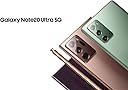
🖋️ Elevate your digital mastery with precision and style!
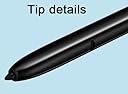
The Note 20 Ultra S Pen replacement offers 4096 levels of pressure sensitivity and Bluetooth connectivity, designed specifically for Samsung Galaxy Note 20 and Note 20 Ultra 5G. It comes with 5 replacement nibs, is rigorously tested for quality, and backed by a 180-day warranty, making it the perfect upgrade for professionals seeking precision and reliability.
| ASIN | B0BKZXRMY1 |
| Best Sellers Rank | #23,756 in Cell Phones & Accessories ( See Top 100 in Cell Phones & Accessories ) #619 in Styluses |
| Customer Reviews | 4.6 4.6 out of 5 stars (680) |
| Date First Available | October 31, 2022 |
| Item Weight | 0.176 ounces |
| Item model number | Galaxy Note 20 Ultra |
| Manufacturer | jiujiajiu |
| Package Dimensions | 5.24 x 1.89 x 0.75 inches |
C**A
Works well
This stylist is the next great thing to the original stylist that comes with the phone. It does work great on the phone screen, and so far the quality has been great. It 100 percent works as expected, and I don't have any dead spots on the screen at all. I would definitely would refer this product to a friend or family member!
T**A
Works great and connects to phone easily
Got it to match my rose gold phone. Looks great and works great despite being second hand. It connects to my phone just fine. I think its a good value.
R**Y
Works well with my phone
Amazing little s pen works great so easy to use, just simply put it in the phone and it does the rest on its own. No need to worry about connecting it. Just make sure you get one that says Bluetooth
C**L
This is a BT pen
Latest and greatest pen for my Note 20. Works exactly as original. Just make sure you buy a Bluetooth pen in order to get all functionality. Been using this pen for couple months now and worries flawlessly.
S**8
The real deal. Will address some comments with those having problems.
This S-Pen is 100% the real deal. Not a fake S-Pen and does everything the Note 20 Ultra original S-Pen is supposed to do. I will use this review to address some of the problems others seem to be having. S-Pen didn't fit the slot. - Mine didn't either, but before I lost my last S-Pen it began getting tight going in and taking out of the slot. The fix was simple based on a video I watched. I took a Q-Tip and coated one end with spray hand sanitizer and cleaned out the slot then used the other end to run it through and dry. It took six Q-Tips before I finally stopped getting dirt out of the sides of the slot. Afterward the S-Pen slid in and out like a new phone. It was filthy inside of that slot. S-Pen is not Bluetooth. - This S-Pen is Bluetooth and comes 20% charged. You will likely have to reconnect the S-Pen even if you tapped on "Got it" when asked if you had your S-Pen. The phone charges the S-Pen to 100% as it reconnects all functions to Bluetooth. From 20% to 100% and reconnecting took less than five minutes. Which leads to the third complaint. No instructions. Here is how to do it. 1. Turn off your phone. 2. Insert new S-Pen 3. Reboot phone Note: At this point the S-Pen will work as a basic S-Pen but Bluetooth is not connected because is a different S-Pen. Continue for connecting Bluetooth. 4. Remove S-Pen and tap the "Settings" Icon. 5. Go to S-Pen settings or tap the small search Icon up top and type in S-Pen then click on S-Pen "Advanced Settings". 6. Tap "S-Pen" 7. Turn on "Air Actions", "Air Command:, and click on "When S Pen is Removed" under the "When S -Pen is removed" click on "Open Air Command". These are Bluetooth required settings. A box will pop up stating the Bluetooth is disconnected and click to reconnect. 8. Once you click to reconnect the box instructs you to insert the S-Pen. 9. Box pops up gains "Reconnecting-This could take a while". "A while" is under five minutes. 10. Now you can just watch the S-Pen screen as it reconnects and shows the S-Pen charging level. 11. Box pops up saying "Done". Click on that and now you can use your S-Pen as normal for photo's, audio or whatever you use it for. Summarizing This is a real S-Pen with Bluetooth. If it sticks clean out the S-Pen slot. Well worth the money. Hard to see but this S-Pen, like all original S-Pens does have a serial number on the side up by the button. To reconnect Bluetooth follow above instructions. Definite buy if looking for a Bluetooth S-Pen Quick update. I set my S-Pen down on the army of the recliner and walked away to grab something. Came back, no S-Pen. Found it by the back door, one of my three dogs decided to use it for chew toy. Ordered another, it came and works just as well as the first one I ordered. If you need an S-Pen replacement, go with this one.
W**T
Stylus pen
The pen works fine and definitely is a fit for the phone. my only complaint which I still need to go to my phone Carrier to see if it's something that I'm not doing but my old stylus. You could press the button and use it as remote for your camera. And this one so far won't to do that feature.
K**C
Easy to connect
It was very easy to connect with my phone
A**D
Quick and easy
Ain't pretty but it works.
Trustpilot
2 weeks ago
2 weeks ago