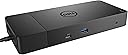


Dell WD19 130W Docking Station (with 90W Power Delivery) USB-C, HDMI, Dual DisplayPort, black
Product ID: 503165038
Details
- BrandDell
- Colourblack
- Hardware InterfaceHDMI USB
- Total USB Ports4
- Number of Ports2
- Item Weight1.02 kg
Review: Perfect - Perfect solution Review: Schlechter kundendienst - Defekt und Händler meldet sich nicht mehr
| ASIN | B07SFYV111 |
| Brand | Dell |
| Brand Name | Dell |
| Colour | black |
| Customer Reviews | 4.1 out of 5 stars 1,415 Reviews |
| Global Trade Identification Number | 00884116345916 |
| Hardware Interface | HDMI , USB |
| Item Weight | 1.02 kg |
| Item Weight Unit of Measure | 1.02 kg |
| Manufacturer Part Number | SH8CR |
| Model Number | WD19 130W |
| Number of Ports | 2 |
| Total USB Ports | 4 |
| UPC | 884116345916 |
| Wattage | 130 Watts |
N**E
Perfect
Perfect solution
F**R
Schlechter kundendienst
Defekt und Händler meldet sich nicht mehr
M**D
Finally found something that works..!!
I used so many adaptors for my Dell laptop to connect mic, wireless keyboard & mouse, screens, etc. But none worked properly and I always had compatible issues (low power). This adaptor was PERFECT and made my life much easier. A bit pricy but highly recommended.
J**P
Requires BIOS setting changes to work
First day review of WD 19 dock with XPS 13 9380. I have had nothing but dock issues following the latest 9380 BIOS update. Problems include intermittent connection to monitor, failure to work properly with a simple USB switching hub, and computer shutting down repeatedly requiring force restart. I followed all instructions when connecting this new dock and had the same issues. Then I came across this article: Dell USB-C and Thunderbolt Docks (WD15, TB16, TB18DC, WD19, WD19TB, WD19DC, D6000) - BIOS Settings and Driver Installation for Troubleshooting This article will guide you through the installation and basic troubleshooting process for Dell USB-C and Thunderbolt Docking Stations WD15, TB16, TB18DC, WD19, WD19TB, WD19DC, and D6000. Last Modified:13 Mar, 2020 Article ID:SLN308303 I followed the instructions to update the BIOS settings, and the dock now works properly. Be advised that NOT all of the options mentioned are available in the 9380 BIOS including “enable USB power share” and “allow USB-C dock support”. For now, the dock is working. I did need to plug the USB switching hub into the front USB port on the dock. I hope this helps and good luck. DELL could be a bit more clear about these issues.
B**R
Perfect
Works as described!
Trustpilot
1 month ago
2 weeks ago