Desertcart purchases this item on your behalf and handles shipping, customs, and support to Croatia.
🚀 Elevate your home network to pro-level speed and security — because buffering is so last decade!
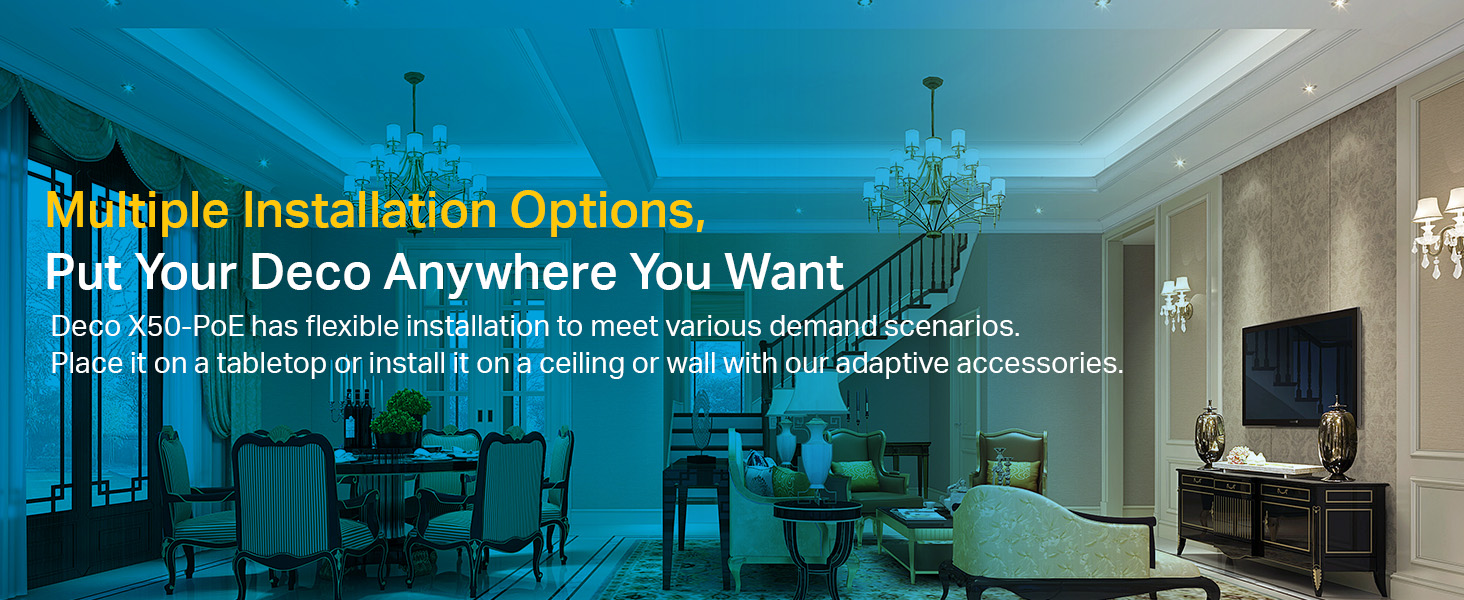
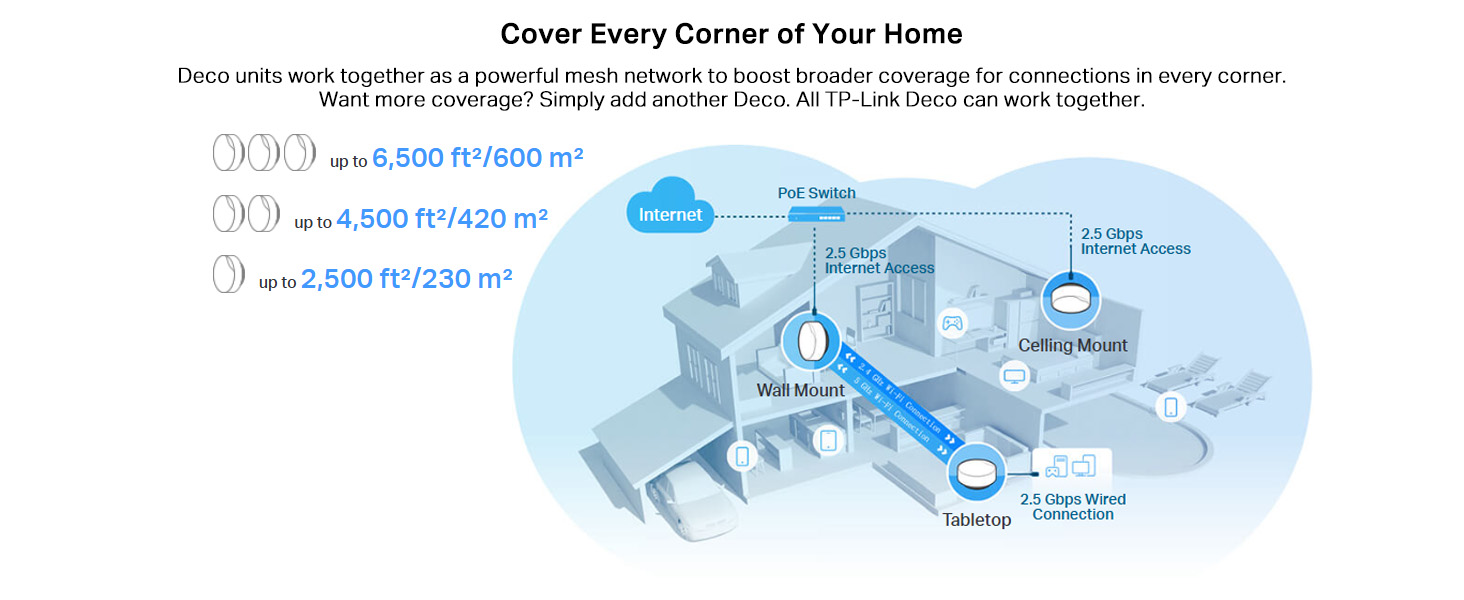
The TP-Link Deco X50-PoE is a cutting-edge AX3000 WiFi 6 mesh system featuring dual-band wireless speeds up to 3000 Mbps, a 2.5 Gbps multi-gigabit port, and Power over Ethernet support for flexible installation. Its AI-driven mesh technology ensures seamless coverage across medium to large homes, while HomeShield provides comprehensive network security and parental controls. Compatible with all ISPs and easy to set up via the Deco app, it’s designed for professionals seeking reliable, high-performance home networking.


| ASIN | B0BSFFJN93 |
| Antenna Location | Business, Gaming, Home |
| Antenna Type | Internal |
| Best Sellers Rank | #2,665 in Computers & Accessories ( See Top 100 in Computers & Accessories ) #9 in Whole Home & Mesh Wi-Fi Systems |
| Box Contents | 1× Deco X50-PoE unit, 1× RJ45 Ethernet cable, 1× Power adapter, Ceiling/Wall Mounting Kits, Quick Installation Guide |
| Brand | TP-Link |
| Brand Name | TP-Link |
| Colour | White |
| Compatible Devices | Personal Computer |
| Connectivity Protocol | Ethernet, Wi-Fi |
| Connectivity Technology | Ethernet |
| Control Method | App, Voice |
| Country of Origin | India |
| Coverage | Medium to Large Homes |
| Customer Reviews | 4.3 out of 5 stars 598 Reviews |
| Data Transfer Rate | 3000 Megabytes Per Second |
| Frequency | 5 GHz |
| Frequency Band Class | Dual-Band |
| Global Trade Identification Number | 04897098689844 |
| Importer Contact Information | TP-LINK India Private Limited, Green Industrial Park, Dongri Pada, Poman, Kaman-Bhiwandi Road, Vasai East, Palghar, Maharashtra – 401208, Contact: Toll Free 1800 2094 168, [email protected] |
| Item Dimensions L x W x H | 15.4L x 15.4W x 6.9H Centimeters |
| Item Type Name | Router |
| Item Weight Unit of Measure | 0.57 Kilograms |
| LAN Port Bandwidth | 10/100/1000 Mbps |
| Manufacturer | TP-Link, TP-Link Corporation, South Building, No.5 Keyuan Road, Central Zone, Science & Technology Park, Nanshan, Shenzhen, P.R. China |
| Manufacturer Contact Information | TP-Link Corporation, South Building, No.5 Keyuan Road, Central Zone, Science & Technology Park, Nanshan, Shenzhen, P.R. China |
| Manufacturer Part Number | Deco X50-PoE(1-pack) |
| Maximum Upstream Data Transfer Rate | 1500 Megabits Per Second |
| Model Name | X50-PoE |
| Model Number | Deco X50-PoE(1-pack) |
| Number of Antennas | 2 |
| Number of Ports | 2 |
| Operating System | Android 5.0 or later, iOS 9.0 or later |
| Other Special Features of the Product | Access Point Mode, Guest Mode, QoS |
| Packer Contact Information | TP-Link Corporation, South Building, No.5 Keyuan Road, Central Zone, Science & Technology Park, Nanshan, Shenzhen, P.R. China |
| Security Protocol | WPA-Personal, WPA2-Personal, WPA3-Personal |
| Special Feature | Access Point Mode, Guest Mode , QoS |
| Unit Count | 1 Count |
| Warranty Description | 3 year manufacturer |
| Wireless Communication Standard | 802.11ac, 802.11ax, 802.11n |
| Wireless Compability | 802.11ac, 802.11ax, 802.11n |
S**A
Seamless WIFI, easy to configure
Using three device mesh for my home, One on POE and others on direct power, seamless transition even when moving across my G+1 and outdoor garden area setup
9**6
Very good range
Working as expected. Having very good range. Covering my entire ground floor around 2500 Sqft space. Easy to connect and install in wall mount.
P**Y
Nice
Great product. Works well.
B**G
Great mesh with one flaw
I’m using this as a mesh network for my home. Easy coverage with 3 units. Easy to setup and I’m using PoE switch to power which help in not having to change wiring to get power. Now to one important flaw if I use this Deco as a router. I run a Media server using JellyFin on Ubuntu, so this Deco would now allow me to access my server if the internet is down. I mean I should be able to access my internal network without internet but I can’t get it to work as a router. The solution is using this deco only as a extender/repeater in mesh mode and connect to a separate router, I still have my old router so I used it as a router.
P**.
Performance beyond Expectation!!
I purchased this product without reading many reviews, attracted by the convenience of Power Over Ethernet (POE) and the wired backhaul use of the individual pucks, since I was planning to do wired back haul anyway for any mesh solution that offers peak performance. I got the TP link 8 port POE switch which has 4 POE and 4 non-POE , as that is sufficient and most importantly is within budget. The performance is exceptional, with each puck covering a 100ft radius. In my three-storey house, each floor has a puck, effectively covering the entire house and beyond, including the roof, balcony, and even my garden (60 ft the ground floor router). All my IoT equipment works. The controls are only available through a mobile app, with no web-based options (which are quite limited). Overall, this has been a solid.
V**R
DO NOT BUY: Major bug in this mesh system!
I purchased the TP-Link Deco X50-PoE mesh system hoping it would resolve the constant internet connectivity issues in my apartment. However, after extensive testing, I found that the system consistently experiences packet loss, severely affecting connectivity. I tried multiple configurations and different setup options, yet intermittent packet loss persisted, causing the internet to fluctuate unpredictably between extremely slow and fast speeds—hardly something you can rely on. After reading numerous user reviews on forums like Reddit, I discovered that others are facing the same problem, with no apparent fixes from the company. Ultimately, I had to uninstall the system.
S**A
Seamless roaming with single SSID, top speeds, Deco app works great
TPLink's Deco app was super easy to use for initial configuration. Since I have 1Gbps ethernet cabling to all rooms from a central fiber router+central PoE switch, I configured all units to work in Access Point mode of operation. I turned ON optional features such as 802.11r in the Deco app, which enables single-SSID roaming between rooms as you walk around the house. There are no disconnections with WhatsApp video calls anymore! Firmware updates are a breeze as the Deco app takes care of everything. No more individually logging to 3-4 access points separately to update their firmware; colossal time saver for maintenance. For my kids' laptops, whose laptops only supported 2.4Ghz at 133Mbps, I bought the small TPLink T3U Nano USB dongles, and now their laptops also talk at 833Mbps on the 5Ghz band to my Airtel Fiber backend. Amazing!
B**R
Must have
If you’re installing broadband, irrespective of plan you opt for, must have Deco installed for uniform and effective bandwidth across home. Installation thru phone is possible. Requesting TP Link team to have 24X7 help over phone instead of 10 am to 6 pm. Though support thru chat is available but that’s not effective
M**A
this is a great router
I use this as my main router and I could not be happier. Easy to use and to set up for different use cases, from router to access point to even part of a mesh system. Easy to set up port-forwarding and more advanced functions, great UI
I**L
No poe
Muy fácil de configurar solo que no viene con poe y se tiene que comprar por separado
V**2
Einfache Installation für Laien - stabiles Netz für alle
Wir haben den TP-Link Deco X50 PoE seit nunmehr einem Monat im Einsatz. Wir wollten unsere Wohnung mit einem eigenen Mesh-Netzwerk ausleuchten, hatten aber das Problem, dass das LAN-Kabel des Routers im Wohnzimmer aus der Decke kommt und kein Stromanschluss in der Nähe war (der Router steht auf dem Speicher). Also musste ein Access Point her, der über Power over Ethernet (PoE) verfügt, also keinen zusätzlichen Stromanschluss braucht. Die Installation des TP-Link Deco X50 PoE und drei weiterer Deco X50 war mithilfe der Deco-App auf dem Handy kinderleicht und hat nur wenige Minuten gedauert. Ich habe keinerlei tiefergehende IT-Kenntnisse. Die genaue Schritt-für-Schritt Anleitung in der App war deshalb sehr hilfreich und sollte wirklich für jeden, der ein Smartphone bedienen kann, möglich sein. Netzwerk benennen, Passwörter festlegen und ein paar weitere Einstellungen und der Deco macht den Rest von selbst. Die Inbetriebnahme der anderen Decos War ebenso unkompliziert. Seit Einsatz der Decos in unserer Wohnung ist das Netz deutlich stabiler als vorher. Die Mesh-Funktion funktioniert super und die Geräte haben stabile Verbindungen auch bei Bewegung quer durch die gesamte Wohnung. Die Deco-App gibt einem immer wieder Reports aus und man hat einen guten Überblick über die Geräte, die gerade im Netzwerk sind. Ich persönlich finde das System mit der App deutlich laien-nutzerfreundlicher als alle anderen Systeme, die ich bisher kennengelernt habe. Ich empfehle die Deco Serie von TP-Link allen, die wie ich wenig Ahnung vom Installieren eigener Netzwerke haben, diesen Prozess aber dennoch eigenständig durchführen möchten.
H**!
Super easy to install
Not much to say about this, easy to install, works just as fine wired as wireless in AP mode. Has the settings you expect to find. Ok performance, 1 GB internet line I got upp to 700mb wireless, second time I use the X50-poe's and both time I've been happy with the results. Would buy again if I wanted to setup a wifi network again.
N**U
Süper
Gayet başarılı bir sistem.gönül rahatlığı ile alabilirsiniz.
Trustpilot
5 days ago
3 weeks ago