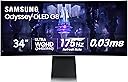
Desertcart purchases this item on your behalf and handles shipping, customs, and support to Croatia.
🎯 Dominate your game with speed, depth, and style — the Odyssey G85SB is your ultimate pro-level edge.
The Samsung Odyssey G85SB is a 34-inch curved QD-OLED gaming monitor featuring a 3440x1440 Ultra-WQHD resolution, 175Hz refresh rate, and an ultra-fast 0.03ms response time. It boasts DisplayHDR True Black 400 for exceptional contrast and color accuracy, AMD FreeSync Premium Pro for tear-free gameplay, and Samsung’s Gaming Hub for instant streaming access. Designed for competitive gamers and professionals alike, it combines cutting-edge display technology with smart connectivity including USB-C, making it a premium choice for immersive, lag-free gaming and multimedia experiences.


| ASIN | B0BLF2RWNV |
| Adaptive Sync | FreeSync Premium Pro |
| Additional Features | Adaptive Sync, Eco Light Sensor, Eye Care, Flicker-Free, Game Mode |
| Aspect Ratio | 21:9 |
| Best Sellers Rank | #38,435 in Electronics ( See Top 100 in Electronics ) #885 in Computer Monitors |
| Brand | Samsung |
| Brightness | 250 |
| Built-In Media | Mini DisplayPort Cable, Power Cable, Remote Controller |
| Color | Silver |
| Color Gamut | 99.3 |
| Compatible Devices | Desktop, MAC |
| Connectivity Technology | wired, wireless |
| Contrast Ratio | 1,000,000:1 |
| Customer Reviews | 3.9 out of 5 stars 577 Reviews |
| Display Resolution Maximum | 3440 x 1440 Pixels |
| Display Technology | OLED |
| Display Type | OLED |
| Hardware Connectivity | Bluetooth, Micro-HDMI, Mini-DisplayPort, USB Type C |
| Has Color Screen | Yes |
| Image Contrast Ratio | 1,000,000:1 |
| Item Dimensions D x W x H | 7.6"D x 32"W x 20.6"H |
| Item Type Name | Monitor |
| Item Weight | 16.5 Pounds |
| Manufacturer | SAMSUNG |
| Model Name | FBASAMLS34BG850S |
| Model Number | FBASAMLS34BG850S |
| Mounting Type | Wall Mount |
| Native Resolution | 3440x1440 |
| Number of Component Outputs | 2 |
| Picture Quality Enhancement Technology | HDR10 |
| Pixel Pitch | 0.23 |
| Power Consumption | 50 Watts |
| Refresh Rate | 175 Hz |
| Resolution | QHD Wide 1440p |
| Response Time | 0.1 Milliseconds |
| Screen Finish | Curved |
| Screen Size | 34 Inches |
| Screen Surface Description | Curved |
| Shape | Curved |
| Specific Uses For Product | Gaming |
| Total Number of HDMI Ports | 1 |
| Total USB 3.0 Ports | 2 |
| Total Usb Ports | 2 |
| UPC | 887276712208 |
| Viewing Angle | 178 Degrees |
| Voltage | 240 Volts (AC) |
| Warranty Description | 1 Year Manufacturer |
| Warranty Type | 1 Year Manufacturer Warranty |
B**A
It’s good….. really good.
First of all this is coming from someone who isn’t super experienced with oled screens. This is my first oled screen besides an iPhone that I have owned. Picture quality is absolutely spectacular coming from someone who is used to LCD/LED screens. The colors are really rich and sharp. One slight drawback is the screen definitely deserves some tweaking in settings to truly bring out its potential. There are some helpful videos online of how to do so. The UI is not exactly the most intuitive but is acceptable by my standards. The physical construction of the monitor body is excellent quality. Stand feels substantial and does not feel like it is going to tip over at all. Really nice smooth metal edges. Some reports say that the screen finish is too reflecting thus if you have any light source behind you, it drastically interferes with the viewing experience and I don’t find that to be the case at all. This may be due to angle but I have multiple RGB lights behind me and don’t even notice. I can’t speak really the g8 OLED versus the other 34” oled screens out there but I feel like it was money well spent. (The pixel shift that comes out of the box enabled is a nice touch for peace of mind to help combat burn in.)
A**O
Excellent Product! Wish I had it earlier
I've had the monitor for ~3 months now. I try not to use it often for work, since that will cause burn-in, but even so, it works flawlessly for both work (Software Eng) and gaming, which are mostly survival games with a heavy focus on the environment and world aesthetics. The color accuracy is really good, but HDR mode feels oversaturated for SDR content, go figure. Feels great on contents that's been mastered with HDR in mind. The sound is also really great and crisp. The max volume is really good without any distortion, but I can't help but feel like it's missing something. Maybe bass? I think it's a great value for the money, especially with how there are no signs of burn-in just yet!
J**R
Do not buy this panel. It will drive you insane. Buy the DWF from Alienware instead
This panel has so many known issues. Just do some googling or a browse through Reddit and you will find them. This panel suffers from a lot of common issues. I guess that is why they are called common issues. Samsung has released one software update since I got it. It does not appear to have fixed any issues on my panel nor anyone else's having this issue on Reddit. Here is a list of what issues this panel has. - If you have this plugged into an Nvidia card through the display port and the panel naturally enters sleep mode(meaning you just left it to sit for over 5 minutes) It will cause your entire PC to lock up and you will need to force restart via power cycling. For whatever reason, this does not happen over HDMI but there is not a micro HDMI cable in the box. This would not be so bad if HDMI 2.1 to micro HDMI 2.1 cords existed. They do not. I spent two days looking so I would know. All I can find are 1.4 or 2.0 rated cables from sketch Chinese brands. You will just have to find a 2.0 micro HDMI cable and pray you do not get a dud. - The volume will randomly go up but never down(some go down but never up and others seem to not make up their mind by just picking a random volume level and moving towards that). This is still an issue for those who don't use the speakers as 1. you can not disable them and 2. the volume changing thing still shows up on the left of the screen and it's pretty big so it will cover things up if you need them. Not great during a competitive game. Ask me how I know. -The screen every 10-30 min will go black for 2-3 seconds then come back. This happens no matter what you are in. Web browsing, gaming, movies. It does not discriminate, it will just blindside you. -I know windows is wonky with HDR, but this adds way more wonk than windows could even dream of. This will randomly stop showing HDR. The panel says it's showing HDR and windows says it's sending HDR, but the colors will either be way too dim or completely washed out. So between Bugged HDR, terrible SDR, black screens, and crashing windows, I would avoid this panel as these have been a problem with the monitor since launch. Samsung has had more than a few months to fix these and they have not which leads me to believe that they can not fix them or are unwilling to fix them. I would avoid this panel at all costs as the DW and DWF from Alienware is the same panel with different driver board and is cheaper. On the bright side, when this panel works it looks amazing. Then again, so do all OLEDS.
K**N
Great Monitor if you know how to use it
This is a hybrid TV Display which is basically Samsung new 95c 90c TVs coming out. Display Port Works just fine with PC. IF you need a HDMI 2.1 connection just buy an HDMI to MICRO HDMI adapter but this is 1440p monitor so using a console I would stick to 4k 120hz TV . HDMI 2.1 will give you an option for 12 bits, but this is a 10-bit panel and there is no 12-bit content especially for games. If you are using NVIDIA card, make sure to enable VRR and GSYNC in NVIDIA control panel panel and it will work with FreeSync. You can calibrate the picture with your Phone - I have HDR on at all times and AUTO HDR disabled in windows since it flickers brightness too much. I would not use contrast enhancer since that defeats the purpose of HDR True Black 400 which can get very bright with Peak Brightens set to HIGH. I would start your games with HDR GAME and HDR 10 + enabled on Monitor and Windows and see if you need additional brightness from the Peak Brightness Setting. Currently Auto Color is bugged and in games like Forza it turns clouds to purple colors which is verified by many users. Native is your best options, and it will run DCI-P3 anyways in HDR. Natural Tone seems like the best option for me, but some people prefer warm 1 but it looks too reddish. If you like your colors bright just up the color setting on the display. You can pair Bluetooth devices to the monitor along with controllers and if you are using the gaming hub a controller needs to be paired first. Disable Power Saving on the monitor becasue it will limit your brightness and enable the setting to switch to last input used otherwise it will always power on with Samsung Hub. When you plug in a new connection sometimes you have to restart your PC. Overall, this monitor has the best-looking colors and display I have seen, and I can't tell a difference from 4k. I also suggest limiting your FPS to 170 in Nvidia Panel or in game since there is no reason to go above 175.
T**R
Good Tech, Weird Choices
So there is a lot to like about this monitor, but it is absolutely not without its flaws/eccentricities. The obvious place to start is the fact this is an OLED panel, and just how beautiful it can make things look. Inky blacks, and incredibly rich HDR colors that will make anyone gasp in wonder (comparison pictures attached of how this looks next to a 4K IPS display with the same image.) If you play games that take advantage of HDR then this will make you stop and just soak in the scenery (looking at you Ghost of Tsushima,) just don't stand there too long and burn the monitor in. I've had no issues with performance in games; the monitor defaulted to 120fps initially but was not difficult to figure out how to get it to 175, and since then its been smooth sailing. If coming from a 16:9 panel like me then just a reminder that these extra pixels essentially means you're now gaming in 4K, and it will take more power to keep those FPS high, so keep in mind you might see dips if not running a super high-end rig, or may need to lower some settings. Also if you're coming from a 16:9 panel I don't know if you're ready for just how "natural" 21:9 feels, in that this change doesn't feel huge, but if I go back to 16:9 it feels like I'm constricted and playing on a TV from the 1950s. So its a great experience overall, right? Well there are more than a few hiccups that hold this back from true greatness, all to do with OLED. So first off my panel has 3 stuck pixels that refuse to come un-stuck (didn't notice the 3rd until recently, attached green-screen picture showing them is old.) In all fairness I bought my monitor "Used-Like New," so I assume this was why it was returned, and for me they are only visible on a white/light background, and because of the pixel density I need to be looking exactly at them to even notice them in those environments. BUT, if I had paid the full ~1000$ this cost new, then I also would have returned it, as that's unacceptable for that price (but very acceptable if I can get this for ~600$) The other thing about this panel is all the little things it does to avoid burn-in that I appreciate, but can be annoying. First off is the pixel-shift, which essentially moves your whole monitor image one pixel in a diagonal direction every minute or so. This is imperceptible when playing a game, but right now as I type on a stationary screen it becomes very obvious (to me,) and while not "annoying" per say, it is something of note. And then there's the automatic dimming feature for logos and whatnot, which is supposed to automatically dim certain parts of the screen if it thinks they're static/necessary, and at times it makes weird choices. I've never seen it done in any games, but when web browsing or some other non-gaming task sometimes the whites look gray/muted and I can never tell if its on purpose or "because Samsung deemed it necessary." A fair amount of people have said this has issues with connectivity, and I will say I have noticed none. The mini-DP cable this came with has given me no issues whatsoever in my month of owning it, so maybe I'm lucky? Overall I think this is a great monitor, with some issues. If I had bought this brand new with 3 stuck pixels I would have returned it as well, but for 40% off I will absolutely live with it. The nature of OLED means Samsung has done some weird software things to try and keep the monitor "healthy," but they are still sometimes annoying, regardless of purpose. I would say this is a solidly good monitor overall, just definitely not perfect. For me its a more like a 3.5/5 if I could, but I'll give it a 4/5 since I'm having such a good time with it. I do recommend a monitor arm though, since the stand this comes with is huge and not very adjustable, link attached of the one I got that was super easy to install and adjust, and feels very secure (https://www.amazon.com/dp/B0F87G2YZD)
B**A
TV Samsung
The Samsung Odyssey G85SB is an incredible ultrawide gaming monitor. The QD-OLED display delivers stunning colors, deep blacks, and exceptional picture quality. Gaming feels incredibly smooth thanks to the high refresh rate and fast response time, while the immersive curved screen enhances both gaming and productivity. Setup was easy, the design looks premium, and the overall performance exceeds expectations. A fantastic choice for gamers and professionals who want a top-tier display experience. 🖥️🎮✨
H**A
A Gaming Marvel: Samsung Odyssey G85SB QD-OLED Monitor - A Must-Have!
I've been using the Samsung 34" Odyssey G85SB Series QD-OLED Ultra WQHD Curved Gaming Monitor for a few months now, and all I can say is - I love it! Visuals: The QD-OLED technology paired with the Neo Quantum Processor delivers a visual experience that's simply unmatched. The colors are vivid, the blacks are inky (thanks to DisplayHDR True Black 400), and the contrast is breathtaking. Every game feels like a cinematic experience, with details popping out like never before. Performance: With a 175Hz refresh rate and a mind-boggling 0.03ms response time, this monitor is a beast for gaming. The motion clarity is phenomenal, ensuring that fast-paced games are smooth without any ghosting. AMD FreeSync Premium Pro ensures that screen tearing is a thing of the past, making for an incredibly immersive gameplay session. Ergonomics and Design: The 34-inch ultrawide curved screen doesn't just enhance the visual immersion; it's also incredibly comfortable for long gaming sessions. The slim metal design feels premium, and the stand is both sturdy and adjustable, allowing for perfect positioning. The Core Lighting+ adds a nice touch, enhancing the gaming setup aesthetic. Gaming Hub: The built-in Game Hub is a game-changer, allowing for instant access to streaming services without needing a PC. It's like having a smart TV integrated into your gaming monitor, which is just brilliant for quick gaming or watching content. Ease of Use: Despite its high-tech features, the setup was surprisingly straightforward. The menu system is intuitive, and the remote control that comes with it makes navigation a breeze. It's also packed with connectivity options like micro HDMI 2.1, which is forward-thinking for future consoles or PCs. Value: Yes, it's an investment, but for what you get, it's worth every penny. This monitor doesn't just elevate gaming; it transforms how you interact with digital content. After experiencing this, going back to anything less feels like a downgrade. Only a Small Caveat: The only minor issue is the lack of audio output, but that's easily remedied with external speakers. Given the screen's capabilities, this is a very small caveat indeed. Overall: This Samsung Odyssey G85SB has exceeded my expectations in every way. It's not just a monitor; it's a window into new worlds of gaming and entertainment. If you're serious about your gaming setup, this monitor will redefine what you expect from your display. Five stars without a doubt!
R**L
Horrendous interface
I love the image quality and refresh rate. However, the interface is awful. I keep it plugged to my pc desktop with Display port and plug ONE of my personal or work MacBook with USBC (don't leave them plugged) and the smart input switch just does NOT work. Maybe once every few months it does. For some reason, it not only struggles to change input but it very rarely wakes up when I turn something on. When I turn it on manually, it always goes back to the last used port instead of the active port so I have to manually go to settings and change input even though there is only one thing ON and plugged! I usually only have 1 computer plugged and it still cannot turn on or, when I turn it on manually, it never switches to the right input automatically like advertised. Another annoying thing? It always thinks that any of my 2 MacBooks are for gaming (mac for gaming? that's a joke right?) and it'll turn game mode on automatically EVERY SINGLE TIME I plug a mac but it doesn't do it for my desktop pc gaming lol. And yes, the game mode is good when you're playing games otherwise for text and screen adjustments it isn't so i have to go to the menu and turn it off every single time. And just for comparison, my job gave me a normal Dell monitor that I NEVER had to touch again after setting up. It is plugged to the same computers. It will go to sleep, wake up, and switch ports all automatically and flawlessly (and it probably costs 1/4 of the price). I've always dreamed of owning a Samsung display because they are so famous but I wish I could return it. At the time I thought those were all small things compared to how good the image looks but after months, it gets tiring. I'd say speakers are pretty decent for a monitor but I rarely use them. The Core Lighting in the back is underwhelming, I'm used to Philips hue and it makes Samsung lights look like a high school project with delays, brightness, and choppiness. For those thinking about using an OLED with a PC think 2x. Texts aren't displayed well. Making them bigger can help. Mac has a much better font display for OLED. It's Microsoft's fault for not fixing their font for OLED and even the workarounds you find online aren't great. For gaming, images, or videos this is irrelevant.
S**N
One of the best OLED monitors you can buy!
Superb quality, punchy colors and rich blacks from this OLED monitor and very low response time and high refresh rate making it suitable for gaming and watching movies as well. I use it 80% for work and 20% for gaming/movies, I don't experience the text fringing that many reviewers out there complain about because I don't stick my face in the screen trying to look for it, people over exaggerate things really. The speakers are also pretty decent which is a plus as I never had a monitor before that has built in speakers. I mainly bought it as an external monitor to connect my laptop to but having the Smart TV functions in it is an added bonus to watch YouTube, Shahid, Netflix, etc and the remote control makes it a joy to control vs other monitors where you have to fiddle around with some awkwardly positioned joystick under the monitor. The monitor came with very well protected packaging and had 0 dead pixels and no backlight bleeding (offcourse since it's an OLED). One minor complaint is that only it came with a Mini Display Port to Display port cable but my laptop also has a mini display port cable so the provided cable wouldn't fit since the monitor itself only has a mini display port so I am left with the Display port side of the cable so I ended up buying a UGREEN 8K Micro HDMI to HDMI 2.1 Cable to connect it to my laptop and got the full refresh rate of 175HZ at 3440x1440 resolution.
G**H
Excellent monitor, the visual picture is amazing
The Samsung Odyssey G8 34” OLED is an outstanding monitor that exceeds expectations in many areas. The OLED display delivers incredible contrast, deep blacks, and vibrant colors, making the visuals come to life. The combination of a 34-inch screen and ultrawide format is perfect for both gaming and productivity, especially for tasks like multitasking or video editing. With a 175Hz refresh rate and minimal input lag, it’s an excellent choice for gamers, ensuring smooth gameplay even in fast-paced scenes. The sleek, futuristic design also adds a nice touch, fitting well into any workspace. Overall, it’s one of the best OLED monitors on the market, offering uncompromising image quality and an impressive user experience.
P**O
RESEÑA DESPUES DE 12 MESES DE USO. TOTALMENTE RECOMENDADO
Excelente monitor para ambientes de poca iluminación. Empiezo el título diciendo eso y desde una experiencia de 12 meses de uso y puedo decir que para trabajo en ofimatica y juegos es excelente opción siempre y cuando entiendas que por ser de las primeras generaciones de monitores oled el brillo no pasa de los 250 nits lo cual lo vuelve un tanto incomodo en ambientes muy ilumindados. Recomendaria siempre tener el sol detras tuyo a la otra de trabajar o bien la luz indirecta siempre detras de ti para que puedas disfrutarlo mucho más. Empiezo por los contras que tiene para mi los cuale son: LA CONECTIVIDAD, estuve el primes més sin poder usarlo y a punto de devolverlo porque el cable que venía uncluido no me servia y tuve que buscar uno que fuera hdmi a micro hdmi (mi laptop es una asus rog 16 i9 14th rtx 4070), el único que me sirvio fue uno de la marca UGREEN. Despues de haber cambiado con varios hdmi a mini display port que no me sirvierón de la marca anker y ugreen, fuera de esa situación el monitor se ha comportado de manera excelsa. Juego Spider man y Legend of Zelda Breath of the wild y los juegos los disfruto muchisimo por la calidad de imagen y la saturación de los colores. Conectarlo tambien resulta engorroso, al ser un monitor de Samsung usa el software TIZEN (habría sido genial que viniera con Google TV) y por ende hay que prenderlo y luego seleccionar la fuente de video, no son muchos pasos pero si creo que tarda bastante en detectar de forma automática la fuente de video o de audio. LIMPIARLO ES UN MARTIRIO, estuve batallando cerca de dos semanas con distintos tipos de limpiadores (desde limpiador de pantalals de Steren, pasando por un poco de alcohol isopropilico, hasta pasar por uno de marca choice express y terminando con Windex como ultimo recurso) sin embargo todo eso dejaba manchas que creía eran de grasa aún cuando usaba paños especiales para limpiar monitores, para limpiar lentes o incluso uno que tenia de una vieja laptop dell. Al final la mejor solucion fue un limpiador de pantallas de la marca Steren aplicado directo al paño (jamás a la pantalla) y con movimientos en un solo sentido. Hacer esto siempre que el equipo este apagado, frío y desconectado. Una vez hecho eso, pasar un trapo seco de microfibra para poder terminar el proceso de limpieza, si puedes taparlo con algun plastico o tela que no sea grueso te lo recomiendo ya que lo aisla del polvo. Su instalación es sencilla, primero hay que armar la base y luego ya fijar con el soporte VESA, sugiero que todo esto se haga mientras el monitor esta en la caja y ya tengas el espacio definido para poder montarlo, eso en caso de no contar con un soporte VESA con brazos mecánicos o hidraulicos. Un punto que dejaria como ni bueno ni malo es el sonido, es bueno a secas, no esperes que te reviente los timpanos pero esta decente para el tipo de monitor que es. En la parte trasera tiene un circulo de luz tenue que tiene varias opciones (respiración, estroboscopico, estático y siguiendo el beat de la música - este ultimo no lo recomiendo) y le da un toque visual amigable y ayuda como fuente de luz indirecta. Los PROS: primero que nada LA TASA DE REFRESCO es más que suficiente para todo tipo de juegos, una vez que ya detecta de forma correcta tu fuente de video (laptop o pc) puedes con la app nvidia configurarlo para que te de los 2k y los 175 Hz y vaya que gozada es jugar con esa velocidad y esos colores, es simplemente adictivo. Trabajar en ofimatica es otro de los pros que resulto ser la función principal de mi uso, inicialmente lo había considerado para algunos juegos a los cuales les tenia ganas pero por el tipo de monitor curvo y las 34 pulgadas resulto ser muy eficiente para poder trabajar con ofimatica, obtener información, ventanas excel word navegadores programación se pueden usar de forma dual lo cual ayuda a optimizar tu forma de trabajo y resulta ser muy satisfactorio hacer cualquier tipo de trabajo con la computadora. En resumidas cuentas, excelente monitor para trabajar y no se diga para jugar, con algunos peros en conectividad y tardas unos dias en encontrar el cable correcto sobre todo para tu laptop y la conectividad es algo engorrosa así como su limpieza. Si lo encuentras por menos de $14000 es una gran gran alternativa, tuve la suerte de conseguirlo en menos de esa cantidad por una oferta en Amazon y puedo decir que, un año despues, totalmente recomendado si tienes en cuenta los pros y contras.
D**R
Luce genial
Si buscas un monitor que alcance un color negro real, esta es la opción. Inicialmente habia adquirido una pantalla curva de otra marca (G....)., pero tenia muchisimo cloudy y decidi devolverla, hasta el momento no me arrepiento de esa decisión, fue un gran cambio. La pantalla Samsung no es perfecta pero tiene lo necesario para trabajos de oficina, si, ya que puedes trabajar con 3 documentos al mismo tiempo y se ven bien, con 2 documentos esta perfecta, algo que no pasa con mi monitor 16:9 de 27". Para entretenimiento esta perfecta, sobre todo en juegos de carreras de mundo abierto, en especial le hace mucha justicia a los juegos que requieren un movimiento rapido de FPS esta increible. Algunas caracteristicas destacables: PROS Tiempo de respuesta, escenas realmente oscuras, el tamaño es genial para trabajar, es curva y aun asi tiene un angulo de visión perfecto, cero cloudy (manchas blancas en escenas oscuras), sin fugas de luz, comandos de voz, funciona como TV, perfecta para juegos por su rapidez de respuesta en ms y hz. CONS Marco algo grueso (aprox 1 cm), precio, no tiene tanto brillo como una VA o IPS, reflejos (muy poco, no son molestos pero existen), interfaz (no es la mas rapida), entradas mini (ya no podré usar mi viejo cable HDMI 😔). En resumen, vale mucho la pena; y si eres exigente con las escenas oscuras, este es tu monitor. La parte trasera hace ver a este monitor único. Para trabajos y tareas es perfecto por el tamaño. Para juegos es de lo mejor que hay. LLevo un poco mas de un mes con el monitor y no me arrepiento. PD si tienes una TV samsung esta funcionará con el mismo control del monitor, en mi caso como los tengo juntos se encienden al mismo tiempo y eso es un poco molesto.
J**K
Amazing for Gaming!!
I have an RTX 4090 and this screen is perfect to enhance graphics with amazing OLED quality and colour depth. Really fantastic for gaming and streaming
Trustpilot
3 weeks ago
1 week ago