Desertcart purchases this item on your behalf and handles shipping, customs, and support to Croatia.
🔥 Level up your game with OLED speed and clarity!
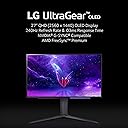
The LG 27'' Ultragear OLED QHD Gaming Monitor (27GR95QE-B.AUS) delivers a stunning 2560x1440 OLED display with an ultra-fast 240Hz refresh rate and an industry-leading 0.03ms response time. Featuring a 1.5 million to 1 contrast ratio and compatibility with NVIDIA G-SYNC and AMD FreeSync Premium, it ensures tear-free, ultra-smooth gaming visuals. Designed for serious gamers and professionals alike, it offers versatile connectivity with 3 USB ports and a sleek, wall-mountable form factor weighing just 16.2 pounds.


| ASIN | B0BRBW8KRK |
| Adaptive Sync | G-Sync |
| Additional Features | NVIDIA G-Sync |
| Aspect Ratio | 16:9 |
| Aspect ratio | 16:9 |
| Best Sellers Rank | #68,635 in Computers ( See Top 100 in Computers ) #1,863 in Computer Monitors |
| Brand | LG |
| Brightness | 250 Candela |
| Color | Black |
| Color Gamut | 98.5 |
| Compatible Devices | Computer |
| Connectivity Technology | HDMI, DisplayPort |
| Contrast Ratio | 1,000,000:1 |
| Customer Reviews | 4.0 out of 5 stars 434 Reviews |
| Display Resolution Maximum | 2560 x 1440 |
| Display Technology | OLED |
| Display Type | OLED |
| Hardware Connectivity | DisplayPort, HDMI, USB 3.0 Type A, USB 3.0 Type B |
| Has Color Screen | Yes |
| Image contrast ratio | 1,000,000:1 |
| Included Components | HMDI, Display Port, Mouse Holder |
| Is Electric | Yes |
| Item Dimensions D x W x H | 25.9D x 60.5W x 57.4H centimeters |
| Item Weight | 16.2 Pounds |
| Manufacturer | LG |
| Model Name | 27GR95QE-B.AUS |
| Model Number | 27GR95QE-B |
| Mounting Type | Wall Mount |
| Native Resolution | 2560x1440 |
| Number of Component Outputs | 2 |
| Picture Quality Enhancement Technology | Oled |
| Pixel Pitch | 0.23 |
| Power Consumption | 94 |
| Refresh Rate | 240 Hz |
| Resolution | QHD Wide 1440p |
| Response Time | 0.03 Milliseconds |
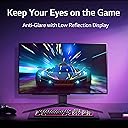
| Screen Finish | Matte |
| Screen Size | 27 Inches |
| Screen size | 27 Inches |
| Screen surface description | Matte |
| Shape | Rectangular |
| Specific Uses For Product | Gaming |
| Total Number of HDMI Ports | 1 |
| Total USB 3.0 Ports | 3 |
| Total Usb Ports | 3 |
| UPC | 195174050347 |
| Viewing Angle | 178 Degrees |
| Voltage | 230 Volts |
S**M
It's OLED and it's the best
The colours and contrast ratio are the best thing about this LG OLED monitor. The only negative is that the monitor had some marks on the screen that wouldn't go away by wiping it gently with a dry microfibre cloth. It's only noticeable under direct light on the screen though, so I don't notice it during normal usage.
S**R
Monitor is top notch and the delivery process was amazing
The monitor's colors are amazing its an OLED panel, 240hz and 1440p i could definitely feel how fluid everything was aim wise on rainbow six siege and the virtually inexistent latency was just baffling, now for the customer negative reviews. The matte panel is there and it is questionable but i understand for the most part why, glare on an OLED especially one this dim is worse than some tiny bit of quality loss that the 1440p resolution fixes. although the argument of the matte finish showing in some occasions on white/grey areas is valid. The brightness becomes decent when you adjust one of the gamer profiles tweaking the contrast and gamma it gets reasonably bright even in a decently lit room. I'm really in love with this monitor though and it was worth the price, its probably gonna stay with me until it gets severely damaged, and even then ill consider keeping it.
A**Z
It’s not working at all!!!!
I’m really shocked I just received afternoon , at beginning it’s work then the monitor it self suggest to do “ pixels cleaning “ and after I accept the suggestion it turned off and never works again!!! I tried to do hard reset, changed power plug, I did everything from lg website help support but unfortunately nothing is working….
F**M
لايوجد صوت فيه
استخدام من أجل مشاهدة الافلام والمسلسلات والالعاب والاعمال لكن لا يوجد فيه صوت جب شراء سماعات خارجيه
Y**H
Amazing monitor, but slightly dim
Right off the bat, this monitor is so good when it comes to the colors. Only drawback is the screen is super dim, especially when playing a game where the brightness isn't much. But you get used to it pretty quick, my brightness was on 100 and it was still meh
Z**D
One of the best monitors ever
The quality is so good and the design and packaging is amazing the quality of the screen plus the 0.3ms is just crazy very good screen. the only negative thing about it is the brightness it’s pretty low, even with playing around with the Settings still pretty low but overall amazing
L**A
¿El verdadero Endgame en monitores? Posiblemente, pero deben saber algunas cosas...
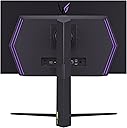
[Advertencia, la siguiente revisión es larga, pero recomiendo leerla al completo si es que se planea gastar tanto dinero en un monitor] [Actualizado con comparación vs el ASUS ROG PG27AQDM] Vamos a ser honestos, en el mercado de monitores personales, siempre, pero siempre, ha habido un vacío importante que nunca se había logrado llenar adecuadamente; Gaming en HDR Real. En las TVs, y los teléfonos celulares, ambos productos enfocados a un consumo masivo, llevamos adoptando durante años a las famosas pantallas OLED, o a pantallas de tecnologías similares, que ya tienen una calidad indiscutible, formidables en color, contraste y compatibles con HDR, pero en el PC personal, esto siempre se había visto como un imposible por la gran inversión que estás tecnologías requerían en I+D, para el mercado más bien minoritario al que apuntarían. Bajo está premisa, hay 2 marcas de paneles de alta gama que finalmente apuestan por un formato adecuado para escritorio y una de ellas es precisamente LG, quién comercializa su propio producto bajo su propia integración (que es precisamente el producto a reseñar), además de vender el panel a otros fabricantes como ASUS, para su comercialización bajo otras implementaciones y marcas. Aquí llegamos a la primera comparación, el segundo fabricante de paneles OLED que ha puesto un formato de escritorio es Samsung, quién apuesta por una tecnología superior (QD-OLED) pero en un formato ultrawide, cuyo producto más exitoso es el; Alienware AW3423DW / AW3423DWF Como se puede ver en mis imagines, a pesar de ofrecer algunas cosas más, este formato NO se amolda a mis necesidades ya que tengo un espacio algo reducido de trabajo y gaming, así que me he decidido por la implementación de LG de 27 pulgadas. Que al ser OLED, brinda finalmente la posibilidad de HDR Real, además de tener una respuesta competitiva absurda que destruye a cualquier panel IPS del mercado. Dicho lo anterior, empecemos; El panel, llega perfectamente empaquetado, cerrado y con un cuidado envidiable. Agradezco a Amazon el cuidar tanto el envío y a LG por su excelente empaquetado interior, porque lo primero que salta a la vista es lo ridículamente fino que es el panel principal. LG ha decidido poner toda la circuitería de control en una pequeña caja trasera del panel a la que incluye además iluminación RGB, dejando la pantalla muy delgada en grosor en sus puntos más alejados del centro. Recomiendo muchísimo hacer uso de un brazo para monitor, ya que este es compatible con el estándar MESA (gracias, de verdad) y con el mismo no sentirás que estarás matando tu monitor cada vez que quieras moverlo o ajustarlo. Actualmente, juego en una PC de gama alta con una RX 7900XT, y para aquellos juegos en donde prefiero usar consola, me he decidido por un Xbox Series S, que es perfecto para el espacio que tengo en mi escritorio. Es aquí en donde quiero discutir dos puntos muy importantes; - La conectividad - El brillo máximo Si visitan reseñas de este monitor, las personas tienden a quejarse del brillo máximo del monitor que es entre 50 a 60 nits inferior a la implementación de Asus (modelo ROG PG27AQDM). Pero seamos honestos y claros, a nadie le cuesta cerrar la cortina de su habitación, apagar un foco y el brillo es más que suficiente como para tener fuentes de luz directas hacia el panel y poderlo usar sin problemas en modo SDR. Además, el monitor Asus falla estrepitosamente en un apartado central; Carece de HDMI 2.1 Y eso amigos míos, convierte al monitor LG en la opción lógica en esta batalla. El panel Asus, es entre 100 a 150 dólares más costoso que la opción de LG, pero al carecer de esa conectividad tan necesaria pierde todo el atractivo. Pueden ver mis imagines, en la Xbox Series ustedes pueden jugar a 4K HDR, con máximas prestaciones y con absoluta compatibilidad con todas las tecnologías que usa Xbox en la actualidad. Eso incluye Dolby Atmos y Dolby Vision, que aún que requieren de una licencia de pago, es 100% compatible para películas, ya que el panel tiene píxeles con una profundidad de color de 12 bits. En el monitor Asus, al estar usando HDMI 2.0, no solo pierdes la profundidad de color, sino que además pierdes capacidades HDR en las resoluciones más elevadas. El panel original de LG es capaz de traducir 4K a 1440p, por lo que la nitidez de la imagen y la riqueza de los colores es exquisita, eso sin hablar de la profundidad absurda de negros y la increíble inmersión. Por tener 50 nits más de brillo en modo estándar, me parece un absurdo tener que renunciar a HDMI 2.1, que en gráficas de la nueva generación (RX 7000 y RTX 4000) ya se utiliza como estándar en PC, permitiéndole jugar HDR con 12 bits de profundidad de color A LA PAR de 240 Hz de tasa de refresco. Es decir... El HDMI de nueva generación te permite jugar a las máximas capacidades del panel... Cosa que me parece lógica, todos los que lo compren quieran hacer.... Especialmente si es que estás pagando tantísimo dinero por un monitor, ya que quisieras exprimirlo al máximo. En ambos casos NO RECOMIENDO hacer uso de displayport, ya que de manera inexplicable, ambos fabricantes han decidido ir por el estándar 1.4, que ya tiene que hacer uso de algoritmos de compresión de imagen para alcanzar 10 bits en 240 Hz. La diferencia es absurda entre DP 1.4 o HDMI 2.0 y el HDMI 2.1, así que este monitor solo lo puedo recomendar para; - Usuarios de Xbox Series - Usuarios de nueva generación en PC Pasemos ahora a otro apartado, la calibración; Aquí agrego una fotografía de mi monitor IPS y mi monitor OLED con un fondo mayoritariamente blanco. El panel OLED tiene una calibración fuera de la caja excelente, por un detalle mínimo; El color blanco está azulado. No me puedo explicar cómo es que LG de fábrica entregué un color tan elemental pareciendo más bien azul, se veía peor que mi monitor IPS secundario, situandolo en 8500 Kelvin, que se ve horrible. Asi que aprovecho para informar que es fácil solucionar este error de fábrica al cambiar la temperatura de los colores (en el menú de ajustes) para ponerlo en el perfil C1. Fuera de eso, los colores son excelentes y extremamente disfrutables, para jugar, incluso competitivamente, es absurda la claridad y la nitidez de imagen, sientes injusto en ciertos apartados que tengas la capacidad de discernir con tantísima facilidad enemigos del ambiente o de otros jugadores, estos es especialmente notorio en shooters cómo Overwatch o Battlefield, en donde indiscutiblemente he mejorado mis habilidades. Por último... quiero hacer mención especial al control remoto; Funciona de 10, es excelente y se agradece... Pero por favor... LG, el sitema de navegación física del monitor es el más anti-intuitivo, más ridículamente malo y el peor diseñado que jamás me he tenido que encontrar en un monitor... Mi hermano tiene un monitor Acer, y yo he tenido monitores Asus y uno que otro de marcas chinas centrados en oficinas y bajos precios... E incluso estos últimos, tienen una botonera física más intuitiva, funcional y coherente que lo que nos presenta LG en este monitor... Aquí, tenemos 1 botón, para pulsar una vez larga entrar a sub menús, y para mover pulsar rápidamente una vez... Es tan ridículamente malo, que les recomiendo encerrar su control remoto incluido, en la caja fuerte de la familia o en su compartimiento secreto en su escritorio, hagan lo que tengan que hacer, pero ese control NUNCA debe perderse, ni mucho menos debe desgastarse en vano para evitar su descompostura. Absurdo que un fabricante como LG, con tantísima experiencia y tantísimos productos TOP, nos ofrezca una solución tan mediocre en menús físicos y calibración fuera de un control remoto. Entonces... resumiendo; ¿Es el mejor monitor competitivo? Si bien podría parecer que es el caso, ya que al ser OLED los tiempos de respuesta son RI-DÍ-CU-LOS [llegando a 0,1 ms en promedio... 100 veces más rápidos que un panel IPS], también, el ser OLED le juega en contra en algunas cosas, de entre las que destacan 2 principalmente; 1.- Nivel y profundidad de negros Al ser OLED, son píxeles apagados, y es MUY complicado distinguir en shooters competitivos ciertos enemigos... Si, es verdad, jugar Overwatch es una delicia, pero es un juego que no abusa de escenarios nocturnos muy oscuros. Tu opinión del monitor puede cambiar radicalmente si pasas a Call Of Duty o opciones más antiguas que no tienen el nivel técnico actual, como lo son los shooters de arena [como Quake] o CS:GO. 2.- Algunas incompatibilidades con juegos con alto DMR. El caso más notable es Valorant... Por alguna extraña razón, con la actualización de software más actual, es imposible jugar a 4K para reescalar a 1440p en este monitor, mientras activas tecnologías como FreeSync o G-Sync. Esto lo quieres hacer, porque fuerzas que la imagen sea aún muchísimo más nítida, dándote ventaja en juego, y además, como son juegos muy fáciles de mover, cualquier gráfica puede tenerlos a altos fotogramas en gráficos muy bajos. Dejaré un vídeo de Valorant de cuando he podido activar esta opción, porque mejora muchísimo la nitidez y en este ejemplo específico lo agradeces mucho... Pero que sepan, que funciona 1 de cada 10 veces. Diría que es un monitor que destaca muy gratamente para los jugadores competitivos más serios en géneros como el RTS, MOBA, Lucha, Estrategia y SpeedRuns... pero que se queda corto para jugadores de FPS más fuertemente centralizados en ese género. Si estas en ese caso particular, consideraría mejor el recomendarte la compra del Asus ROG SWIFT PH259QNR que tiene posiblemente el mejor estabilizador de negros del mercado, o algún monitor 1080p a 350/500 Hz, antes del panel OLED que estamos analizando aquí . Aún así, quiero dejar en claro algo; *LG ha lanzado un Endgame al mercado* Es imposible competir contra este monitor en muchos terrenos; - Formato 27 pulgadas es óptimo para el 90% de setups de mercado y la densidad de píxeles es de locos) - Calidad de imagen Con sus impresionantes 12 bits de profundidad de color por píxel, es insuperable - HDR Con compatibilidad en estándares como HDR1000, HDR10+ y Dolby Vision. - Conectividad HDMi 2.1, mismo que permite explotar al máximo las capacidades del panel OLED - Compatibilid Con teclogias muy nuevas que los entusiastas agradecerán mucho, como Gsync o Freesync con modo HDR activo - Tiempos de respuesta Con sus impresionantes 0.1 ms promedio en TODO el Schema de color s 10 bits, esto es especialmente notorio si vienes de un monitor IPS - Calidad de construcción y empaquetado Que protege fuertemente el producto final, que da una sensación prmium desde la apertura de la caja, hasta su uso con accesorios, mismos como brazos de monitor o laparas superpuestas. Conclusion; A menos a qué busques algo excesivamente específico y te convenga saltar a un monitor exclusivamente para competir en shooters modernos, o no te moleste el formato ultrawide de la opción de Alienware que es otro formato de imagen, no veo a ningún competidor del mercado ofreciendo un paquete tan absurdamente completo para el gamer entusiasta de PC y consola. Es un todo terreno del cual difícilmente querrás deshacerte porque se amolda a cualquier cosa que le sueltes; - RTS - Shooters - Mobas - RPGs - Etc etc Ofreciendo prestaciones suficientes como para mantener a los más exigentes felices, mientras que se mantiene en un precio que puedo considerar más que justo, al ser más barato que la implementación oled de Alienware y Asus, mientras que es un poco más costoso que las implementaciones top de monitores competitivos del mercado. Recordatorio; Siempre estoy actualizando mi equipo y algunas cosas asociadas al mismo, así que lo dejaré por aquí... Si encuentro cualquier cosa digna de mención, actualizaré gustoso la reseña para que tengan toda la información pertinente.
V**A
people are crazy about brightness
I tried this monitor when it was on sale. Although I did end up buying the GS version as it also went on sale, I tried this long enough to experience what it is though. I thought this monitor would be dim but that is just simply not true, it does feel dim at first, but this is because you're just not used to OLED having darker shades, contrast and blacks in general. After a few hours of use, the brightness was perfectly fine. There is no issue with it and people are just over blowing it. The brightness is good enough especially if you use HDR, in fact this monitor can get bright enough to hurt my eyes with certain scenarios. This is an OLED, and while it isn't as good as like an OLED TV such as an LG C2, this is still game changing. The blacks are inky, the contrast is crisp, beautiful and balanced, and everything is sharp, pops out. The smoothness on this monitor is also amazing, and I can tell I've been doing better than before in gaming. What I recommend is to use HDMI instead with this monitor, if your PC has HDMI 2.1, it is way faster than DisplayPort 1.4, there will be better colours, less banding and better latency. You can go to CRU and turn on those features too, like fast v active and auto low latency mode. I also recommend that when using HDR, use Windows HDR calibration tool and set it to 0-1000-1000-0% saturation, this will give the best highlights possible. The biggest issue with this monitor is the vignetting effect it has on, which darkens the edges of the image and leaves the center alone. For example in a game, the gun and hud elements would look darkened. This can be turned off with the service remote and I highly recommend getting it if the monitor is not bright enough for you. Turning off CPC makes the monitor not feel dim at all. Press instart with the service remote, enable aging, exit the menu, instart again and then disable CPC, LEA refresh and LBC, do not touch any other settings though. Then off aging then exist and enjoy. I wish CPC was off by default but even with it on its still pretty bright, I don't get how people can say this monitor isn't bright, they are just trying to burn their eyes. Overall this montior is amazing, and its a good way to entry into OLED, the picture quality is simply just too good and you can't go back to anything that isn't OLED after using this once. I came from a VA monitor and have used IPS as well, the image in this is just way too good and addicting, its beautiful. I did end up buying the GS, only because was on sale for only $50 more, and it is better than this, its a refreshed version of this and has better brightness and lower latency, but I bought it only because its newer and this version will no longer have firmware updates. There is nothing wrong with this monitor through and I highly recommend it if you can get it at a price drop.
M**D
جملية جدا
من اجمل الشاشات للجمينج وسعرها فيها اولد ٢٤٠ هرتز وسرعة استجابة جميلة جدا انصح فيها
M**L
Brightness is a misleading issue
I want to start with this immediately. I am in a Small room with bright colors with a white light rated at 1600 Lumin. From my experience this is a bright room. The only window is behind the monitor, so my eyes are dilated to day light, but there is no glare issues. Despite that, only 1 or two times can I remember thinking I need to turn lights off to see. Always in a dark game never in a normal gaming or video watching setting. With that out the way my pros and cons Pros - Matte screen, people hate that it is matte, but for me it just means no glare and I see that as a win for a gaming display, I'd be made if in cs:go I got peaked and glare made the person hidden. - It is low bezel. - Great color - Great contrast - Amazing pixel response time - Deep blacks and great hdr - Fit my monitor arm fine, a bit heavy, but I have a cheap arm. - Really thin display - Very easy to assemble - Good packaging imo - 1440p is perfect, I had 4k before and yes I can see the difference however it is not much. 1080p to 1440p seems massive. 1440p to 4k seems minor and requires pixel peeping. Cons - On screen display stays up way too long and there is no way to manual close, so if you tab into a game sometimes it pops up and it is just forced taking up screen space for 15 seconds. - It doesn't know its own resolution. Most games I play in 1440p everytime I tab in and out it makes a prompt appear telling my I don't have a 4k display, I know I don't. Then you must use the UI to close this even if you click "never appear again". Then that ui has a long auto turn off you can't do yourself. To make matters worse if you tab into a game with this, after the UI is gone the next 5-30 seconds at some point the game super stutters and lags until image is fixed. This is all solved by running the game in fullscreen-windowed mode. However I personally prefer full screen. - Brightness is a con. Like I said not even close to as bad as reviews make it, but other competitor monitors are not higher enough to also be good. It is fine, but in cs:go I do notice a flashbang is off white due to lack of power. - Some UI elements like "calibration" are not accessible without the remote that comes with dirplay. I have no idea why, but remote UI, PC UI, and monitor button UI are all different. Same art, but different functions. Want refresh rate and RGB, grab remote. Want game mode, use buttons. Want to update or check firmware version, use PC UI. Why not all be the same and different methods of use. - This knob on the monitor to us UI is trash, there is click and long click. Actually it, click goes down, long click selects. PLS make the next a 4-direction knob with hold and click functions. - Barrel jack plug for power, we should use USB-C whenever possible and it is here. Also, I need 1 more inch for optimal length of barrel end to brick. - Honey comb back to me looks and feels cheap, why do reviewers like it? Basically, This monitor is great the only set back for me is the UI. It truly is just horrible trash. I don't understand the decisions made and I thought by now there would be a major update to it, yet not 1 update since the 3ish months I have had it. I have so much more to say on how bad it is. I jsut can't bring myself to make that long of an essay so I will rapid fire and hope it makes sense. - Greyed out does not mean non-accessible, and lit doesn't mean accessible. - Why is gamer UI and standard UI different in features? - Why does update checker sometimes work and others doesn't say I am allowed? - Why does it minimize to toolbar instead of system tray? - 0 info on what most things do. - Why can I change color gambit if there is 1 option? xtra - I have a quest 2, this is more of a quest and windows problem than the monitor. If I use the monitor in HDR I must turn it off to use quest or the quest bugs out. Just keep note of that. overall. The Panel itself is amazing, the price is best for this panel. The OLED is perfectly bright. No burn in. Best in class I have seen for image quality. 10/10 for all this. I LOVE this thing the ONLY major flaw is User Interface and firmware being stupid. Both can be fixed with an update and in new iterations. As well both are not in use 99% of the time. Just that 1% really sucks.
A**H
amazing monitor
great monitor and the gaming quality is amazing however if you run into the issue with faint horizontal lines the way to fix it is to manually trigger image cleaning and pixel cleaning using the remote, i spent hours on reddit and lg forums looking for a fix and could not find one...turns out its that simple
Trustpilot
1 week ago
3 days ago