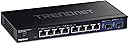
🚀 Elevate your SMB network with multi-gig speed and enterprise smarts—don’t get left behind!
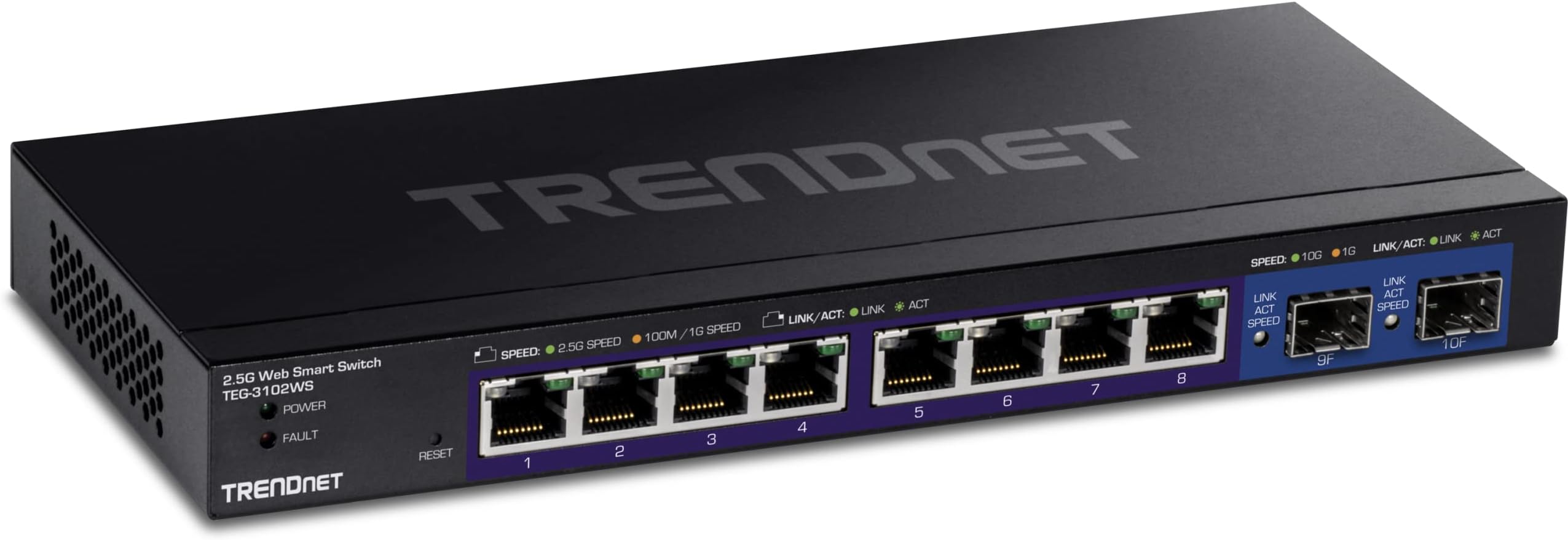
The TRENDnet TEG-3102WS is a 10-port managed Multi-Gig Ethernet switch featuring eight 2.5GBASE-T RJ-45 ports and two 10G SFP+ slots. Designed for SMBs, it supports advanced L2+ features like VLAN, QoS, and link aggregation, all accessible via an easy web-based interface. Its metal housing ensures durability, while lifetime manufacturer protection and NDAA/TAA compliance provide reliability and security. Perfect for professionals seeking high-speed, scalable, and secure network infrastructure without the complexity.


| ASIN | B0BPJZCQ5J |
| Best Sellers Rank | #161 in Computer Networking Switches |
| Brand | TRENDnet |
| Built-In Media | Power adapter (12V 1. |
| Case Material Type | Metal |
| Color | Black |
| Compatible Devices | Desktop |
| Current Rating | 1 Amps |
| Customer Reviews | 4.4 out of 5 stars 128 Reviews |
| Data Transfer Rate | 2.5 Gigabits Per Second |
| Interface | SFP |
| Item Dimensions L x W x H | 9.45"L x 4.09"W x 1.06"H |
| Item Weight | 1.46 Pounds |
| Lower Temperature Rating | 32 Degrees Fahrenheit |
| Manufacturer | TRENDnet |
| Mfr Part Number | TEG-3102WS |
| Model Number | TEG-3102WS |
| Number of Ports | 10 |
| Platform | Not Machine Specific |
| Product Dimensions | 9.45"L x 4.09"W x 1.06"H |
| Switch Type | Managed |
| UPC | 710931140910 |
| Upper Temperature Rating | 104 Degrees Fahrenheit |
| Voltage | 12 Volts (DC) |
| Warranty Description | Lifetime Warranty |
J**L
Nice piece of equiptment
I needed something that supported 2.5 Gbps with a 10 Gbps Uplink (Fiber preferred) and this product meets those goals at a decent price point. I got this switch for my 3d printers to keep up with the streaming camera's and it handles the workload well. I was however impressed with the Management WebUI, its snappy and responsive. I have worked with other "web browser managed" switches in the past and this one seems to work decently. It did take me a minute to figure out how they tagged / untagged vlans per port. It isn't the "best" but still usable and functional. For me, its going to be more of a Set it and Forget it, so though it was a little tedious to set it up the fist time, I really only need to do it once and I am good to go. I really love that it has two 10 G SFP+ ports to match the possible throughput of the switch, allowing for full bandwidth on all the copper ports.
A**R
The only reasonably priced 2.5G Managed Switch
Overall the switch is working great and gave me what I needed for a residential setup that has multiple VLANs (IoT, Business, and personal). The one complaint that I have is it is missing a feature that TP-Link's managed switch has that allows better MAC address VLAN'ing. This one does do this to an extent but the assignment has to belong to a specific port which prevents me from "roaming" on the device and would effectively force me to upgrade my Access Points and have them address this shortcoming to achieve this. The other managed switch from the other company allows me to do this successfully and not limit the MAC address to VLAN reservation to a single port and if there was a 2.5G version of this switch that was in the 4 digit price range, I would get it. Fortunately for my case, the computers that need to be set do not roam and works for what I need. I have not had a chance to test the SFP ports at 10G but have the modules on order. If you need a managed switch that is capable of speeds above 1Gbps this is really the only one out there right now that has more than 1-2 ports that doesn't cost you an arm and a leg. It has a lot of features you would expect from a managed switch. If you just need a plug and play switch there are a lot of other options out there that have a lower price tag than this.
R**N
Outstanding value and quality at a resonable price
I had not used TRENDnet products prior to buying this switch, but I’m overall pleased with the quality. Easy to use, priced appropriately and most importantly, has excellent switching performance. It also runs cool and is just so much better than similar offerings I have tested this year.
J**E
Blocks all VLAN traffic by default
For the price point, this TEG-3102WS managed switch is very attractive. Though, being managed, that means that customers will wish to support and/or use VLANs. The problem is that TRENDnet has block all VLAN tagging out of the box. Even worse, the documentation is terrible and does not explain how to configure VLANs very well at all. I only figured it out after hours of scouring the web looking for others who have explained the fix. Tagged and Untagged: TRENDNets language is confusing as to what "Tagged" and "Untagged" mean. Quite simply, "Tagged" means that the port will pass VLAN tagged traffic and "Untagged" will strip the VLAN tag. The default network is setup such that all ports are "Untagged", which is why all VLAN traffic is stripped by default. Basics: A VLAN client requires a minimum of two ports be configured: one for the Trunk and a second for the client. See below. Trunks: If you wish to setup an Unfiltered "Trunk" port that will pass VLAN traffic, you must first configure the VLANs in the "VLAN Settings/802.1Q" screen. Define each VLAN port as "Tagged" to pass the VLAN traffic. VLAN Clients: If you wish to setup a client active on a VLAN, you must first define the VLAN and then define the port on the VLAN which should be "Untagged" to strip the tags. Once you get past the above configuration challenges, the switch does work well. Though, again, the software is not industry standard and the documentation is terrible. Though, being $300 less than the Ubiquiti, the price/value still makes this worth it.
R**L
Great price for 2.5G with 10G SFP+ ports
Previously I use a similar Netgear switch but it had only 1Gb ports and only 2 copper 10G ports. Ideally I would like 1 copper and one SFP+, but if I had to pick two SFP+ is better bec it's easier to convert one SFP+ to copper with a transceiver than the other way around. (You would think they are equivalent, but going in the other direction doesn't always work bec some appliances do not work with copper transceivers and then you need to insert a media converter!). So all that plus basic VLAN functionality at a great price. The only down side is -- for a partially managed switch, it takes forever to boot. Around 70-80 seconds. The netgear it replaces boots in under 3 seconds. Mikrotik switches running SwOS boot in under 10 seconds. But overall, I will likely pick up another one in the coming months as I push 2.5G upgrades through more of my network.
M**B
Security concerns, not for business or data center use
Why did you pick this product vs others?: Overall a good switch for home use, but I would never, ever use this switch in a business or server environment. The switch starts using a 2018 date before setting the time, which was a bit of a caution flag for me. Then I started to set this up and noticed some particularly poor security decisions: Telnet is enabled by default, SSH is disabled but uses obsolete host key algorithms and ciphers not supported by any modern Linux operating system by default due to being insecure, http management is enabled with https disabled, and so on. This switch isn’t even that old, it looks like they just introduced it. It shows you how bad these companies are at maintaining secure software. I could only imagine how insecure their cloud management capability is. While I haven’t tried many of the features, I have configured VLANs and LACP. Things seem to work as expected although I’m not sure I love their method for setting VLANs up, but it isn’t hard to figure out. The CLI is really poor and limited, not particularly useful and I didn’t see you could really configure it via CLI. I mainly purchased this as a somewhat better and probably more reliable version of a cheap generic Chinese alternative that I would trust the software even less. This also has a good warranty.
K**R
Excellent switch, works well
It's easy to set up. The cloud app fort monitoring isn't quite as helpful as I would like, but it's ok, and the swtich itself works very well
J**N
You get what you pay for...
This ethernet switch is expensive, but you get what you pay for. Web based interface is easy to understand and use, but most importantly, it works better than the cheap ones. Other cheaper unmanaged switches I have tried in the past were very buggy, and would intermittently disconnect my devices from the internet. However, this managed device has none of those problems. Never had an issue losing connectivity with this switch and I am very pleased with my purchase!
Trustpilot
3 weeks ago
2 weeks ago