📖 Elevate Your Reading Game!
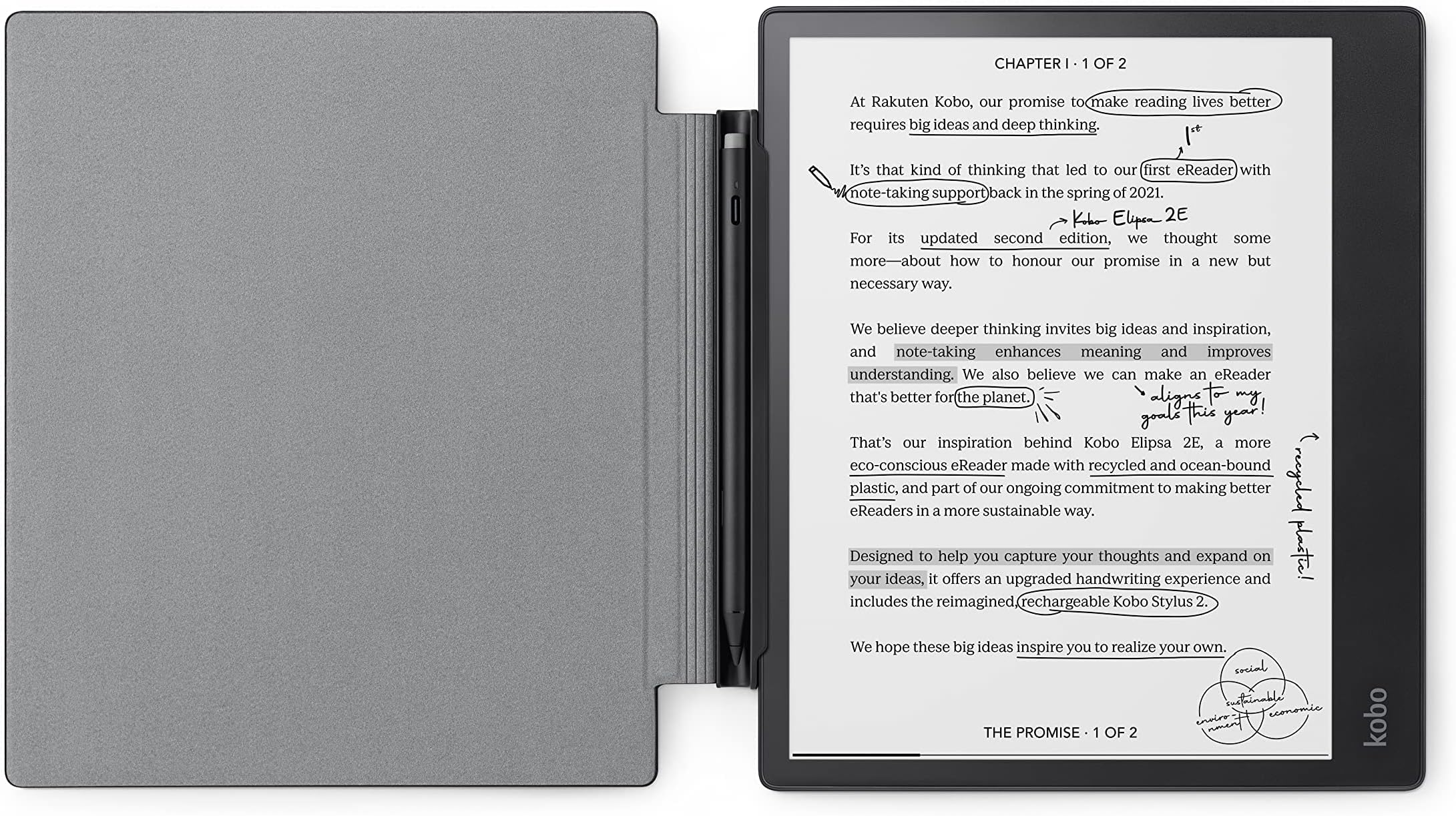
The Kobo Elipsa 2E is a cutting-edge 10.3-inch eReader featuring a high-definition E Ink display, 32GB of storage, and a robust note-taking system. With built-in Wi-Fi, users can access millions of e-books, while the long-lasting battery ensures weeks of reading enjoyment. The bundle includes a stylish SleepCover for added protection.
| Standing screen display size | 10 Inches |
| Processor | 2 GHz |
| RAM | 32 GB |
| Average Battery Life (in hours) | 14 Hours |
| Brand | Kobo |
| Item model number | N605-KU-BK-K-BU+N605-AC-BK-E-PU |
| Hardware Platform | KoboOS |
| Operating System | Kobo OS |
| Item Weight | 13.6 ounces |
| Product Dimensions | 8.95 x 7.59 x 0.31 inches |
| Item Dimensions LxWxH | 8.95 x 7.59 x 0.31 inches |
| Color | Black |
| Batteries | 1 Lithium Ion batteries required. |
| Department | unisex |
| Manufacturer | Kobo |
| ASIN | B0C52PXLJ9 |
| Country of Origin | China |
| Date First Available | May 11, 2023 |
S**S
Decent, but pdf file names and accidental page turning are issues
Pros-It’s dead easy to add files from my computer, thank you for this-The reader has a large storage capacity and I can build up a library of reference pdfs over timeMy two biggest cons-When I attempt to write on a document, the heel of my hand hits first, which frequently flips the page forward or backward, or sometimes to an “in-between” state where two pages are ghosted on top of each other. This is frustrating and almost a deal breaker for me. I understand this is a tricky technical problem - distinguishing between page turning contact and writing with the stylus, but it seems solvable. How about requiring a longer swipe rather than a touch to flip pages? Or (as a user selectable option) limit the page flip hot spots to the upper or lower edge or corners. This way the device can distinguish between the two types of gestures more easily.-Naming of files. I added a pdf and it showed in my book list as “Glossary”. (it was a research paper with a glossary, but not a glossary) Why? Because apparently “Glossary” is in the pdf’s metadata as the title. I get that the pdf’s metadata isn’t a bad place to draw the initial title from, but… I thought okay, this is easy, the Kobo surely has a way to edit the display title. Nope, not that I could find. Over time my library of carefully curated and annotated pdfs is going to be a mess of junky titles. Please, please add the ability to change the display titles on the Kobo. This should be a trivial fix.
Trustpilot
2 weeks ago
2 weeks ago