Desertcart purchases this item on your behalf and handles shipping, customs, and support to Croatia.
๐ Unlock Ultimate Productivity with the 14-in-1 Powerhouse Dock!
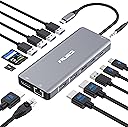
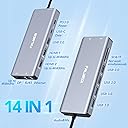
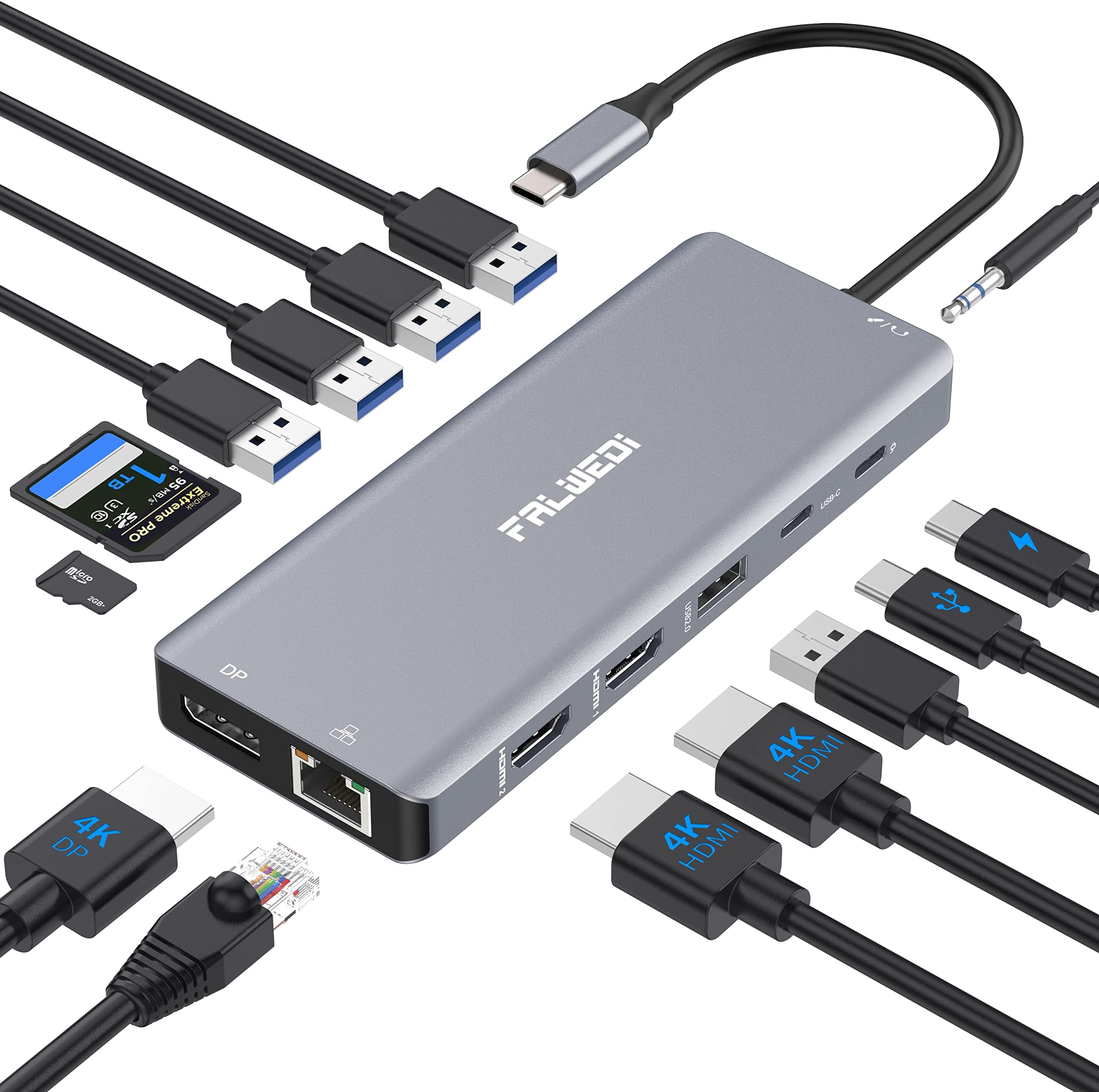
The FALWEDI USB C Docking Station 14-in-1 is a compact, aluminum multiport hub designed for professionals who demand seamless connectivity. It supports dual 4K UHD monitors, offers 14 versatile ports including USB-C, USB-A, Ethernet, and SD card readers, and delivers up to 87W power delivery. Compatible with Mac and Windows systems, it enables plug-and-play setup for enhanced multitasking, fast data transfer, and reliable network speedsโperfect for the modern mobile professional.


| ASIN | B0B9BG7K1Z |
| Best Sellers Rank | #6,083 in Computers & Accessories ( See Top 100 in Computers & Accessories ) #436 in Laptop Docking Stations |
| Brand | FALWEDI |
| Color | Grey |
| Compatible Devices | Dell Latitude(3500/5290...) and more, HP Spectre(13/X360-13T...) and more, Lenovo Yoga(370/720/730...) and more, MacBook/Pro(2016-2021๏ผand more, MacBookAir/Mac Mini(2018-2020๏ผand more Compatible Devices Dell Latitude(3500/5290...) and more, HP Spectre(13/X360-13T...) and more, Lenovo Yoga(370/720/730...) and more, MacBook/Pro(2016-2021๏ผand more, MacBookAir/Mac Mini(2018-2020๏ผand more See more |
| Customer Reviews | 4.1 out of 5 stars 1,252 Reviews |
| Hardware Interface | Ethernet, HDMI , USB, USB 2.0, USB 3.0, USB Type C |
| Item Dimensions L x W x H | 6.3"L x 3.94"W x 0.71"H |
| Item Highlight | Multiport adapter with Mic/Audio, plug-and-play, wide compatibility for MacBook, Dell, HP, Lenovo laptops |
| Manufacturer | FALWEDI |
| Mfr Part Number | 0419H |
| Model Number | 0419H |
| Number of Ports | 14 |
| Product Dimensions | 6.3"L x 3.94"W x 0.71"H |
| Total Number of HDMI Ports | 2 |
| Total USB Ports | 6 |
| Total Usb Ports | 6 |
| Wattage | 87 watts |
J**N
This Laptop Docking Station is Great!
I recently bought a mini desktop computer to replace my old desktop system that failed. The mini system will operate two monitors and I have four monitors. I was looking for a simple solution to drive all of my monitors. This docking station was the perfect solution with a bonus of several more "usb 3" and "usb 2" ports. I plugged the docking station in and plugged the 2 monitors in, within seconds I had all four monitors working seamlessly! In Windows 11, I quickly set up the orientation. The docking station correctly set up the resolution for both monitors. I was afraid that I might notice a delay in the extra monitor functioning. There was no delay. It has been and is working flawlessly. This docking station is the perfect solution, if you want 1 or 2 extra monitors on your laptop or other computer solution. I did not get to try the Ethernet connection or the display port, but everything works great. This docking station does require that you have a "usb c" port on your computer. It will not work if you get an adapter and try running it from a "usb a" port. There is also a "usb c" port on the docking station, but it can only be used for data, you cannot daisy-chain docking stations to drive more monitors. This device is easy to install and works flawlessly. I certainly recommend this device.
F**R
Nice USB-C Hub Without Needing External Power
I ordered this product for use with a Surface Pro 8. Since the machine does not have any USB-A ports nor any HDMI ports, I was looking for a hub that has both and wouldn't need an external power requirement. While I haven't "maxed out" all the ports, this hub is able to run power and data off the same USB-C connection and maintain connection to external monitors and other USB peripherals simultaneously. Size is nice and small, which makes it portable and easy to transport. Only recommendation for improvement that I have so far is that the USB-C connection cable between the unit and the computer is short, so it does not allow for a "flat placement" on a desk when attaching it to my machine, so it has to sit a bit upright or hang by the cable. I'm hoping that this does not wear out the port or break the wires in the hub over time. The item is very lightweight though, so I try to rest it on it's edge so that it has some support and stability. Overall, it's a good item, and it is doing exactly what I need it to do so far. I would recommend this product for those who need a hub on the go.
M**L
Good and Beware
Good Product and have bought many of the years. About 1 out of every 5 do not last the year. Not sure why.
B**Y
Works great but can overheat
Itโs been about a year since Iโve bought this and itโs working great. The only issue is that it was starting to overheat a bit because of everything I plug into it, but I found that if I plugged in an additional power source to support it versus plugging it into only my computer for the power source. It does phenomenal. It has enough ports for everything that I need. I plug in everything from external screens, external mouse, keyboard camera, and so on and it does a great job, easy and portable and cheaper than a full docking station.
S**W
Frequent blank screens
It seemed OK at 1st with all the ports but I'm frustrated because there is no fix for the constant signal loss for a moment. Hdmi (either port) seems worse than the Display port with these frequent drops in signal. It's not the wires as I've tried multiple hdmi and dp cables. About every minute or 2 I'll get blank screen for about 3-5 seconds. Sometimes does it multiple times in a row and others it doesn't happen except maybe 1 time an hour. There is no consistency with the issue to try and pinpoint the cause. It does it with my 100w, 200w, and even 65w charger so it's not a power issue. Best guess is the issue is bad connectors/weak solder connections or something like that inside the hub as even wiggling the wires won't cause the issue so it isn't any external wires. I'm also not even using it for multiple displays, just 1 at a time but will use different monitors depending where I am so I've been able to test on many devices and no difference. If you need a reliable hub. This is not it and seems to be a waste of money if you need it for display unless your OK with frequent drops as my quick video shows. Also with the sd card reader, the cards stick way out so you can't just leave one inside to have some storage in the hub as you'll snap sd card in half pretty easily. I really wanted to like this but the constant signal dropping is deal breaker. Even my 5yr old cheap anker hub I got for phone and switch still works fine on the same cables without any drops in signal. I'm outside return window so stuck with this junk. But I've learned my lesson trying to get by with a cheap hub since I've needed it for work lately so I'll be replacing this with the anker 575 13 in 1 docking station, not the hub version so I don't even need to worry about a power supply. If you need a good one that is close in price with the same features I would recommend the Anker A8385 PowerExpand 11 in 1 Type C Hub with DP/HDMI as it's currently at time of writing $38 for a factory refurbished unit with same warranty as new.
D**D
Great Quality for Great Price
My desktop tower at work broke down and so I was told to use my work laptop as my primary device, which was definitely a struggle as I have two monitors and new laptops nowadays are lacking in ports. ThinkPad brand docking stations were way out of my price range and I needed something fast, so I chose this one. The price was appealing as well as the number of ports and the variety of ports as well. Honestly? Not disappointed in my purchase. Not a single hiccup. I am able to tri-monitor with my laptop and two monitors, as well as connect all the peripherals I need to do my job (including the ethernet port!) Super happy with this purchase and will probably buy a second one for personal home use as well. Very good product for an amazing price tag compared to similar style items in the market right now.
H**Y
Do Not Disconnect Your Laptop
I got this docking station in order to connect my laptop with two external monitors and a bevy of USB products. Initially, it worked well. In fact, it still works well, for the most part. However, there's one major problem: disconnecting the laptop from the docking station results in the docking station no longer recognizing the external monitors. This is a major concern for me as I use my laptop both as a desktop replacement and also as a portable computer. When I return to my desk and plug my laptop back into the docking station, I expect to be able to have my external monitors to be fully connected on when I turn on my laptop. Unfortunately, this is not the case with the Falwedi docking station. Instead, I have to disconnect the Falwedi from the power source as well as from the external monitors. After that, I have to reconnect the monitors and the laptop before I reconnect the power source. Only then can I turn on my laptop and have my external monitors be available for use. Aside from that problem, the Falwedi docking station is a good performer. Unlike another docking station I use (when away from the office), it does not get hot. As a result, I have no worries about it overheating. For me, that little peace of mind is pretty important. One other thing I would really like to see would be a power button. I miss the days when my laptop plugged into a docking station so that I could turn on the laptop by pressing the docking station's power button. This isn't as big a deal for me presently, as I am using my laptop's monitor as a third monitor. However, if I ever decide to use a third external monitor with my laptop (and keep my laptop's monitor closed during use), this would be an issue as I would have to open the laptop's lid just to access the power button to turn on the laptop. Still, given that this docking station doesn't seem to warm up like another docking station I have, I may opt to use this as my portable docking station, instead. At least that way, the need to disconnect everything wouldn't be as big an issue as everything would be disconnected for transport and then reconnected before use, anyway. The lack of a power button caused me to dock half a star. The inability to disconnect and then reconnect a laptop from the docking station without also having to unplug the power source and external monitors, though, resulted in another whole point deduction. That should leave the docking station with 3.5 stars, but Amazon won't allow partial stars in reviews. Given how big of a deal it is for me that the docking station must be disconnected from the external monitors and power source each time the laptop is disconnected (and then reconnecting everything before being able to use the docking station with the external monitors), I'm rounding down to 3 stars. Final score: 7/10 would recommend.
J**G
Work perfectly for Microsoft Surface 4 laptop
I was researching a dock/hub works for company laptop - Microsoft Surface 4 laptop. Found this FALWEDI 14 in 1 hub from AMAZON. This production spec with detail description does mention it will completable with Microsoft Surface 3 and 4 laptop, which not many dock/hub product include MS Surface 4. I received this FALWEDI 14 in 1 hub in 2 days and very easy to set it up and everything work as expected. I have two 27" monitors with HDMI connection. Hub works perfectly without any issues. I will recommend strongly if you looking for a hub work for most of newer laptop such as Microsoft Surface 4 laptop. Great value and perfect hub. Thank you FALWEDI and AMAZON. GOOD JOB!!
A**Z
Multi funcional
De buena calidad el material, vale la pena por el precio.
A**R
Perfect - ุฑุงุฆุน
ููุง ุบูุทุฉ
M**.
HDMI stooped working, but overall high quality
The device is stopped working after 4 weeks! I cannot find anyway to contact the manufacturer or warranty. ....... I also contacted the seller and they offered me a full refund or replacement which is promising!
R**O
Excelente.
Buen producto, excepcionalmente funcional.
A**G
Worked perfectly for me
Bought this for my HP Envy x360 15-es0xxx. Usb power passes through. Two 1080P HDMI monitors work perfectly. Also a wired keyboard and wired mouse. Finally ethernet works too. The USB port on my computer is a Thunderbolt 4. So far ( about 1 hour of use) I'm really pleased.
Trustpilot
2 months ago
3 days ago