We remain fully operational. Our teams are working around the clock to ensure your deliveries continue safely.
DOWNLOAD THE APP


Customer Services
Copyright © 2025 Desertcart Holdings Limited
DOWNLOAD THE APP
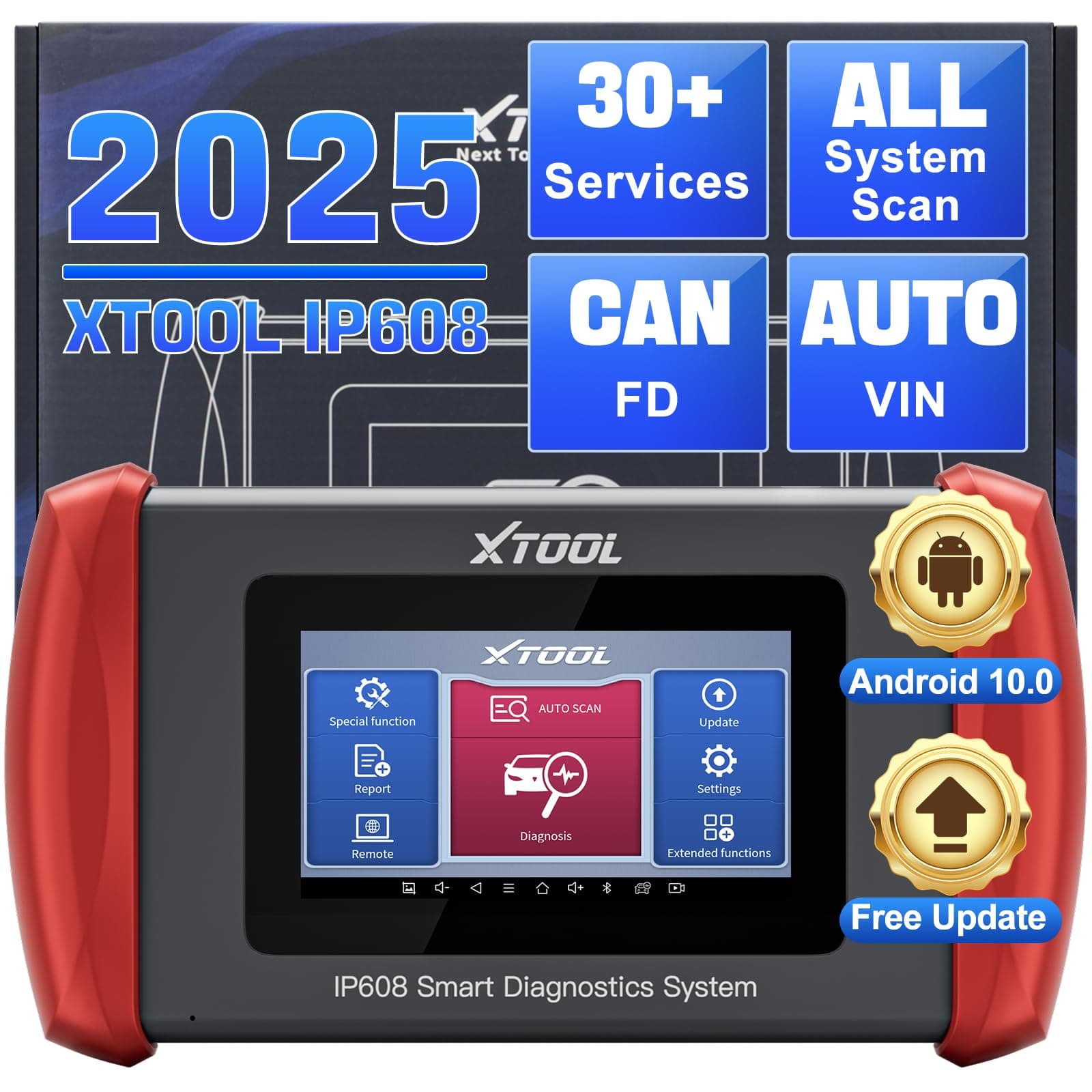
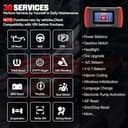
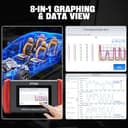
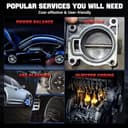
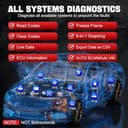

🔧 Diagnose smarter, not harder — Own your ride’s health like a pro!
The XTOOL IP608 is a professional-grade OBD2 scanner featuring a 1.5GHz quad-core processor and Android 10.0 OS, delivering ultra-fast full-system diagnostics with 8 live data streams. It supports 30+ advanced reset and calibration functions including EPB, SAS, BMS, and ABS bleeding, empowering DIYers and mechanics to perform 95% of maintenance tasks independently. Its rugged design, 5-inch HD touchscreen, and 32GB storage enable detailed data tracking and repair history management. With lifetime free WiFi updates, the IP608 stays ahead of evolving vehicle tech, making it an indispensable tool for modern car and truck diagnostics.


| ASIN | B0BW3595H6 |
| Best Sellers Rank | #597,327 in Automotive ( See Top 100 in Automotive ) #1,869 in Code Readers & Scan Tools |
| Brand Name | XTOOL |
| Customer Reviews | 4.3 4.3 out of 5 stars (95) |
| Manufacturer | XTOOL |
| Native Resolution | 480x854 |
| Operating System | Android 10.0 |
| Power Source | Battery Powered |
| Screen Size | 5 Inches |
| UPC | 763679428987 758987845755 |
M**.
XTool IP608 vs A30M, best scan tool for advanced DIYer
I own XTool A30M, which is the best bang for the buck bidirectional scan tool. It’s been serving me very well as I am a hobby mechanic. However, some times, using a phone and blue tooth dongle is just cumbersome. I’d like to buy the pro level D8 but it’s not that affordable and this new IP608 just fits my needs with the right price. It’s basically a 32 gb memory android tablet, which is sufficient for XTool software even though you install all the updates. Although it doesn’t do bidirectional, it noticeably responds faster than A30M, supports more car models, and has more special functions, like Stop/Start reset, AdBlue reset, language change, etc, which are very useful for modern cars and diesel engines. The touch screen is very responsive, and the battery life is never been a problem. You can use it as a stand alone tablet to study the recorded data and diag reports, when plugged onto OBD ports, the DB15 cable also charges the tablet. So I don’t even need the usb charger. Being a hobby DIYer, I barely need the bidirectional function, which can cause more confusions if you don’t know much about electronics. IP608 is at the sweet spot for me due to the number of special functions and full spectrum of live data plotting, I can use it to code DI fuel injector for BMW, change tire size for modified Jeep, change gear ratio setting to ECU and TCU when actual gear ratio changed and so many more. And the nicest thing is the software is free lifetime upgrade. With all these, this is the best scan tool for advanced DIYer.
V**O
A product that tries to give you a little better value than the competitors.
For the DIY, this is a very good OBDII scanner that does most of the functions that you will need to maintain and repair your vehicles. It is basically an android tablet with a OBDII dongle but this little thing is quite responsive when in use. The OBDII cord is thick, stiff and a little short if you want to read the live data outside of the vehicle. I was checking the passenger's wheel speed sensor and the cord will not reach, my A30M bluetooth works better here. The screen is tiny for this day and age but bright, clear and high res. I wish it is a little bigger but the manufacturer aim was to just compete with their competitors in this size. It would be much better for a larger but lower resolution screen if they want to cut the cost. Because of the high res and small screen, the texts and graphs are too small to see. The battery is just enough since it charges via the OBDII port when plugged in too, but it will run out in 1 day if unplugged, not a real issue as it charges quite fast. Overall, it is a good unit but if you can get it from Canada's Amazon, there is a sale of $104CAD at the time of this review, which makes it about $250USD after taxes. If this is your first OBDII scanner then it's worth it, but it's not much of and upgrade from their A30M bluetooth unit which by the way is bi-directional and this unit is not. Pros: Responsive, has 21 specials functions, 8 live data streams (more than any DIY will needs). Charges fast and while in use via the OBDII port. Cons: Screen is small eventhough the unit's dimension is quite large, see the pictures attached, the left is the IP608 and the right is my samsung tab 7A for the A30M bluetooth. Stiff and a little short cable. Price is ok but I would wait for a sale before purchase. The initial vehicle selection does not have any tip/explaination so it will be quite confusing the first time you use it. I would recommand this unit if you can find it on sale. Otherwise, the M30 versions cost less and more flexible as you can use a bigger tablet for larger screen and also have more mobility.
J**I
Runner up.
It's not the best but definitely second place with function and affordability. At first I was unhappy customer support was great, It is a bit slow but easy enough to work with. It does constantly receive updates for certain model cars. When Im not using it I'll update it. But it works fine and has all the features a high end one would have without the 4,200 price tag.
C**A
Excellent Scan Tool with Lifetime Updates
The latest entry to XTools line up for car diagnostic tools is the IP608 updated for 2023. I used it over the course of 3 days to test its functionality and usefulness and now I am ready to report on my findings. Before I begin, let me list the procs and cons of the unit: Pros: -Lifetime updates. Most other diagnostic tools charges $100+ (1st year free) a year to get the latest updates. This unit comes with lifetime updates and will pay for itself in 4 years. -Graphing and “clock” views. You are able to see a graphical representation of the data for 1 or more components you choose. You can also combine them into a single graph. This is by far the best feature of this unit. A visual graph displays more useful data and conclusions than looking at numbers, AND the ability to combine singles graphs into 1 will greatly aid in diagnosing problems with your vehicles, depending on the situation. Instead of a graph, you can also get a clock view of components, but this is not as intuitive as the graph view. -Emailed reports. Just like the D7, you can generate a report of your diagnosis and have it emailed to your email address instead of connecting the until up to your computer. -Does almost everything the D7 can, except certain programming (ie Immobilizer keys, ECM) and no bi-direction ability. -Excellent customer support. You can email XTools support with any problems or concerns and they almost always email you back in a few hours or the next day. You never have to wait 2 or more days to get a response. In addition, if you see a problem that needs fixing and they can verify it, their technicians will have an update out in quick. Cons -Small screen size. Viewable screen size is 4 ¼ inches measured diagonally. -USB A female to USB A female cord is used for charging the unit. A better choice would have been to go with USB C. -No bi-directional ability. This could be a pro or a con. -No hard cover case like the D7. For the record, I am the proud owner of the XTools D7 diagnostic unit, which I think is the BEST diagnostic tool on the market. (D8 if you are a hard-core mechanic that programs your car’s computers). I was quite excited to hear about the IP608 and I bought it to test it out. Unboxing The unit comes in a blue cardboard box. There is no hard-cover case for the tool like the D7, however, the cardboard box does provide adequate protection as long as nothing heavy rolls on it. There are plenty of adapters that will fit world-wide plugs in case you live in a country other than the US. My unit had 52% of the battery charged. Yours may vary. Make sure to charge it to 100% and at the same time go ahead and input the information into your unit to register it. It is important to download and install the car updates. This process took almost 1 hour to complete. In addition, make sure the app is up to date as well. From the main screen: settings->about->app If there are any updates to the app, it will show. While you are in the stings menu, you might as well go ahead and change the units to US units. Unit The first thing you will notice is the small screen size. Why a bigger display was not used especially because there is so much unused spaced around the display that could have been used. In terms of build quality, the XTool Inplus IP608 is a well-designed and robust diagnostic tool. It is built to withstand the rigors of daily use in a busy workshop environment, and its high-quality construction ensures that it will last for many years. There are the usual connections along with a connector for an optional wall plug in case you will use the unit longer than the run-time capability the internal battery. Usage and my thoughts The diagnostic capabilities of the XTool Inplus IP608 are impressive. It can read and clear diagnostic trouble codes (DTCs), view live data streams, and access all various modules within the vehicle's systems. The tool provides detailed and accurate information, allowing for quick identification of problems and efficient troubleshooting and can diagnose and analyze a wide range of vehicle systems. These include the engine, transmission, ABS, airbag, and others. I found the live graphical data display particularly useful for real-time monitoring of vehicle parameters during diagnostics. In fact, the graphical properties is what makes this unit shine and stand out from the rest. My more expensive XTools D7 can graph as well, however, it cannot show the individual graphs from selected components side by side or even as one graph combined showing all the selected components. Looking at a graph is more intuitive and can provide more definitive conclusions rather simply looking at numbers. You can also change the display from graph to clock view, but I do not recommend that as it is not very helpful. There is no bi-directional capability nor module programming of any kind with this unit (ie immobilizer key programming, ECM programming, etc. Bi Directional means that the diagnostic tool can activate or de-activate certain components on a vehicle, such as turning on/off the blinker lights or cycling through the car’s hybrid fan speed controls. The unit can do either a manual or automatic scan of your car’s various system and once done, you can select a particular system like transmission and then look at the live data within it, clear any codes, or graphically look at the live data in real-time.. The Inplus IP608 also offers additional functions such as oil reset, EPB (Electronic Parking Brake) service, SAS (Steering Angle Sensor) calibration, DPF (Diesel Particulate Filter) regeneration, and much more. These features enhance the tool's versatility and allow users to perform a variety of maintenance and service. Just note that even though there are multiple function resets to choose from, your vehicle may not have the capability to use them all. I also like that once the unit has scanned your car, it generates a report. Final thoughts and opinion I love this unit! Think of it as a lite version of the XTools D7. It can scan the various system components of your car for trouble codes, allows you to look at live data, graph data in real-time, do various resets and create reports which can be emailed to you. If you are a casual or backyard mechanic, this diagnostic tool is for you. It provides all the resources you need to diagnose, troubleshot and hopefully fix your vehicle if you are somewhat mechanically inclined. For those that require more oomph such as immobilizer key and component programming or bi-directional ability, look at the XTools D7 and D8. I mentioned above about the small screen size…something I wish XTools had gone with something bigger. It does not hinder the user’s ability to perform operations, but a bigger screen would have allowed for example, 4 separate graphs to be viewable without scrolling, instead of just 2. A real plus is that you never have to worry about paying for updates after the first year as XTools provides lifetime updates. This is such a big advantage over other tools that normally charges upwards of $100. Lastly, you get great support from XTools. Their customer service is top notch, they listen to their user’s concerns and questions and they update the unit frequently to keep it with any changing technologies.
Trustpilot
2 days ago
2 months ago