Buy anything from 5,000+ international stores. One checkout price. No surprise fees. Join 2M+ shoppers on Desertcart.
Desertcart purchases this item on your behalf and handles shipping, customs, and support to Croatia.
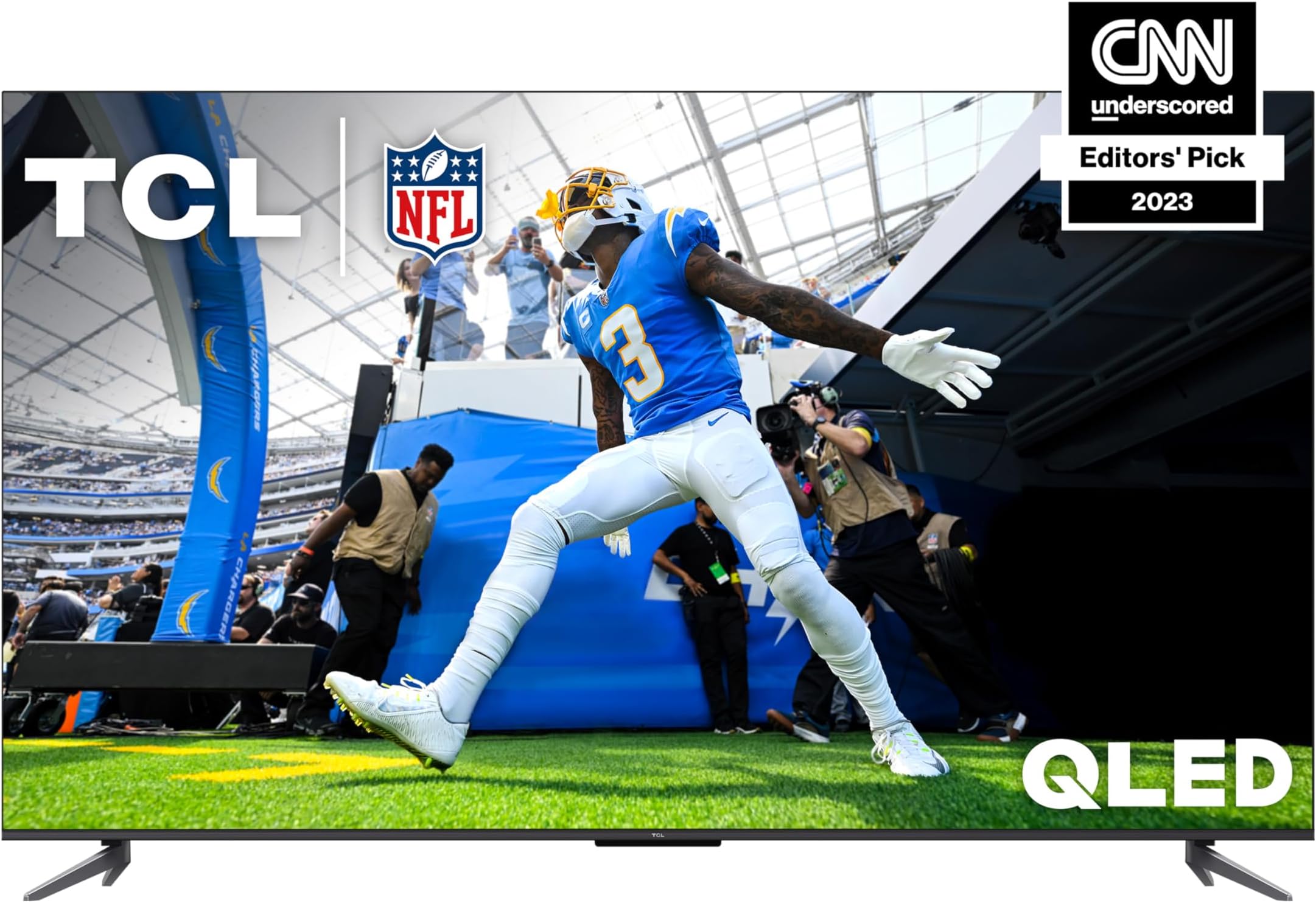
🔥 Elevate your living room with TCL’s 55" QLED 4K powerhouse — where cinematic color meets pro-level gaming!
The TCL 55-Inch Q6 QLED 4K Smart TV (2023) combines Quantum Dot technology with HDR PRO+ formats including Dolby Vision for vibrant, true-to-life picture quality. Featuring a 120Hz refresh rate with Game Accelerator and AMD FreeSync, it offers smooth motion and responsive gaming. Google TV and Chromecast integration provide seamless access to streaming services and smart home compatibility, making it a versatile UHD entertainment hub designed for immersive viewing and competitive play.


| ASIN | B0C1J5RZD8 |
| Additional Features | Flat |
| Antenna Location | Home Viewing |
| Aspect Ratio | 16:9 |
| Audio Input | HDMI |
| Audio Output Mode | Dolby Atmos |
| Best Sellers Rank | #52,605 in Electronics ( See Top 100 in Electronics ) #225 in LED & LCD TVs |
| Brand | TCL |
| Built-In Media | Remote Control, 2x Remote Control Batteries, Stand, Power Cable, Quick Start Guide |
| Color | Black |
| Compatible Devices | Amazon Alexa, Google Assistant |
| Connectivity Technology | Wi-Fi |
| Connector Type | HDMI |
| Content Sharing Direction | Mobile to TV |
| Contrast Ratio | High |
| Control Method | Voice |
| Controller Type | Remote Control, Voice Control |
| Customer Reviews | 4.1 out of 5 stars 1,568 Reviews |
| Display Backlight Setting | High Brightness |
| Display Backlight Technology | LED |
| Display Refresh Rate in Hertz | 240 |
| Display Size Class | 55 Inches |
| Display Technology | QLED |
| HDR Format Supported | Dolby Vision, HDR PRO+, HDR10, HDR10+, HLG |
| Hardware Interface | HDMI |
| Has Color Screen | Yes |
| Integrated Surround Sound Format | Dolby Atmos |
| Internet Applications | Netflix |
| Item Dimensions D x W x H | 3.2"D x 48.3"W x 29.9"H |
| Item Type Name | Television |
| Line Voltage | 110 VAC 60 Hz |
| Manufacturer | TCL |
| Maximum Display Brightness | 500 Nit |
| Mfr Part Number | 55Q650G |
| Model Name | 55Q650G |
| Model Number | 55Q650G |
| Model Series | Q6 |
| Model Year | 2023 |
| Motion Enhancement Technology | Motion Rate 240 with MEMC frame insertion |
| Mounting Type | Table Mount |
| Number of Audio Channels | 2 |
| Number of Batteries | 2 AA batteries required. (included) |
| Operating System | Google TV |
| Parental Control Technology | V-Chip |
| Picture Quality Enhancement Technology | QLED, Dolby Vision, HDR10+, HDR10, HLG |
| Refresh Rate | 240 |
| Remote Control Technology | Infrared |
| Resolution | 4K |
| Screen Finish | Flat |
| Screen Mirroring Technology | Google Cast |
| Screen Size | 55 Inches |
| Signal Format | ATSC, NTSC, Clear QAM |
| Size | 55 inches |
| Smart Home Compatibility | Smart Home Compatible |
| Speaker Description | The speaker has an audio output of 1 and a power output of 10W + 10W. |
| Special Feature | Flat |
| Specific Uses For Product | home entertainment, gaming |
| Standby Power Shutoff | Energy-efficient |
| Total Number of HDMI Ports | 3 |
| Total USB 2.0 Ports | 1 |
| Total USB 3.0 Ports | 1 |
| Total Usb Ports | 1 |
| Tuner Type | ATSC |
| UPC | 846042065290 |
| Unit Count | 1.0 Count |
| VESA Mount Standard | 200 x 300 mm |
| Video Encoding | AVC |
| Warranty Description | 1 year manufacturer |
| Warranty Type | Limited |
| Water Resistance Level | Not Water Resistant |
| Wireless Technology | Wi-Fi |
E**T
Better than you think
(For the 85" Model) First and foremost, if you're a tech person who is searching around for a TV with inky blacks and 480hz refresh rates keep going, do not pass go, do not collect 200$. This is not your TV. I was creating a home theater room in my house (Something I've wanted since I was a kid.) I wanted the biggest TV I could afford while still getting a picture that would be enjoyable to look at for hours at a time. I decided on this one as I was able to get another 10 inches for the same price as most of the 75" TV's I was looking at. So this was my journey. Amazon delivered this behemoth for free, and the delivery folks brought it right into the room I needed it, and placed it right in front of where I was installing it (Going above and beyond as their instruction was to put it inside the entry way.) I tipped them for their trouble. I got a wall mount for an 85 inch TV and took down the little one for the 55" that was on the wall before. I mounted it on the wall making sure to get all 4 screws in the studs as this TCL TV weighs in at just under 100 pounds. My wife and I were then able to lift the TV and get it on the wall. It's huge so have the space to maneuver. It clipped into place with no issues. The picture out of the box is a little off. This is what worked for my eyes. I bumped up the color saturation slider by 5 and then I went into the advanced section and adjusted the black level slider down by 7 or 8. This made the colors pop and the contrast look measurably better. So here's the caveats. If you're paying under a grand for an 85" TV there's going to be some corners cut. For me they're a non issue. 1) I feel the built in google TV interface is too slow to be usable. I plugged my Apple TV in immediately. It picked it up, and detected the TV can do dolby vision and switched into that mode automatically. It looks great and works fast. 2) I did not even bother to listen to the built in speakers on the TV. Built in speakers at ANY price point are disappointing, I didn't even bother. I grabbed a Visio M series 5.1.2 sound bar with wireless sub and surround speakers. It works perfect (after some latency adjustments and configuration). This weekend after getting all this hooked up, the family and I parked our butts on the couch in our new home theater room (well it's a futon for now still saving up for the home theater furniture.) and watched 3 movies. One from the 80's (On Blu Ray), one from the One from the late 90's in Ultra HD 4k, and one brand new movie on the apple TV app. All three movies looked fantastic, the TV in combination with my Apple TV box and the Vizio sound bar created the exact feeling I was looking for. If you know what your needs are and you know that when you're buying this TV it's not a mini-led, crazy expensive TV and know not to expect that, this TV will likely be perfect for anyone looking for a big, cost effective panel that performs very well. I would say the quality is on par with my 2021 model Samsung Q70B that cost quite a bit more when I bought it on release year and it was also 20 inches smaller.
I**S
Great price Great picture and features
So I’m very used to Plasma and OLED in smaller sizes for production purposes. And even though I love my plasma at 720 P it has a fantastic picture however, the sharpness on this is mine blowing, and since it’s DirectView LEDs lit from the back. None of that edge light garbage, I have run several high DEF test patterns and purity signals. All colors are very even.. I am picking up over the air content, and for the most part, it looks beautiful unless, of course it’s transmitted in standard DEF, but that’s not the fault of the TV. The tuner and this will also pick up digital TV over the Internet. Not a whole lot of great choices there, but some of its good and much of it is in 4K. I also running a 4K ultra HD DVD into it, and that looks great. I will say that you must take it out of the default set up. It comes in you need to play around with the settings on and get it to the way you like it.. another nice thing I noticed is that whatever settings I set are for whatever input I’m using at the time, so I set my settings for a TV that sticks to TV. They said it to HDMI one at six to HDMI one and so on.. has three HDMI inputs. And when I turn on the TV, it will turn on my audio receiver as well over the HDMI 2.1. As for the Google options, they seem to work fine for me so I don’t know what a lot of people have complained about. Some say it’s slow to respond, but I have not encountered that at least maybe I’m just more patient. I think TCL did very good job on this particular model which has the G prefix at the end I was looking at the F earlier. Apparently there is some thing in game mode that makes it run at 240 frames per second. I’m not a gamer so I wouldn’t be able to know. Overall, it’s a great price and a very good set. I’m happy with it.
J**.
Ok tv with “smart” features
Tv was a definite upgrade from my previous tv. Sadly this tv is not as great as I hoped. Tv will randomly freeze at times and require you to reset it in order to work again. It probably needs to be restarted once a week to avoid it from freezing. Apps work ok most of the time and surprisingly the YouTube app is one of the worst app to use with this tv. AppleTV app gets a weird 1/4 screen of fuzzy noise along the bottom of the screen that randomly pops up and requires you to back out of the show or restart the app. I’ve only seen this happen with this tv not the other tv’s I own or mobile devices that I’ve played the app on. TV screen quality is great especially for watching sports. Pairing with a PS5 works fine but sometimes the sound doesn’t sync up correctly with my receiver and the tv
C**G
TCL 75-Inch Q6 QLED 4K Smart TV with Google (75Q650G), 2023 Model
I've now had this TV for 3 months and am so sorry I went with this one. Nothing but never ending glitches and problems every time I try to use it. I see no mention in the other reviews of the negatives of this TV, so as a counterpoint, here they are: The primary reason that I went with TCL over LG was that LG places ads on their TVs as a known thing. TCL allegedly didn't, well guess what? Everytime I turn on this TV I have to watch a Nissan ad which takes precedence over the TV SLOWLY loading up it's OS, delaying it further. Others have mentioned that the TV is slow and "laggy", but that is so understated. It's not just slow, it actually frequently goes backwards if you are faster than the processor. I know the key sequence to get to live TV after it turns on- it will eventually get to the live TV screen, but then takes you out of TV, back to the GoogleTV main screen after a few seconds so that it can show you the commercial that you bypassed by going too quickly on startup and SLOWLY loading recommendations and updating your watch history. Creepy that it has shows that I've watched on other TVs in the house, including the ROKU. There is apparently no way to remove from "continue watching", only wait for it to fall off, so if you are 5 minutes into a show and just not feeling it, it stays up there to continue watching BUT if you select something that you actually want to continue watching from that menu, it usually does not pick up where you left off, but starts it all over again from the beginning! What I liked about the old ROKU was that it was EASY to pause/ record live TV. I made sure that this TV had that when I was making the decision of TCL or LG and it does, but it is not as easy as ROKU, there is conflicting information on the internet of how to set it up, including on the TCL site. I finally got it to work after a month, but it's very hinky-dinky and it ruined 3 USB drives to do it. First, the drive has to be formatted properly, I did not see it anywhere, but it has to be formatted to NTFS, EXFAT and FAT32 that are used on others and are pre-written to most drives did not work. When you insert the drive, it will ask you if you want to format it, DON'T. If you format the drive at that point, it will use the drive as storage for the TV/ apps and it will not allow you to use it to pause live TV, insisting that there is no USB in the drive. Go to the Live TV menu, select a show, press the quick menu button on the remote and go to pause live TV that is grayed out and select it. It (sometimes and eventually) will pop up with the onscreen menu to use the drive to record TV and guide you through the process. The thing is, if you leave the USB drive for pausing the TV in the back of the TV, EVERY SINGLE TIME you power the TV on, it will detect the drive/ USB, eject the USB, do some other background stuff, "discover" the USB a few seconds later and what happens next is up to who knows what- sometimes it brings up an "explore this drive" option over most of the screen, sometimes it will give you a notification to "format this drive for this TV" (which if you do, it then becomes TV memory, and you can no longer pause TV on it). It's especially annoying since the startup is already so slow, these steps with the USB just add more time and are unpredictable. USUALLY now, if you just do nothing, the TV will eventually figure it out on it's own and go away, BUT if you press any button on the remote it will often select an undesired option when it finally gets around to processing the input from the remote. PICTURE QUALITY: Everyone raves about the clear and bright picture, which it does have if you are watching slow moving native HD content. The direct lit screen is VERY BRIGHT, but that also means bright spots in the picture, especially in dark/ black. There is a bright spot to the left center of my TV that is appreciably brighter than the rest of the screen that irks my nerves and is distracting. This TCL was $150 cheaper than the LG equivalent at the time, not a great difference but enough to have impact on my decision, as well as double the stated "effective motion rate" for the TCL. BS- the motion on this TV is the worst I've ever seen on a TV. It was so bad that on the factory settings, trying to watch "Gladiator" caused me to vomit. Literally VOMIT. I'm not prone to motion sickness and no other TV ever caused anything like it, nor the 120" projector that I had. It's not the size of the screen, it was the HORRIBLE motion control that tries to do more than the processor can handle at once. The result was bright "soap opera" look. Bright, gauzy, floaty and bouncy but any rapid, not even FAST movement caused blocky blurry pixelation in the area of the movement and surrounding it as well. My pet peeve with 60hz is confetti falling where I notice it the most, but that's pretty rare to see while watching anything. This has that falling confetti look/ distortion on simple things like someone waving their hand. Instantly looks like "Minecraft" with Instagram beauty blur shot through gauze. I spent 2 hours trying to change the settings to continue watching the movie and when I thought they were good, I went back to watching and it discarded all of the changes and went back to the bright and bouncy version from before. It wasn't bothering my partner so I continued on with the movie with my eyes closed for most of it, debating whether I should send it back (I've never returned a TV before). The next day when I was talking about it at work I got the name of someone to come and "Tune" the settings. That cost $75 or half of the savings going with TCL over LG. He was here 10 minutes and from what I can tell, the changes he made were to turn off all of the TCL "picture enhancements" hidden in various menus, switch the color profile to "Movie" and dim the brightness to 50%. It was better and no longer made me seasick watching TV when I paid him. Later I found out that no matter what settings you have set, the TV will override them if the source is 4K/ HDR/ Dolby what ever and it goes back to the predetermined by TCL settings that are bright, bouncy and blocky. Well Eff me, that's why it kept reverting back on "Gladiator". LSS, I can't really watch UHD on this TV since the TV will only play it in a format that makes me dizzy. Another of the TCL "features" is the "upscaling". HOLY COW IS IT HORRIBLE!!! Instead of a slightly blurrier picture/ less definition over the whole screen, it seemingly just adds in white specks. The result is a distorted picture that looks like old-school static/ interference to the signal. It sends me back to childhood, before cable. Kids, this is what the picture looked like on antenna TVs when it was getting ready to storm. Putting aluminum foil on the wifi router did not help in this case, lol. It's just turning that "feature" off every time it decides to turn on by itself. I don't know why this thing keeps turning things on randomly, but it's really, really annoying to have to keep setting up and resetting the thing every few days. It has a mind of it's own and will do what it wants... like Cartman. The biggest failure yet is "Ambient Mode"/ screensaver. This was SUPER ANNOYING before, when the screen saver would come on while paused- both live TV pause/ recording or a pause in streaming to go to the bathroom. If you hit the back button to go back to what you were doing before pausing, it takes you out of whatever you are in a back to the GoogleTV main screen, that it AGAIN SLOWLY populates and refreshes before you can go back to what you were watching in a streaming app from square 1, and if you were "recording live TV" after finally setting it up correctly. WONK, sorry it's lost, gone forever, no longer saved on the drive. So really, you can only pause TV for 8 minutes. BUT WAIT, that was before! NOW the screen saver /ambient mode is coming on every 10 minutes while actively watching TV or streaming! This started last weekend after an update. I assume it was an update as the TV was even buggier than usual, then restarted to the TCL and Google splash screens while watching TV. After 5 minutes of flashing, it went back to the GoogleTV "smart page" as usual to then show me a Nissan ad over the top half of the screen- jittery, pixelated, starting and stopping using system resources to play an ad instead of loading all of the now constant on-screen notifications. This is unacceptable to me, every 10 minutes watching TV is interrupted with the screen saver popping up! I've tried everything to turn it off completely to no avail. The internet hack of unselecting all selection boxes of what to display when it turns on no longer works and there is no "Disable ambient mode" on this version of Google TV! I finally contacted TCL support at the beginning of the week and heard back today finally that there is no way to turn off ambient mode and instructions of how to use "sleep mode". This is after HOURS of providing "ownership documentation" (that was previously put in when I set up my TCL account for this TV and it took 5 minutes sending information back and forth before initial setup could continue 3 months ago. Nope, anything to delay a response since they are "Experiencing higher than normal..." blah blah. HORRIBLE CUSTOMER SERVICE, delay any real resolution as long as you can, then reply with an off topic "solution" after several days, when each "response" has a ticking clock from them that they are "closing the ticket" as resolved, have not answered any of the basic questions, then respond with a random copypasta that has nothing to do with any of the many problems. The TV randomly freezes or turns itself off, BUT I have determined that it just gives up after being on for 7 hours in a row. I guess the processor is just too overwhelmed and sputters off/ clocks out. When it exhausts itself/ fill up it will not respond to the remote AT ALL and the only thing you can do is UNPLUG IT FROM THE WALL AND WAIT TO PLUG IT BACK IN. "Cold reboot", lol. What kind of backward regressive technology is this? The rants can go on, it seems like every day is a new glitch/ issue and the problems are getting worse and MORE FREQUENT. WAY TOO Many problems with a "new for 2023" TV with no manufacturer support. This is my first and last TCL TV. I'm sorry I bought it, it's getting worse and I feel that MANY of the claims made are "puffery" as to it's abilities and a lot seem like blatant lies. There's lots of positive promoted compensated "reviews" of this TV and I feel taken by believing them. yes, it's a big, bright picture, but it's not that "cheap" after all and the "leading edge technology" is backed with old, outdated equipment that just can't deliver. EDIT: Just noticed that the specifications were "updated" to correctly show that this is a 60Hz TV, it was previously stated as being 120Hz in all 3 areas/ with 240 acceleration! So Amazon and TCL misrepresented the product that they sold to all early buyers before they made the change to reflect what is actually inside the TV. So who is stepping up to take this crap TV back? Amazon? TCL? Now I'm VERY UNHAPPY and better understand the "motion issues". I relied on misinformation provided by Amazon/TCL. Down to 1 stars for deceit!
A**Z
Finally upgraded my 2017 LG
I adoooooore this TV. Previously I had purchased an LG 49UH6100 which I didn't realize at the time wasn't a true 4K panel. Not to mention it had a dead pixel square in the middle of the display straight from the box! Unfortunately I had no choice but to keep it at the time, and after a move to a bigger city, I couldn't afford to replace it. I simply got used to it. Last month, however, I came into a bit of a money and finally wanted to upgrade. The panel on the LG had become tinted in blue - heavily - and I wanted to get a new, inexpensive/value model, knowing that tech had come very far in 6 years. This model fit my needs very, very well. I don't need top-of-the-line TV's - I simply need a good array of features that will hold me over for a few years. This has Dolby Vision, HDR10+, HDR10, & HLG... it also supports eARC, which was great, as I have two second-generation HomePods, a third-gen Apple TV 4K, and a Sony 4K Blu-ray. It seamlessly supports eARC between them all, and I can use both remotes from the Apple TV box as well as the TV itself (via CEC) to control my devices. Connectivity was SEAMLESS, and it made my experience widen beyond belief. But the picture? Mind you, I was watching on a TV that was years old, and had taken on a very massive blue tint. I have not seen movies in such detail, color, and dynamic vibrancy for a loooong time, unless I was at AMC theaters. It's a complete and total change. Watching Avatar: The Way of Water, even Scream 6, or the last Power Rangers film is such a beautiful and engaging experience. I was watching them on my last TV but now I sit back in awe. It may not be the most "expensive", but it certainly has a role for people updating from a certain era of smart 4K TVs. Overall, I am very satisfied. I would definitely recommend this to a casual viewer, or a gamer on a decent budget. It's great, and bodes well for the more feature-loaded models that TCL uses. *PS - I don't use the integrated Google TV software. I did set it up and it syncs with my Google Home (I have a Nest security camera), but I use the Apple TV primarily instead. When you turn on the Apple TV, it powers up the TV and automatically goes to the appropriate input. All my apps and Apple Home access is there for me when needed.
J**M
100% BUY THIS TV.
This TV is cheap features a really bright screen (the room we have it in is bright with a lot of natural light). Google tv is nice, gaming response time is one of the best features TCL works hard to make their tvs good for console gaming. Remote control looks like it should cost the same as the tv lol... CONS: the software is SOO SLOW (so just get a roku adapter for $40 bucks or less that makes it much faster and you get apple airplay). also in the bottom corner there's light that kinda shines through but that doesn't seem like a big deal --you don't see it when the tv is on.
K**6
Awesome Picture Right Out of The Box
So I purchased this monstrous 75 inch beast of a TV about two weeks before Christmas 2023. I scored free full service delivery which was amazing! I was skeptical about this TV because I had a horrible experience with a Vizio M series QLED tv before I bought this one. The picture was horrible. I was also skeptical because this TV is a Google TV. Let me tell you what, do not hesitate to purchase this TV! It has an AMAZING picture right out of the box, no tweaking needed and I am very picky. This Google operating system is amazing and packed full of free channels in amazing quality. I actually cancelled my $74.99 per month YouTube TV subscription and found Disney +! For $9.99 per month I have Disney+, Hulu, Marvel, National Geographic and ABC. I have all of these because Disney owns all of these networks and streaming services. ALL FOR $9.99 per month with stunning 4k and Dolby Vision which this TV has both! I actually prefer the Dolby Vision over the 4k. They say this TV doesn’t upscale but it must! I have put this tv to the test too. We have it on all day just about everyday and it’s still like the day I bought it. Now the only thing I can say that I do not like is if you pause something and let it go to one of the beautiful screen savers, you have to find the show you were watching but it does save where you left off. And let me tell you one more thing before I leave the decision to you. YouTube is free and the picture of anything you watch is stunning! Just press the microphone button on the remote and say for instance, play Green Day live in concert on YouTube and take your finger off the button and the tv goes straight to results. Or open Disney+ etc. I was not paid to write this review and to wrap it up I do suggest a soundbar if you’re a sound enthusiast like me.
C**3
First one arrived Defective, Replacement seems very nice
I had high hopes and was excited to receive my new TCL 65 inch set today. Unfortunately, after going through all the initial set up steps and getting many apps installed, only to encounter a major defect in my TV. The left half of the screen is much lighter and brighter than the left half of the screen. I distinct line of color difference is glaring apparent, vertically down the center of the screen. I thought this might be some kind of demo mode. I was going through picture settings and thought that it might be some sort of preview mode where you could see the setting changes you were making in real time. But after exhausting all possibilities, it became apparent that it might be defective. I called TCL customer service and was connected quickly to a live person, who guided me through many steps in an attempt to correct the issue. But, again, after exhausting all options, it was decided that the unit was indeed defective, probably some backlighting defect would be my guess. So I will be returning it tomorrow and have ordered a replacement. Good news is that the price has dropped a little so hopefully the replacement will be 100 percent and I'll be good to go. I will provide an update after I have had a chance to take the replacement for a spin. UpDate: As usual, Amazon promptly issued a refund upon the return of the defective TV. I have received and set up the replacement and everything seems to be perfect. Great picture and sound. The eARC hdmi function works really well. I have a streaming box connected via hdmi and the TV's remote controls that as well, which is really nice! The audio from both TV and streaming box flow through my soundbar system via that eARC hdmi connection. I've checked Netflix, Amazon Prime, Youtube, FUBO and even some TCL free channels and everything looks great. I am very pleased so far. I think I am going to be very happy with this purchase.
Trustpilot
2 days ago
2 months ago