Desertcart purchases this item on your behalf and handles shipping, customs, and support to Croatia.
🌐 Stay connected, stay in control—your smart home’s command center.
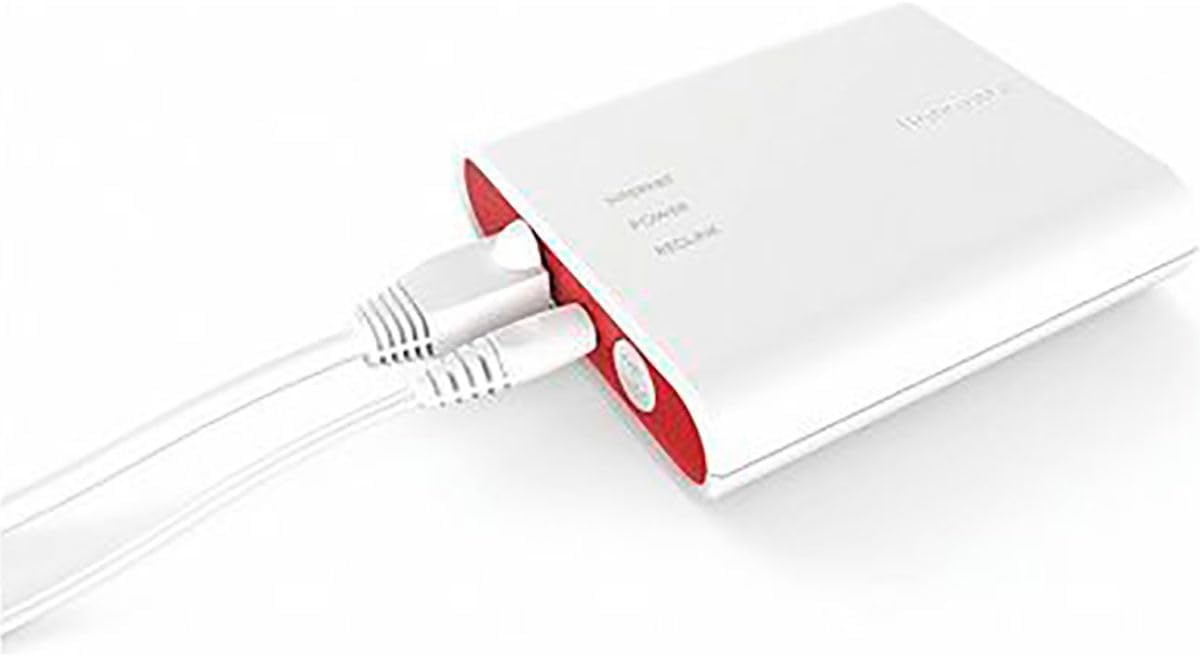
The Honeywell Home RedLINK to Internet Gateway (THM6000R7001) is a compact, Wi-Fi 6 enabled device that connects RedLINK wireless thermostats to the internet, enabling remote control via Android and iOS apps. It includes an Ethernet cable and power cord for easy setup, supports dual-band wireless connectivity, and is designed for seamless smart home integration with basic router firewall security.
| ASIN | B0783HK9ZZ |
| Antenna Location | Home |
| Brand | Honeywell |
| Built-In Media | RedLINK to Internet Gateway and Ethernet Cable and Power Cord |
| Color | White |
| Compatible Devices | Laptop, Personal Computer |
| Connectivity Protocol | Wi-Fi |
| Connectivity Technology | Wi-Fi |
| Control Method | Touch |
| Controller Type | Android, iOS |
| Customer Reviews | 4.4 out of 5 stars 903 Reviews |
| Frequency Band Class | Dual-Band |
| Item Dimensions L x W x H | 10"L x 10"W x 10"H |
| Item Length | 10 inches |
| Item Weight | 9.12 ounces |
| Manufacturer | Honeywell |
| Mfr Part Number | THM6000R7001 |
| Model Name | THM6000R7001 11553607 |
| Model Number | THM6000R7001/U |
| Number of Items | 1 |
| Number of Packs | 1 |
| Other Special Features of the Product | Portable, Low Voltage |
| Router Firewall Security Level | Basic |
| Router Network Type | wireless |
| Special Feature | Portable, Low Voltage |
| UPC | 696498758877 085267770163 |
| Unit Count | 1 Count |
| Voltage | 5 volts |
| Warranty Description | No Warranty |
| Wi-Fi Generation | Wi-Fi 6 |
| Wireless Communication Standard | 802.11n |
| Wireless Compability | 802.11n |
L**S
Works great- setup not as complicated as I initially thought
I currently have a zoned HVAC system with three main units and 8 zones, each using a Honeywell T9- which I can control via the Resideo app. I had a 9th zone installed to cover a loft space that was always quite warm in the summer. Unfortunately, I did not have enough wire in a wire run to allow for another wired T9 thermostat. The technician installed a Honeywell wireless thermostat that interfaces with an EIM (Equipment Interface Module). The thermostat worked great but I was not able to connect it to the Resideo app. Enter the Redlink gateway! In just a few minutes, I was able to connect it to one of my network switches and to power- and then sync it to the EIM. Finally, I enrolled it onto the MyTotalConnect app and then port it over to the Resideo App. Success- I can now control all 9 thermostats on the app seamlessly. And honestly it was not that difficult to set up. Highly recommend for anyone looking to set up a system with similar issues.
S**F
Great System! Incorporated flawlessly!!
OK, that was COOL! We have a second home where we installed a new Carrier Furnace. We opted for a wifi thermostat from Carrier, and have loved the ability to control from another state. Ever since we installed, I wanted one for our primary home too. But didn't want to buy 2 new Honeywell WiFi thermostats (what I thought needed to be done). After asking my HVAC person about some ability to upgrade to WiFi, he incorrectly told me I had to buy new thermostats (@ $150/each). He was just a service guy but he really should of been able to tell me. :( So I did some further research, and a quick contact to Honeywell, they confirmed my hunch. All I needed to do is add the Internet Gateway to my system...that's it! So, for less than $100, I was able to make both of my thermostats WiFi! It only took about 10 minutes to get it all sync'd together and I got to say, Awesome! I am so happy I can now remotely control my home without spending tons of money to get it accomplished! And the App, which is really the main thing, is very nice! I get the ability to compare their interface with the Carrier one. I do really like the Honeywell much better than the Carrier one. Both systems do the same, but the Honeywell is much more seamless. The Carrier had a lot of issues initially and had to go through some growing pains. It is much more stable now. Although I've only used the Honeywell for a week or so, it really has performed wonderfully. A lot more info is available too, and the aesthetics are nicer too. Definitely very happy with the system! Also, kudos to Honeywell for responding to my questions over the weekend and a follow up answer on Sunday! I would not of expected that excellent customer service!
J**E
Easier than I expected
I bought this in mid June and just today decided to look at installing it. Lots of reviews I read said this was a pain in the neck or that the directions were unclear. My home has a high efficiency heat pump with emergency gas furnace, a replacement air ducting system with 2 dampers, and a whole house humidifier controlled by a Honeywell Equipment Interface Module (EIM), a Honeywell Prestige thermostat and utilizing a temperature sensor outside as well. My expectations for this gateway were relatively low based on some of the reviews I’ve read and fully expected to spend 2-3 hours fighting this and learning all about networking in ways I just don’t want to learn about, but nope. I followed the directions which are, in short, plug it in, plug in the gateway to the router, press the link button in the gateway, go to the thermostat and go to the installer options, add a device, and bam. There it was. Pressed “done” or whatever phrasing it uses, went to the website in the directions and created an account using an email and a password, needs uppercase, lowercase and a number, “x” long, entered the data from the device into the browser, Bam. Done. It asked me to change the heat set point to a temp on the T stat, turned out to be a degree different, confirmed it was reading correctly and there it was. Easy as that. Downloaded the app, logged in, and there it was. See the attached images for what the app looks like. It’s pretty basic of a layout, but honestly, what more do you want it to do? I can control the heat, cold, schedule for both, and humidity from wherever I am. Couldn’t have been simpler short of someone else doing it for me. I’m just a dumb homeowner, not a licensed pro as the directions suggest. Took me, altogether, maybe 8 minutes. 4 of that was changing batteries in a globe learning toy for my child, but the clock was running so I’m including that time. No hesitation for me in the future here. This was easy as pie and gets 5 out of 5. I think Honeywell knocked this system out of the park. Even easy enough for a dumb homeowner to do.
M**G
Mostly works - Update: Feb 2020
EDIT - Feb 2020: The connection problems seem to have gone away without me making any changes. I believe the cloud services were not reliable for a few weeks then were fixed sometime in early Feb. Updating to 4 * as the service is not 100% reliable but seems to have been stable since early Feb. I wouldn't want to rely on this for a distant property temperature control but a home you live in it should be fine as you can always control from the actual thermostat. EDIT - Jan 2020. I have been having a LOT of trouble with my gateway not being able to stay connected . I received another gateway from Honeywell under warranty and it does the same exact thing. I believe what is happening is it cannot ping the cloud servers, and will go into an endless loop of trying to get a new DHCP address. I can see it re-trying endlessly to DHCP Discover, but it never ACKs the IP the router gives it. I think this is some kind of "Back-off" timer that is in the software in the gateway. Will try again to resolve this with Honeywell, as it's obviously not the hardware of the "Bad" gateway they sent a replacement for. I will update this review with details. --- Original Review --- Small device and just plugs right into network port and power wall wart. Easy to pair with the thermostat if you do a little bit of research on how to get the installer password or download the Installer Guide for the thermostat you're using. Highly recommend to do this before attempting to install this gateway. I had already paired a Red link Outdoor sensor to my thermostat so I was familiar with the process. Once it's paired you can create your account with the Honeywell site, and after that, the app is usable. There is a little bit of a lag time between "submit" button being pushed on the app, and the real thermostat actually changing. Nothing major, just be aware it may be a few seconds. This is very useful if you want to turn on your AC or heat when away from home , or monitor the status of the system. In my opinion it's safer than a Nest as it will work as a standalone thermostat without any Internet connection.
I**A
Works perfectly — easy remote control of both thermostats!
I bought the RedLINK Internet Gateway to connect two Honeywell Prestige IAQ thermostats in my home, and it works flawlessly. Setup was straightforward with the Resideo app, and I was able to link both thermostats quickly. Now I can control heating and cooling remotely — even when traveling — which is a game changer in Texas heat! The app is intuitive and responsive, and the connection has been stable from day one. If you have RedLINK-compatible thermostats, this little device is totally worth it. Highly recommend!
P**.
Great solution for redlink thermostat!
I bought a home with a redlink Honeywell thermostat- no c wire, not wired to furnace because apparently the wires burned? at some point. So a truly “wireless” thermostat. I believe model Honeywell TH6320R1004 Wireless FocusPro Thermostat. I wasn’t about to open up a wall and rewire, so I lived with manual adjustment and no monitoring for a year before I took the plunge on this device 3 months ago. Reason? Nothing on the Honeywell’s website or manuals made it clear that this would work. Surprisingly though, once I got it, it was super easy to setup and it works perfectly. Works great on mobile and iPad to monitor/control. One downside is that although it links to Google home, Google home can read but cannot adjust. Hope this helps.
S**T
Waste of money
Have had this only about 6 months. It was easy to set up and use. The functions are pretty basic, but enough for what is needed when it works. The first problem was not being able to change the time, so the schedule was not accurate. Recently it has been unable to connect to the internet and does not work. Their customer support said it is my ISP and nothing they can help with or even suggest to help even though it had been working and every single other item in my house on internet works fine with zero issues. It was difficult to spend $100 for this in the first place, even worse now that it is useless after 6 months. I only got this because of the the Honeywell thermostat installed with a new HVAC. Unfortunately because of this experience, I will steer clear of their products from now on.
J**A
Must have for remote usage of Honeywell Thermostat
This product is easy to install just make sure the pathway is connected to the router first before putting the thermostat in pair mode. After that you can start the process of hitting the activation button/pairmode on the pathway. Expect for it to take a few seconds to obey a command when adjusting temps, it's so wonderful to remotely control your unit!
M**A
Cher, très cher, mais il fait le travail
Pour ce que c'est, le prix payé est prohibitif. Facile à installer, il fonctionne à merveille et vous permet d'utiliser l'application qui contrôle à distance vos thermostats installés sur un système Honeywell PRO8000. ATTENTION : si vous avez un réseau Wi-Fi maillé (mesh), vous devez absolument débrancher ce réseau AVANT de tenter d'intégrer cet appareil au Wi-Fi. Sinon, ça ne fonctionnera pas. Une fois l'appareil relié, il suffit de redémarrer votre réseau maillé, et tout fonctionne normalement.
M**L
Facilité d'installation
Suivre les instruction pour créer un compte sur le site de Honeywell et faire l'installation. J'adore cette application pour mon Thermostat Honeywell Prestige IAQ (TH9421 Prestige)
D**T
Works as advertised
Easy set up and performs as expected. I have an old Prestige thermostat with a remote to control temps in another room that works well and I did not want to give up that option just to get a new thermostat with wifi built in. Adding this gateway now gives me exactly what I was looking for. I now have the ability to manage my homes temperature from any location through the app, whenever I am away from home. It's even just nice to be able to check to make sure everything is operating properly at home when on vacation. Should have added this a long time ago!
J**N
Très fiable, mais nombre d’appareils très limité
Seulement 4 appareils peuvent être connectés, c’est dommage, j’ai 6 thermostat je dois acheter un gateway supplémentaire pour brancher les 2 autres.
S**N
Great addition to Honeywell Redlink
Works perfect, easy to setup, so nice to have visibility and control of my HVAC. I was worried about setting it up but it connected to my Honeywell thermostat easily. The APP is a little on the basic side but it does everything I need it to do.
Trustpilot
1 month ago
2 weeks ago