Buy anything from 5,000+ international stores. One checkout price. No surprise fees. Join 2M+ shoppers on Desertcart.
Desertcart purchases this item on your behalf and handles shipping, customs, and support to Croatia.
🚀 Elevate your Pi projects with a vibrant touchscreen that just works—no fuss, all flair!
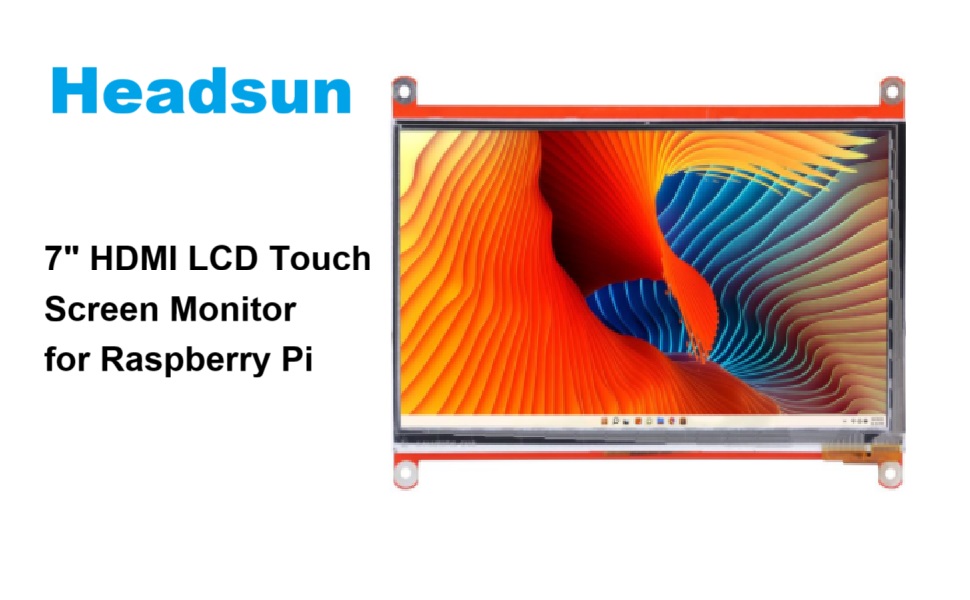
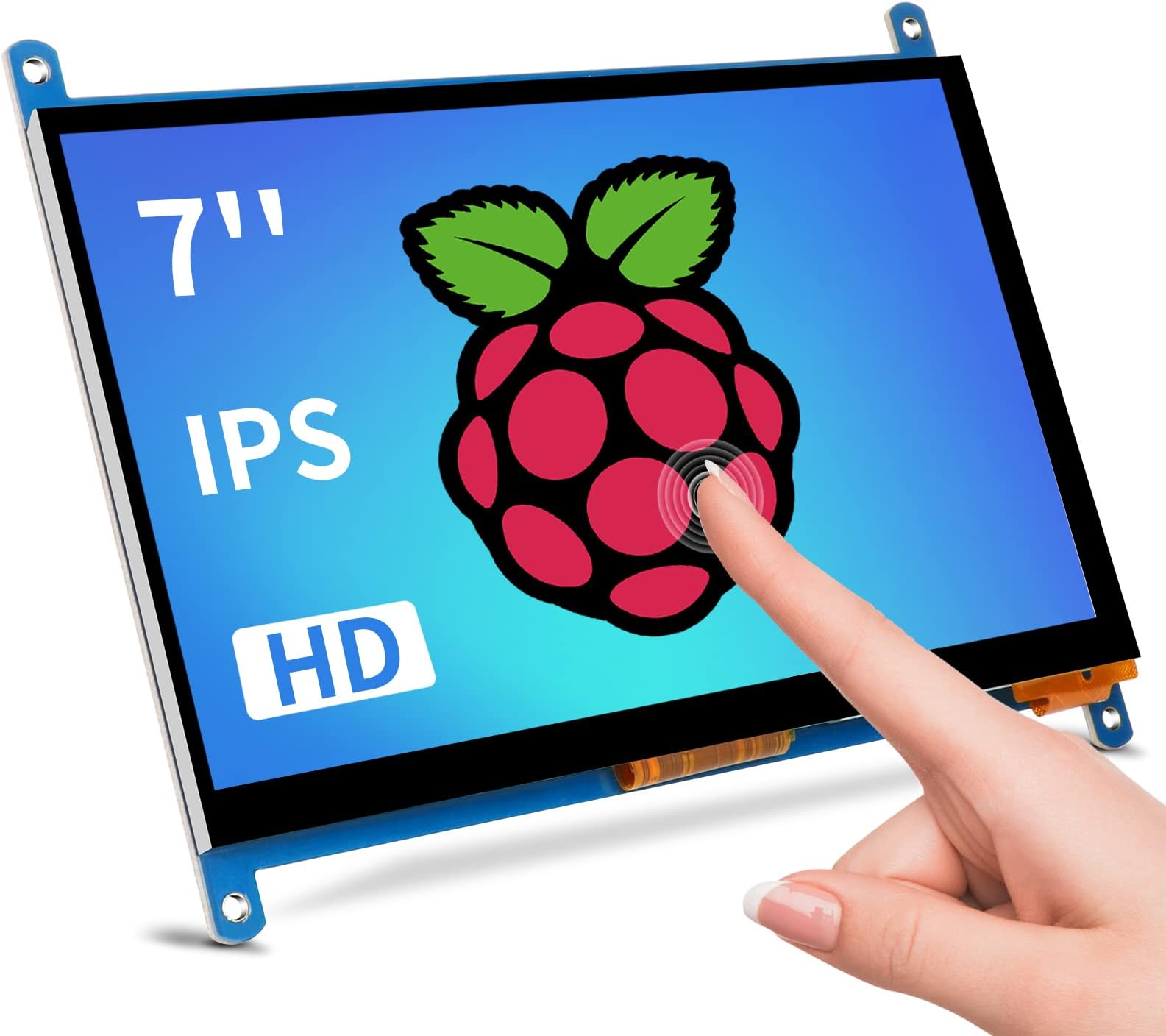
The Head Sun 7-inch Raspberry Pi touchscreen monitor delivers a sharp 1024x600 IPS display with 170° viewing angles and 5-point capacitive touch. Compatible with multiple OS including Windows and Linux, it offers plug-and-play HDMI and USB connectivity without driver hassles. Its compact, mountable design and low power consumption make it ideal for developers, educators, and tech enthusiasts seeking a versatile secondary display or interactive interface.


| ASIN | B0BZGW51FY |
| Additional Features | Touchscreen |
| Aspect Ratio | 16:9 |
| Best Sellers Rank | #26,469 in Electronics ( See Top 100 in Electronics ) #746 in Computer Monitors |
| Brand | Head Sun |
| Compatible Devices | Laptop, Desktop |
| Connectivity Technology | HDMI |
| Contrast Ratio | 2000:1 |
| Customer Reviews | 4.1 out of 5 stars 126 Reviews |
| Display Resolution Maximum | 1024 x 600 Pixels |
| Display Technology | LCD |
| Display Type | LCD/Monitor |
| Hardware Connectivity | HDMI, USB |
| Has Color Screen | Yes |
| Image Contrast Ratio | 2000:1 |
| Item Dimensions D x W x H | 0.27"D x 6.4"W x 4.8"H |
| Item Weight | 0.6 Pounds |
| Manufacturer | Head Sun |
| Model Name | 7 Inch Monitor |
| Model Number | HS-007 |
| Mounting Type | Wall Mount |
| Native Resolution | 1024x600 |
| Number of Component Outputs | 1 |
| Picture Quality Enhancement Technology | LCD |
| Resolution | SVGA Wide |
| Screen Finish | Glossy |
| Screen Size | 7 Inches |
| Screen Surface Description | Glossy |
| Series Number | 7 |
| Shape | Rectangle |
| Specific Uses For Product | Business/GamingDesktop/Photo Video Editing/Testing |
| Total Number of HDMI Ports | 1 |
| Total Usb Ports | 1 |
| Viewing Angle | 170 Degrees |
R**2
Took a bit of fiddling to work but works well. No issues with touch. OK resolution
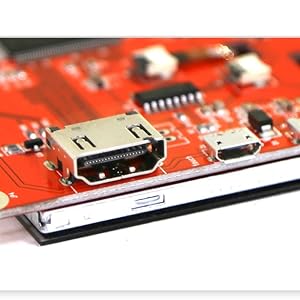
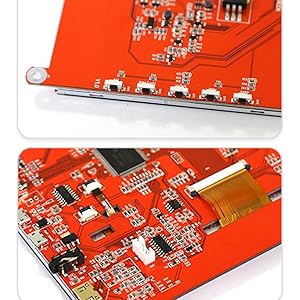
This is probably not a screen you would want to play console games on considering there is no sound. Currently I actually use this more so for a 3rd monitor. You are able to hook up an external speaker to this via the 3.5 plug. This is a bit of a higher price for 7 inch screen and it did take a little bit of fiddling to get it to work. There are controls on the side so you are able to control the monitor. It is somewhat easy to press just because it is small controls. I would say try not to put too much pressure on the buttons as you mess up the button and damage the board. They are exposed so I am not entirely sure if they are extremely sturdy. The touch response is not bad. The screen does not feel like temper glass. The device does have holes on the corner so you are able to install screws to mount this to something. It will work with any device as well as the raspberry pi. The pi works easily with this than those wire ones as you do not require any driver installation. You will need to plug it HDMI to HDMI in order to get this work. It will also require a USB cable to the screen in order to get the touchscreen to work. What I also like is that the usb cable is also type c and not micro usb. There is an hdmi cable but it is really short. The nice thing is that you just plug and play for this one but it does require more than one cable to get it to work for HDMI. The screen is sturdy but it is weaker as there is no framing for extra support. You can screw the screen down via the edge mounts. I love that this can be used as a tablet but you do need a way to power it on your pi. The USB ports on the PI does not have enough power to power the screen unfortunately. The ribbon is also exposed so be careful not to cut or rip that. It does provide you with HDMI cable (short cable) and usb power cable but not wall outlet as most USB ports are able to power it. The video quality is not bad and the color is pretty decent. The screen is relatively bright so you are not having a hard time looking at the screen. The screen is easy to scratch. You are able to do some gestures on the screen as needed. The screen does get warm but not super hot when in usage. There is no back plate of any kind so you cannot mount your pi to the back of this. It does not get any over heating issue. It is definitely something you could bend and break so be careful when handling it. As there is no real closure on the back, the screen and board are the only thing that supports this product. I found no issues with lag, shut off or overheating. It does not require any drivers to make it work with the pi and you just need the USB port in order to get the touch screen working. Overall I am very happy with this screen. It also has no sound built in and no way to get sound out of it even if you happen to plug it via HDMI.
H**K
Smooth touch and nice quality
Got this for my Raspberry Pi, and it works perfectly! It's also great for teaching kids about the different parts of an LCD screen. I even used it as an extended monitor for my laptop, and it works smoothly and connects super easily. The screen quality is awesome too.
J**D
Greatness!!
Essentially a straightforward setup. My Raspberry Pi 4 required a screen, and this item is compatible and functions well with it. It includes an HDMI to mini HDMI cable for easy connection to the Pi. Its size is perfect— easily portable. The screen colors are bright. The monitor is great for any Raspberry Pi project. It's also ideal for various small DIY projects. The price was fantastic, and I couldn’t be happier with the purchase. It comes with everything you need: an HDMI cable, a Micro HDMI adapter, a Micro USB cable, and some screws. Highly recommend!
T**B
Great budget friendly touch screen!
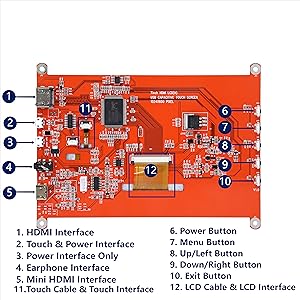
I bought this for my 3d printer to run KlipperScreen on my raspberry pi 4. It connected right up and instantly turned on and worked out of the box. There is a power button on the one side if yours doesn’t automatically turn on. The packaging was ok, and in my case perfectly fine. The thin plastic the screen sits in was a bit damaged but the screen is fine. Also note, there are 2 micro USB ports. If you read the PCB one is for Power Only. While the other can power AND function the touch screen. I saw another review that the touch didn’t work. It’s possible they plugged the usb into the power only port. The touch screen/power port is closest to the HDMI port. Throw the instructions away. Honestly they are useless. I think they were taken directly from a different 7” display as the drawn picture for it doesn’t show the right buttons/inputs. Says there’s a button for backlight on/off. There is not. And doesn’t show any of the other buttons (power, menu, up/left, down/right, and exit). Also a headphone jack and VGA port. I haven’t tested either, and likely won’t ever use them. The screen itself is not perfect. However, it is clear and has good color. Scrolling on pages it has screen tear (this could be a pi thing with the way it’s configured on mine). Also the backlight around some parts around the edges is blown out a bit (too bright and makes black screen have a slight green/white tint). If you press firmly in the lower left corner of the screen, half the screen thens this green/white tint. The screen also doesn’t sit flat on the pcb and is Inconsistent in places. Should be interesting to 3d print a case for it. It actually has a slight bow in it from corner to corner if you put a flat edge on it. There is a very thin plastic film protecting the screen (which is glass). It was hard to find the edge to peel off. The hdmi and usb cables are short. But perfect for me since it will be right beside my Pi. The usb cable is actually nice and is braided. It’s about 10.75” (tip to tip). HDMI without adapter is about 1ft. Adapter from HDMI to micro HDMI is about 1.375”. The HDMI cable is thick and seems good quality. For the price and functionality for me is perfect and will do what I want it for. However I have to knock off one star for the irrelevant instructions, the slight backlight issues, and how the screen is mounted to the PCB. Otherwise, perfect for my use.
N**N
Made cheap
I use this as an emergency backup to access my mini-pc in the event I can't access it remotely when using it in the field on my telescope. When it arrived, everything worked great and as advertised. Fast forward months later, I had an incident in the field where I couldn't access the pc remotely. I connected the screen (which I mounted to a sturdy board and kept in a case) and the backings to two of the buttons had fallen off and the screen was longer touch sensitive.
J**N
Raspberry PI
This little display screen works very well to allow me to use my raspberry pi4 with my 3d printers. It hooks up easily with full compatibility and lets me scroll when I need to and has a nice little touchscreen so I can work my printers without having to go to my computer every time I want to adjust something on it. It is easy to take loose and take with me for other uses as well and it comes with everything I needed to hook it up. It does not require any kind of driver installation so that is always a plus too. It has a sturdy screen although you do need to be careful with it as there is not a back as such on it so you have to be careful of the wires and connections. It comes with screws so you can fasten it to the wall or desktop or a shelf if you prefer so you don't have to worry about letting something get against the back with pressure. Color and picture quality are both really good. It comes with everything I needed to set it up and with instructions to show that me how to hook it up.
S**W
Screen works, touch doesn't.
Screen works on raspberry pi 3 with raspbian, but the touch function does not. May be a driver/setup issue, but it does not seem to work 'right out of the box'.
O**.
Great for my 3D printer setup.
While my 3D printer is showing its age, I hoped to bring some life into it by upgrading to Klipper firmware. It should give me the ability to fine-tune the print quality of the machine. This 7in HDMI screen was just what I needed for the conversion. Being HDMI, this screen didn't need any additional configuration to work with the raspberry pi. I just loaded up Raspbian on my RPi3b and booted up. Once done, there really isn't much else to think about when it comes to the screen. It just works. It has a decent resolution and has good picture quality so that I was able to do all of the setup and configuration on the screen itself. After installing Mainsail and connecting it to my printer (sounds easy but it took a couple of hours), I finally had the long process of calibration to look forward to. After that, I set up the Raspberry Pi to boot directly to the webUI in kiosk mode and I'm now able to control my printer from this 7" touch screen. This was a fun project that took me a two days to complete but it was worth it. I have a great printer setup with touchscreen controls and a great UI. All made possible by this 7" Head Sun screen.
Trustpilot
1 month ago
1 month ago