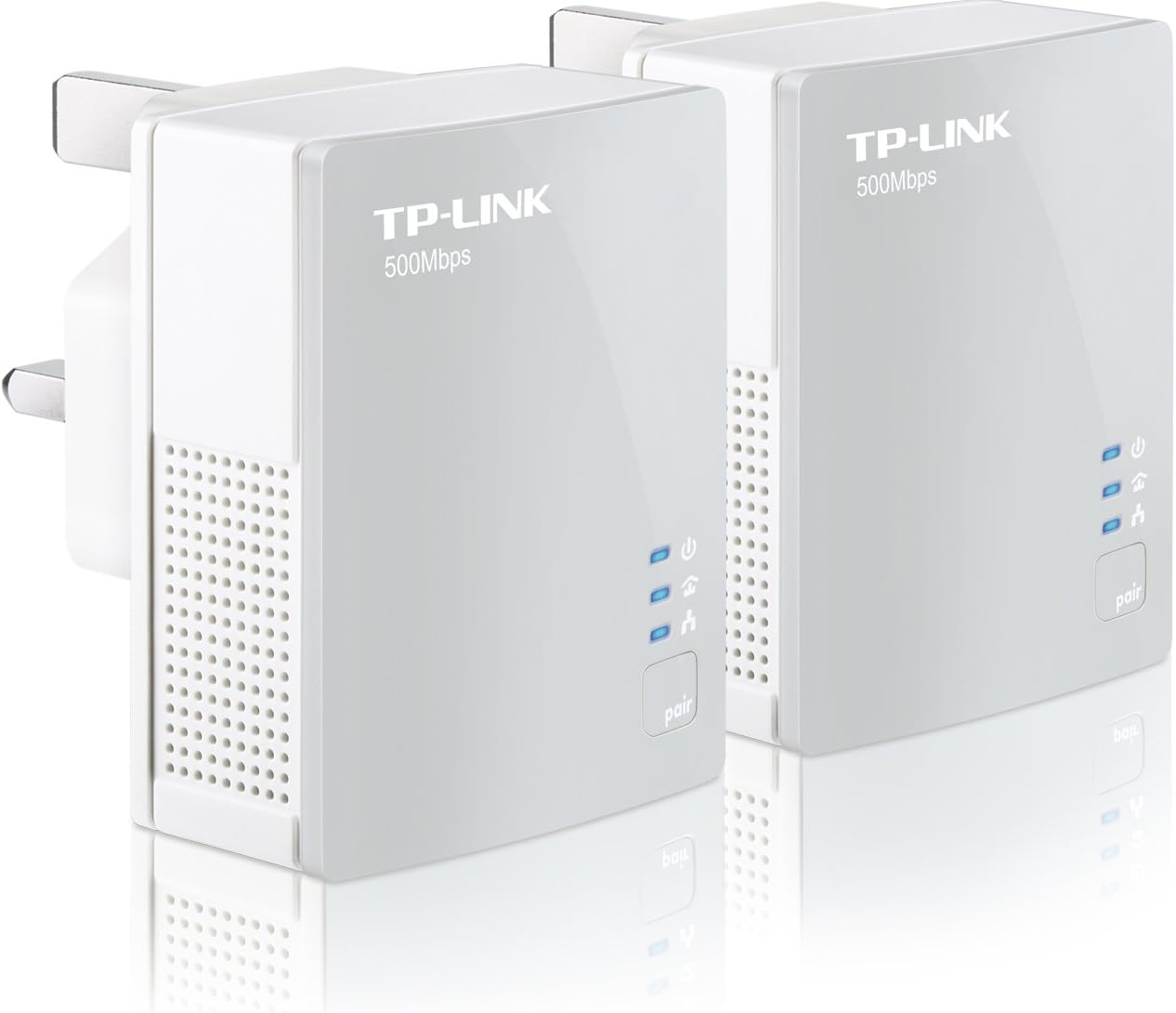



TP-LINK TL-PA411KIT AV500 500 Mbps Nano Powerline Adapter Starter Kit - Twin Pack
Product ID: 54032583
⚡500 Mbps Speed
🌱85% Power Saving
🔌Plug & Play
🔗 Connect with Confidence!
The TP-LINK TL-PA411KIT AV500 Powerline Adapter Starter Kit offers a hassle-free solution for extending your internet connection without the need for new wiring. With a compact design and plug-and-play operation, it delivers speeds of up to 500 Mbps while saving energy with its innovative power-saving mode.


| ASIN | B0084Y9N3O |
| Best Sellers Rank | 286,537 in Computers & Accessories ( See Top 100 in Computers & Accessories ) 385 in Powerline Network Adapters |
| Brand | TP-Link |
| Brand Name | TP-Link |
| Color | white |
| Colour | white |
| Compatible Devices | Desktop |
| Compatible devices | Desktop |
| Customer Reviews | 4.4 out of 5 stars 4,351 Reviews |
| Data Link Protocol | Ethernet |
| Data Transfer Rate | 500 Megabits Per Second |
| Data link protocol | Ethernet |
| Data transfer rate | 500 Megabits Per Second |
| Global Trade Identification Number | 06935364031763 |
| Hardware Interface | Ethernet |
| Hardware interface | Ethernet |
| Item Weight | 170 Grams |
| Manufacturer | TP-Link |
| Manufacturer Part Number | TL-PA411KIT |
| Model Number | TL-PA411KIT(UK) |
| UPC | 086000208127 |
C**H
Great adapters
Installation is insanely easy, literally just plugged them in and they were instantly up and running. I have multiple things plugged in around the home with these (I bought 4 (2 pairs)), my main computer, a switch, a wireless access point and a SmartTV. All work flawlessly at great speed and I have not seen any issues whatsoever. I'm an IT Consultant so work a lot with networking and seen a lot of this kind of stuff, but was really impressed with these. The build quality is also great and they look very good, they're also tiny compared to similar products on the market and also are supposed to be 80% more energy efficient than competitors - not that I've ever noticed other units be energy hungry! I had previously ordered a pair of Belkin adapters that were nearly twice the price of these but were completely useless as they did not let me plug in a switch to connect more than one device per adapter. I couldn't even connect a wireless access point which was the main point to extend my wireless range. I think this was because the Belkin adapters could only handle 1 IP/MAC address at a time so trying to extend this with a switch / AP was crashing them. The TP-Link kit has no problem with the wireless access point or switches and seem fully compliant with everything. I would recommend this product and TP-Link products in general for good value / good performance kit. They also come with a 3yr warranty which is good for peace of mind. If you're looking for quality Powerline adapters, look no further!
M**S
Excellent for the money
I bought these to replace some old Ebuyer value 85m powerline adapters at my parents' house. I was bringing broadband from an office about 25 metres away into the house. I bought these along with the TP-Link TL-WA901ND Advanced 300Mbps Wireless N Access Point and in use together they are excellent. Here's how I set them up: - Plugged both adapters next to each other in a double power socket and powered them on (both adapters had the top light lit solid) - no need to connect any devices via the supplied ethernet cables yet. - Pressed the pair button on the left-hand adapter for about 2-3 seconds and let go - the top light then started to flash on this adapter - Pressed the pair button on the right-hand adapter for about 2-3 seconds and let go - the top light then started to flash on this adapter - After a couple of seconds, both adapters had the top and middle lights on solid - That's it! It took about 30 seconds I then switched off the power to both and moved them to where they would actually be used and connected to my existing router at one socket and to my new access point at the other socket. They remember the pairing that was set up previously, so no need to run between sockets at opposite ends of your house trying to pair as some reviewers have suggested. I've got no experience of adding another adapter to the existing pairing, but if I ever do I'll update the review accordingly. Make sure you plug these directly into the wall sockets for optimal performance. In use, the performance of these is excellent - it's hard to say if it's down to these or the access point, but my broadband performance into the house has improved and is 100% of what we get over in the office. Put it this way, these far outperform the broadband, so we're future-proofed in that respect. They are also nice and compact and quite an attractive design, so that's an added bonus. Please be aware that they include 2 x 1m ethernet cables to connect to your router, switch, access point etc at each socket. I'll update this review in time to reflect the reliability of them - so far with a good few hours of hammering they've been brilliant. **UPDATE** 2yrs on and still going strong. Great buy.
K**T
this product is very good and just took seconds to set up
Don't get me wrong, this product is very good and just took seconds to set up. It has improved data transmission greatly and resolved our upstairs WIFI problems. We now have no more connection dropout or jiggery movies on our lounge or bedroom TV's. However, with the TalkTalk setup we have it is as good as it will get with 10/100 Ethernet. TP-Link mention up to 500 mbps data transmission but only has 10/100 Ethernet port allowing 10/100 mbps. This is a bit misleading but it matches the apparent 10/100 mbps on our TalkTalk Router. Never the less it all seems to work okay up to now, To obtain 500 mbps transmission we will need to upgrade to a gigabit router which will allow up to 1000 mbps transmission over our Ethernet which will require an outlay of around £120 for the new TalkTalk Super Router if we go that way(which we doubt), We will be looking out for a gigabit router for around £40 if ever, As mentioned, this product does work with our power lines and has made a connection upstairs (but the power saver function does not operate) via our electric panel with thermal breakers for each circuit. Our router is downstairs in our den so there is some flexibility with installation. You just need to remember that if you need to upgrade your ethernet LAN system you need gigabit ports on all your equipment which means replacing your router and all your ethernet outlets. This product is decently priced with a decent quality. Hope this review helps, might update it later.
A**R
Good product.
Works exactley as it says, fast setup, no optimization through settings needed. very pleased with the quality of the product and how it works and so far after around a month i've had no problems. It would be better with more ports aulthough this is a good choice for one device and is alot better than using wi-fi on one of those painfully slow USB network adapter. Comes with 2 Ethernet cables that are seemingly good quality. i would highly recommend this to anyone who wants an internet connection but has no/bad Wi-Fi signal and doesn't want to trail a 40m Ethernet cable round the house. Pros + Comes already configured. Easy Setup. Portable. Supplied with 2 x Ethernet Cables (1 or 2m?) Reliable connectivity (Un-like some Wi-Fi). Relativley cheap! Has a long distance Cons - Only 1 Ethernet Port. Transmits high frequency radiation from your wiring which can be disruptive.(I'm no expert, google it.) Just as a refrence i have been using this to connect from opposite ends of the house, Downstairs with one connected to a router, to the other, upstairs to my PC. downstairs on the PC i get downloads of 2Mbps through steam (i know, shocking.) and upstairs i get the same. this is confusing as in the title it says 500Mbps which i dont really understand as i get more? Hope this helps.
A**L
Simple, Fast, Value for money
There isn't really much to say about these little gadgets, they literally are plug and play. Ok, so the only let down was on ordering, which took a little longer than I would have liked, but that's what you get for being a cheapskate and picking super saver delivery, then again, I was in no mad rush for them. When they arrived they were very well packaged, and I was a little geekily excited to get home and test them out. The idea of using the existing electrical cable as data cable is a much better idea than wireless, and a lot more stable. A quick test has shown that these units don't suffer from any real drop of speed in my house (but then again the house is only 7 years old) although this could be different if a house is from the 1930s etc. Would I recommend them? Yes, without a shadow of a doubt, I also brought a little switch unit so I could plug multiple things in at the other end, and they all work seamlessly, I'm able to stream HD movies, game online, watch on demand tv, the usual things the average person wants to do in their home and there is no loss of use or detriment to my viewing pleasure. A great product, a good price, a happy consumer.
M**N
Misleading - pair supports only 100mbps
The description is very misleading, because it does not highlight that each device has only a 100mbps Ethernet wired connection. I.e. they can talk to each other at a maximum of 500mbps, but you can only talk to it at 100mbps. The faster inter-device speed will come in handy, in principle, if you buy several of these devices because you can have several 100mbps "conversations" going on between them at any time - but that won't apply to many people and I haven't tested it. Note that they do list a gigabit ethernet feature (1000mbps wired interface) which the 511 supports but the 411 does not. Various people are reporting 300mbps+ speed, but this is _from the software_ that talks to the devices themselves (which I haven't even installed) and must report the inter-device speed - it's not reports of what speed people actually achieved in transferring a file etc. The fastest I achieved between this pair was 80mbps. So I was disappointed, gave these to a friend and got the 511 instead. However, I'm still giving this 3 stars because otherwise the devices seem to work really well, they are still 10x faster than most people's broadband, and they are slightly cheaper than the 511.
A**.
Superb piece of kit
There are a lot of positive reviews so I thought I'd taylor my review at Macs (as that's all I have). I have a Virgin SuperHub (which has problems connecting Wi-Fi to Macs on version R36 of the software) and an Airport Extreme. I've been using the SuperHub as a modem and trying to get decent wi-fi upstairs using multiple Airport Extremes (extending networks etc). Was ok but a bit flaky. Bought a pair of these, and problem solved. I've enabled wi-fi on the SuperHub, and then used these plugs to extend the network from downstairs to an Airport Extreme running in Bridge mode upstairs. This means the SuperHub deals with DHCP and NAT and my workstations etc can plug into the Ethernet ports of the Airport Extreme Upstairs. A bonus is that the Airport Extreme also allows wireless in this configuration so all my Apple devices that need wireless but won't connect to SuperHub now also work); and Bridge mode means the SuperHub deals with DHCP/NAT, not the Apple Extreme. The plugs do come with software but not for the Mac. In reality you don't need this. The software also doesn't appear to work using Parallels Windows emulation but no issue - these really are plug and play. With regard to power consumption - I can only comment that in use, the plugs are cold to the touch (usually a good sign of low power consumption). The documentation says 6W max which works out to be about 52 units per year at full power. I can live with that. My tips are: 1/ Pairing is easy - just plug them into two power sockets and wait for the lights to all light up. That's it. You only need to press the 'pair' button if you want to encrypt the connection (I don't bother as the encryption is only between plugs so anyone who wants to listen in would have to break into my house and install monitoring kit on my power lines but may be useful in a company type environment). 2/ Try to plug directly into the wall. I tried a 4-way gang and performance seemed to be a bit slower with occasional drops in signal. Using Speedtest.net, I now get 30Mbps constantly upstairs. I have a Mac Mini media player upstairs too and this streams 1080P perfectly to my Apple TV 3rd Gen in the living room across these plugs. Highly recommended.
M**O
Fast stable connection
Living in an old Victorian house, the router lives 2 floors above my basement dungeon (office). While the rest of the house has very good wireless connection, my office doesn't and there was no way my wife would let me run cat cable down. Plugged the adapters in and solid, stable connection straight away (337 mps). The actual throughput is faster than my family get on their wireless n despite the nominal connection being slower (less handshaking? less dropped packets? I don't know and don't care). Remember to change the ID of the plugs: it should be a secure network within the house, but a couple of minutes work to make sure has got to be worth being secure for on-line shopping etc. I'd read other posts about people having concerns about wiring in a Victorian house: our basement is on a different ring (think switch in the main fuse box), but the adapters work absolutely fine. I can't vouch for older style fuse-boxes - ours was replaced with and RCD/circuit breaker unit a few years ago. The rest of the house wiring is more than 10 years old (we've not had reason to change it) but obviously not causing an issue. Can't say how it will hold if we add more adapters. Highly recommended and at the price worth a punt even if you are not sure.
A**E
Powerline Extention
After a month the connection between the two adapters was lost. Searched onn the website of TP-Link I found software and firmware. With the software the firmware update was a peace of cake. Also restore of the connection was easy to do. Nice product saves me cabling through my house.
Trustpilot
3 weeks ago
1 day ago