Desertcart purchases this item on your behalf and handles shipping, customs, and support to Croatia.
🚀 Upgrade your laptop to pro-level speed and capacity — don’t get left behind!
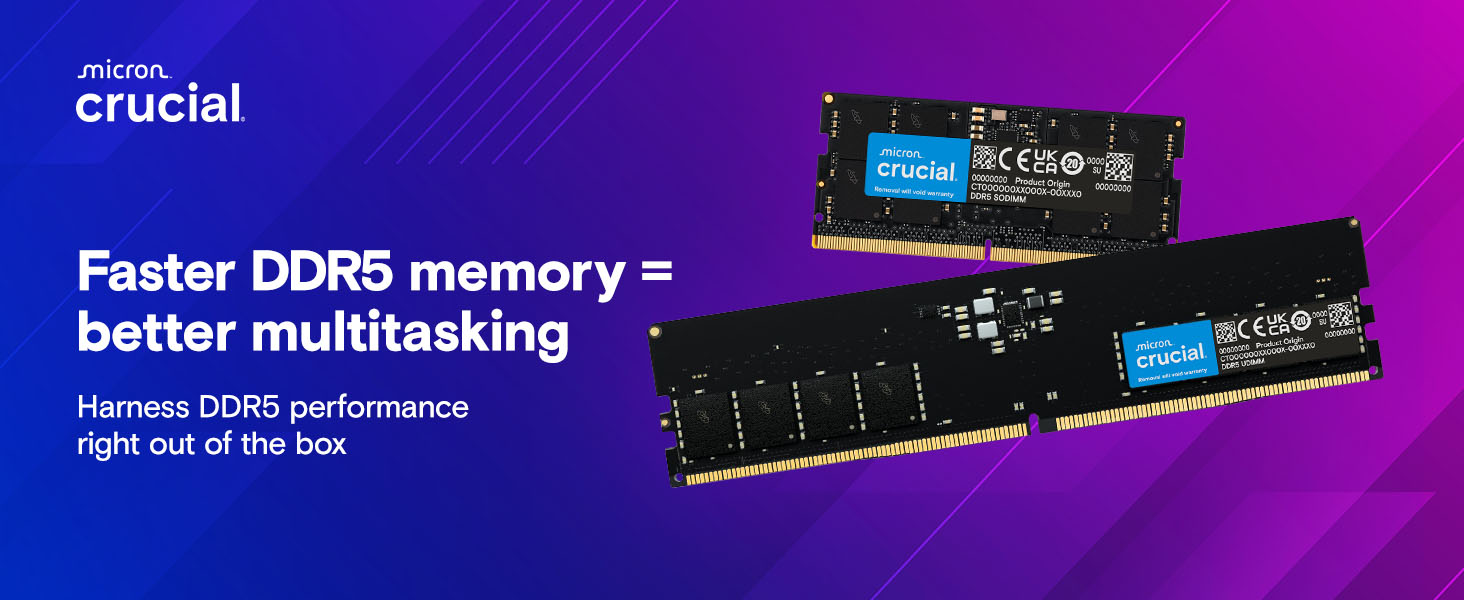
The Crucial 64GB DDR5 5600MHz SODIMM kit is a high-performance laptop memory upgrade designed for professionals and gamers. Compatible with the latest Intel and AMD processors, it delivers ultra-fast data transfer, massive multitasking capacity, and energy-efficient operation. With support for Intel XMP 3.0 and AMD EXPO, it offers easy overclocking potential, all backed by Micron’s trusted quality and a limited lifetime warranty.


| ASIN | B0BLTG7TN6 |
| Additional Features | Registered Memory |
| Best Sellers Rank | #4 in Computer Memory |
| Brand | Crucial |
| Column Address Strobe Latency | 46 |
| Compatible Devices | Laptop |
| Computer Memory Size | 64 GB |
| Customer Reviews | 4.7 out of 5 stars 1,166 Reviews |
| Data Transfer Rate | 5600 MHz |
| Form Factor | SO-DIMM |
| Global Trade Identification Number | 00649528930002 |
| Item Type Name | DDR5 Laptop Memory |
| Item Weight | 18.8 g |
| Manufacturer | Micron |
| Memory Form Factor | SODIMM |
| Memory Generation | DDR5 |
| Memory Speed | 5600 MHz |
| Mfr Part Number | CT2K32G56C46S5 |
| Model Name | Crucial DDR5 5600MHz SODIMM DRAM |
| Model Number | CT2K32G56C46S5 |
| Number of Pins | 262 |
| RAM Memory Technology | DDR5 |
| RAM Size | 64 GB |
| Special Feature | Registered Memory |
| UPC | 649528930002 |
| Unit Count | 1 Count |
| Voltage | 1.1 volts |
| Warranty Description | Limited Lifetime Warranty |
D**S
Reliable 64GB DDR5 Upgrade — Immediate Detection and Stable Performance
Upgraded my laptop from 16GB to this Crucial 64GB DDR5 SODIMM kit. Installation was straightforward and the system recognized the full 64GB immediately on first boot, with no BIOS changes required. After installation, I also replaced the CMOS battery as part of routine maintenance, and the system continued to boot normally and detect the RAM without any configuration changes. Memory was verified using system tools (dxdiag / system information), confirming the full 64GB is available. In daily use, the upgrade provides a noticeable improvement in multitasking stability, especially when running multiple applications and browser tabs at once. The system feels more responsive under load compared to 16GB. In terms of operation, the RAM runs cool in normal laptop use, automatically negotiates supported DDR5 speeds (up to 5600MHz depending on system), and has a simple OEM-style SODIMM design with no heatsinks or lighting. The RAM arrived well packaged and installed cleanly with no compatibility issues. Overall, a stable and straightforward upgrade that delivers the expected performance improvement and integrates cleanly with the system.
K**R
Perfect for The Acer Predator PH16-71, 4080 gpu, 16gb 5200mhz ram 2560x1600 display
Once you get this kit which is 2x the 32gb max Acer states on their website, you will wait maybe 1-2 minutes with a black screen as you close the laptop and power it on. Don't worry, it is going through all the possible timings and mhz settings. This is the kit that works, I tried two kits and they both worked 32x2 5200mhz. It works well in the PH16-71. No overheating, no crashing, going past 32gb is fine in programs like 3d and video editing and fx. Putting the special tape on it exactly at the edge of the memory like you will see when you take off your back cover is important. The tape helps move the heat to the heat pipes in the laptop layout. Make sure the edge of the tape is on the edge of each memory module and the center bend that it came with for the 16x2 is in the same place as well overall. See the images I posted for reference. Taking apart the laptop isn't too hard, use a guitar pick or credit card like item to go between the front bottom of the laptop, the area nearest the corners and then center of the touchpad, bottom of the laptop. Watch a youtube video and see someone do it for reference if it seems awkward to do at first. Part of the laptop frame is metal so the bottom is the plastic and more delicate part keep that in mind.
D**Z
Installed in MSI Katana 17 B12V
My laptop originally arrived with only 16GB DDR5 RAM, and Windows 11 required just over half that for itself. I needed a lot more for flight simulation, truck simulation, and VR games (not to mention productive tasks, lol). Laptop BIOS adjusted the memory itself, no need to remember what that special key is to do it manually. Everything from booting up to running apps is a lot faster, and I don't have to worry about apps crashing because they maxed out the memory. It's perfect for my mid-level gaming laptop! Easy for me to install, though I do have a lot of experience upgrading and repairing computers and laptops. Lots of YouTube videos to teach how to install in just about any laptop it is designed for, and computer tools are fairly inexpensive now. If you are up for upgrading yourself (or have a teen at home, lol), this is definitely worth every penny.
S**4
It works in my ASUS A18
My bios didn't like it and required a lot of work to get it functioning, but it does work. I had to put one stick in SODIMM 1 and boot the laptop with the power cord plugged in (my battery was fully charged) and then shut down, unplug power cord, unhook battery, disassemble back access plate and install the second stick. It would not power on the first time without the power cord plugged in and I tried everything I could think of to get it to power on. Once it updated the BIOS, it was good to go.
J**D
Works great
Thank you, works really fast, I am very satisfied and recommend everyone to purchase. Truly plug and play I expected it to be warmer (MUCH MORE HEAT) but for now it's fine.
J**F
Solid upgrade to memory.
Placed into Invictus 4070 laptop. the laptop registers is 61 GB so I don't get the entire 64. been using for months so far. works great in Vegas, after effects, capcut , virtual box, android emulations and chrome. i don't have anything else to gauge the speed or see if it makes sense to go faster for my use case since im not a tester or benchmarker. but these are solid for a memory upgrade especially for productivity use. Ive bought crucial many times before and never had failure. this is my first ddr5 buy though.
K**W
Works great, a must for expanding a ThinkPad's memory capacity
Works well in my ThinkPad for several months now. I used the Crucial memory compatibility check itself to make sure it would work, and it surely did. Way cheaper than buying through Lenovo.
A**N
Good but doesn't last
Really good for 2 years than died. Last crucial ram I had died within 6 months.. Not sure how many times my systems had hiccups while gaming is due to this ram. I think it was a good purchase overall but wish it lasted longer as now I am stuck with Lenovos stock replacement ram at 32 gigs since 64gigs of ram is like $1200 now. (Lenovo repair depot cited faulty ram as the reason my 7i Pro 4090 I9 wouldnt boot, they sent the crucial ram back in a yellow envelope)
K**R
Dose the job
Dose the job
V**W
Ram
La pénurie de mémoire vive n'est pas idéale actuellement, ce qui explique le prix un peu plus élevé, et c'est dommage. Mais elle fonctionne parfaitement. Elle est très performante. 5 600 MHz suffisent amplement pour les tâches informatiques courantes. De plus, cette quantité de RAM est fortement recommandée.
M**N
Great
Great RAM which hopefully lasts long. Glad I bought 2x 32GB in may 2025 for €150 since it's €700+ now.
C**.
Lenovo!! Yes the Legion Pro 5 16ARX8 laptop supports 64GB of RAM
Lenovo Legion Pro 5 16ARX8: installed, now with 3 weeks of use with my Lenovo laptop and these RAM modules have delivered, very satisfied, highly recommended. This in spite of Lenovo official website stating that maximum RAM for this model is 32GB, why, because they haven't tested 64GB in house.
L**L
je le garde pour moi
Excellente barrette de RAM, installation simple et reconnue immédiatement. Les performances sont au rendez-vous, parfait pour booster mon GEEKOM IT15 mini
Trustpilot
3 weeks ago
2 months ago