🚀 Elevate your display game with next-gen clarity and zero hassle!
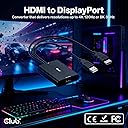
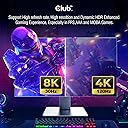
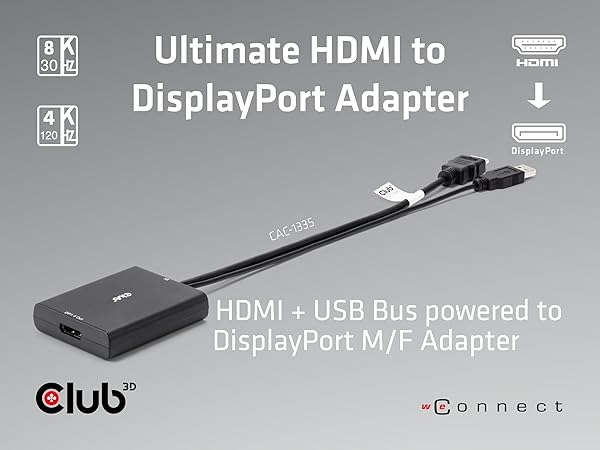
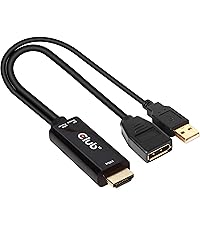
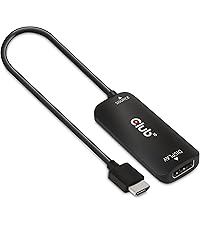
The Club 3D CAC-1335 is a high-performance active HDMI 2.1 to DisplayPort 1.4 adapter that supports ultra-high resolutions up to 4K at 120Hz and 8K at 30Hz. Powered via USB, it offers true plug-and-play convenience without drivers, ensuring compatibility with a wide range of HDMI devices and DisplayPort monitors. Designed for professionals and gamers seeking flawless video conversion, it delivers reliable, crystal-clear visuals backed by a 2-year warranty and premium build quality.


| ASIN | B0B8S7J225 |
| Best Sellers Rank | 93,306 in Computers & Accessories ( See Top 100 in Computers & Accessories ) 358 in DVI to HDMI Adapters |
| Guaranteed software updates until | unknown |
| Item model number | CAC-1335 |
| Manufacturer | Club 3D |
| Product Dimensions | 7.2 x 3 x 1.2 cm; 90.72 g |
S**N
Expensive why? Club 3D is a Dutch brand / company that makes high quality video and multimedia products. They use stringent manufacturing standards and though their factories are overseas, their products do promise what they are suppose to do and deliver as needed. I spent more on cheap cables trying to get my HTC Vive Cosmos VR system to work on my current HDMI gaming PC rig, then I would have had I just bought this cable in this cable first place. My PC video card has two HDMI ports and with this cable I am able to still use the monitor as needed but also use the VR headset from the second port with no issues. All data and transmissions work as intended with no issues. With VR systems and conversion cables it is a serious hit and miss. I've read many forums and ordered many cheap cables and either they flat out do not do what they claim or the video is blurry or downright grainy. I am no video expert and opted to purchase the Club 3D CAC-1335 HDMI 2.1 to DisplayPort 1.4 4K120Hz or 8K30Hz M/F Active Adapter and it allows me to do VR at 90hz as it should, and I can still use my gaming monitor at 1080p (my prefered choice) at 120hz with no issues. Spend a few extra bucks up front and get the right cable with less hassle and headaches.
A**L
I had high hopes for this product as I needed it to work with my monitor but still the screen feels stretched out and the frame rate iam getting is only upto 60 at 4k … really disappointing
N**C
Doesn’t work well with PS5 Pro and Apple Studio Display. Not even 4k60 Feels like fake advertising, I recently bought the SIIG HDMI 2.0 to DP 1.2 and that one works great (4k60) so I don't know how its possible this HDMI 2.1 to DP 1.4 doesn't work unless it's not actually to spec
J**R
This dongle does not work with The Oculus Rift S + Acer Nitro 5 (i7 & RTX4050). My journey of hyper-fixating on data transfer conversions and power supplies and ports began with finding out the gaming laptop I have has a Thunderbolt connector and that is the best method of connecting a DP (Rift S) to a non-dp compatible machine, HOWEVER the connector goes through integrated graphics on Nitro models, so that's a nonstarter. After finding out my HDMI 2.1 port goes straight to the 4050 on my laptop I found out about powered hdmi to dp adapters, which I'm sure works well, HOWEVER within Metas software it would register it for a split second and then de-register it, I tried various configurations/troubleshooting measures, and nothing worked (even a powered usb hub I had on hand). So this dongle seems to work lovely (I didn't test it with anything else soz) but for the niche purposes of connecting a Rift S to a budget gaming laptop it didn't work. I want to chock it up to either the laptop or the Rift S being unsupported after hdmi 2.1 came out. Ah well, ig it's back to the desktop for my headset. This review isn't a reflection of the product more so a warning on anyone who needs to fulfill this niche purpose, since thorough info was sparse on the topic. 4/5 selfish didn't work stars lol.
E**S
I’m not so experienced with the latest tech. I bought a Samsung Odyssey G5 monitor; it was able to deliver 165Hz at max resolution only by DisplayPort. I bought the monitor for using with my Xbox Series S to play 120Hz and using it with my future Mac Mini M4. I was about to return the monitor until I found this adapter; before using the adapter, I was limited by HDMI to 100Hz; once I plugged in the adapter, it allowed me to use the full 165Hz. I don’t know so much about FreeSync, but if I turn it on, I can’t adjust the refresh rate as you can see in the video using my Xbox. I have to try with my Mac Mini when it arrives. If anyone could help me, I would appreciate it. For the adapter, it worked and has good quality. In not returning the monitor. It’s easy to use.
Trustpilot
1 month ago
2 months ago