


🚀 Power your productivity with the ultimate USB-C docking station!
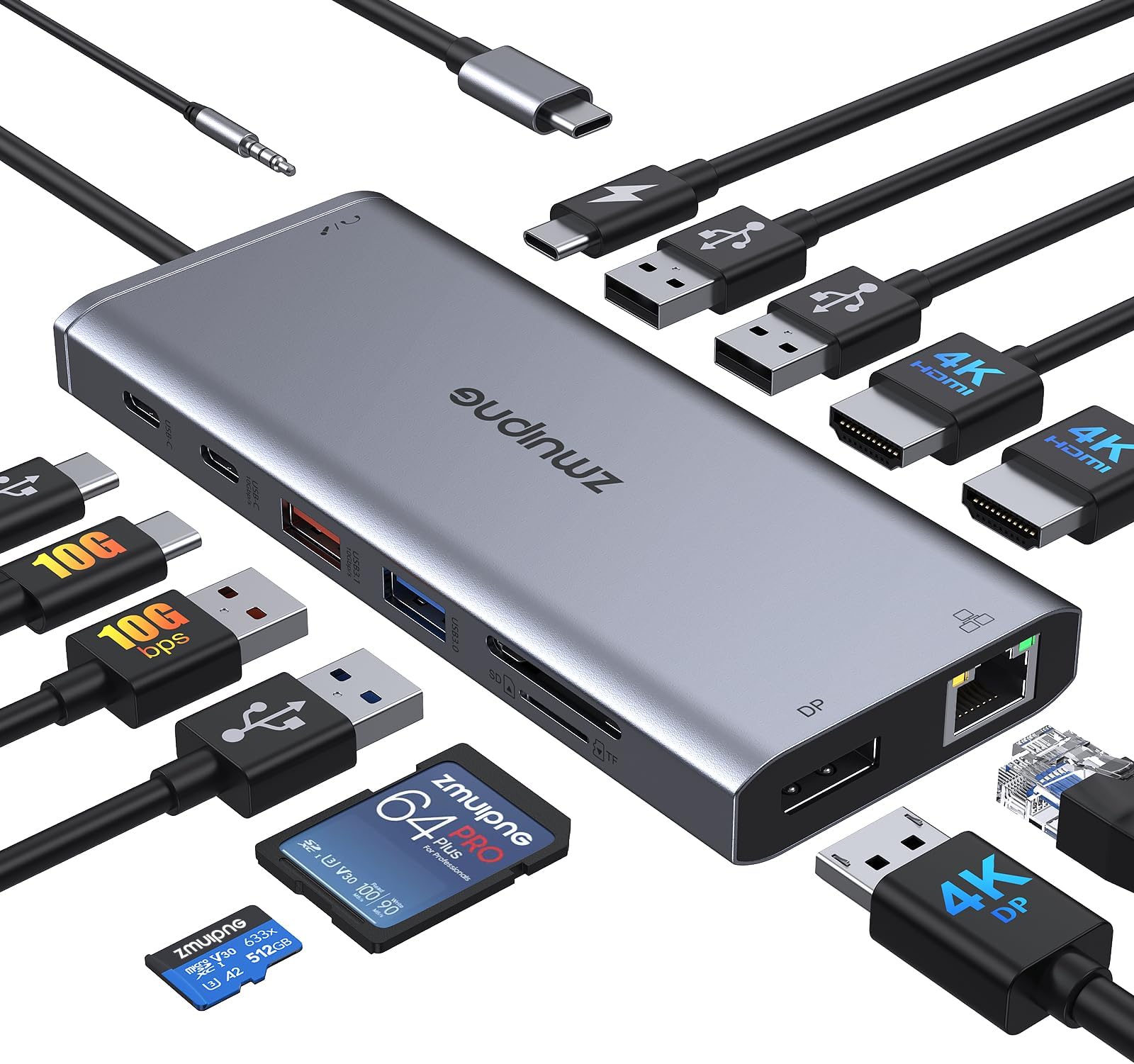
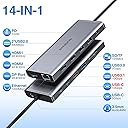
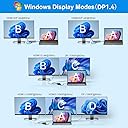
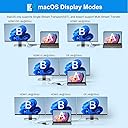
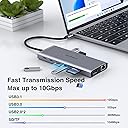
The ZMUIPNG 14-in-1 USB-C Docking Station expands a single USB-C or Thunderbolt port into 14 ports including dual 4K HDMI, DisplayPort, multiple USB 3.1/3.0/2.0 ports, SD/TF card readers, Gigabit Ethernet, and 3.5mm audio jack. It supports 100W power delivery to keep your laptop charged while connecting multiple peripherals simultaneously. Compatible with a wide range of laptops including Dell, HP, Lenovo, Surface, and MacBook, it enables dual or triple monitor setups with ultra HD resolution and offers fast data transfer speeds up to 10Gbps. This docking station is designed for professionals seeking a streamlined, high-performance workspace with reliable wired networking and extensive device compatibility.


| ASIN | B0C9DLGTHR |
| Best Sellers Rank | 55,585 in Computers & Accessories ( See Top 100 in Computers & Accessories ) 482 in Docking Stations |
| Brand | ZMUIPNG |
| Brand Name | ZMUIPNG |
| Colour | 14-in-1 docking station |
| Compatible Devices | Desktops, Gaming Consoles, Laptops, Monitors, Smartphones, Tablets |
| Compatible devices | Desktops, Gaming Consoles, Laptops, Monitors, Smartphones, Tablets |
| Customer Reviews | 3.4 out of 5 stars 165 Reviews |
| Data Transfer Rate | 1 Gigabits Per Second, 10 Gigabits Per Second, 1000 Megabits Per Second, 104 Megabits Per Second, 480 Megabits Per Second, 5 Gigabits Per Second |
| Data transfer rate | 1 Gigabits Per Second, 10 Gigabits Per Second, 1000 Megabits Per Second, 104 Megabits Per Second, 480 Megabits Per Second, 5 Gigabits Per Second Data transfer rate 1 Gigabits Per Second, 10 Gigabits Per Second, 1000 Megabits Per Second, 104 Megabits Per Second, 480 Megabits Per Second, 5 Gigabits Per Second See more |
| Enclosure Material | Plastic |
| Hardware Interface | USB Type C |
| Hardware interface | USB Type C |
| Manufacturer | ZMUIPNG |
| Minimum Required Operating System Version | Windows 8 |
| Model Number | ZM038 |
| Number of Items | 1 |
| Number of Ports | 14 |
| Operating System | Windows 11, macOS 14 Sonoma, Ubuntu 24.04, Android 13.0 |
| Total USB Ports | 5 |
| Total USB ports | 5 |
| Unit Count | 1.0 count |
P**G
Perfect docking station for my Dell XPS
After my Dell docking hub broke decided to move on to something more adaptable and less expensive. Opted for this product. High quality, quick and easy install on my desk to connect 2 external displays to my Dell XPS plus USB speaker, webcam and ethernet option. Charging pass through works a treat to save using up one of only two type c ports on the XPS. I use the type c power out port on my Dell monitor as the pass through source to charge and power the laptop. Great product, highly recommend
X**Z
Not Perfect - But Utilitarian
Setup was quick and easy - just plugged it in and I was good to go with both my Mac and my Windows laptop. No annoying software to install or anything like that. The variety of ports has been awesome. I've got HDMI for my monitor, USB for my accessories, SD card reader - it's got me covered for just about any situation. The 4K support is fantastic too. Everything looks super sharp on my monitor now. It just works seamlessly with my devices. I've used it with both my MacBook Pro and my buddy's Dell without any issues. The data transfer speeds are quick, which is really nice when I need to move big files around. I do have a few issues though that other's should be made aware of: the included USB-C cable is a little short for my setup (without some messing about that is). Some of the USB ports seem finicky with certain devices, but I'm guessing that's more on the devices. And it does get a tiny bit warm during extended use, but not uncomfortably so. Overall, I'm happy with this docking station especially at the price point that it was offered for!
J**N
Good at first, then worse and worse.
I read another reviewer who had the EXACT same issue as me. Here is that review: """ I have had this docking station for three months and for no reason whatsoever all the USB ports have just stopped working. They were fine one day, not working the next. The dock hadn’t been moved, it’s connected to the same laptop in the same way and all the ports on the laptop work and the USB devices all work if plugged directly into the laptop. No recourse on this for Amazon or the seller as over 30 days you are instructed to ‘contact the manufacturer’ but when you search the manufacturer, all you get is links to Amazon, eBay or articles about it. If you want to replace every three months, go for this, if not, buy something else. """ I am stuck in the exact same situation, don't cheap out, but a £100-£200 one, this one is crap.
M**Y
USB C Docking Station Dual Monitor
Great. Super Duper. Works Well.
D**S
Can not get 2 monitors running at same time in extend mode - 1920x1080 @60hz via HDMI or DP.
I changed my monitors to 24" that work fine individually at 1920 x 1080 60hz. But when use through the dock only one will be 1920x1080, the other always drops to 1600 and bit blurry. Tried many configurations and using DP and 1 hdmi but still the same. Had to use 1 through the Dock on HDMI and the other directly into laptop HDMI to get both screens clear at 1920x1080. Its sold as being able to do what i wanted but doesnt.
S**L
A big wide range of options
This is an excellent docking station and provides for all of my needs. The bonus here for me compared to some docking stations is all the power charging options for some of my hungry charging gadgets and the addition of an Ethernet, which is useful for my poor Wi-Fi office area. Having the SD card option is great as I'm using old fashioned storage methods and having all the options. 4 USB 's available means I should never be able to go without solving an issue in connecting a gadget to my computer. It's light, and the short cable suits me when connecting it to the computer. It might be more expensive than most docking stations, but it provides more potential ports than any other I've used. I won't need to use two HDMI ports at the same time so I can't test this option. It's handy having both slow and fast USB A connections. Not everything has turned to USB C yet.
R**S
Doesn't seem to work with USB-C monitor
I bought this for one purpose, to drive a USB-C monitor as the Surface Pro 8 only has two USB ports, so if power is in one and the monitor in the second... Unfortunately, despite the device claiming it works, I couldn't get it to connect to a ThinkVision M14t Gen2. Windows would show a "Display connection might be limited" and the display would be powered, but wouldn't function as a display. Wasn't the cables as using them sans-dock worked fine. So unfortunately for my needs it is completely useless and it's back to the drawing board trying to find a portable dock that works with a USB-C display device.
M**Y
Do not purchase. Very poor company contact. Disposable only
Initially great like so many others experienced but very poor after a few months use. I wouldn't touch this company again either for any of their goods. No ability to contact ZMUIPNG customer services for an exchange replacement. Do not purchase anything unless you're looking for a 30 day disposable product
A**R
Bedst til prisen og virker
it's the best hub I've had in years, only used it for a few days, so don't know how long it will last, but works for everything I've tried, on both a macbook and an ipad pro, keyboard mouse screen , several hard drives, even the charging works through the usb-c connector on both devices, so only 1 connector to be removed on a macbook, remember to remove any hard drives first, they have the best 15 month after, still the best hub
N**D
NI
The product was excellent
A**X
No contact to seller possible
I bought one less than a year ago but it didn't work. As I was still within the two week window I returned it and unfortunately got a new one. This lasted less than one year and it always turned very hot. Now it is broken and the seller completely ignores my emails. I would not recommend this USB Hub and neither the seller.
R**O
Funktioniert aber...
Funktioniert, aber in meinem Fall, hat USB C Docking Station Dual HDMI,Triple Display USB C Hub,14, zu viel Eigenstrom verbraucht, das mein Notebook es immer wieder rausgeschmissen hat oder die angeschlossenen Geräte. Das ist aufgrund der Leistung abzusehen. Mein Notebook gehört auch nicht zu den Profi Notebooks, daher war für mich dies verständlich. Der USB 4.0 Anschluss wurde nicht genügend mit Strom beliefert und bietet auch nur die minimalsten Möglichkeiten. Daher habe ich mir ein kleineres gekauft mit 4x USB 2.0/3.0 und 1x USB 4.0 mit HDMI, was ich nicht nutze, da es nicht an meinem USB 4.0 nicht unterstützt wird. Die Kaufempfehlung bleibt daher, da die vorwiegende Einschränkung anhand meines Notebooks lag. Dennoch würde ich in der Entwicklung prüfen lassen, das der Eigenstromverbrauch gesenkt wird.
D**.
Gute, günstige Dockingstation
Ich nutze die Dockingstation Zuhause im Homeoffice mit 2 Monitoren. Klein und gut unterm Tisch verstaubar, viele Anschlüsse wirklich nichts zu beanstanden!
Trustpilot
1 month ago
2 months ago