Desertcart purchases this item on your behalf and handles shipping, customs, and support to Croatia.
🚀 Upgrade your speed, secure your future with Crucial MX500!
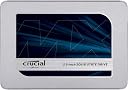
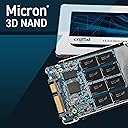
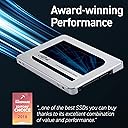
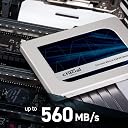
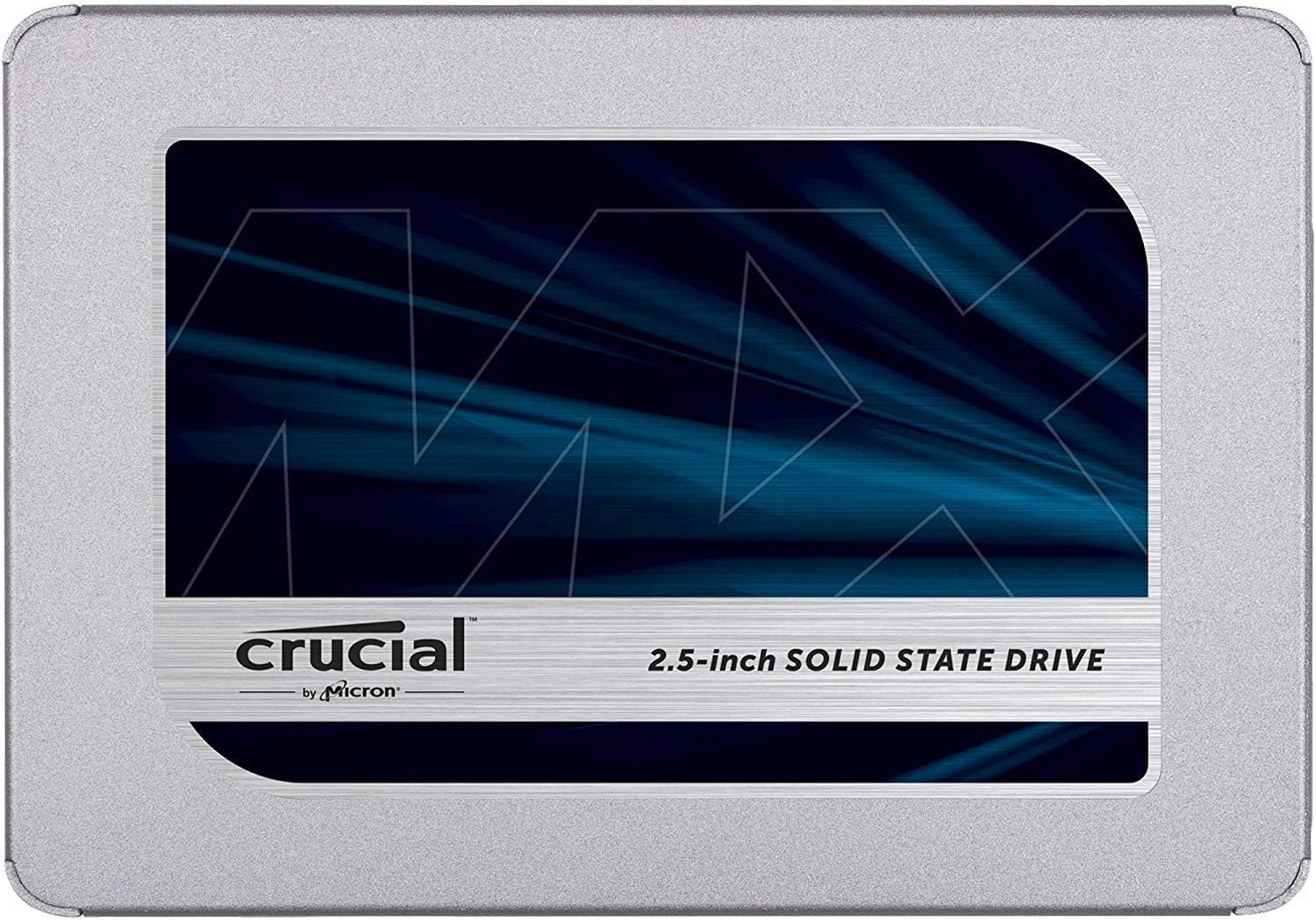
The Crucial MX500 500GB SATA 2.5-inch SSD delivers lightning-fast 560MB/s read and 510MB/s write speeds powered by advanced Micron 3D NAND technology. Featuring AES 256-bit hardware encryption and power loss immunity, it ensures your data stays safe and intact. Compatible with desktops, laptops, and gaming consoles, this lightweight, durable SSD offers a seamless upgrade with a 5-year warranty for lasting performance.


| ASIN | B0784SLQM6 |
| Best Sellers Rank | 121,471 in Computers & Accessories ( See Top 100 in Computers & Accessories ) 589 in Internal Solid State Drives |
| Box Contents | Crucial MX500 500GB CT500MX500SSD1Z 3D NAND, SATA, 2.5 Inch, Internal SSD |
| Brand | Crucial |
| Brand Name | Crucial |
| Cache Memory Installed Size | 500 |
| Color | Silver |
| Compatible Devices | Desktop, Laptop, Game Console, Server, Workstation |
| Compatible Video Game Console Models | Microsoft Xbox SERIES S, Microsoft Xbox SERIES X, Sony PlayStation 5 |
| Connectivity technology | SATA |
| Customer Package Type | Standard Packaging |
| Customer Reviews | 4.8 out of 5 stars 26,967 Reviews |
| Data Transfer Rate | 6 Gigabits Per Second |
| Digital Storage Capacity | 500 GB |
| Digital storage capacity | 500 GB |
| Enclosure Material | Maraging Steel |
| Form Factor | 2.5-inch |
| Global Trade Identification Number | 00649528785145 |
| Hard Disk Description | Solid State Drive |
| Hard Disk Form Factor | 2.5 Inches |
| Hard Disk Interface | Serial ATA-600 |
| Hard Disk Rotational Speed | 1 |
| Hard disk form factor | 2.5 Inches |
| Hard disk interface | Serial ATA-600 |
| Hard-Drive Size | 500 GB |
| Hardware Connectivity | SATA 6.0 Gb/s |
| Hardware Platform | Linux, Mac, PC |
| Installation Type | Internal Hard Drive |
| Item Type Name | Crucial MX500 CT500MX500SSD1Z 500GB SATA 2.5" Internal SSD |
| Item Weight | 0.02 Pounds |
| Manufacturer | Micron |
| Manufacturer Part Number | CT500MX500SSD1Z |
| Media Speed | 510 MB/s |
| Model Name | Crucial MX500 |
| Model Number | CT500MX500SSD1Z |
| Network Connectivity Technology | SATA |
| Number of Items | 1 |
| Product Features | Portable |
| Product Warranty | Limited 5-year warranty |
| Read Speed | 560 Megabytes Per Second |
| Special feature | Portable |
| Specific Uses For Product | Business, Multimedia, Personal |
| UPC | 649528785145 |
R**P
Revived my HP Laptop
I ordered this to replace the standard hdd in my HP pavillion 15 laptop. There was nothing wrong with my existing hdd but thought the ssd might 'pep' up the laptop. Arrived quickly and safely as it fits through your letterbox. Its very light but seems to be well made. I hooked it up to a usb port on the laptop and used the downloadable Acronis for Crucial software to clone my existing drive. The Acronis software is very good, easy to use and free! Swapping it out for the old hdd was a little more of a challenge but perfectly 'doable' if you are comfortable taking your laptop to bits. There are plenty of excellent videos online for this. Once swapped out and laptop powered on i was a little taken aback at how quickly it booted. Even more so at how quickly it runs my 'high end' graphics software. Illustrator now boots in seconds corel in an eye blink! All in all well worth the money, very pleased with how 'zippy' everything is. Recommended. Note: If you are going to take the time to dismantle your laptop to fit this i highly recommend you upgrade your ram at the same time.
S**Z
Excellent SSD drive
This SSD arrived yesterday (Very quick free delivery). It was purchased to replace an old hard drive in my desktop tower. For those that don't know much about SSD's (apart from them being fast), it's a very lightweight and small drive. Transfer rates on my old Seagate hard drive were thereabouts 140MB/s. While transfer rates with this SSD are more like 500MB/s so a noticeable speed increase. Installation was simple. It just requires a SATA cable and power connector (that the majority, if not all desktop psu's have). My plan was to do a clean windows install on this SSD, backup all the important files from my Seagate drive and disconnect it so I only have this SSD running in my machine. I will go through steps, problems and how I resolved things. So, after plugging this drive in, I booted Windows 7 from my old hard drive. This SSD wasn't showing up at all. So I went to the start menu and in the search box typed 'disk'. From that list I clicked 'create and format hard disk partitions' (also can be found directly in control panel). The drive showed up. When clicking on it, it gave me the option of GPT or MBR. I'm very computer literate, yet it's been years since I replace a hard drive, but looking online, it seemed MBR was the most suitable for my use. After selecting, the drive auto formatted and was showing up. Next, installing Windows 7 on this SSD (I refuse to use Windows 8 or 10 as I just don't like those OS's). I had Windows install files backed up from DVD on my Seagate HD. I copied all files over to the SSD and started up the installer. It installed.... great.... job done. I then backed up all the important stuff from my Seagate drive to this SSD and that was that....Well.... sort of... I unplugged the Seagate drive and booted my computer up...... 'reboot and select boot device or insert boot media in selected boot device'.... Great (not).... Although I had a suspicion that Windows 7 installer had created the boot partition on my Seagate drive and that was what the problem was. I put the Seagate drive back in booted into the SSD install of Windows 7 and downloaded 'EasyBCD' (free software that can swap the boot partition). I clicked 'BCD Backup/Repair' in the app then under 'BCD management options' clicked 'change boot drive', then 'perform action' and selected this SSD as boot drive.... Done. Again I turned the computer off, disconnected the old seagate drive, turned it back on and..... Perfect, all working fine. Depending on how you choose to use the drive, installation steps may differ but I wanted to share my experience in case it helps anyone else. In my situation I didn't need to clone a drive, but just do a fresh windows install and copy important files over to it. A great drive overall and hopefully it will last me many years
F**N
Best upgrade for an old computer!
Like many of us I’m currently working from home due to the pandemic and found the first couple of weeks frustrating as my laptop is 9 years old and not used to having any demands made of it. I ordered some extra RAM as a cheap and easy upgrade, but after further reading decided it would be worth upgrading the hard drive to an SSD. I used the Crucial website to check which one I needed and then ordered it from Amazon via their link. I also ordered an enclosure to enable me to clone the current hard drive. I figured that if nothing went to plan, I could keep the drive in the enclosure as an external hard drive regardless. The SSD arrived on time - the packaging was fine and it came with a spacer as it’s the slimmer model - I did use this on the SSD in my laptop to ensure a snug fit. I used the guide and software on the Crucial website to clone the drive, and then switched them. It worked perfectly and was very easy to do - I was already aware that I only needed to remove the bottom panel of my laptop to access the HDD so this was important in keeping it simple.. The difference it made was amazing. I think I’ll get another few years of use out of my laptop (not used for gaming obviously), and even when that gives up I’ll be able to keep the SSD in an enclosure as a backup. I’m really pleased with the purchase and would recommend wholeheartedly to anyone thinking about upgrading from an HDD. The Crucial website is a great resource too.
M**.
Just awesome
I bought this to replace the drive in a mid-2009 MacBook Pro running El Capitan with 8GB RAM. It had been upgraded through the versions of Mac OS since new and, due to the enormous amount of time spent shutting down and startup up again, restarting had become something of a no-no. Booting would take 5 minutes or more just to get to the login screen - with probably another 2-3 minutes until it was ready after logging in. Faced with the possibility of having to replace the laptop (and not being keen on the lack of upgradability of the latest MacBooks, or the ditching of the MagSafe charger) I figured upgrading the drive to an SSD and re-installing the OS was worth doing to stave off the expenditure of an upgrade for at least another 6 months. The drive itself is physically lighter than a traditional mechanical one so your laptop gets a bit lighter - the drive feels like an empty box when you pick it up. Installation is pretty easy & quick if you have the appropriate small phillips and torx drivers. The drive comes with a plastic spacer to ensure it fills the space (rather than being too thin). Being an SSD the drive is also completely silent when running, so the laptop is now eerily quiet during normal operation and doesn't clunk when you move the laptop (mechanical drives park the drive head to prevent damage). It should also be using less power (but that's a tricky one to check). But the really big thing is the MASSIVE increase in performance. The OS now boots so fast that you feel the CPU has suddenly become the only bottleneck at startup. Starting apps is faster than I ever remember it being - if you've ever wondered why Pages or Numbers is so sluggish to start up, you need one of these. Pages now takes 3-4s to start and load a document. Switching users (with quick user switching) is 3-4s. Wake from standby is fractionally quicker too as it no longer has to spin the drive up before being ready. The OS now takes just 30s from pressing the power button to being ready - shutdown takes 7s (or less). To put those figures into perspective, my 64GB iPhone 6 (iOS 11.3) takes 47s from pressing the button to being ready, 16s to shutdown - yes, that's right, my 9 year-old MacBook Pro now boots and shuts down faster than my iPhone. That is just a crazy concept. Obviously I can't comment on the longevity but then I'm running a laptop that's already unable to run the latest Mac OS - it's likely the laptop will have to go before the drive gives up. If you've got a slow laptop (Mac or otherwise), upgrade to an SSD and revel in the feeling that your ageing laptop probably now outperforms a brand new laptop with a mechanical disk.
U**Y
Crucial MX500 500 GB SSD Works Well - Acronis True Image Software Not so Good
As a Prime member, item was delivered in one day, nicely packaged in recyclable cardboard. Other reviews might indicate this is a very simple process, replacing an existing Hard Disk Drive (HDD) with an Solid State Drive (SDD), achieved in no time at all. That's partly true... Disk Storage Capacity: The unformatted capacity is 512 GB, but the formatted PC capacity is ~465 GB, a ~10% reduction. Please note when choosing your required capacity. SATA to USB Cable: You will need a USB 3.0 to SATA Adapter Cable for 2.5" SSD HDD Drives cable, for the HDD to SSD data transfer process. Hard Disk Drive Backup: Before you start, backup your data & your Windows system; you might not need to restore the data or the Windows system, but it would be foolish not to perform the backup for due diligence... Cloning Software: The Crucial MX500 500 GB SSD is supplied with a Acronis True Image Software download link. In theory this looks like a good software product & for some or maybe many, it perhaps works well. My observations are that it has some unnecessary features (I.E. Disk Lock, Compulsory System Restart) that impact the cloning process. For me, this software only cloned my Operating System & Programs (C) partition, not the 3 other hidden (system, boot, restore) partitions & a Data (D) partition. This was due to the Windows 10 Secure Boot feature. Instead I used the free Macrium Reflect software. This cloned all 5 partitions seamlessly & without issue. Data Cloning Process Timing: My HDD had ~150 GB of files to be cloned, this process took ~80 Minutes to complete, add another ~80 Minutes for the data backup process, approaching 3 hours. HDD Removal & SSD Installation: HDD removal was straightforward, just search for a HDD how to video using your PC model number. I achieved this with just a PH2 screwdriver, 4 screws to remove the laptop case cover, 4 screws to remove the HDD protection cover & a plastic lever to lift the HDD. The reverse process applied, use the existing HDD protection cover for the SSD case, safeguarding a 1:1 replacement (The Crucial SSD product includes a plastic spacer just in case). This task was very simple ~10 Minutes, being very careful with static discharge. First Boot: My first boot with the SSD cloned by the Acronis True Image Software failed, as the boot partitions had not been cloned, even though the software stated otherwise; so a ~90 Minutes outage. The first boot with the Macrium Reflect software was perfect. Benefits: My laptop had a 1 TB SATA HDD & this was becoming painfully slow, even though only 150 GB (~15%) capacity was being used. The 512 GB SSD makes boot times measured in seconds, maybe 10-15 seconds when Windows needs to do some housekeeping. Windows apps & files load much faster. In theory an SSD should be more reliable than an HDD, less moving parts & so this extraneous SDD reliability consideration shouldn't discourage you. Heads-Up Information: In theory, any cloning software should work, in this instance having compared the 2 software products, I would choose the Macrium Reflect software, as it also has some nice standard functions for optimizing SSD performance, while executing the data cloning process. Allocate yourself a 3+ hour outage, you don't have to babysit the activity for the entirety, once you start the data backup, you can go & do something else, the same for the HDD to SSD cloning process. If at Windows 10, don't expect to hit a key during the boot process (E.g. F2, F12) to change boot options, Windows Secure Boot prevents this, but you can change these BIOS settings (E.g. Boot order) using the UEFI Firmware Settings feature (I.E. Settings, Update & Security). Bottom Line: For me, a ~£50 investment has transformed my laptop PC that had good CPU components & ample RAM memory, but over 2-3 years, the SATA HDD performance had become problematic. Take your time, learn from my gotchas & go for it. Any reputable SSD supplier (E.g. Samsung, Kingston, et al) will work, it's the data cloning process that dictates the simplicity or otherwise of the HDD to SSD upgrade activity. Five stars for the Crucial MX500 500 GB SSD, reduced to four stars due to the Acronis True Image Software...
T**B
Excellent SSD for ancient laptop
My HP DV9800 laptop is ancient. It came pre-installed with Vista and hasn't received any hardware upgrades. It has gone through Windows 7, 8 and finally 10. Now and again, I've performed clean installs but for the past year, the laptop was suffering. I had thought about buying a new laptop until I ran CrystalDiskInfo - the program identified a serious problem with the hard drive. I was able to back up all my data. I decided to go with a similar capacity drive (500GB that was split into 3 partitions) but this time select an SSD. My brother-in-law has raved about them so I took the plunge. I selected Crucial for two things - the warranty and previous experience I had with their RAM. After a hick-up in cloning the Seagate drive, the new SSD was ready. I wasn't quite prepared for the turnaround in performance. Even though my laptop is old, the Crucial SSD has given it a new lease of life. Luckily I had recorded the old Seagate drive read/write figures and did the same for the new SSD. I've posted both sets of results and you can see the SSD blows the old hard drive out of the water. Obviously, my processor is an old Centrino Duo but the results for the Crucial SSD are highly respectable. Applications open virtually instantaneously and there is no lag. Boot up time - 20 seconds to a fully loaded desktop screen - not bad for an ancient laptop which use to take almost 3 minutes. I also noticed that when I was logged onto my work network via Citrix, I couldn't quite believe the performance dividend from the SSD. I could actually work without cursing. As you can no doubt tell, I'm chuffed to bits with this Crucial SSD. For a £60 investment, my laptop has been rejuvenated and given a new lease of life. Highly recommended.
R**E
Very nice SSD that gives a lot of bang for buck. Suitable as an external MacOS boot drive with the correct enclosure!
Decided to go about upgrading my Late 2012 iMac 27 and from my experience with Windows machines I know that one of the best upgrades you can do for a system by far is to install an SSD. Unfortunately, the process is far more complex on an iMac than it is on a Windows machine. Whilst I know SATA would give the best performance, I decided after reading positive experiences, to try an external boot disc solution over USB 3 on my iMac as I didn't fancy the astronomical effort in opening up my iMac. I paired it with this enclosure: ELUTENG Transparent External Hard Drive Enclosure Adapter Support 2.5 Inch SSD / HDD Portable SATA III SSD Enclosure USB 3.0 UASP High Speed 5Gbps Clear Case Hard Drive Caddy for PC / Laptop Very pleased with the results! As you can see from the speed test, it gives a very respectable read/write and has given a huge performance boost to this machine. I am very pleased that I decided to choose this combination for as a boot disk for MacOS. I mounted the drive to the back of the iMac with velcro sticky tabs and I feel it's a nice, discreet solution. My iMac is up against a wall anyway so I'll never be able to see the thing! I struggled and did a lot of research to find a working combination so I hope this helps someone else looking to upgrade in the same way!
C**S
Easy to install, and very fast to use
The hard disk drive failed on my laptop, after it had been running ridiculously slowly for some time. But the laptop itself is still ok, and there’s still some life left in the old dog yet, and so I bought this 500GB SSD to replace it. I wish I had done it sooner! Physical installation was a breeze, I just pulled the old one out and slotted this one in. I made a Windows installation USB stick using my desktop, booted from that, and Windows walked me through the re-installation process. There was no requirement to do anything else with the SSD, no partitioning or formatting. Just plug it in and install your software. Like I said, I wish I had done this sooner, as it is so much faster than a regular HDD, it seriously feels like a new laptop now it really does. I have already ordered another for my desktop, to replace the HDD in that, which is actually in perfect working order - but the difference in performance is well worth it... If you have a non-SSD hard disk drive in your PC, and it’s running slowly and you’re considering a new system or upgrade, I recommend an SSD replacement. It’s a lot cheaper than a new system and will breathe fresh life in to your computer to bring it up to date
T**M
Top
Nachdem meine alte SSD etwas Platzprobleme bekam, war es nun höchste Zeit eine größere zu besorgen und ich bin begeistert. Lieferung, wie von Amazon gewohnt, schnell und unkompliziert. Aber das ist ja nur Nebensache, bei einer Rezension geht es ja um das Produkt und weniger um den Service des Händlers. Auch wenn man diesen natürlich nicht außer Acht lassen sollte. Einbau der SSD unkompliziert, allerdings da mein Gehäuse etwas beengt ist, habe ich sie außen an den Laufwerkskäfig mittels Stand-Offs befestigt. Stand-Offs sind die Abstandshalter, die unter ein Mainboard kommen, einfach jeweils 2 Stück übereinander, das ganze an die SSD, gegen den Laufwerkskäfig setzen und mit normalen HDD Schrauben von innen befestigen. Ist sauber und einfach und sorgt auch für gute Luftzirkulation. Arconis True Image hatte ich bereits am Vortag heruntergeladen (Link gibt es auf der Crucial Webseite) und installiert. Programm starten, Klonen auswählen, evtl. nach ausgewählter Methode Quelle und Ziellaufwerk angeben und ob die bestehende Partition erweitert werden soll. Meine alte HDD war nur 240GB groß mit gut 200 GB belegt also ja, bitte allen Speicher der Hauptpartition zuweisen und dementsprechend erweitern. Dann das Klonen starten, erste Anzeige sagt 16 Minuten, also aufstehen, Kaffee ansetzen (Espresso, frisch gemahlen und im Espressokocher für den Herd, Zubereitungszeit ca. 5 Minuten). Dann wieder an den PC und uuuupppsss ist schon fertig. Das war rasend schnell. PC herunterfahren, SATA Kabel umgesteckt, alte SSD erstmal nicht wieder angeschlossen. Neu gestartet und alles funktioniert auf Anhieb. Der Startprozess war gefühlt schneller als bei der alten SSD. Liegt aber wohl auch daran, dass jetzt alles schön geordnet auf der SSD liegt, so wie sie am schnellsten und besten drauf zugreifen kann (SSDs arbeiten da anders als HDDs, bei einer HDD ist es besser wenn die Daten zusammenhängend auf der Platte liegen, so muss der Schreib-Lesekopf nicht hin und herfahren und suchen, bei einer SSD liegen Dateien auf verschiedene Speichermodule verteilt was einen paralellen Zugriff auf die Speicher erlaubt, mal so ganz grob aus 10000 Metern Höhe erklärt, da kommt noch eine Menge anderer Magie hinzu). Dann mal eben die SMART Infos ausgelesen, SSD ist brandneu mit 0 Betriebsstunden, keinerlei Fehlern oder sonstigen Ungereimtheiten. Crystal DiskInfo gestartet und schnell die Performance gemessen... und wowwww, die ist performant. 565MB im sequentiellen Schreiben, gute 60MB schneller als meine alte PNY SSD. Über Sata kriegt man gute 600MB maximal, das Interface selbst bietet 6Gb (Gigabit) und man kann grob sagen das ergibt eine Netto-Datenrate von 600MB (also Megabyte), der Rest geht für Verwaltungsaufgaben und Protokolloverhead drauf. Diese SSD liegt also so ziemlich am Limit was geht bzw. gehen darf. Andere SSD (ausgenommen NVMe) für teilweise erheblich mehr Geld sind langsamer und bieten auch nur TLC Bausteine an (TLC = Triple Level Cell, sprich es können 3 bit pro Speicherzelle gespeichert werden, SLC = Single Level Cell, es wird ein Bit pro Zelle gespeichert, SLCs sind theoretisch besser, aber enorm teurer und TLCs sind derzeit das beste was der Consumer Markt hat. Es gibt auch QLCs, 4 Bit pro Zelle, billig im Preis, billig in der Performance und bislang anfällig für schnelle Alterung, nur als Info). Wie sich die SSD über die Zeit bewährt, kann ich jetzt noch nicht sagen, aber in meinen mittlerweile über 27 Jahren in der EDV hatte ich mit Crucial noch nie Probleme, weder privat noch geschäftlich. Ich hoffe, dass sich das auch weiterhin so verhält, habe aber auch jedes Vertrauen. Fazit: Für den Preis ein solides Produkt. Durch die Partnerschaft mit Arconis ist der Umzug einer bestehenden Festplatte ein Kinderspiel und absolut schmerzfrei. Mehr als ein paar Minuten braucht man nicht, solange man von einer SSD auf eine neue SSD umzieht. Natürlich werden die Zeiten variieren, abhängig von der Menge der Daten und ob man bereits eine SSD hat, oder ob man von einer herkömmlichen HDD umzieht. Wer eine schnelle SSD benötigt zu einem günstigen Preis von einem namhaften Hersteller mit guter Support Infrastruktur ist hier gut aufgehoben. Und immer dran denken, wenn ihr eine SSD kaufen wollt, immer erheblich größer auswählen, als die Menge an Daten die ihr bereits habt. Wer z.B. eine 250GB HDD hat (ja, es gibt noch welche, die mit der Größe hantieren als Systemplatte zum Beispiel) und die Platte ist mit 200GB belegt, wird mit einer 250GB SSD nicht glücklich werden. Vor allem wenn man nur mehr Geschwindigkeit haben will aber nicht wirklich mehr Speicherplatz benötigt. SSD werden langsam je voller sie werden. Hängt damit zusammen, dass die SSD einigen freien Speicher braucht um Daten hin und herzuschaufeln. Also dann lieber die nächst größere nehmen. So, nun kann ich hingehen und die alte SSD wieder freischaufeln und als weitere SSD für Spiele verwenden ;). Der Umzug wird jetzt allerdings länger brauchen
L**.
Excelente rendimiento y precio por Gbyte (última actualización 25/08/2021)
Ediciones al final. Aprovechando el Prime Day y la oferta que puso Amazon de este disco duro, lo compré a un precio más que aceptable (83 euros) en cuanto a la relación calidad precio era una oferta excelente. Ya tenía en mente comprar un SSD para acelerar mi equipo de unos 4 años y estuve barajando este disco duro Crucial y los de la otra marca con más opiniones favorables y más ventas, el SAMSUMG 850 EVO. Samsung 850 EVO - Disco duro sólido (500 GB, Serial ATA III, 540 MB/s, 2.5"), negro En cuanto a las comparaciónes de las características de ambos, que podemos encontrar en los "Benchmark" que existen por la web, vemos que tienen similares características y respuestas, por lo que cualquiera de estos dos SDD es una excelente opción para comprar, ya que en el momento de escribir estas líneas, están en Amazon al mismo precio. En el momento que bajen alguno de los dos (como ocurrió el día del Prime Day) ese sería, en mi opinión, el disco duro a elegir, si el precio es similar, quizás el Samsung es la mejor opción por los comentarios de los compradores, aunque esto último es relativo y es una apreciación personal. En el caso del Crucial MX500 estas son: - Incoporpora Micron ® 3D NAND. - Soporta hasta SATA 6.0Gb/s (existen tres velocidades SATA I (1.5Gb/s), SATA II (3.0Gb/s) and SATA III (6.0Gb/s)). - 560 MB/s de lectura secuencial y 510 MB/s escritura máxima. - Garantía de 5 años por el fabricante (para España sólo 3). En el caso del Samsung 850 esta son: - Tecnología 3D V-NAND de Samsung. - Interfaz SATA 6 Gb/s, compatible con el interfaz SATA 3 Gb/s & SATA 1,5 Gb/s. - Hasta 540MB/s de lectura secuencial y 520MB/s de escritura - Garantía de 5 años por el fabricante. Otra opción es comprar el Crucial MX500 de 1Tb que tiene una relación precio/Gbyte excelente, pero era demasiado caro para mí, si el precio sigue rondando los 170 euros seguirá siendo una compra recomendable. Experiencia de compra En cuanto a mi experiencia de compra, puntualizo lo siguiente. En el momento de comprarlo existía dos opciones: paquete abre fácil o con caja original, un poco más caro. El paquete abre fácil consiste en que el disco duro te lo envían en dentro de un blíster de plástico con las instrucciones de uso y con un sobre de cartón, tal y como he mostrado en las fotografías. En mi opinión algo nefasto por que no protege el producto de golpes, al menos un sobre acolchado tendría que haberse incluido, por ser el producto del que se trata, aun así llegó en perfectas condiciones. Lo primero que hice es comprobar las horas de uso del disco duro, dicha comprobación dio por resultado que era un disco duro completamente nuevo y sin usar. Montaje En mi caso monté el SSD como disco duro principal de mi portátil, sustituyendo el anterior por este y el normal lo he colocado en sustitución del grabador DVD del portátil, comprando para ello un adaptador. Como el SSD ya venía formateado realicé la instalación desde cero de Windows 10 en él, decir que si tienes licencia original digital del sistema operativo, una vez que este se instala correctamente, esa licencia digital se actualiza y no se pierde. Teniendo de nuevo tu licencia completamente legal y activa. Uso Una vez montado y probado, el resultado es excepcional, se nota una enormidad el cambio de disco duro, el arranque es inmediato, la ejecución de aplicaciones, la instalación, etc., rejuvenece el ordenador en cuanto a velocidad de ejecución, es increíble lo que influye. Es recomendable instalar la aplicación Crucial Storage Executive desde la página de Crucial, te da información de la salud del disco duro entre otras y además permite actualizar el firmware del propio disco duro de forma fácil y cómoda. Ojo, en mí caso utilizando el actualizador automático de la aplicación hizo que entrara el sistema operativo en bucle, al estropear el sector de arranque, error reconocido por ellos, solución en mi caso: volver a instalar Windows 10 de nuevo. Por lo tanto para evitar problemas actualizar el firmware desde el propio fichero del firmware descargado, no desde la opción automática del Crucial Storage Executive. Resumen final. Cosas que me ha gustado - Disco duro excelente al precio que lo compré, aun al precio actual lo sigue siendo, se nota una barbaridad el rendimiento del portátil con el instalado. - Al ser una memoria, no tiene ruido. - Al precio idéntico tanto el de Samsung como el Crucial es una excelente opción de compra. - Soporte en la web del fabricante tanto en software como en actualizaciones de firmware. Cosas que no me han gustado - El envío con escasa protección, aunque el producto sea nuevo sin usar, al menos un sobre acolchado sería lo ideal. Recomendable sin dudar por la relación calidad precio que tiene y por el rendimiento excelente. En la semana que llevo de uso, es el día y la noche en cuanto a velocidad de ejecución y de arranque con respecto al disco duro normal que tenía. Espero que esta opinión sea de utilidad. Edición después de un mes de uso. No he tenido ningún problema con el por ahora, ni pérdida de sistema operativo, ni sectores defectuosos ni nada por el estilo. Creo que los principales problemas que se presentan es al realizar la clonación, así que si es posible realizad una instalación desde cero del Windows 10. Edición 28/11/2018. El rendimiento sigue siendo el mismo, la temperatura sigue siendo baja y ninguna perdida de datos y sectores defectuoso, usado como disco principal con sistema operativo, encantado con el SSD. Edición 01/08/2020 Casi dos años después el disco duro sigue funcionando perfectamente no se ha degradado en absoluto, mi uso principal ofimática general, algunas descargas, etc nada de juegos, pero lo recomiendo, ha salido realmente bueno. Edición 25/08/2021 Casi tres años después sigue funcionando como el primer día, uso ofimático sin sectores defectuosos ni nada por el estilo.
B**5
Super !
SSD au top ! Très facile à installer. Il est ultra léger, efficace, rapide malgré la taille "restreinte" mais à ce prix c'est intéressant. Je l'ai couplé avec une barrette 4go sur un vieux pc portable de 2011 ainsi que win 10 plutôt que win 7 et c'est un franc succès ! Très satisfait de mon achat. Pensez en changeant de disque dur soit à sauvegarder et transférer vos données (et OS) via des cables spéciaux de votre DD actuel vers celui là soit à le remplacer entièrement (ce que j'ai fait). Prévoir au préalable pour l’installation de windows sur le nouveau ssd, une clé usb 16go par exemple et l'utilitaire Rufus pour configurer windows qui s'installera depuis la clé usb (très facile et tuto dispo sur YT si besoin). Merci encore au vendeur !
A**E
Werkt perfect en is snel met sata 3
P**I
Super SSD, godny polecenia.
Ożywił 10 letniego laptopa. Jest bardzo szybki i utrzymuje parametry producenta. Jestem zadowolony z zakupu. Gorąco polecam.
Trustpilot
1 week ago
2 months ago