Desertcart purchases this item on your behalf and handles shipping, customs, and support to Croatia.
🔥 Elevate your screen game with color, speed, and style!
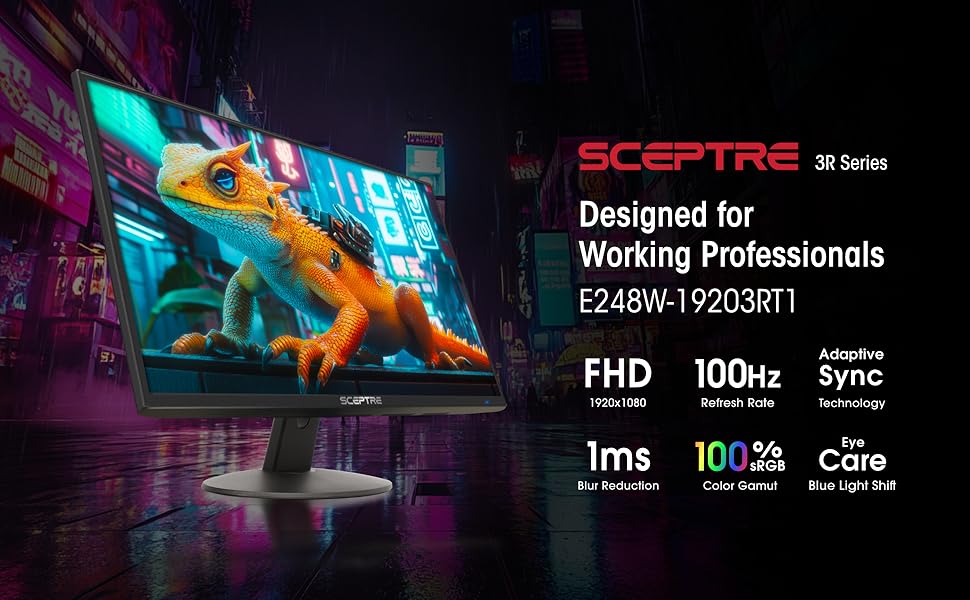
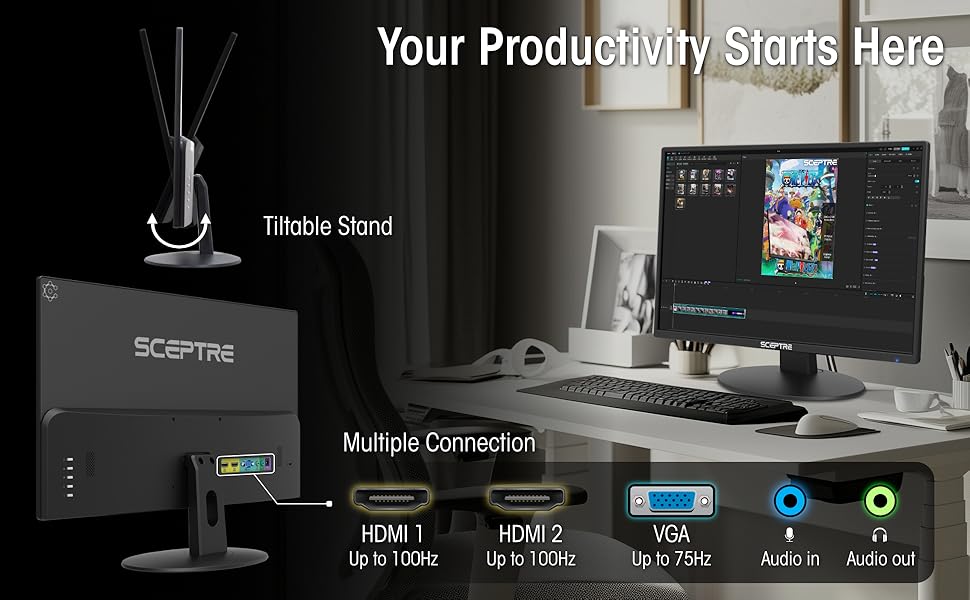
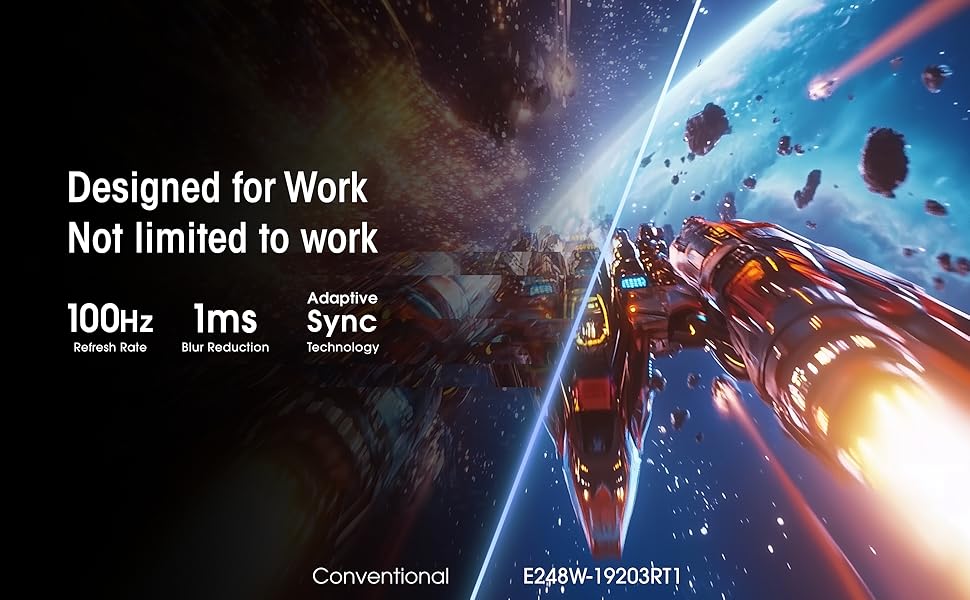
The Sceptre 24-inch Prime Monitor (E248W-19203R) is a sleek, ultra-thin 1080p LED display featuring a 99% sRGB color gamut, 1ms response time, and up to 100Hz refresh rate. Equipped with dual HDMI and VGA ports plus built-in speakers, it’s designed for seamless connectivity and immersive multimedia experiences. Eye-care technologies like Blue Light Shift and flicker-free display ensure comfortable long-term use, making it ideal for professionals, gamers, and multimedia enthusiasts alike.


| ASIN | B0773ZY26F |
| Adaptive Sync | FreeSync |
| Additional Features | Blue Light Filter, Built-In Speakers, Eye Care, Flicker-Free, Tilt Adjustment |
| Aspect Ratio | 16:9 |
| Best Sellers Rank | #1,139 in Electronics ( See Top 100 in Electronics ) #29 in Computer Monitors |
| Brand | Sceptre |
| Brightness | 250 cd/m² |
| Color | Machine Black |
| Color Gamut | 99 |
| Compatible Devices | Devices with HDMI or VGA output |
| Connectivity Technology | HDMI, VGA |
| Contrast Ratio | 16:9 |
| Customer Reviews | 4.6 out of 5 stars 28,526 Reviews |
| Display Resolution Maximum | 1920 x 1080 pixels |
| Display Technology | LED |
| Display Type | LED |
| Global Trade Identification Number | 00792343323037 |
| Hardware Connectivity | HDMI |
| Image Contrast Ratio | 16:9 |
| Included Components | Monitor Display x 1, Base x 1, Base Screws x 1, User Manual x 1, AC Adapter x 1 (12V/2.5A), Cables |
| Item Dimensions D x W x H | 7.03"D x 21.25"W x 15.53"H |
| Item Type Name | Sceptre E248W-19203R 24" Ultra Thin Frameless 1080p LED Monitor HDMI VGA, Machine Black |
| Item Weight | 5.8 pounds |
| Manufacturer | e-Sceptre |
| Model Name | E248W-19203R |
| Model Number | E248W-19203R |
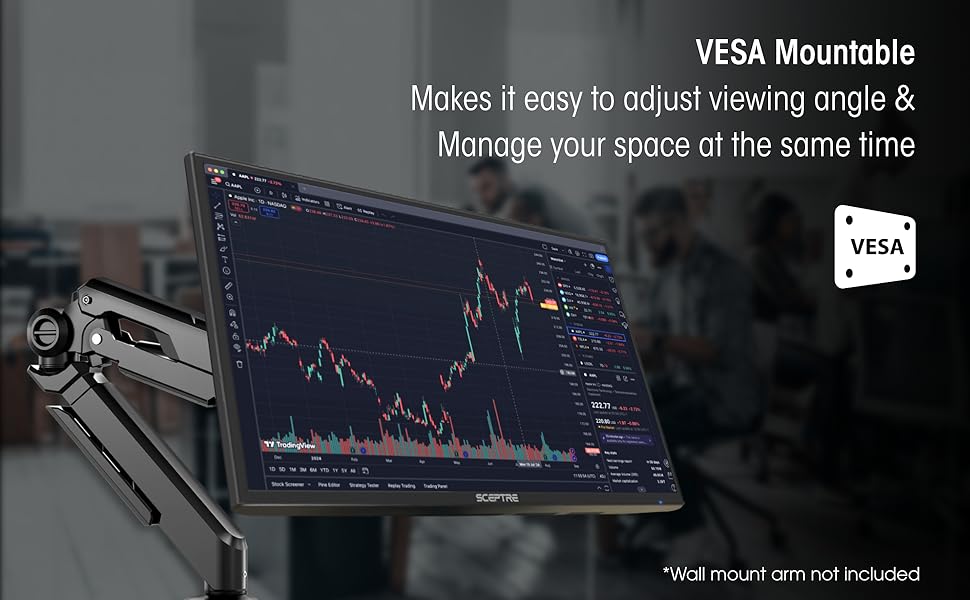
| Mounting Type | Wall Mount |
| Native Resolution | 1920x1080 |
| Number of Component Outputs | 3 |
| Picture Quality Enhancement Technology | Yes |
| Power Consumption | 25.4 watts |
| Refresh Rate | 60 hertz |
| Resolution | FHD 1080p |
| Response Time | 1 milliseconds |
| Screen Finish | Glossy |
| Screen Size | 24 inches |
| Screen Surface Description | Glossy |
| Series Number | 2025 |
| Shape | Round |
| Specific Uses For Product | Business, Gaming, Multimedia |
| Total Number of HDMI Ports | 2 |
| UPC | 792343323037 |
| Unit Count | 1 count |
| Viewing Angle | 178 degrees |
| Voltage | 110 volts |
| Warranty Description | limited one year |
| Warranty Type | 1 Year Manufacturer Warranty |
J**S
Wide!
Great monitor with excellent value! The Sceptre 24-inch Prime Monitor delivers a clear, sharp picture with great colors and a sleek design. The built-in speakers are a pleasant surprise—they are much louder and better than expected. Easy setup, reliable performance, and a great choice for work, entertainment, or everyday use.
A**O
Good monitor
Very good monitor for its price. No complaints, would recommend for someone on a budget.
T**G
It’s a monitor - nothing exceptional, but nothing wrong either
This product came super fast with Amazon Prime. One-day delivery. This monitor hooks up with my MacBook Air with a USB C Dongle. The picture isn’t that crisp but it is good enough. It functions great for Netflix, Amazon Video or other streaming services. It’s great for gaming. I have this monitor hooked up to my PS4 and the picture quality is amazing. I play Red Dead Redemption 2 and I frequently stop to admire the details in the water and snow. I’m not sure if this is due to the quality of the monitor or the game. It’s relatively easy to set up once you get it out of the box. It comes with a power cord and HDMI inside the box. There are 2 HDMI ports on the back so you could hook up a computer and another device. What I like about this monitor is that I don’t have to switch inputs from PS4 to my MacBook. When I disconnect my MacBook, the monitor detects the PS4 connection and automatically changes it. When my PS4 is off and I connect my MacBook the monitor instantly connects. The speakers suck though. They are quiet. They have no bass either. I paid roughly 88 dollars with tax for this screen and it was a good deal. Just keep in mind this is a 1080P screen so it’s not as good quality as a 1440p or 4k screen. Keep your expectations low. It’s a good secondary screen or a gaming device. It’s not great for photo or video editing if you want something with super high definition.
G**L
Good display for the price
Very sharp, clear, brilliant, responsive display; but after a PC restart, it inflates text from the BIOS / UEFI to billboard size, making it impossible to read and decide on responses. Today I ordered an in-line EDID (tells the PC what screen settings to use) passthrough emulator which will hopefully constrain the text size. The speakers have just enough power to range from imaginary to barely audible, so I ran an audio cable from the PC to the audio-in port of an old boom-box, which works fine.
S**Y
Not familiar with this brand, but went with them due to reviews and price...no regrets
I have two very old, inexpesive 18" monitors that have lasted a very long time, but one of them started flaking out when hooked up to my hub. My office has much larger ones and thought this was a sign I should finally upgrade and get the same screen size at home as I do in the office. But since my old monitors lasted a LONG time without paying a lot, I wanted to repeat that experience. Lots of research and talking to other people led me to similar conclusion: not a lot out there at a cheap price for larger sizes for people that just need a large working screen and not concerned about graphics and gaming. I had not heard of the Scepter brand before so I was a bit dubious. But as I talked about my search with others, some programmers mentioned they HAD heard of them and were reputable. They were about the best price and reviews largely good, so the programmer endorsement was what I needed to pull the trigger. I'm very happy with these monitors! Easy to set up. Great resolution and color. SO MUCH LIGHTER than my old ones. I had to adjust the tension in my mounting arms accordingly. I went with the standard, automatice calibration and haven't felt the need to fiddle with additional settings. I'm an account/project manager that deals in spreadsheets, project management tools, Microsoft suite (Excel, Work, Outlook), and Adobe Creative Suite (Acrobat, Dreamweaver, Photoshop), and other custom tools for digital design, programming and management. One thing I liked, and needed, is that the mounting screwholes on the back of the monitors are on the BOTTOM of the screen...rather than the middle or towards the top, which seems to be more standard. This actually helped me get the monitors to the height I wanted with the mount I have without haveing to replace that too. Works great for me, but might be a consideration for others, depending on how you plan to mount them.
J**N
I am extremelly impressed with this monitor! Great buy specially for gaming!
I have a GTX 1060 laptop, set up is easy and there was no need for me to calibrate anything, I even dare say this monitor looks better than my own laptop screen at 1080p. At first i thought it didn not support 75Hz and the colors were washed out and it was too bright, also on the nvidia panel it said 1080p at 60Hz however this is what you gotta do to fix it. "CALIBRATION" 1. Connect via HDMI 2. Open Display settings and make sure that they are set so that only the 2nd display is turned on, do not put duplicate or extend. 3. Open Nvidia control panel and go to "Change Resolution" 4. You will see two lists, one will say HD, UHD etc, the other one at the bottom will say "PC", (changing the first list will project your laptop screen to the second screen however your laptop is 60Hz and the monitor is 75Hz that is why its limited to 60Hz and colors are washed out, changing the second list will basically use your laptop to power up the monitor at full 75Hz 1080p with the right color calibration.) 5. On list two "PC" change the resolution to 1080p and 75Hz And there you go, now you can use your 75Hz monitor for gaming, make sure to change the settings indvidually in games to 75Hz or they will still run at 60Hz and the colors will be washed out. Now onto the review *** REVIEW *** The screen resolution is full 1920x1080p at 75Hz, the colors are very accurate, it looks no where near like a TN panel, I would say its in between a TN panel and an IPS panel but closer to IPS. It comes with speakers which are ok for the price but I recommend headphones or your own speakers which are probably better if you got this for gaming. This is what comes in the package - Monitor - 4 screws for mounting - Two screws for setting up the monitor (non adjustable height( - HDMI to VGA cable - VGA to VGA cable I really recommend this monitor even if not for gaming, its a great price for what you get and it even comes with two cables. However one thing to note is that the difference between 60Hz and 75Hz is hard to notice in games. Playing Witcher 3 and Rise of Tomb Raider at locked in 75FPS wasn't anything much more amazing than 60FPS. However it is still an improvement. One last thing to confider if you’re debating on a 75Hz vs 144Hz monitor - If you have a graphics card such as the GTX 770,970,1060 Most games (witcher, call of duty, battlefield wont go back 80 fps on ultra / high graphics) so you wont be able to take advantage of a 144Hz monitor, so I suggest this one. UNLESS you play on medium/low settings. - If you have a graphics card such as a GTX 770,780,980,1070 and above, I suggest the 144Hz monitor since these can run most tiles at well above 100FPS so you can take advantage of the monitor. *** UPDATE *** Earlier on the review I said the difference between 60Hz and 75Hz was negligible, I take it back. I played on my laptop which is limited to 60Hz and it feels bad and slugish compared to 75Hz, once you go higher refresh rate you can never go back Its one of those things you dont realise until its taken away, great improvement.
T**H
Just calm down, It's was only $104.
If you are rating this like you ordered a $500 top of the line gaming monitor, then it's YOU that has issues, not the product. For under $120 this monitor well surpassed my expectations initially, as for longevity, we'll see. Great picture quality, thin appearance, and pretty small bezels. Came with HDMI cord (wasn't expecting that) and spacers for wall mounts/other mounting kits. Usable UI for adjustments if that's your thing. I honestly just set it up, plugged it in and bobs you're uncle. Again, it was only $104 when I ordered it, so this review is based on that. What else can be said? 24 inches is 24 inches, 75 hertz is 75 hertz, colors are colored and cords do cord things! For the price, it's definitely recommended and expectations where exceeded. Don't buy a monitor under $120 and try to review it like a $500 god-like gaming accessory. So to recap, the monitor monitors, cords cord, and the stand stands. Cough into you elbow, stop driving 100mph and don't go to Walmart just to browse the electronics during a pandemic. Update- Jan 2021- turns out that you shouldn't sit near anything valuable while in vr. Still worked great even after I had smacked/punched it accidentally in vr......well at least the first 8 or 9 times anyway. The last hit did it in for good unfortunately but clearly not at all any fault of the brand. So, don't tell yourself you'll not do something again(sit to close to the monitor) but then repeatedly do it again and again expecting a different outcome. Wait, what's the definition of insanity again? 🤔
M**W
great monitor
bought it cuz it was the cheaper option and i was quite surprised at its quality. the colors look very nice and its decently customizable. ive had this for a bit now and its lasted pretty good. very easy installation and it was compatable with my xbox
M**D
Bang for your buck!
Great product, the visuals are amazing. I use this monitor for gaming and it runs smoother than my tv. What sets this monitor aside from most monitors is that it has an input audio and output audio source which is pretty awesome because I can just plug my headphones into the monitor and hear everything clearly. The audio on its own is not the greatest without headphones as I’m used to the surround sound system on my tv, however if you put headphones into the monitor, the sound is perfect. In terms of the audio without headphones, I had difficulty trying to distinguish where enemies were during games based on their footsteps, however when I put headphones in, I was able to properly distinguish where people were. So I’m conclusion, it’s an amazing product and definitely worth your money, but if you’re gonna use it for gaming, make sure you have headphones or another audio input !!
J**S
Satisfeito com a compra.
Sem problemas.
F**D
الشاشة رهيبه من الاخر
صراحه كنت متردد فيها لاني حاب استخدمها لسوني ٥ بس الحمدلله رهيبه بالالعاب كول اوف وسبيدر وفونايت كلها سلسه وجميله جدا يعني باختصار اذ على جودة كنك حاط 1080 جدا مناسبه للأفلام والألعاب مشكلتها فقط الصوت واذ عندك سماعه ما تفرق معاك غير كذا افضل تاخذ هذي الشاشه منها تلعب ومنها تتفرج فيها يوتيوب ونت فلكس وجميع البرامج
R**E
Great picture and great value
This is a fantastic computer monitor. Picture is very clear and was easy to assemble. The only thing I don't like is the on/off switch. Instead of being on the side or front of the monitor, it's on the back. Bottom button on a vertical row of 5. Very much not user friendly. I can feel on/off and use it without turning it around but to use any of the other adjustments, you would have to turn fully around. Not convienient at all.
ز**د
جده
ممتازه
Trustpilot
2 days ago
2 months ago