Desertcart purchases this item on your behalf and handles shipping, customs, and support to Croatia.
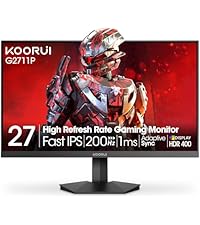
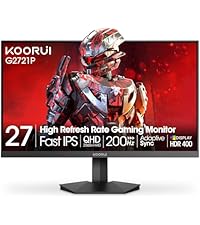
🎮 Elevate your game with KOORUI’s ultra-smooth, color-rich 24-inch powerhouse!
The KOORUI 24 Inch Gaming Monitor features a 144Hz refresh rate with Adaptive Sync for tear-free gaming, a vibrant IPS panel covering 99% sRGB for true-to-life colors, and eye-care technologies to reduce strain. Its ultra-slim design includes HDMI and VGA ports plus VESA mount compatibility, making it a versatile, ergonomic choice for gamers and professionals seeking immersive visuals and comfort.


| ASIN | B0BCDD4KTK |
| Adaptive Sync | FreeSync |
| Additional Features | Blue Light Filter, Flicker-Free, Frameless, Tilt Adjustment, Wall Mountable |
| Aspect Ratio | 16:9 |
| Best Sellers Rank | #3,346 in Electronics ( See Top 100 in Electronics ) #125 in Computer Monitors |
| Brand | KOORUI |
| Brightness | 250 cd |
| Color | Black |
| Color Gamut | 120 |
| Compatible Devices | Desktop, Gaming Console, Laptop, ps5 |
| Connectivity Technology | HDMI |
| Contrast Ratio | 3000:1 |
| Customer Reviews | 4.4 out of 5 stars 15,489 Reviews |
| Display Resolution Maximum | 1920 x 1080 |
| Display Technology | VA |
| Display Type | LED |
| Hardware Connectivity | HDMI |
| Image Contrast Ratio | 3000:1 |
| Included Components | 24 inch Gaming Monitor HDMI Cable Power Cord User Manual |
| Item Dimensions D x W x H | 8.22"D x 21.34"W x 16.86"H |
| Item Type Name | 24" Gaming Monitor 165Hz 1080p |
| Manufacturer | KOORUI |
| Model Name | G2412V |
| Model Number | G2412V |
| Mounting Type | Desk Mount |
| Native Resolution | 1920x1080 |
| Number of Component Outputs | 2 |
| Picture Quality Enhancement Technology | Adaptive Sync |
| Pixel Pitch | 0.28 |
| Power Consumption | 30 watts |
| Refresh Rate | 180 hertz |
| Resolution | FHD 1080p |
| Response Time | 3 milliseconds |
| Screen Finish | Matte |
| Screen Size | 23.8 inches |
| Screen Surface Description | Matte |
| Series Number | 24 |
| Shape | Rectangular |
| Specific Uses For Product | Gaming, office |
| Total Number of HDMI Ports | 1 |
| UPC | 739406175912 |
| Unit Count | 1 Count |
| Viewing Angle | 178 degrees |
| Voltage | 240 volts |
| Warranty Description | 3 Years Manufacturer Warranty |
| Warranty Type | 3-year warranty service (display screen is backed for 1 year, and other accessories for 3 years |
T**G
Better off saving your money for a quality brand like Acer or Samsung
If you were looking for a decent gaming monitor with a good refresh rate, you better keep looking. Honestly, I wanted to really like this thing. For $120, it ticked off a lot of great features for me: at least 120Hz refresh rate, 1080p quality, and some nifty reticule marks for FPS gamers like myself. And for a year I had no problems with it until a few days ago. The ability to control input's, power, and toggle the reticule features all lie on one singular button behind the monitor. Here lie's the issue; if that power button starts messing up, there is no way to control or turn on/off the monitor. This is exactly what happened on my unit; the power button/control went out and the monitor was basically useless. I contacted Koorui support via email, and all I got was a vague "Did you confirm the button is really broken" response. Replied back that I did, and the manufacturer has ghosted me. Basically, I HIGHLY advise you just save up a few $80 or $100 dollars and get a decent entry level gaming monitor. By going cheap with this one, you will just end up probably wearing out the power/control button and be left with an expensive paperweight. If you are DIY repair savvy, I am sure that replacing the power/control button probably is not that big of a deal. In which case, go right ahead as it is a decent monitor for the price. But with that said, having this thing break leaves you with basically no options to get it fixed and good luck trying to get a hold of Koorui for support. Sadly, this is a growing trend on buying electronic's here on amazon from smaller brand sellers. *Update* So as of writing this review, I got Koorui to reach out to me. They would agree to replace the monitor for free, but I would have to front the shipping costs. They have their operations out in California, so if you live on the east coast then expect to pay around $40-50 for shipping for the monitor all the way out there (nearly half the monitor's value). I told Koorui that this just did not make any financial sense and they offered to refund me 50% of the monitor's value. However, they have yet to specify how they will send the refund, so I am unsure of whether I will see my partial refund when this is all said and done. So know that if you do proceed to get this monitor and need to return it past the 30 day return window covered by Amazon. TLDR: just save up an extra $50-100 for a big brand gaming monitor and save yourself the headache of dealing with all of this.
౨**!
DO NOT BUY. dead pixels or ghosting after barely a months use
i have used this monitor with my new pc setup for about two weeks. the monitor remained in the box for a while as i worked through technical difficulties with my new build. it was long enough for the return window to pass, unfortunately, and now that i've started using the monitor these lines have begun to develop on the screen. to be clear, this is not the result of burning onto the monitor. i don't leave my computer running while i'm away, i put it to sleep every night and the display turns off automatically after a few minutes, and i have been sure to turn the pc entirely off once a week to preserve it. despite my efforts these lines have showed up completely out of nowhere, and are only getting worse. the first photo is yesterday and the second photo is today. the different color is irrelevant, don't mind that, but you see what i mean. more lines have appeared. there are some in the center of the screen not pictured that there was one of yesterday and now there are two of today, and i can assume this will continue until the entire display has essentially become a sheet of paper. save your money for something better, because i am now out of a lot of money because of the seller's complete lack of quality control. if you're stubborn and still think you should buy it, allow me to give you a few more reasons not to; the strange shape of the monitor's outline prevents you from putting any kind of cover around it in a consistent way. it has no brightness controls on it's own. enjoy your eyes being constantly bombarded with blue light at max brightness! like i mentioned before, the display automatically turns off after a few minutes of inactivity. this would be a good feature if not for the fact it also forcibly disconnects random devices from your pc. i hear the little disconnect-reconnect sound with every mouse shake to revive it. in addition to that, it takes way too long to come back awake when that happens, and the pc is fully responsive too, leading you to click random stuff. which you will do, because it doesn't wake up from mouse movement. it has to be a click. for those of you this did work for, all the power to you. i just can't personally recover from the fact i am losing money for something that is entirely the fault of the seller. UPDATE 10/19/23 i have contacted customer support for the company and they proceeded to ignore me after giving one reply. the lines shown in the photos have consumed my entire screen are impossible to ignore. do not buy this, they have no quality control and will not take responsibility for their flaws. UPDATE 8/9/24 i thought you'd all like to know this is still the case. the entire screen is covered in these lines like a crt tv. customer service has been useless and does not care. they did not offer a replacement or product support of any kind, and merely suggested that it was some kind of video setting built into the monitor. obviously, the nature of their appearance makes it clear this is not the case. i strongly advise that you do not buy this monitor. it is simply not worth it.
B**R
Koorui 34E6UC (34" 3440×1440, 180 Hz, 1000R curved VA panel) — But Missing Info Buyers Should Know
Review: I purchased two of the Koorui 34‑inch curved ultrawide monitors for a dual‑monitor setup, and so far I’m very pleased with them. The picture quality is sharp, the brightness is solid, and the “Normal” color preset looks natural without any adjustments. For the price, these 34‑inch panels deliver very good performance. That said, there are a few important details the product listing and reviews don’t mention — and knowing them ahead of time would have saved me some stress during installation. 1. YES, the 34‑inch model DOES include stand‑offs (spacers) This is not mentioned anywhere in the listing, and even Amazon’s Rufus incorrectly says they are *not* included. They actually come in the small accessory packet with the manual. If you’re mounting these monitors, you will need those stand‑offs because of the recessed VESA pattern. They are already in the box — just not advertised. I rushed to order a separate spacer kit because the listing didn’t mention it, so I’m putting this here to help the next person avoid that. 2. One of my monitors flashed briefly until I disabled FreeSync On one of the two monitors, I noticed a quick bright “flash” when moving the mouse. Turning off Adaptive Sync / FreeSync in the monitor’s menu fixed it instantly. The other monitor didn’t have this issue, so it seems to vary by panel. Not a defect — just something to be aware of if you see flicker or brightness pops. 3. Color and brightness match well once set manually After setting both monitors to the same brightness, contrast, and color mode, they match very well side‑by‑side. The “Normal” color preset looks the most accurate on these VA panels. 4. Build quality and packaging are solid Both monitors arrived well‑protected, and the included cables work fine. The stand is basic, but I’m using monitor arms, so that wasn’t a factor for me. 5. Too early to comment on long‑term support or durability I’ve only had these monitors set up for a few hours, so I can’t speak yet to long‑term reliability or how responsive Koorui’s support is. I’ll update this review if anything changes over time. Bottom line: These 34‑inch Koorui ultrawides are excellent for the price, especially for gaming or a dual‑monitor setup. Just be aware that: - Stand‑offs ARE included (despite the listing not saying so) - FreeSync may need to be turned off on some units - Picture quality is great once you match settings manually - Long‑term support is still unknown If the listing had mentioned the included spacers, it would have saved me a last‑minute order — so I hope this review helps the next person.
J**Z
Looks Great But Very Fragile
I have purchased 4 of these monitors, both because of the low price and the decent size of the screens. I use two of them for my home office where I previously only used my 15 inch laptop. Looking back now, I don't know why I did not upgrade sooner. I just love the added screen real estate for my work. It has made a big difference in completing my work sooner where I no longer have to click alt+tab to switch between screens as I constantly did on my laptop. I don't really use these screens for gaming but the video quality looks great to me. The one complaint I have is that they are very fragile. My son has one of these screens in his room and when he got upset at me for telling him to do his homework, he tossed a pencil at the screen. I kid you not the screen stopped working. As you can see from the picture, the star shaped area is where the pencil struck the screen and ruined the whole screen. Now, the pencil did not break the screen because there is no glass to break. The pencil damaged one part of the screen which I guess affected the entire screen. I was there when my son tossed the pencil so it was not like throwing a ball, but I guess it hit the screen just right where it made the entire screen unusable. However, absent any tantrums at home, you should be happy with these screens. Just make sure to handle them with extra care.
G**E
Overall AMAZING moniter for the price
It dose everything it said it did without any downsides thus far. I will say having it grouped with all the other monitors in the listing kinda skews the reviews for all the monitors and the HDR 400 certification not being a real HDR value is a bit scummy for marketing however over all its a amazing monitor. virtually 0 input lantancy as far as i can tell and its more than bright enough for me. Its color calibration is a bit off by default but can be easily fixed by switching to the cool setting. I was expecting it to come with a display port cable but it only came with a HDMI cable. I would have liked to see a display port cable but i understand why its a HDMI cable. It was very easy to setup and easy to use as its just the stand, the monitor, and the HDMI and power cords. The monitor stand is nice but its obviously where Koorui cheaped out however for a monitor of this price you cant beat it.
A**Y
Looks nice, but frustrating to use
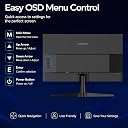
The monitor has a nice display, but the controls and the connection it has are frustrating. It has one DVI port and 3 HDMI ports. The DVI connection works great. I have no issues with it. When I turn on my computer, the monitor responds quickly and the quality of the image is really nice. I have one HDMI connection that is awful to work with, though. I know it's not the cord because I have tried multiple HDMI cords. It is connected to my laptop, and I just use the monitor as an additional screen. When I first turn on my laptop, the display usually turns on with no issue. However, if my laptop falls asleep, there's a good chance that when I wake my laptop back up, the monitor will act as though there is no input. I know it's not my laptop's fault either since this doesn't happen when I connect it to my other (completely separate) monitor set up. I've done a little research and found this is an issue that some people have solved by being very careful with how the HDMI is plugged into the back of the monitor, which has helped, but not solved it. Additionally, my laptop WILL act like the other display is still there (my apps will still be open on the monitor, there's just no image). If I turn the monitor off and back on, it tells me there is no input. Some other things that are frustrating: - The ports are hard to reach. You basically have to flip the monitor or lay it flat on it's front to even see them because they are tucked up, which makes troubleshooting things a pain. - The menu button isn't very fluid. There is a single button that you have to press at specific angles to act as arrow keys. It's on the back of the monitor, so it feels awkward pressing it. Also, the menu button doubles as the power button, which means you have to press and hold it for several seconds to turn it on/off, which isn't comfortable either. - Unless you have an active, working connection, you can't access the menu. It's impossible to bring it out of standby mode without turning on an input. Again, this makes troubleshooting difficult. All in all, I think this would be a fine monitor if you want just a single screen for a single computer with a DVI port, but I regret getting it for my setup.
T**.
This monitor far surpasses name-brand products at a fraction of the price.
I've had this monitor for a couple of years now, and I'm very happy with it. The response rate is awesome, as long as your video card can handle the resolution and FPS. I have a 4070Ti, and I run it thru the Display Port side, not the HDMI side. Windows and many of my games recognize the monitor natively, and the games that support v-sync and see the monitor actually allow you to select the maximum rate. When I got mine, no dead pixels, still no dead pixels. I don't get any flickering or ghosting with this either. The 1ms refresh rate is awesome, especially in games like Call of Duty Modern Warfare III, Battlefield 6, and GTA:V. I also watch quite a bit of videos on this monitor. For a gamer friendly monitor, you can't beat the price. I've gotten a lot of value out of this monitor, and I especially like being able to have 2 windows open side by side without a double monitor setup. The shear quality of the picture is great for creating office documents, playing games, and coding. The brightness of the monitor is staggering, and the HDR is spot on for those blackest blacks. Overall, as a gamer, and as a programmer, I'm satisfied with this monitor--so much so that I'm considering buying a second one for either my gaming machine or for my other PC.
S**Y
For gamers: You get what you pay for, but it's still a great value
First I want to say that this is a solid Monitor. If you're coming from anything older, or smaller that's IPS or VA this is a great choice. There definitely is ghosting. Having AMD Freesync enabled and turning on VRR definitely helped reduce most of it, but it's still there. You won't notice it depending on what games you play. When playing fighting games, coming from a 16:9 1440p 240hz monitor, I can definitely see it. I wouldn't really recommend this for any kind of twitch-y game where every frame counts. It might still work for you, but I'll stick to playing fighting games on a different screen, personally. In adventure games like Alan Wake 2 and Hogwarts Legacy, boy oh boy, what a treat to the eyes. Colors really look great on this monitor. I'm sure racing games also look great, I'm downloading some to try it out now. All in all, you're not paying top dollar so keep your expectations in check. I wouldn't say this is bad at all. It's great for the cost for sure. I would just make sure you're more into rpgs, adventures, and maybe some shooters(to an extent). I sit about 2-3 feet away and the ti ght 1000R curve just wraps around my vision giving me no fatigue. It truly is an experience.
K**O
Excelente Monitor
El monitor cumple su función pues da la resolución 1440p pero lo hace a 8 bits y es bueno. El panel es VA lo cual para algunos no les gusta sin embargo vale la pena comprarlo y más por el precio pues yo lo agarre en oferta un poco abajo de $4000. Este es el primer monitor que uso para jugar ocasionalmente y ver películas. El único inconveniente que no se si solo me suceda a mi es que a veces cuando veo algo en Netflix la pantalla corta una parte del video y despues de 1 o 2 segundos vuelve la imagen, normalmente donde van los subtítulos pero solo sucede con esa plataforma; PARA JUGAR VA DE MARAVILLA.
J**O
Sick
Nice
A**O
Excelente producto
Excelente producto funcionando a la perfección
P**L
Superb Quality and Price
I picked up the Koorui 24e3 for just $114 Canadian ($85 USD) on a lightning deal. I was doubting weather I made a mistake getting a monitor from a less-known company and how an IPS 144hz deal for $114 seemed too good to be true. I got the monitor 2 days later which is good delivery time. When I opened the monitor I was surprised to see a DisplayPort Cable which is much better then HDMI. I put the The stand was alright, not good, but I've seem worse. The monitor however turned on straightaway and looked quite good on default settings. The 144hz is very smooth and feels just as smooth as my other Asus Gaming Monitor which was twice the price of this one. I was also excited about the IPS panel which didn't dissapoint. It looks good from different angles and 1080p at 24 inches is good enough. I sit around 18 inches away from the monitor and it doesn't look pixelated. However if you are sitting a less then 12 inches you might see some pixels. Overall, this monitor usually sits at the $139 Canadian which makes it a really good deal because you can't find better for the pricepoint. However, sometimes the price climbs to $169 Canadian which is an alright deal. If you can find it for $150 Canadian or under then you won't be dissapointed with this monitor, overall a 10/10 for the price I payed.
J**A
Longevity
When I first bought it, it worked as expected, it was fantastic, with 165hz, gaming felt more smooth. But its longevity is an issue, Ive had this for 2 years now, and it lost its display, blacked out on me, its issue was that after a bit of time, the backlight or power board had failed to display my screen. Meaning its at the end of its life, of course for what it's worth, its good, but expect issues along the way, considering that Koorui is a budget brand company, the materials are most likely low quality, so if my monitor lost its life, then that means that the circuit is also low quality. If you are wanting a monitor that is low quality, chances of it not being long lasting, and budget friendly, then go ahead at buy it. But if youre wanting a monitor with longevity, I suggest you look into the more high quality brands, that can fit your budget.
Trustpilot
2 weeks ago
3 days ago