🚀 Elevate your workspace with HP Pavilion 27q — where style meets powerhouse performance!
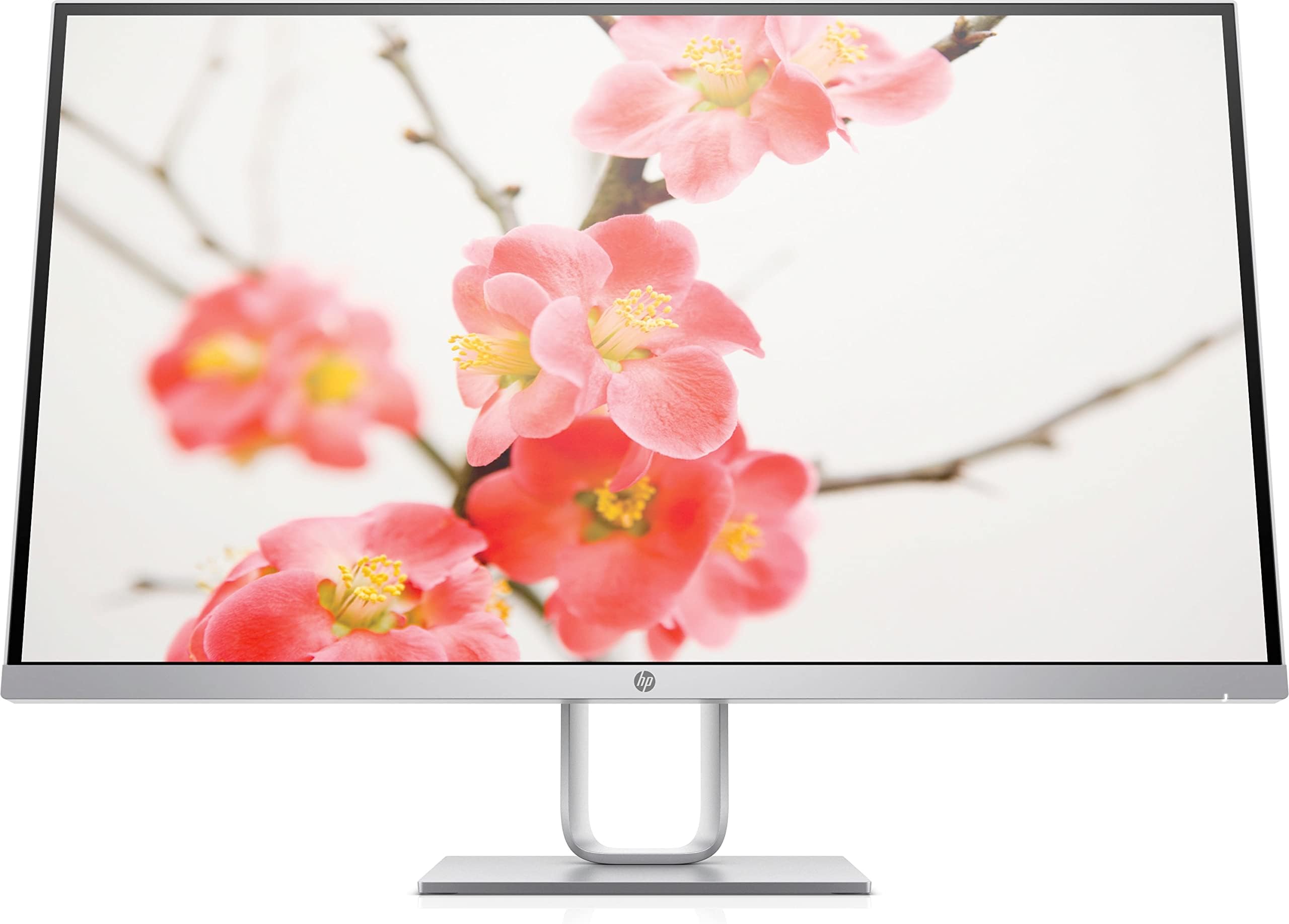
The HP Pavilion 27q is a 27-inch QHD (2560x1440) IPS LED monitor featuring a 5ms response time, 100% sRGB color accuracy, and AMD FreeSync support. Its anti-glare panel and ultra-thin bezels provide a premium viewing experience, while versatile connectivity options and a VESA mounting bracket offer ergonomic flexibility. Designed for professionals and gamers alike, it balances stunning visuals with smooth performance in a sleek silver design.


| ASIN | B075SV7P3Q |
| Brand | HP |
| Color | Silver |
| Customer Reviews | 4.1 4.1 out of 5 stars (276) |
| Date First Available | October 5, 2017 |
| Is Discontinued By Manufacturer | No |
| Item Dimensions LxWxH | 11 x 13 x 12 inches |
| Item Weight | 10.69 pounds |
| Item model number | 1HR73AA#ABB |
| Manufacturer | HP |
| Max Screen Resolution | 2560 x 1440 Pixels |
| Number of USB 3.0 Ports | 1 |
| Product Dimensions | 11 x 13 x 12 inches |
| Screen Resolution | 2560x1440 |
| Series | HP27QSC1 |
| Standing screen display size | 27 Inches |
| Voltage | 265 Volts |
M**K
Good, affordable 2k monitor
So far so good! I had built my gaming computer earlier this year (in January) and did not want to spend a fortune on an expensive gaming monitor. What made buying my computer peripherals harder was that I was going for a white/silver theme. Finding an attractive monitor that is white/silver, affordable, 2k and can handle slightly higher than average refresh rates was not easy. I stumbled upon this monitor, HP's 27q Pavilion, on a tech website's gaming monitor review. What drew me in was the price, style, FreeSync compatibility and ability to get over 60 Hz refresh rate. I don't use my computer extensively for anything else outside of light gaming at the moment; but will eventually connect my MacBook Pro to it for a second larger monitor for when I'm working from home. The colors look great to me and the screen is large and clear. I have not had any screen tearing when playing Anthem or The Division 2. I was also able to get my refresh rate up to 74-75 Hz by using the Gaming - FreeSync mode. I had to enable my Nvidia graphics card to allow for FreeSync, but I think it's working. The monitor was also super easy to set up! It even came with a VESA mount adapter, should you want to mount the monitor, but I didn't try it out; I just wanted the monitor for regular desk use. The only small cons would be the lack of adjustability of the monitor, both height and angle. Overall I'm very happy with my purchase so far! It looks so nice and it meets my needs.
L**L
A beautiful wide-screen panel in a mostly white casing with a touch of silver.
Just Wow! This monitor is nearly perfect. My only advice would be the input control buttons have a more tactile feel. The minimal design is just what I was looking for and matches my Mac Mini perfectly. The monitor packs more than enough gamer power and resolution. Vesa mounted though one of the screw holes in the enclosed bracket was not threaded properly. Quality control on the monitor and packing was perfect otherwise. It comes complete with cables for HDMI and Displayport to Displayport but you will need to buy a Displayport to Thunderbolt Mac compatible cable to use on a Mac. I was looking for a monitor in a white casing and kept coming back to this model. It looks fantastic and clean! The display has matte front panel that appears to be very durable. I wish is was covered in Gorilla glass like true Mac panels but it is sharp and not reflective. I am very happy with my purchase.
C**N
Great monitor depending on needs.
First off, I am a software developer, so my monitor needs aren't as extravagant as a gamer or professional digital artist. That being said, I am picky with regards to text clarity, screen real estate and aesthetic, so I spent several months researching. Initially I was set on the Dell 38" or 34" ultrawides, but ultimately decided the utility of two 27" monitors would be better for productivity reasons. I was coming from two Dell 24" monitors and loved them, so naturally I was leaning towards Dell. Here were my main considerations, and why I ended up with the HP 27q: 1) PICTURE QUALITY (and backlight bleed) In this price range, picture quality between most brands out there aren't going to vary drastically. While I didn't try this particular model in stores prior to purchasing, HP makes great monitors so it wasn't much of a concern coming from Dell. The picture quality is fantastic, albeit the back-light bleed that is oh-so-noticeable at night. It's not a huge deal for me as I don't watch movies or do professional graphic/photo work in my office. Actually, this monitor's grays are fantastic which is generally the background color of my IDE's (i.e. VS/VS Code). Additionally, the displays are in my sunroom office, so during the day the bleed is not noticeable, and the brightness is perfect. I give the display a 4/5 for picture quality for the price, and for matching MY needs. If you're looking for show-stopping image quality that you'd find in a photography studio, do yourself a favor and get comfortable with shelling out at least a grand. 2) AESTHETIC This is completely subjective, but my office is in a sunroom with white walls and dark gray wood flooring. If I were in a typical office setting, I would have gone the direction of the Dell Ultrasharps for their more bold and professional look. The HP 27q simply looks cleaner and matches my office decor. 3) UTILITY Dell wins here hands-down. While the base of the HP 27q is sleek and made of quality material, there is no adjust-ability besides tilting forward and back. I use a dual monitor mount for my set up, so this was not a consideration for me. However, if you are not using a different mount, I suggest avoiding this model. **NOTE: This model does include a VESA mount adapter, which is great.** 4) PRICE This was a big one. I wanted a high-quality display that looked great, but that was as inexpensive as possible. I was fortunate enough to grab this HP 27q on Amazon that was being sold for $210, and plan to buy a second soon. $280 is still a fair price. That being said, if you are going for a different look or need more utility out of your monitor's base, I would also recommend looking at the Dell Ultrasharp 27" for about the same price.
J**3
Best price on a quality QHD monitor
This is a solid monitor. The stand is sturdy and you can tilt it easily both forward and backwards. The picture quality is great and considering it's QHD, it's a good monitor for the money. The colors are crisp and the backlit lighting is easy on the eyes. I could not be happier. This is the best monitor in this price range. I tried this side by side w/ another monitor with lower resolution and could really tell the difference. It's worth a little more money to go with higher resolution.
J**L
DP Port Stopped Working
The monitor is less than 1 year old and the only display port stopped working already. The monitor is otherwise awesome, but for this kind of price, I’m terribly dissatisfied. Might just be a fluke, but I wouldn’t know, because the HP support/warranty is awful. Can’t even get ahold of anyone for help because the product is out of warranty now. Worst large tech purchase I’ve made. Would avoid HP in general at this point unless you have a long warranty that covers product failures/manufacturer defects :( Picture quality is great and the monitor is very aesthetically pleasing, though…when it was working
S**Y
Nice monitor
Bought this as a gift for my wife who is doing remote teaching. Using it with a MacBook that the school provides. No issues and the picture is very nice (pay attention to the max resolution when shopping for a monitor). Extremely helpful to have the large monitor for her office. I like the 27in size and am jealous. As a software developer, I use two 22in monitors and will save up to upgrade to the 27in size or maybe even 32in!
N**W
Era da tempo che desideravo sostituire il mio HP 27" full HD con uno schermo con risoluzione maggiore. Tale esigenza è dovuta alla necessità di aprire più finestre sullo schermo in modo da poter confrontare facilmente più file o più siti web. Con il full HD l'area visualizzata era troppo piccola e mi costringeva a spostare a destra ed a sinistra la visualizzazione nella stessa finestra per leggere tutte le informazioni. Inoltre per il montaggio video e per la gestione del mio archivio fotografico era necessaria un'area di lavoro maggiore. Ho subito pensato ad un monitor 4K ma mi sono reso conto che la risoluzione era troppo elevata per un 27 pollici, avrei dovuto optare per un 32" ma era troppo grande per la mia scrivania. Quindi stabilita la dimensione giusta del monitor ho subito adocchiato questo modello della HP quad HD che aveva un prezzo altalenante dai 329€ a 270€. Dopo poco il prezzo è sceso a 199,99 ed ho subito fatto partire l'ordine. Nella confezione ho trovato oltre al monitor e all'alimentatore anche un cavo HDMI ed un cavo DP ed ovviamente ho preferito quest'ultimo per il collegamento al PC. Devo dire che sono rimasto meravigliato della risoluzione , della visualizzazione dei colori di questo monitor PLS/IPS, inoltre ho apprezzato la superficie opaca che non crea riflessi anche quando colpita da luce diretta. Grazie alla risoluzione maggiore ho guadagnato molto in produttività, insomma dopo due mesi di lavoro ne ho comprato un'altro uguale destinato ad un secondo PC situato in un'altra sede. Ne consiglio l'acquisto.
S**O
画面にヒビ+右上の枠部分が割れていた。画面がつかなかった
J**N
This is a really nice looking monitor. I like that its not black but I like the screen a lot more. The colors are nice and it has a decent amount of configuration.
E**E
En perfecto estado, únicamente algún plástico rasgado. Era un producto reacondicionado de Amazon, a un precio muy bueno. El monitor es de calidad HP, con una definición y colores más que fantásticos para esta gama.
E**A
Un bon écran et d’une qualité supérieure
Trustpilot
2 weeks ago
2 months ago