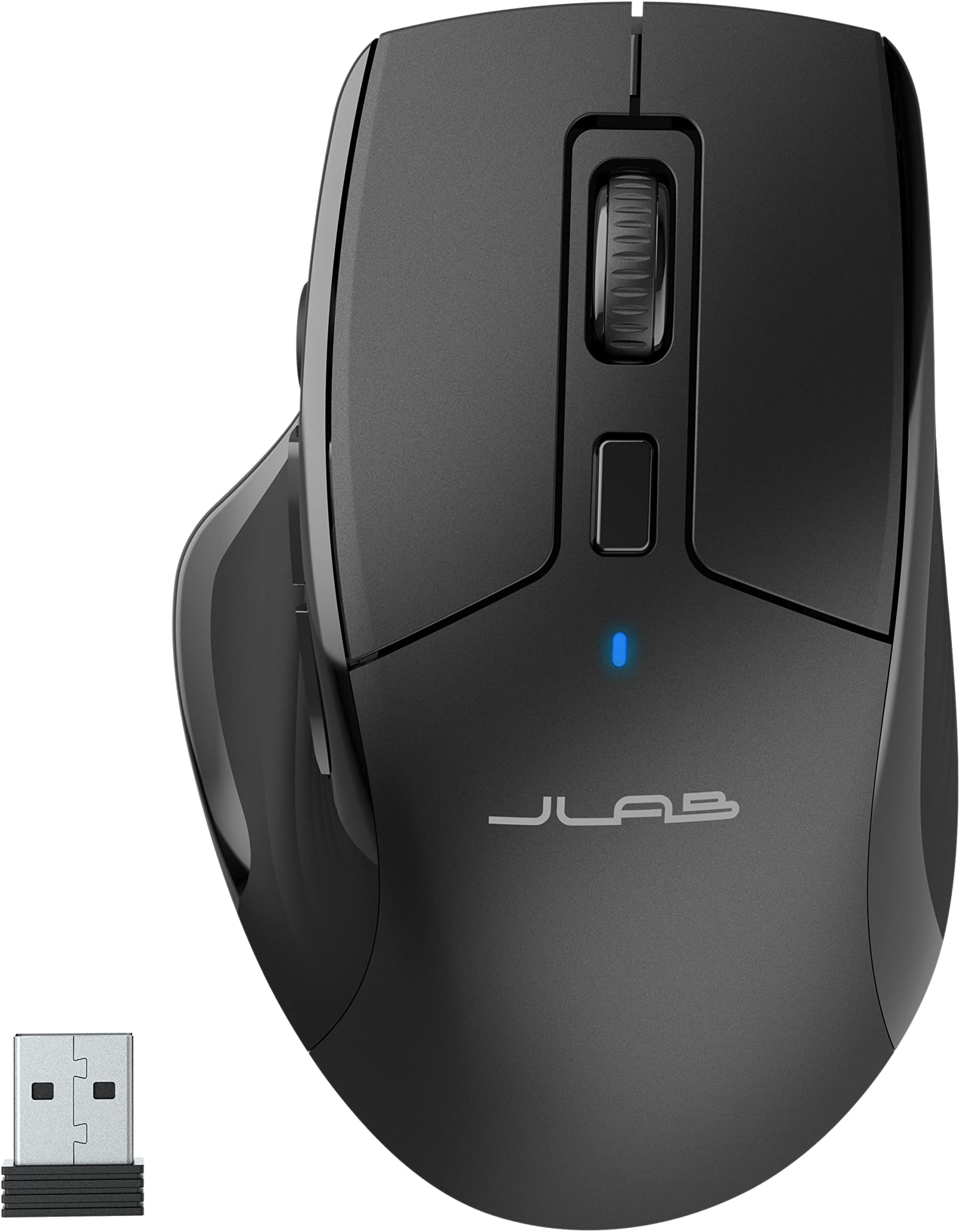
🖱️ Elevate your desk game—connect, customize, conquer.
The JLab JBuds Wireless Mouse offers versatile connectivity with Bluetooth 5.2 and USB dongle support, enabling seamless switching between up to three devices. Featuring customizable user profiles through the JLab Work App, adjustable tracking sensitivity, and a rechargeable battery lasting up to 4 months, this full-size ergonomic mouse is designed for professionals seeking productivity and comfort in one sleek package.


| ASIN | B0BKCF4FKT |
| Are Batteries Included | Yes |
| Average Battery Life (in hours) | 4 months |
| Batteries | 1 Lithium Polymer batteries required. (included) |
| Best Sellers Rank | #81,151 in Computers ( See Top 100 in Computers ) #2,276 in Computer Mice |
| Brand | JLab |
| Color | Black |
| Customer Reviews | 4.2 4.2 out of 5 stars (645) |
| Date First Available | 8 November 2023 |
| Hardware Platform | Laptop |
| Item Weight | 94.8 g |
| Item model number | IFCMJBMOUSERBLK124 |
| Lithium Battery Energy Content | 2.22 Watt Hours |
| Lithium Battery Packaging | Batteries contained in equipment |
| Lithium Battery Weight | 0.18 Grams |
| Manufacturer | JLab |
| Number Of Lithium Ion Cells | 1 |
| Operating System | macOS 10.12 Sierra |
| Power Source | Battery Powered |
| Product Dimensions | 4.68 x 4.68 x 1.68 cm; 94.8 g |
| Series | JBuds |
| Wattage | 2.22 watts |
M**S
Slightly shorter than my wired mouse by about 8mm, so nothing to drastic. The USB side of things worked straight out of the box. Plugged in the dongle, windows recognised it, and switched the mouse on, and it worked. It feels and looks sturdy. There's a big round button towards where the tip of your thumb would be. That, as default, clears the desktop by minimising everything. I have a long USB-C cable permanently plugged into my PC, and I plugged that in to the mouse, and as it began charging I was still able to use it. The DPI is useful, and I have changed it when gaming, to allow more accuracy. So far I've used this for around 22 hours and not once has it faltered from receiving any movement. There is software you can download from the manufacturers website that allows you to setup the actions you want from each button. It's basic, easy to understand, no frills, but it does do the job, and it stores your selected profile on the mouse so you can close the application once you have selected the profile. For the price, £29.99 on sale, I am impressed. I also got a £5.00 voucher for it at the time of ordering so that was a bonus. I haven't tried any of the 'gaming' mice, but this does what I expect it to, when I expect it to, and instantaneously. Not sure having pretty flashing lights on a gaming mouse makes them work better so I saved a few pounds too. [EDIT 14 months on] I absolutely love this mouse. It works like a dream and I have only had to charge it about 3 times in the 14 months I've used it, and I use it at least 6 hours a day, 24/7. I've had no issues with it other than the dongle thingy stopping receiving a signal on 2 occasions and unplugging it then reinserting it (or in my case switching off the USB hubs socket and back on again) got the mouse working again immediately. Now I use it on my home tower which I use as a server by moving the dongle to the server and it works great on there too. I would still recommend this mouse.
A**I
This is my second one! I used to get wrist and finger pain with almost every mouse I tied, this one solved everything...
F**N
Je trouve dommage que que le dongle soit obligatoire alors que la souris et sensée se connecter en bluetooth et que mon pc possède le bluetooth
J**Y
Best mouse ever , I am big PC gamer and 3 years from the mouse. Fast charge good life on battery life . Every 2-3 weeks. Great app to set up easy.
C**.
This wireless mouse works very well and doesn’t tire out my wrist from working on my computer all day. Has an on/off switch underneath to save power when not in use. Was able to connect it quickly. Very quiet when I’m using it.
Trustpilot
5 days ago
1 month ago