Desertcart purchases this item on your behalf and handles shipping, customs, and support to Croatia.
🔗 Power Up Your Productivity — Never Run Out of Ports Again!
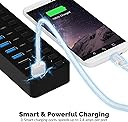
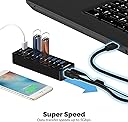
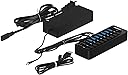
The SABRENT 10-Port USB 3.0 Hub offers professional-grade connectivity with 7 high-speed data ports and 3 smart charging ports, each with individual power switches and LED indicators. Powered by a reliable 60W adapter, it ensures stable performance across all devices. Compatible with PC, Mac, Xbox, PS5, and Linux systems, this compact aluminum hub is designed for seamless plug-and-play use, making it the ultimate solution for multitasking millennials craving efficient workspace management.


| ASIN | B0797NWDCB |
| Additional Features | Indicator Light |
| Best Sellers Rank | #23 in USB Hubs |
| Brand | SABRENT |
| Color | Black |
| Compatible Devices | Devices with USB 3.0 or lower ports |
| Customer Reviews | 4.6 out of 5 stars 6,653 Reviews |
| Data Transfer Rate | 5 Gigabytes Per Second |
| Enclosure Material | Aluminum |
| Global Trade Identification Number | 00819921013781 |
| Hardware Interface | USB 3.0 |
| Item Dimensions L x W x H | 5.7"L x 1.9"W x 0.94"H |
| Item Type Name | USB-HUBS |
| Item Weight | 44 Grams |
| Manufacturer | SABRENT |
| Mfr Part Number | PS65B120Y5000S |
| Model Number | PS65B120Y5000S |
| Number of Ports | 10 |
| Operating System | Linux |
| Special Feature | Indicator Light |
| Total USB Ports | 10 |
| Total Usb Ports | 10 |
| UPC | 819921013781 |
| Unit Count | 10.0 Count |
| Warranty Description | 1 year |
I**E
10/10 Worth Every Cent
Best purchase I’ve ever made for my setup besides like lighting and mounts, this right here is 10/10, had it for maybe 8 months so far (late review) but it’s absolutely amazing, and I know it’s not too demanding from my pc, I originally bought this for my laptop, but I’ve upgraded since then and it was worth every dollar, super useful and functional, has more than enough usb ports there’s just so many usb ports, super good port, along with the charging ones, super great power usage, and I can turn off and on the ones I want to use whenever, super light and it even looks nice!
M**G
Very handy USB hub for my needs
First, a caution which applies to ALL USB hubs: more USB sockets does not necessarily mean you can use more USB devices simultaneously. If you want more USB devices usable at the same time, do some reading online about the way a PC manages USB devices. And consider plugging this Sabrent hub into a USB-2 port rather than a USB-3 port. The overall speed may be slower but the number of simultaneous ports available will be larger. It seems you can have high speed or connectivity but not both simultaneously, at least in the Windows 10 world. You may want to keep a USB 3 port on the PC empty, so it's available when you need high speed such as for a backup drive or DVD player. I am very pleased with this device! It works as advertised and does what I need, namely provides additional USB ports so I can keep more USB devices plugged in than was possible with the ports on my Windows 10 laptop. The main benefit for me is that I can bundle up the various cables and keep them all plugged in, turning devices on and off as needed via the VERY HANDY on/off switch for each USB socket. So for example I can turn the external Bluetooth adapter off when not needed. The three power-only ports are great for recharging devices that don't need to connect to the PC but do need to be recharged. The power switch for each allows me to plug and unplug power cables without worrying about eventually ruining tiny electrical contacts due to connecting with power applied. Also I don't need to find the wall-wart AC adapter for charging each device. I checked all the voltage levels at the USB sockets and all were 5.15V with only about +/- 20mV variation. These were no-load tests but it appears that the power supply is more than capable of handling the rated load. I'd prefer it if the power supply were smaller and lighter, but at least it's efficient; I don't notice any warmth. And the power cable from power supply to USB plug strip is thick and stiff, which makes it a bit of a nuisance for positioning the USB plug strip. The same can be said about the USB-B to USB-A cable that connects the USB plug strip to the PC. If these cables could be made thinner and more flexible while maintaining the required performance, I would find that helpful. Overall I'm very pleased with this product. It does what I needed, does it well, and appears to be durable. I've been using it now for a couple months.
J**D
Good quality, nice solid unit that works perfect for my needs.
I ordered the Sabrent 60W 7-Port USB 3.0 Hub + 3 Smart Charging Ports in order to try to solve my desktop rats nest situation. I really like the unit thus far as it is performing as advertised and easily and quickly handles any USB cord or device that I have thrown at it. I have had no problem with connectivity or performance issues, as I have read in some of the reviews, i.e. dismounts. There again, I am not using the unit for external hard drives either. You do have to hook it up correctly and use a little common sense though. The issues that I am seeing with the 4 port hub, and using flash drives ..... c'mon people, open your eyes and brains. Sabrent has done a great job on spacing the plugs. It is, however, impossible for them to anticipate what a flash drive manufacturer is going to pile on top of the USB plug with regard to the shape of a casing, which may cause the drives not to stack well in the side-by-side configuration. Flash drive manufacturers are notorious for making their cases either too fat, or adding a case that curves towards the end such as the Sandisk Cruizer drives. That is Sabrent's faule, so don't give the hubs a bad rating for something that you could have anticipated if you would have just used your eyes and brains .... LOL Flash drives have always had problems fitting into tight spaces because of these case issues, whether you are plugging them into a hub or simply into the back of your computer. If you think this may be an issue with flash drives that you own, then use your common sense and order the Sabrent 60W 7-Port USB 3.0 Hub. That unit stacks them vertically, not horizontally edge-to-edge and alleviates the issue. I do have two suggestions for Sabrent which would make this a 5 star product.First, include a longer USB cable! Second, the blue lights that indicate that the plug is active, are much to hard to see. If you are viewing them from more than a 45 degree off angle, you can't even really tell that they are lit because the light is slightly recessed. Also, in low light conditions, it's hard to see which plug you are plugging into, or you may easily hit the switch for the plug either above or below your intended target. This caused me minor problems at first so I just keep a mini maglight handy to see it clearly. The perfect solution here would be ........... illuminate both the socket and the perimeter of the switch, and then connect them with a blue illuminated line. Having explained those minor issues, this is a great product which I would recommend. I have mounted the unit to the side of my hutch via double sided foam tape. In addition, I have purchased two of the Cable Management Cord Organizer ORICO 7 Channel Desk Cable Clips Wire Cord Holders, and mounted them to the side of my desk top, close to the hub. This serves two purposes. First, your cables are both nicely organized and easily identifiable and accessible. No more fishing around for what fell off the desk top. Also, this provides a great strain relief for your cables, which doesn't tug on the cable plugs and sockets unnecessarily, causing wear and tear, and connection issues.
K**S
Works well but LEDs are very dim.
It works well but the power LED for each port are barely visible, even when directly in line with the eye. It's minor(ish) nit, but other hums don't have this issue.
T**Y
Great hub BUT switches only turn off power, not data
I've been using the 10-port version for almost two years connected to a USB type-C "dock." The dock has changed and the personal and work laptops have changed, and I've also used mini PCs with it. Never had any issues with the reliability or compatibility of this hub. BUT the switches only turn off power delivery to the ports. For nearly all devices, this is no issue. One thing I like to switch between is audio devices, and I have a DAC that absolutely does not care if the power to the port is turned off because it has its own power supply. No matter which of the 7 data ports I use, turning off the switch on the hub has no effect on whether the DAC is connected to the computer. I have many other self-powered devices that will be disconnected by flipping the switch, but the Gustard X16 DAC will absolutely stay connected. I wouldn't be surprised if this is some kind of failure on the DAC's part to conform to USB standards, but nonetheless it is a strange issue that some small number of others may come across. The DAC has its own power switch, and I really should turn it off when not in use anyway, so I see no reason why this should affect the review of an otherwise outstanding product. I haven't seen anyone else mention this, so I figured I'd write a review in case anyone is asking this exact question.
M**T
Perfect!
The best HUB I've had to date. No more disconnect and reconnect issues due to being under powered.
W**.
Single port failure out of ten
Update 15 August 2020: It turns out that the port failure wasn't a hardware failure but a problem with the macOS driver(s). A day after writing this, all the ports failed on the device. The only way to get them back was to reboot my Mac. Once rebooted, all ports including the one I said had failed, were working. And everything is running just fine. My host machine is a mid-2015 15 inch MacBook Pro Retina running macOS 10.14.6 Mojave. Orignal Review: I received the product, attached it to my 2015 MacBook Pro, and started to use it for general development work. I've got a 2TB Samsung T5 SSD plugged into one port, a 5TB Seagate HDD plugged into another port for Backup Plus, a Samsung Tab S6 Lite plugged into one of the fast charging ports, and four Pycom fipy/Pytrack embedded systems plugged in. That's seven out of the ten available ports. Turns out that as I was plugging in each Pycom system that one failed to communicate with the developer software running on the Mac. A bit of testing and suspect elimination narrowed the problem down to the sixth port from the top. The switch works, proper power is applied, but the port will not transfer signals between the Pycom system and the Mac. If I move everything to another empty port, then it all works fine. I went so far as to put a scope and a breakout plug on it, and couldn't see anything but noise; not proper data signalling. Overall the hub seems to be working fine, voltages are proper, and all the other ports seem OK with proper power and data signaling. Just that one port. I can't send it back if I wanted as I've tossed the packaging it came in. I doubt I would if I still had it because everything else about the hub is fine. But just be aware, and if you get a new one, check all the ports to make sure they work. Don't assume anything.
J**.
High Quality Hub & Power Supply
[NOTE: Review is made 2 weeks after receiving - not a long-term use review] After using some low-quality USB hubs, I decided to give Sabrent a try and so far am not disappointed. Getting it out of the box it is notably heavier than other hubs I have used and feels very solid. The ports appear to be well-designed and snug-fitting. Having to push a bit more to attach a cable, but the ports do not appear to give at all - they appear to be anchored well. I like having the ability to turn each port on or off individually - a feature you don't normally see on most hubs. I also like that the power supply is in-line rather than on-plug. This allows you to plug into the wall or power strip without having a bulky power brick covering up additional outlets. My only fault so far has been an odd issue. Some reviews have stated that moving the device causes the power to the entire hub be momentarily disconnected. I have not experienced that issue, but sometimes (not all), when I power-on/power-off some ports that have a device/wire connected to it, it will momentarily cause all devices to disconnect and have to reconnect to Windows. This seems odd and is more of an annoyance but could be more of an issue. For instance, had I have a hard drive or USB stick drive connected to the hub and this disconnect was to happen when I was transferring data it could corrupt to cancel a data transfer. I do have a Wi-Fi adapter connected to it and it does cause a few seconds of interruption to my router network/Internet connection.
D**.
Ports parfait mais switch on/off capricieux
Utiliser sur un SimRig pour tout le matériel Sim Racing et j'en suis très très satisfait. Les trois ports de recharges me servent pour recharger les périphériques sans fil (clavier, souris et casque) et les autres pour les différents périphériques (base, pédalier, dashboard, ...). Pour ceux (comme moi) qui pensent utiliser les boutons on/off, il faut savoir qu'ils leur arrive de ne pas s'enclencher comme ils le devraient. D'où les 3 étoiles. Après un petit temps (quelques mois), la position basse (on) a parfois du mal à "accrocher". Il suffirait peut-être de démonter pour remettre un guide convenablement, mais j'ai choisi de ne plus le passer en off. Mis à part ce petit souci rien à signaler sur ce hub qui fait très bien le travail.
R**E
Great product and fantastic customer support
I attempted to use this product and it pretty much did not work. I reached out to Sabrent support and they followed up very quickly. They sent me the tools and instructions to get things fixed up and this USB hub is now working perfectly. Thank you Sabrent, you have a great product and especially great service. I highly recommend.
R**O
Hub Multi-TT económico - Ideal para USB MIDI
Un hub USB 3.0 fantástico. Éste fue el único hub que encontré por Amazon con "Multi-TT", importantísimo para uso con dispositivos USB 1.1 como controladores MIDI, ya que si es de TT único, se reparten el ancho de banda entre todos los puertos y hay latencia inconsistente y posible pérdida de paquetes. Funciona perfecto con todos mis dispositivos y los interruptores son muy útiles para controlar qué puerto encender y cuál no. Así puedes dejar todos los cables conectados y solo activar los dispositivos cuando lo necesites. La fuente de alimentación es potente y permite usarlo a plena capacidad sin limitaciones. Desde luego, estoy super contento con él. Solo tiene dos mini pegas de fácil solución: 1. Cable USB un poco corto, que con un extensor USB 3.0 u otro cable se resuelve. De todas formas, si lo tienes cerca del ordenador, da de sobra el cable. 2. Se resbala y en cuanto enchufas muchos cables se mueve. Esto se soluciona poniendo un poco de blutack en la base para adherirlo a la superficie. Así da 0 problemas. Lo recomiendo al 100%, relación calidad precio fantástica. Resolvió todos mis problemas!
C**N
Gran producto
Tengo una lap YOGA, la cual tiene únicamente una entrada para USB. Gracias al COVID me he estado dedicando a dar cursos virtuales y videoconferencias en vivo. Este dispositivo de entradas para USB y 3 cargadores, me ha sido de vital ayuda. Le conecto micrófono, cámara de video, los USB para teclado y mouse inalpambrico, y todo funciona a la perfección. Sin problema alguno en la transmisión de audio y video. Además de que cuando se me termina alguna bateria del equipo de iluminación tengo la oportunidad de conectar su cargador a éste adaptador y recargar la bateria al mismo tiempo que estoy transmitiendo en vivo. MUY RECOMENDABLE! EXCELENTE PRODUCTO!! MUY UTIL!!
P**T
Excellent usb switch board
Excellent and easy to use switch board with enough power
Trustpilot
3 days ago
1 week ago