Desertcart purchases this item on your behalf and handles shipping, customs, and support to Croatia.
🖋️ Elevate your Chromebook game—precision meets power in one sleek stylus!
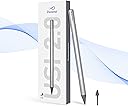
The Penoval USI2.0 Stylus Pen is a premium, widely compatible digital pen designed for select Chromebooks and tablets like Lenovo, ASUS, HP, and Google Pixel. Featuring 4096 levels of pressure sensitivity, fast Type-C charging with up to 90 hours of use, magnetic absorption, and palm rejection technology, it offers a seamless, natural writing and drawing experience. Crafted from durable aluminum alloy and requiring no Bluetooth pairing, this stylus is perfect for professionals seeking precision and convenience in their digital workflow.


| ASIN | B0CMX315NG |
| Battery Average Life Standby | 90 hours |
| Battery Description | Alkaline |
| Best Sellers Rank | #14,011 in Cell Phones & Accessories ( See Top 100 in Cell Phones & Accessories ) #325 in Styluses |
| Brand | Penoval |
| Charging Time | 50 minutes |
| Color | USI2.0 US |
| Compatible Amazon Tablet Models | Amazon Fire Max 11 13th Generation |
| Compatible Devices | Acer Chromebook Spin 713 / Acer Spin 713 / Acer Spin 714, Amazon Fire Max 11 Tablet, Google Pixel Tablet, HP Chromebook x2 11 / Samsung Galaxy Chromebook 2(Not the 360 Version), Lenovo Chromebook Duet 3 / Lenovo Chromebook Duet / Lenovo Chromebook Duet 5 |
| Compatible Tablet Computer Models | Amazon Fire Max 11, Google Pixel Tablet |
| Customer Reviews | 4.4 out of 5 stars 1,265 Reviews |
| Enclosure Material | Metal |
| Item Dimensions | 7.48 x 2.44 x 0.43 inches |
| Item Weight | 15 g |
| Manufacturer | Penoval |
| Material | Metal |
| Mfr Part Number | USI2.0 US |
| Minimum Required Operating System Version | ChromeOs 134 |
| Model Number | USI2.0 US |
| Number of Batteries | 1 C batteries required. (included) |
| Pressure Sensitivity | 4096 levels |
| Unit Count | 1 Count |
| Warranty Description | 1 year |
P**P
Solid Stylus—Great Feel, Holds Up Over Time
I’ve been using the Penoval USI2.0 Stylus for over a year now, and it’s still going strong. The battery still holds a charge, and it charges up fast, especially if you use a decent charger. I like the metallic feel. It feels sturdy and actually kind of premium in your hand. The silver finish looks good too. The wight is nice and not too heavy, it's a great value, the magnet is solid and decently strong, it's easy to hold. I mainly use it with my FireMax 11 tablet for drawing and editing, and it’s made things a lot easier. Palm rejection works really well, so I don’t have to worry about messing up my sketches just by resting my hand. It also has pressure sensitivity, which is decent, I haven’t gotten deep into painting with pressure effects, but it works fine for sketching and coloring. I’ve done photo touch-ups and even some basic graphic design with it, and it’s worked without any problems. It’s also handy just for general tablet navigation, like typing in passwords if you have bigger fingers. I actually bought a second one for my grandmother because she needed something easier for her tablet, and she’s been happy with it too. I haven’t had to change the nib yet (probably because I don’t draw constantly), but I’ve got a spare set just in case. After all this time, pressure sensitivity still works and nothing’s broken. Overall, if you have a USI-compatible tablet and you want a reliable, comfortable stylus that won’t break the bank, this one is a solid choice. I’d definitely recommend it for artists or just anyone who wants more precision and palm rejection on their tablet.
I**D
The Digital Quill
Dateline: A Lenovo Duet 5 Screen, Under the Cold Glow of a Thousand Pixels. The world of the stylus has long been a wretched hive of scum and villainy. A chaotic landscape of proprietary connectors, fussy Bluetooth pairings, and princely sums demanded for a simple stick that lets you draw on a screen. You were either locked into a specific company's gilded cage, paying their exorbitant fees, or you were lost in the wilderness. But a new standard has emerged from the ether, a universal language called USI 2.0. And the Penoval stylus is its finest missionary. This is not a tool you have to coax or persuade. There is no pairing ritual. There is no descent into the labyrinth of settings menus. You simply unbox the Penoval, hold its fine, metallic point near the screen of your Chromebook, and the two become one. It is an instantaneous, almost telepathic connection. A digital handshake that says, "Alright. Let's get to work." The sheer, unadulterated simplicity of it is a revelation. And the work… good heavens, the work. This is not some blunt, fat-fingered instrument for clumsy tapping. This is a digital scalpel. The tip is fine, the tracking precise. Where you put the point is exactly where the line appears. There is no lag, no parallax, no frustrating gap between your intention and the digital result. With 4096 levels of pressure sensitivity, it becomes a seismograph for your imagination. A gentle press yields a faint whisper of a line; a firm hand unleashes a bold, confident stroke. It feels intuitive. It feels right. The pen itself rests in the hand with a cool, comfortable weight. It’s a well-balanced instrument, designed for long, frantic sessions of note-taking, sketching, or simply navigating the digital world with a grace and precision your clumsy fingers could never hope to achieve. But the real masterstroke, the final, glorious rebellion against the old guard, is the battery life. This thing sips power with the discipline of a desert hermit. It lasts and lasts, a stark and welcome contrast to my memories of the first-gen Apple Pencil, a device that seemed to need a constant, life-sustaining tether to a power source. For the price, the entire proposition is ludicrous. You are getting a high-performance, professional-grade stylus that works seamlessly, feels great, and boasts an epic battery life, all for a fraction of what the big-name players demand. The Penoval USI 2.0 isn't just a great value; it's a statement. It’s proof that you don’t need to empty your wallet to get a tool that performs flawlessly. It is, without question, the smartest, sharpest, and most sensible stylus a Chromebook user could ever hope for. A five-star champion in a field of overpriced contenders.
L**.
You get what you pay for!
I got this, used it, loved it, and apparently fell asleep with it -- and then one of my cats hid it somewhere. They're lucky they're cute. So then I got a much less expensive stylus, even in a cute pink color, and used that for about a month. That one worked, but once I was able to, I ordered a replacement Penoval pen. 1) It's heavier weight than the other one, which helps it seem more secure in my hand. 2) It's magnetic, so it sticks to my Google Pixel tablet for easy transport without the need for a case. 3) It automatically turns on. The replacement pen I got required me to tap on the top of the pen to wake it up -- and sometimes I had to wake it up after it was only inactive for 30 seconds. That's probably the most annoying part of the other one. 4) This one is super accurate, but also not so sensitive that my tablet thinks I'm pressing buttons when I'm not. 5) The charge lasts for DAYS, not just hours. The only downsides to this I see? 1) It's pricey -- but then again, you get what you pay for. 2) It doesn't come in fun colors That's really it. If you're in the market for a stylus and want one that'll last (until your cats hide it), this is definitely the one to go for.
R**N
Works well on Pixel tablet
This works great on a Pixel tablet. My only complaint would be that the battery could last a little longer.
E**D
Great low maintenance stylus. Fits needs perfectly.
Excellent stylus works great on my Tablet. Very nice precision and sensitivity on the tip. Easy to use and keep connected. Easy to charge and the charge lasts for a pretty decent amount of time. The automatic turning on when you move the pen and lack of need to pair it with the device is wonderful. Now for the "bad" the tips wear down to a mechanical pencil lead thick rod of metal. If this isn't noticed, there is a serious risk of scratching the screen. The worn down tips all do not wear evenly unless they are intentionally worn that way, not just used without thought. I have also found that if i touch and move the tip around too much the pen stops working properly with depth of touch getting messed up; it registers as a tap when the tip is still just above the screen, initiating a long press if not careful. Though this is simple enough to reset just by putting the pen down for a short while so it turns off, then picking it back up to turn on; alternatively plugging it into a charger seems to reset it. If you don't fidget with the stylus you likely wont run into this issue, so its not a big deal.
D**T
Works Very Well
Works seamlessly with my Pixel Tablet.
N**K
Perfect replacement for my Lenovo Chromebook Duet's pen
I lost the stylus from my Chromebook and got this as a replacement. Worked straight out of the box with my Lenovo Chromebook Duet. Snaps on the back where my old pen was situated. Like it was made for it. I like the bigger pencil-shaped tip more than the original stylus, too. Rechargability is nice, and it can charge directly from my Chromebook's usb-c port.
R**I
I would pass on it.
Bought to test on ugee fun pad 14 inch support ing usi 2.0. it Works. However, lifting it off the surface too far and then putting back closer causes it to take a micro second to reconnect. So a dot or a skipped line is drawn. Has tilt sensitivity, though not always accurate. Oddly, it stops working once in awhile after charging fully. Recharging it brings it back. Though im unsure how long it holds its charge. I can't recommend it because it states that it activates after picking it up. If so, that would mean any movement of the stylus, like being left in a bag would cause it to power on, thus draining the battery. I think it would have been better to have some kind of on/off button like the ugee t-pen stylus.
S**.
Lange Laufzeit, Präzise eingabe
Der Penoval USI 2.0 Eingabestift für Chromebook ist eine gute Wahl für alle, die ihr Chromebook mit einem Stift bedienen möchten. Er bietet gute Präzision und flüssige Schreib- und Zeicheneigenschaften. Vorteile: Präzise Steuerung: Der Stift ermöglicht eine präzise Steuerung des Chromebooks und eignet sich daher gut zum Schreiben, Zeichnen und Notieren. Druckempfindlichkeit: Der Stift ist druckempfindlich und erkennt verschiedene Druckstufen, so dass Sie beim Schreiben und Zeichnen unterschiedliche Strichstärken erzeugen können. Lange Akkulaufzeit: Der Stift hat eine lange Akkulaufzeit und muss daher nicht häufig aufgeladen werden. Kompatibilität: Der Stift ist mit den meisten Chromebooks kompatibel, die USI 1.0 unterstützen. Der Stift ist Magnetisch und kann somit an Chromebooks (je nach Modell) einfach befestigt werden. Nachteile: Kein integrierter Radiergummi: Der Stift verfügt über keinen integrierten Radiergummi, so dass Sie zum Löschen von Fehlern die Tastatur oder eine andere Funktion nutzen müssen. Die Stiftspitze hat ganz minimales Spiel, dieses scheint bei diesem Stift normal zu sein. Fazit: Der Penoval USI 2.0 Eingabestift für Chromebook ist eine gute Wahl für alle, die ihr Chromebook mit einem Stift bedienen möchten und eine gute Präzision und flüssige Schreib- und Zeicheneigenschaften zu einem fairen Preis suchen. Meine Empfehlung: Wenn Sie ein Chromebook besitzen, das USI 1.0 oder höher unterstützt und Sie nach einem Stift für die Bedienung suchen, ist der Penoval USI 2.0 Eingabestift eine gute Wahl.
E**L
It works on Amazon Fire Max 11!
After my original pen for the Amazon Fire Max 11 stopped working after just a year of casual use, I decided to give this one a try—and I’m so glad I did! Right out of the box, it feels far more reliable and well-built. The responsiveness is smooth, making it a joy to use for both writing and navigation. Plus, the convenience of USB-C charging is a game-changer—no more hunting for obscure chargers or batteries. If you’re looking for a solid replacement, this is a fantastic choice!
L**_
Ottima
Perfetta scorre bene compatibile con Google pixel tablet.
M**K
Poor quality
I’ve been using this pen for JUST a week, but the tip is already showing wear.:(
M**I
Bon produit
fonctionne très bien avec ASUS Chromebook plus CX560. Manque la gomme comme l'usi première version. Très agréable en main, agréable pour dessiner ou écrire :). J'aimerai juste des mine pour faire un peut oublier le bruit contre l'écran en "verre".... le mine PENOVAL USI 1 sont les même.
Trustpilot
1 week ago
1 month ago