🚀 Unlock next-level storage speed and capacity — don’t get left behind!
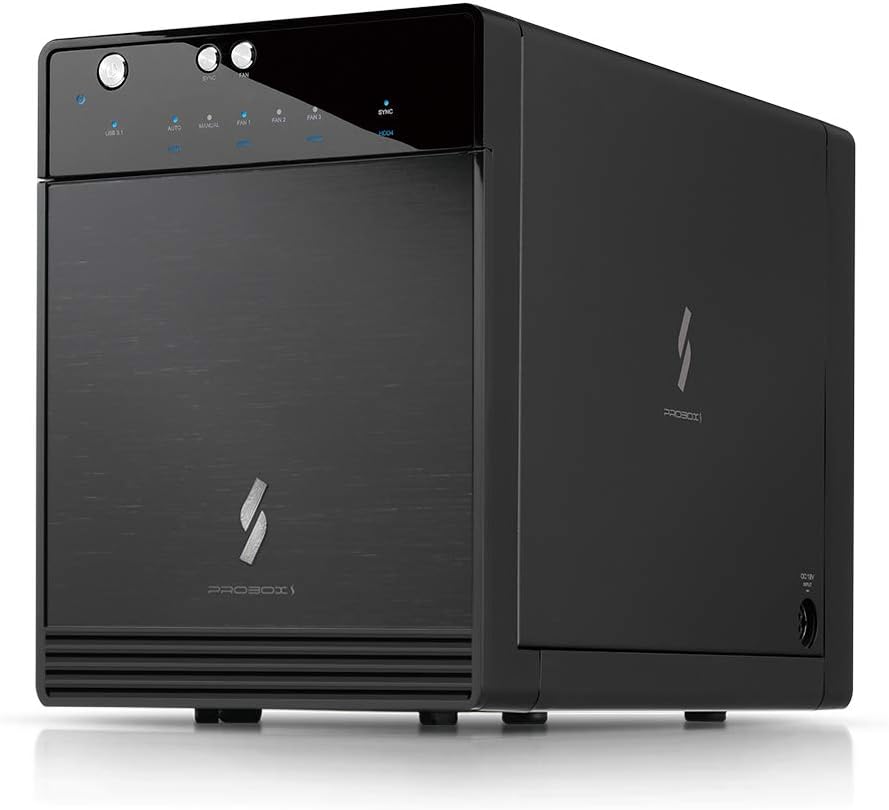
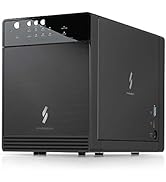
The Mediasonic USB 3.2 4 Bay 3.5” SATA Hard Drive Enclosure (HF7-SU31C) is a high-performance DAS solution supporting up to four SATA drives with a combined capacity of 120TB. Featuring USB 3.2 Gen 2 Type-C connectivity at 10Gbps, a smart cooling system, and broad OS compatibility, it’s designed for professionals seeking scalable, reliable, and fast external storage. Made in Taiwan with a robust metal build, it’s ideal for managing large data sets or repurposing existing drives with ease.


| ASIN | B078YQHWYW |
| Best Sellers Rank | #92 in Enclosures |
| Compatible Devices | Desktop, Laptop |
| Connectivity Technology | SATA |
| Customer Reviews | 3.9 3.9 out of 5 stars (4,043) |
| Data Transfer Rate | 10 Gigabits Per Second |
| Date First Available | January 12, 2018 |
| Hard Disk Form Factor | 3.5 Inches |
| Is Discontinued By Manufacturer | No |
| Item Weight | 4 pounds |
| Item model number | HF7-SU31C |
| Manufacturer | Mediasonic |
| Material | Metal |
| Max Number of Supported Devices | 4 |
| Memory Storage Capacity | 30 TB |
| Product Dimensions | 8.89 x 5.04 x 6.77 inches |
| UPC | 629329001965 |
G**S
A Fantastic Upgrade! Mediasonic Continues to Impress!
I've been a loyal Mediasonic customer for years, having owned an older version of their 4-bay hard drive enclosure, which I absolutely loved. It was a workhorse, reliable, and served my storage needs perfectly. When I saw the Mediasonic USB 3.2 4 Bay 3.5” SATA Hard Drive Enclosure DAS (HF7-SU31C) with USB 3.2 Gen 2 10Gbps Type C, I knew it was time for an upgrade, and I'm so glad I did! This new enclosure takes everything I appreciated about the older model and elevates it. The USB 3.2 Gen 2 10Gbps Type C connection is a game-changer. Data transfer speeds are incredibly fast, making backups and large file transfers feel instantaneous. I'm currently using it with 24TB HDDs, and it handles them flawlessly. Setup was a breeze, just like with my previous Mediasonic enclosure. The build quality is solid, and the design is sleek and efficient. It runs quietly, and the drives stay cool even under heavy use. If you're looking for a reliable, high-speed, and well-built external hard drive enclosure, look no further. Whether you're upgrading like me or buying your first, the Mediasonic HF7-SU31C is an outstanding choice. Highly recommend!
R**V
Mediasonic 4 Bay USB 3.1 Gen-II/Type-C Review
Conclusions: Discussions of details and expansion of the conclusions follow, but it does get long. 1. The drives do spin down as expected. 2. The automatic functions (Power Sync and Auto Fan) do work, just not as well as they could. 3. The Auto Fan function did not shift into level 2 or level 3 soon enough to keep my drives from reaching undesirable temperatures (it didn’t shift to level 3 at all while in auto during my tests). The temps were kept within the drive manufacturer’s specs, but they were too hot for maximum drive life, IMO. 4. Leaving the fan on Level 3 rather than Auto did keep the drives within reasonable temperatures during my simple test. 5. Fan Levels 1 and 2 are quite quiet (Level 1 nearly silent) and Level 3, while louder than 2, is not intrusively loud (my unit is sitting next to me below my desk.) All of the above is based on my setup and my simple-to-do testing. I did NOT attempt a max load test, so do not overinterpret these results. Final Summary: I rated this device 4 out of 5, but with the caveat that the Auto Fan mode is NOT used, but rather keeping the fan set to manual at Level 3. Fan Auto might be useful for drives only accessed occasionally, such as backups or archives, but it is not useful for drives being actively used. My device is loaded as shown in photo #1. A total of 33TB and all bays occupied with 4 Western Digital drives of varying ages. My test technique was simple: I used the Auto Refresh function of CrystalDiskInfo 9.1.1 (CDI) to create activity on the drives and to report the individual drive temperatures. I recorded the temperature(s) every 10 minutes. All tests were run with the Power Sync On for the Mediasonic, which causes the device to shut down after inactivity as determined by the manufacturer. Test 1: Fan set to High. CDI set to auto refresh every 5 minutes while targeting a single drive (the one in Bay #2). I ran this test for one hour. More than adequate cooling for accessing one drive occasionally. See photo #2. Test 2: Fan set to Auto, otherwise the same as Test 1. In Auto mode, the fan remained at Level 1 for the entire test. Note that under the identical drive use scenario, this resulted in the drive temperature increasing by 2°C, but still more than adequate for accessing one drive occasionally. See photo #3. For Tests 3 and 4, I increased the drive activity by setting the CDI Auto Refresh to every 1 minute and to access all four drives at each refresh. This resulted in a significant increase in drive temperatures. Since temperatures were still rising after 1 hour, I ran these tests for 2 hours to determine where they would plateau. Test 3: Fan set to Auto, all drives refreshed every minute. The WD Red drives are spec’ed to have an operating temperature of up to 65°C, and the drives did stay well below that, but OTOH, I consider anything above 45° to be undesirable and at 50° or higher to be VERY undesirable. Therefore, I do not consider the cooling capability of this device with the fan set to auto to be adequate. Note that it never did shift to Level 3 fan speed. See photo #4. My final test was identical to Test 3, except the fan was taken off of auto and placed at Level 3. Test 4: Fan set to Level 3, all drives refreshed every minute. This test resulted in acceptable drive temperature control. Caveat: CDI Refresh every minute is hardly a drive stress test. See photo #5. I rated this device 4 out of 5, but with the caveat that the Auto Fan mode is NOT used, but rather kept set to manual at Level 3. Fan Auto might be useful for drives only accessed occasionally, such as backups or archives, but it is not useful for drives being actively used.
R**S
Easy plug-n-play multi-drive enclosure
Great enclosure and good chipset. Fan is not loud -- have this in a closet and is keeping my 2 drives under 45C. Plug-n-play with Linux. Really like the shutdown sync when the computer is off. Definitely would recommend.
A**X
Worked for a week
This is the last mediasonic product I'll buy. I have two 2 bay enclosures that I've had for years that work great, but this 4 bay unit was complete junk. Built a software raid array and in the first week it suddenly failed and had to rebuild. Then it kept failing randomly over the next several weeks. At 4x14 tb bays, it takes a loooong time to rebuild and puts a lot of unnecessary stress on the drives. All SMART tests confirmed the drives were healthy and it was a connection issue. I contacted the warranty service. They were responsive, but instead of sending a whole new unit, they just sent the rear board in a soft mailer. The board to board connector ribbon wires that came with the replacement were heavily bent and even ripped in a spot so I would have to use the original which is annoying because it's possible it's the culprit in the connection problems I was having. Then it came with no installation instructions. The replacement (rear) board needs to connect to the front board that has the buttons and status lights. You can't remove the front plate and board and you can't remove the metal tray insert (without damaging the enclosure) so it's essentially impossible to connect due to the obstructions through the length of the enclosure. Even if I can manage to get this connected, I'm not going to subject my drives to possibly more problems. I'll follow up with my credit card company now to get this refunded. I replaced this unit with a Terramaster D4-320. It's noisier and the build quality seems poorer than this mediasonic unit, but it has worked reliably with no connection issues which is the most important part.
L**O
I got this to declutter the shelf where my home media server lives. Instead of having 4 USB drives sitting on the shelf I now have this one box connected via USB-C to a mini-PC with no internal storage beyond an NVMe SSD. It's very quick and works perfectly well but does NOT support hardware RAID. One could make a software RAID using Windows 10/11 Professional, note that the specs state this enclosure does not work with Linux. I have not tested it with Linux. The sync button is interesting. With sync turned on the enclosure powers up and down with the computer to which it is attached but will not recover from a power failure, that requires a human intervention to push the power button on the front. I cannot really fault this enclosure, for the price it is a great deal.
J**M
Good for the price...I suppose
C**R
Very easy to install, works well and reliable as well as very quiet
M**N
Like others, I removed the front case for better air flow. A star is taken off for the super flimsy front cover. But the enclosure works flawlessly so far, no disconnecting with my pc at all. Great speeds. Update on 30/1/2021, after 4 months of use. Enclosure has failed. Bays 2/3 stopped working, leaving 1 and 4. 4 slowly went away as well. Gave me the impression that my drives were failing
D**S
As a long time Mac user, I already knew that most HD enclosures work with any OS, but you needn't be put off by the "Minimum OS Version " they say, which is 10.13.xx I set it up on a legacy Mac system (Snow Leopard OSX 10.6.6) and it recognized the drives perfectly. I'm not sure if it's the same for PC OS's such as Windows or Linux, but it should be. It feels like a really sturdy unit, and really cuts down on the amount of cables needed. One thing, the included cable is a USB3 mini plug to USB3 mini plug.. in order to plug into older computers with a standard USB 1or2 input you'll need an adapter or an appropriate cable. It may look like a charging cable but it's not.. you'll need a high capacity cable with close to the same thickness as the supplied one..
Trustpilot
3 weeks ago
1 week ago