Desertcart purchases this item on your behalf and handles shipping, customs, and support to Croatia.
🚀 Elevate your home network to pro-level speed and security — don’t get left buffering!
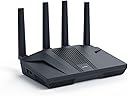
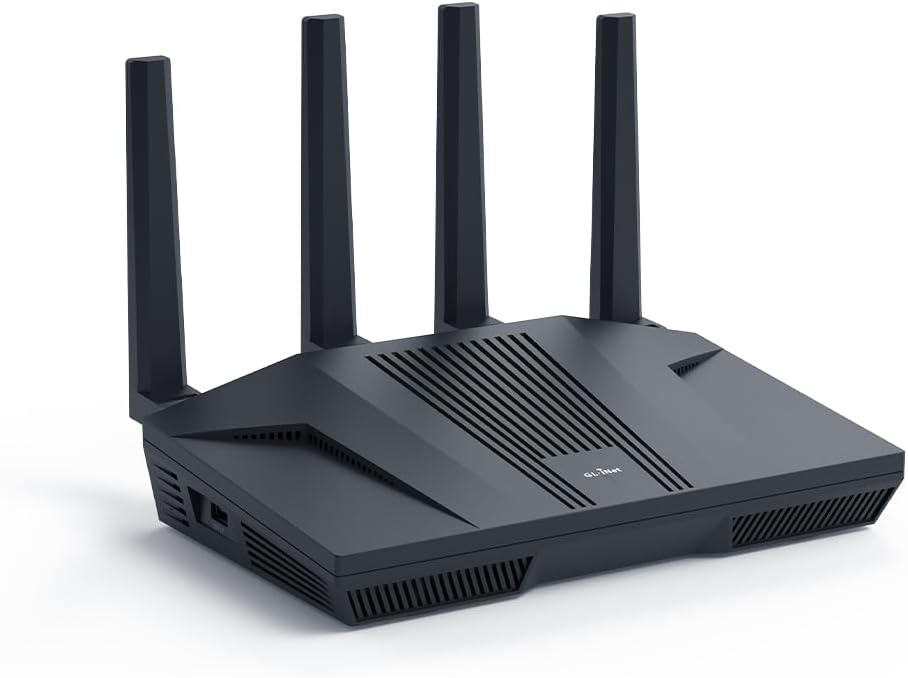
The GL.iNet GL-MT6000 (Flint 2) is a cutting-edge WiFi 6 router delivering up to 6 Gbps speeds with 8-stream technology, ideal for gamers and professionals. Featuring dual 2.5G ports, rapid VPN throughput, and support for over 100 devices, it combines powerful hardware with advanced software like AdGuard Home and OpenWrt compatibility. Designed for long-range coverage and stable connections, it’s a future-proof solution for high-demand home and business networks.


| ASIN | B0CP7S3117 |
| Antenna Location | Business, Gaming, Home |
| Antenna Type | Retractable |
| Best Sellers Rank | 2,610 in Computers & Accessories ( See Top 100 in Computers & Accessories ) 22 in Routers |
| Box Contents | Ethernet Cable, GL-MT6000 router with 2-years warranty, Power Adapter (EU+UK Plugs), User Manual |
| Brand | GL.iNet |
| Brand Name | GL.iNet |
| Colour | Black |
| Compatible Devices | Personal Computer |
| Compatible devices | Personal Computer |
| Connectivity Protocol | Wi-Fi |
| Connectivity Technology | Wi-Fi |
| Control Method | App |
| Controller Type | App Control |
| Country of Origin | China |
| Coverage | Long Range |
| Customer Reviews | 4.4 out of 5 stars 2,774 Reviews |
| Data Transfer Rate | 6000 Megabits Per Second |
| Frequency | 5 GHz |
| Frequency Band Class | Dual-Band |
| Frequency band class | Dual-Band |
| Has Internet Connectivity | Yes |
| Has Security Updates | Yes |
| Is Electric | Yes |
| Is Modem Compatible | No |
| Item Weight | 761 Grams |
| LAN Port Bandwidth | 2.5 Gbps |
| Manufacturer | GL.iNet |
| Manufacturer Part Number | GL-MT6000 |
| Maximum Upstream Data Transfer Rate | 6000 Megabits Per Second |
| Model Name | GL-MT6000 |
| Model Number | GL-MT6000 |
| Model name | GL-MT6000 |
| Number of Ports | 6 |
| Operating System | Linux |
| Other Special Features of the Product | 8 Stream Wi-Fi 6 |
| Product Warranty | 2 years |
| RAM Memory Installed | 1 GB |
| Router Firewall Security Level | Basic |
| Router Network Type | Wireless and wired |
| Security Protocol | WPA3 |
| Special feature | 8 Stream Wi-Fi 6 |
| Unit Count | 1.0 count |
| Voltage | 5 Volts |
| Wi-Fi Generation | WiFi 6 |
| Wireless Compability | 802.11ac, 802.11ax, 802.11b, 802.11g, 802.11n |
| Wireless communication standard | 802.11ac, 802.11ax, 802.11b, 802.11g, 802.11n |
C**W
Secure, Powerful, and Worth the Effort
This router has truly proved to be an efficient, powerful, and remarkably flexible piece of kit. I initially planned to use the Flint 2 simply as a VPN front-end for my existing Google Nest WiFi mesh system, allowing the Google hardware to handle the Wi-Fi. However, once I started the setup, I quickly realized the Flint 2 was capable enough to stand on its own, and I opted to remove the entire Google mesh network and use the Flint 2 exclusively. The performance has been exceptional. Performance & Features VPN Excellence: The WireGuard client performance with my Surfshark subscription is stellar. The ability to run full-speed VPN and configure Domain-based Split Tunneling (to exclude services like Netflix, Disney+, BBC iPlayer, ITVX, and Channel 4) directly on the router is a game-changer for UK streaming. AdGuard Home: The integrated AdGuard Home feature provides network-wide ad and tracker blocking, creating a cleaner, faster browsing experience across all devices. Network Segmentation: I appreciate the ability to use a Guest Network for low-trust IoT devices (switches, smart plugs) for superior security, keeping my high-value devices segregated on the main network. The Learning Curve (Why it's not 'Plug and Play') To be transparent, this is not a product for beginners. It is a powerful piece of hardware that requires an understanding of network principles to unlock its potential. As the manufacturer states, it's not a plug-and-expect-everything-to-work device. It has taken a couple of days of focused tweaking to get every setting perfectly optimized (especially integrating the VPN, AdGuard, and resolving connectivity issues on devices like Google Nest Hubs due to advanced Wi-Fi features). The Gemini Advantage: This is where modern AI assistance (specifically Google Gemini) made setting things up a breeze. By feeding the logs from both the Flint 2 and AdGuard directly into Gemini, I received simple, step-by-step instructions and troubleshooting advice to resolve tricky blocking and Wi-Fi compatibility issues. As someone with a technical background, Gemini made the configuration process highly efficient and straightforward. Conclusion: I absolutely do not regret buying this. It has replaced a complex mesh network with a single, highly capable device. The flexibility and raw performance are outstanding, and I am confident that my home network is now fast, highly secure, and optimized for both privacy and streaming performance. If you have some technical knowledge and want the absolute best control over your home network, the Flint 2 is the clear choice.
C**R
Powerful, flexible, vanilla openwrt capable
This is a fantastic router. I get excellent coverage and it has all the features I need. I just followed instructions from a video on youtube called "Tutorial & notes! on standard Openwrt 25.12 to setup a router securely with mesh capability" and now that it is on vanilla openwrt, I have a strong, stable, fast router which the update support for it will outlive what gl.inet would support with their firmware, since openwrt is the main OG. You can even put the vanilla firmware on older routers that have long since gone out of their support period and get some new, secure life out of them. Things I like about this, it's pretty easy to work with on the regular firmware it comes with. The power is great, it has lots of ports. And if you install vanilla Openwrt you get way more control and flexibility in how you use your router. Even though there is a Flint 2 and a Flint 3 and a Flint 3e and soon a Flint 4... this Flint 2 is a powerhouse. It's built for punch and rock-steady stability. You and your home need this in your lives.
F**Y
🌟🌟🌟🌟🌟 Absolutely Unmatched – Hidden Features That Make This a Dream!!!!
If I could give this 10 stars, I would. This isn't just a router — it's a full network control centre hiding in plain sight - even for me that knows next to nothing about networks. I bought the GL.iNet Flint 2 expecting decent Wi-Fi and a few nice extras, but this thing has completely changed how I run my home network. --> Here's what nobody is talking about in the reviews: 1. Drop-In Gateway Mode (The “Secret Weapon”) This feature lets you add the Flint to your existing network without replacing your old router — and still get full control over everything. This should be one the front of the box as it is mind blowing!! That means: - No weird setup clashes - No “double NAT” problems (where you have two routers trying to be the boss) - No IP conflicts - No headaches I was able to move all my smart home gear over to the Flint (like cameras, sensors, smart plugs, etc.) without touching my old PlusNet router settings. It just worked — like magic. I still do not have nay idea how they did this! 2. Built-in NAS (Network Attached Storage) I plugged in a USB solid-state drive (SSD), and within 30 seconds, I had a shared network folder for my whole house. No extra software. No technical setup. It's like having a mini file server built right into the router. The only thing it will not do is file sync between devices, but hey, bung a 1Tb USB3 SSD onto this and you have a discount network storage system, you cant have it all. 3. Tailscale, AdGuard, and VPNs – Built In!!! These just work, and using the Drop-In Gateway Mode, this all just happens behind the existing router. It is mind blowing, this all just works with the existing IPS provided router sitting there with no idea all this is going on! - Tailscale: Secure, encrypted connection to your home network from anywhere in the world. Works across phones, tablets, laptops, even while on 4G or public Wi-Fi. No port forwarding needed. ---> One note on this: You can't set Tailscale as an exit node in Drop-In Gateway Mode, which is a bit annoying. Suppose it just is not able to configure enough settings to run this way when it is not in main control? But...it works a dream as an exit node once it is the main router. That means any device with Tailscale can connect to, and use your home network securely from anywhere in the world, which is amazing! - AdGuard Home: Blocks ads, trackers, and malware at the network level. All devices benefit automatically — no need to install ad blockers on each one. - WireGuard & OpenVPN: These are VPN (Virtual Private Network) options that protect your traffic and can let you appear as if you're browsing from home when away. Great for remote working, bypassing restrictions, or accessing local devices securely. 4. Full OpenWRT Access for Advanced Users If you know what OpenWRT is (a Linux-based open-source router OS), then you already know why this is amazing. You can: - SSH into the router - Install custom packages (like fail2ban, iperf, etc.) - Tweak firewall rules - Monitor logs in real time It’s like having your own little Linux server at the heart of your network. This router should be called “The FlintForge” — it’s a network Swiss Army knife disguised as a consumer router. This is the first product I’ve bought in years that exceeded every expectation. I’ve already ordered another for a family member, and I’m not done yet. If you're even slightly technical — or just want more privacy, more speed, and total control — this is the best 100 odd quid you’ll ever spend.
B**N
A brilliant piece of kit
I do a lot of streaming via apps on a Nvidia Shield TV Pro and decided to look for a router which could host a VPN client due to the consistently low VPN speeds I was experiencing on the Shield. With a 500 Mbps broadband service the best speed I could achieve on the Shield with the NordVPN app installed was 130 Mbps. Trial with a different VPN provider produced similar results. After some homework the thought was moving the VPN app from the Shield to a router could possibly resolve the issue so I bought the GL-MT6000 Flint 2 because along with most of the major VPN providers it natively supports NordVPN. The results were amazing, 475 Mbps on the Shield with NordVPN activated on the GL.iNet router. It also has Adguard Home built in and natively supports NextDNS, all in all just perfect for my needs and best of all it just works. For the price a surprisingly fast processor, loads of RAM with fully customisable firmware via a very intuitive interface. Fully recommended.
A**H
Amazing value, much improved our home network
Brilliant router. Often available on offer so great value for money. Wifi range is great and fast, 2.5gb ports work nicely. Router doesn't looked ridiculous like some of the gaming ones available and has holes in the back for wall mounting, so this is easy to hide away. User interface is a nice layer over openwrt and all the openwrt settings are available too. Support is good with regular firmware updates and because it's based on openwrt, this will keep running and be updatable even after the manufacturer stops supporting it.
C**L
Flint2, good router, good customer support, ... but issues with Surfshark WireGuard VPN Client
Follow Up on my initial review: Unfortunately I had to return the Flint2: I really wanted to love this router, but sadly, I’ve had to send it back. The main issues stemmed from the Surfshark WireGuard VPN client, which became increasingly unreliable and caused the router to freeze completely. Even restarting didn’t help—I had to dig out an Ethernet cable and connect my laptop directly to the router just to access the Admin Panel, only to find there was no internet connection at all. The router was completely unresponsive, stuck in a frozen state. The problem seemed to occur when both the Surfshark WireGuard VPN client and AdGuard were running at shutdown. Even if I managed to enable AdGuard after the VPN connected, I’d have to remember to disable it before turning the router off—something we do whenever we leave the house. Another frustrating issue was that if I needed to switch VPN locations, disconnecting and reconnecting the Surfshark VPN would often cause it to hang indefinitely—even after disabling AdGuard first. The only fix was a full router reboot before the VPN would connect again. Even when everything did work, the Surfshark WireGuard VPN took an extremely long time to connect—usually 5–7 minutes, and sometimes much longer. I don’t want to place all the blame on GL.iNet, as the issues were clearly triggered by the Surfshark WireGuard VPN client. That said, Surfshark is one of the VPN providers offered as a quick-setup option in the Flint2’s native Admin Panel, so compatibility should ideally be smoother. It’s a real shame—I had high hopes for this router, and I truly appreciate GL.iNet’s prompt customer support. But in the end, the constant freezes left us without internet, and the troubleshooting process was too complicated for my family to handle. For now, it just wasn’t the right fit for us. Flint2 is a good quality router with great customer support by GL.iNet: A Brilliant Bit of Kit: My Thoughts on the GL.iNet Flint 2 Router I've been thoroughly impressed with the Flint 2 router – it's a truly well-built device with some fantastic functionalities. From the moment you unbox it, you can tell it's a quality piece of kit. My only minor grumble is the lack of a power button, meaning you have to unplug it to switch it off completely. It's a small detail, but a power button would certainly add a touch more convenience. Admin Panel and Customisation The Flint 2 Admin Panel is excellent, offering a good range of settings to tailor the configuration precisely to your preferences. While it doesn't quite offer the same granular level of control, especially in security settings, that some other brands provide in their admin panels, it's still very user-friendly. I'm hopeful that the upcoming firmware update (version 4.8 BETA) will bring some welcome improvements in this area. For those who crave more advanced control, there's the option to switch to the LuCi interface via OpenWrt. It's worth noting that the included OpenWrt version isn't the very latest, and updating it to the newest release isn't as straightforward as a standard firmware update for the native Flint 2 Admin Panel – and, from what I understand, doing so would mean losing the native panel. Signal Strength and Support In terms of signal power, I've found it to be absolutely excellent for my house, even reaching right into the backyard with no issues at all. It's certainly a strong performer in that regard. I did encounter a few temperamental issues with the WireGuard Client, particularly struggling to connect consistently when changing locations. However, this led me to experience the outstanding GL.iNet support. Bernard and Barry were incredibly helpful, always available via both email and chat, assisting me in diagnosing the problem. It turns out the issue stemmed purely from Surfshark having DNS resolution problems when AD Guard was enabled. This was clearly demonstrated when GL.iNet support provided an alternative VPN for testing, which worked flawlessly, proving that the problem wasn't with the Flint 2's native firmware at all. A big shout-out to them for their patience and expertise! Knowing that you can rely on such responsive and helpful support from GL.iNet is definitely a massive plus and adds significant value to the product. Overall, the Flint 2 is a solid choice, offering great performance and backed by brilliant customer service.
N**B
Fully featured - Fantastic value for money!
There's a lot to like about this router - software/firmware is being actively developed, and it's based on OpenWRT which is a good thing. Despite what you might read/see on Youtube, as I type this in early June 2024, the device _is_ stable (although that hasn't been the case judging by the GLInet forums). The UI is snappy, and the unit offers performance comparable with devices multiple times more expensive - and the wifi coverage is considerably better than what I had previously! Whilst the router does DHCP and DNS as you'd expect, if you're doing anything with static reservations or whatever, when you enable AdGuard you have to redo that DHCP/DNS in AdGuard itself - not a problem, just something to be aware of. The fly in the ointment for me is that I have a lowly FTTC/VDSL connection which is looked after by a fritz box (a 7530 AX). This won't act as a dumb modem unfortunately, so I can either use the Flint2 as an AP (an absolute waste given the functionality on offer here) or I can double NAT - and for reasons we don't need to go into here, double NAT doesn't work for me. With this in mind, I'm returning it - hopefully when (if?!) FTTP becomes an option, I'll revisit the device - but for now I need the VDSL stability the fritz box gives me... There's every chance you'd be very happy with the Flint2 - it is a very capable device, offers tremendous value for money, and I'll happily recommend it.
A**R
Dead on Arrival..
Dead on arrival. Either the adaptor or the router was faulty, tried many sockets but a brand new piece didn't work. Returned and refund initiated. Turns out other people have faced this issue too, super disappointed, saved up for 4 months to buy this only to get a product that's faulty.
J**D
Excellent openWRT router
Router uses a custom openwrt firmware, you can flash normal openwrt on it but i decided to stay on the custom version. It’s great with good specs.
O**R
Wow! Just wow!
I had a Synology RT6600ax that I bought just under a year ago. I really like that router, but I didn't like the fact it only has one 2.5Gb LAN port and the WAN port is only 1Gb. I upgraded my internet plan to 2.5Gb, so that router would no longer work for me. I could have connected the single LAN port to my 2.5Gb switch, but the internet would be limited to 1Gb. I tried various workarounds, but decided it needed to be replaced. I did some research and people were raving about the GL.iNet GL-MT6000 (Flint 2) router. I was a bit unsure, but the price was so good I decided it wouldn't be too big of a risk. The risk has so far paid off and this is an exceptional router. It runs on OpenWRT, but configuring it wasn't too difficult because GL.iNet has a custom GUI which simplifies things. I like the custom GUI, but I also like that the OpenWRT GUI is still accessible for more advanced settings. Once I got the router up and running, I was shocked at the WiFi performance. In addition to the Synology router, I had three Synology MR2200ac access points. Even with the GL-MT6000 (Flint 2) router in the basement, it still had a much faster speeds than the Synology access points. I almost didn't connect my Synology access points, but I thought it would be best to do so since I have IoT devices outside the house and the signal might not go that far (especially seeing as how the router was in the basement equipment room). Configuring the Synology MR2200ac access points without the Synology router was still possible. I was able to have the wireless devices that connect to the main network via the Synology APs appear on my GL-MT6000 (Flint 2) router and be handled via DHCP. I still need to figure out VLAN on OpenWRT to have my IoT devices be handles by the GL-MT6000 (Flint 2) router DHCP. These devices are currently being handled by the Synology APs, and it they are working fine. I originally bought this router expecting to use it until I found something better. I don't know if I will be replacing it anytime soon. Though not as simple to configure as a Synology router, it outperforms my Synology RT6600ax router in many other ways.
O**N
Worth Every Penny
Fantastic router, especially for the price. Easy to set up, and the VPN works great (I use Nord VPN). Absolutely worth every penny.
B**E
Das Beste aus zwei Welten: Power-Hardware mit echter Open-Source-Seele
Nach intensiver Recherche habe ich mich bewusst für den GL.iNet Flint 2 (MT6000) entschieden und bin absolut begeistert. Dieses Gerät ist die perfekte Symbiose aus roher Leistung und der Freiheit, die nur ein wirklich offenes System bieten kann. Die entscheidende Wahl: MediaTek statt Qualcomm Meine Kaufentscheidung fiel ganz gezielt auf den Flint 2 wegen seines quelloffenen MediaTek (ARM) Prozessors. Im Gegensatz zum neueren Flint 3, der einen Qualcomm-Chipsatz verwendet (welcher 500Mhz weniger Takt bietet), wird der MediaTek-SoC des Flint 2 erstklassig und direkt vom offiziellen OpenWrt-Projekt unterstützt. Für mich als Enthusiast, der die volle Kontrolle und Aktualität eines "Vanilla" OpenWrt sucht, war das der entscheidende Faktor. Während der Flint 3 auf die (sehr gute) Hersteller-Firmware angewiesen ist, die auf OpenWrt basiert, aber bei Updates etwas hinterherhinkt, habe ich hier die Freiheit, jederzeit die neueste, offizielle Version zu flashen. Performance & Stabilität – Absolut überzeugend Schon mit der hauseigenen GL.iNet-Firmware merkt man, was in diesem Router steckt. Die Quad-Core-CPU langweilt sich im Normalbetrieb förmlich (Load Average nahe Null), was riesige Reserven für anspruchsvolle Aufgaben bedeutet. Ich betreibe eine Gigabit-Leitung, mehrere WLAN-Netze, anspruchsvolles QoS (SQM) und einen netzwerkweiten Ad-Blocker (AdGuard Home). Selbst unter Volllast bleibt alles pfeilschnell und die Latenz stabil. Abstürze oder Neustarts? Fehlanzeige. Das Gerät läuft seit der Einrichtung absolut felsenfest. Zwei Wege zum Ziel: Original-Firmware vs. Vanilla OpenWrt Hier glänzt der Flint 2 besonders. Die Original-Firmware von GL.iNet bietet bereits mehr Features als 99% der Router auf dem Markt. Die Einrichtung von VPNs, AdGuard Home oder Gastnetzen ist kinderleicht und funktioniert hervorragend. Für die meisten Power-User ist sie mehr als ausreichend. Für Enthusiasten liegt die wahre Stärke jedoch in der nahtlosen Installation von offiziellem OpenWrt. Die Installation war ein Kinderspiel: Einfach das sysupgrade-Image flashen, und schon hat man ein pures, schlankes System. Man profitiert von schnelleren Sicherheitsupdates direkt von der Community und hat die absolute Kontrolle über jedes Detail – von VLAN-Tagging bis zu komplexen Firewall-Regeln. Fazit: Der GL-iNet MT6000 ist eine Hochleistungs-Plattform für Anwender, die das Maximum aus ihrem Netzwerk herausholen wollen. Die Kombination aus brachialer Leistung, grundsolider Stabilität und der Wahlfreiheit zwischen einer exzellenten, benutzerfreundlichen Hersteller-Firmware und einem vollwertigen, offiziellen OpenWrt ist in dieser Preisklasse unschlagbar. Wer die Kontrolle will und sich für die Open-Source-Kompatibilität entscheidet, bekommt hier ein Gerät, das selbst Router schlägt, die das Doppelte kosten. Eine uneingeschränkte 5-Sterne-Empfehlung
R**X
Un router de alta gama y con las mejores especificaciones
Es un verdadero cañón de router. Llevo con él un par de semanas. Y he de decir que desde el primer momento, se ha notado una barbaridad la diferencia con respecto al del proveedor. Lo más notorio es que la conexión es mucho más estable y no se cae tanto. Además incorpora funciones avanzadas de control y gestión del tráfico, filtrado de anuncios con adguard, etc. Fácil de configurar con la interfaz de gli, pero tambien dispone de Luci, la interfaz de openwrt para hacer ajustes y configuraciones avanzadas, instalar paquetes adicionales, actualizar el software, etc... Comentar que cuando os metáis por primera vez a la interfaz web y configuréis la WAN para tener acceso a internet. El propio router os pedirá que hagáis una actualización del software del sistema. No dudéis en hacerlo, pues esto corrige varios fallos de estabilidad, seguridad y demás de la versión anterior. Por lo demás, poco que decir de este "pepinazo" un router con lo ultimo en hardware de redes para uso doméstico y no tan doméstico. Muy buen rendimiento, muchas funciones y posiblemente el mejor sistema operativo para redes y enrutadores que hay en la actualidad. OpenWRT es insuperable. Y este es de los pocos routers del mercado que lo soportan de manera nativa. Vale cada euro, aunque yo lo pille en oferta prime y me salio muy rebajado de precio. Al principio dudaba entre el MiKrotik Hap AX3 y este. Y al final me quedé con este, sobretodo por ser OpenWRT. Ya que el firmware es de código abierto. Y a que leí opiniones discordantes del mikrotik con respecto al rendimiento del WiFi y demás. GliNet es una buena marca que lleva unos cuantos años en el mercado haciendo buenos dispositivos de red. Sin ser por ello excesivamente caros. En serio no te defraudará. Lo dice un administrador de sistemas al que le encantan estos cacharros más que a un tonto un lápiz.
Trustpilot
1 month ago
5 days ago