Desertcart purchases this item on your behalf and handles shipping, customs, and support to Croatia.
๐ Elevate your workspace with ultrawide clarity and seamless flow โ because your productivity deserves the best!
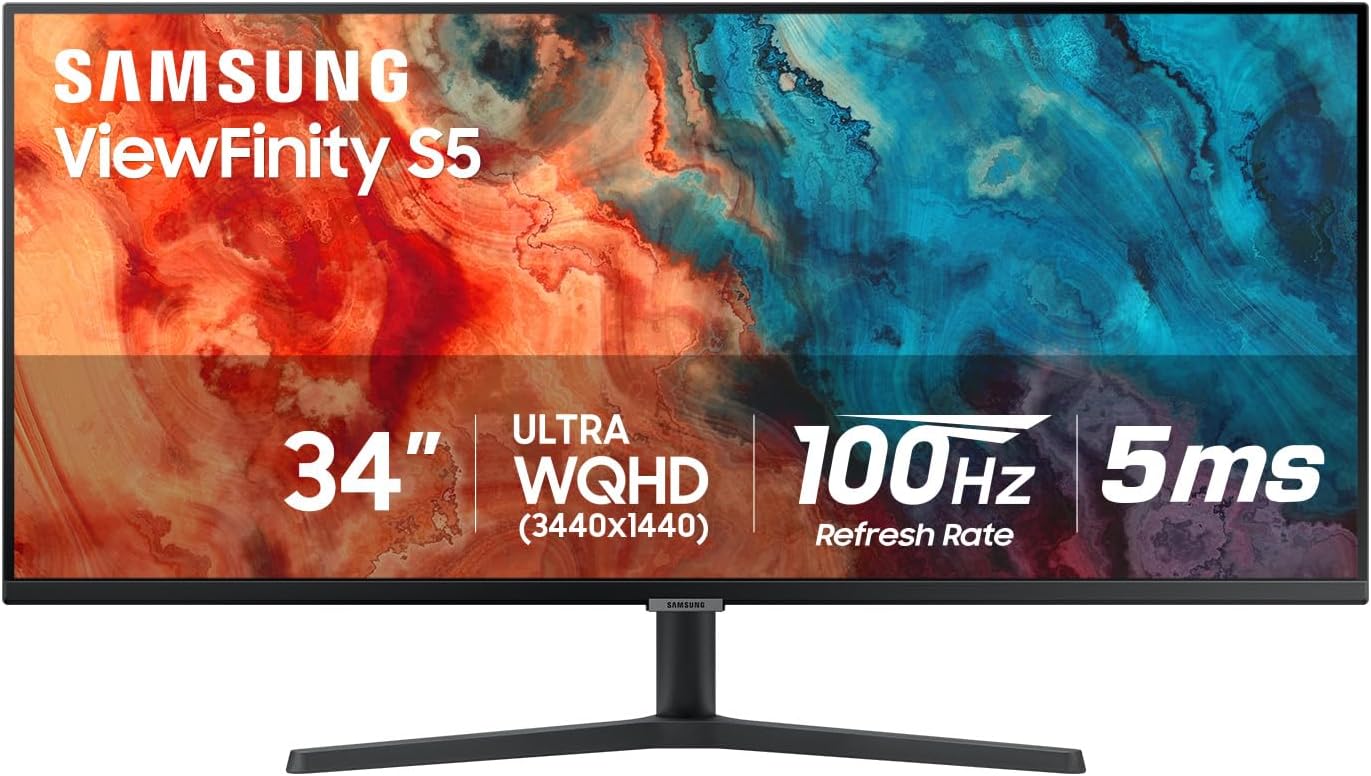
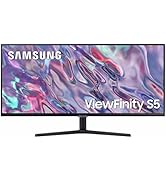
The Samsung 34" ViewFinity S50GC is a professional-grade ultrawide QHD monitor featuring a 21:9 aspect ratio, 100Hz refresh rate, 5ms response time, and HDR10 support. Designed for multitasking and eye comfort, it includes AMD FreeSync, Eye Saver Mode, and dual input viewing (PBP/PIP). Its thin bezels and matte finish make it ideal for immersive, distraction-free work environments.


| ASIN | B0C6LSD69F |
| Adaptive Sync | FreeSync |
| Additional Features | Adaptive Sync, Flicker-Free, Frameless, Tilt Adjustment, Ultrawide Screen |
| Aspect Ratio | 21:9 |
| Best Sellers Rank | #3,797 in Electronics ( See Top 100 in Electronics ) #136 in Computer Monitors |
| Brand | Samsung |
| Brightness | 300 cd |
| Color | Black |
| Compatible Devices | Desktop |
| Connectivity Technology | DisplayPort, HDMI |
| Contrast Ratio | 3000:1 |
| Customer Reviews | 4.4 out of 5 stars 630 Reviews |
| Display Resolution Maximum | 3440 x 1440 pixels |
| Display Technology | LCD |
| Display Type | LCD |
| Hardware Connectivity | DisplayPort, HDMI |
| Image Contrast Ratio | 3000:1 |
| Included Components | HDMI Cable, Power Cable |
| Item Dimensions D x W x H | 8.7"D x 32.1"W x 18"H |
| Item Weight | 10.8 pounds |
| Manufacturer | Samsung |
| Model Name | S34C50D |
| Model Number | LS34C50DGANXZA |
| Mounting Type | Wall Mount |
| Native Resolution | 3440x1440 |
| Number of Component Outputs | 2 |
| Picture Quality Enhancement Technology | HDR10, AMD FreeSync, Billion Colors |
| Power Consumption | 100 watts |
| Refresh Rate | 100 hertz |
| Resolution | QHD Ultra Wide 1440p |
| Response Time | 5 milliseconds |
| Screen Finish | Matte |
| Screen Size | 34 inches |
| Screen Surface Description | Matte |
| Specific Uses For Product | Business, Desktop, Photo Video Editing |
| Total Number of HDMI Ports | 2 |
| UPC | 887276724874 |
| Unit Count | 1 Count |
| Viewing Angle | 178 degrees |
| Voltage | 110 volts |
| Warranty Description | 1 Year Manufacturer |
| Warranty Type | 1 Year Manufacturer Warranty |
R**T
Good, solid monitor. No complaints.
This Samsung S50GC 34" monitor replaces my 8 year-old HP Pavilion 32" QHD monitor. My old monitor had a standard 16:9 aspect ratio. I wanted to try something different, so I went with this ultra-wide model. It's been less than a week, so I haven't formed a firm opinion one way of the other about the extra wide view. So far, the screen size has all the pluses and minuses that I had expected. Not better, just different. More useful for my spreadsheet applications. Less useful for media content. I don't do any gaming, so no comment on that subject. Colors, contrast, and brightness are all much better than my old monitor (but that's not saying much, as it was on its last legs). Blacks and shadows are decent for a VA panel. Overall, I'd say that the image quality is as good as I expected at this price point. 2-week update: My 5-year old 32" LG monitor on my other PC setup has intermittent problems. It used to be solved by simply turning the monitor off-and-on. But now, I have to do that multiple times when logged in all day. So, I bought another Samsung 34" ViewFinity monitor. Makes life a little simpler for me in dealing with the same aspect ratio on both PCs.
A**L
100% worth the upgrade
Massive upgrade, i used to have a Dell P2222H, it was 27โ, great monitor, but man, this is a HUGE upgrade. the image quality is very crisp, it works well with wallpaper engine and i LOVE that itโs price is less than a 27 inch LG monitor, lowkey, 2 HDMI ports, 1 displayport, and 1 aux port on the monitor makes things super easy, i can use my google chromecast and then switch to my PC, not having to mess around with any audio or display cables, once you set it, itโs done. it has such a nice appearance, it looks as if it were high class, and the monitor is hella responsive, would i suggest this? yes, yes i would, you get a 34โ monitor for about $200
M**H
Just buy it already
Good monitor at a great price. I've used this with both macOS and Windows and it works perfectly in both. Color accuracy is good as is viewing angles. Contrast and black levels are pretty good for most things. The built-in speakers aren't worth using and sound terrible. I use it with a monitor mount and would recommend that because the included stand is wobbly. Great for text, programming, spreadsheets and watching videos. Light gaming is perfectly fine on it too and it has 100 Hz refresh rate which is nice.
K**B
Good monitor for price, but configuration has been frustrating. Top settings may not work.
I had a more expensive monitor that was the same size die randomly and needed a good replacement. This monitor had a much higher resolution, which I expected would just look much better. Unfortunately, out of the box it took a lot of configuration to get to a place where it's looking as good as my old monitor. The monitor's built-in settings menu is easy to use and has some great options to use when switching between computer monitor and gaming monitor. Unfortunately I came to realize that both my Mac and PC lacked the hardware capability to run more than 50hz max, so the 100hz advertised can't actually be realized unless I'm just setting it up wrong. On OSX Sequoia/Tahoe, the default resolution selected made everything tiny, and lowering the resolution made it look terrible. I finally got good advice to use BetterDisplay and set the monitor to a custom resolution of 2752x1152 with HiDPI mode on, and this dramatically improved the scale of everything so that it's usable again. I've found the best color profile to use is sRGB 2.1. Not sure how I would have been able to use this monitor effectively without finding this configuration. However, it does seem that adjusting configuration to allow a non-standard resolution has led to some system issues (fans running more than usual), so this not be the best solution for everyone. However, it makes the monitor actually usable for me rather than having it so high resolution I can't see anything, so it's been a trade off. The monitor's built in settings have also taken trail and error to find the best settings. Overall, the quality definitely feels pretty good for a monitor of this price, and I like that it has settings for picture-in-picture, so the monitor can act as two different screens. When configuring it to play video games with a console, it definitely looks good color wise, but I don't think I'm utilizing the high ranges it advertises here, either. It also has settings to switch from AV or PC mode so it can get better quality whether it's being used for watching video or as a computer monitor. It also seems to have better quality overall using HDMI to DisplayPort cables, with HDMI connecting to my docking station and DisplayPort to the monitor. Not sure if this is affected by my docking station and might be different for every setup. My assumption was HDMI to HDMI would be best, but this turned out not to be the case, the DisplayPort connection overall just seems to have better contrast and sharpness overall. It doesn't have built-in speakers, but I was able to hook up a speaker to the monitor via auxiliary cord, and it had built-in options for that aux output, which is helpful and it sounds fairly good. TL;DR: Overall I've really struggled to find the best configuration, it's taken a lot of time to get it working right while my older (more expensive) LG just worked excellent right out of the box. I am glad to have found such a reasonably priced replacement that's has worked well, but it has taken a lot of time and might frustrate people looking for an out-of-box solution. So just be warned (especially if you're using both Mac/PC setups), there are some hiccups. Overall it's worked better with my PC, though.
S**M
Mind the warning on the protective plastic film
Buy this! You won't be disappointed. What needs to be said about this has already been said, so I'm leaving this review as a WARNING. It's a superb monitor at a great price point, but BE CAREFUL and mind the warning on the bottom left corner of the protective film. It indicates that the film should NOT be peeled off from left to right, but UP from bottom to the top of the display. I first bought a used-like-new version of this monitor for about $40 less. Unfortunately, it arrived with a permanent 3-inch wide column's worth of shadow/darkening from the top-left edge to the bottom-left edge. The largest area of shadow was concentrated in the bottom left corner. The protective film was removed by the previous owner. After unboxing the replacement, I saw the warning in the bottom left corner and put 2 and 2 together. The concentrated area of shadowing on the used-like-new monitor was right where the warning and protective film peel-off area began. Now, although this is just my hypothesis (i.e., improper film peel-off may damage the display), unless someone else proves otherwise, I'm sticking to my story. That said, please be careful. If you go nuts and rip off the film like you have (as my Ma' used to say) no home-training, prepare to be disappointed when you turn on the power. However, if that does not describe you, prepare to be thoroughly satisfied if you choose to purchase this.
D**Z
Great resolution
Excellent resolution, It will be better in the curve version since it is very wide. But I can't complain the monitor image quality is great
N**E
works well with pc and mac
best screen ever there is no auto switch you have to manually turn it on and off but it is worth it
E**Z
DO NOT BUY THIS CRAP
Worst monitor ever, went dead after 14 months of normal usage connected to a UPS and a voltage regulator and Samsung denied the warranty without any details. Local technical support expressed that as I didn't buy in my home country Samsung just plain denied the warranty and that the technical diagnostic was that Samsung monitors just stop working in about a year. DO NOT BUY THIS CRAP, Samsung will not stand behind it at all
J**F
Nice working area for software development!
Nice monitor, plenty of room to display development softwares.
D**Q
The screen is great, good pixels and great colours
I use this as an addition to my MacBook Air and it is wonderful! I love having the large screen. It's clear and the pixels are great. Not to mention the colours, they're great for the digital graphic design work that I do.
E**S
Good monitor, annoying registration reminder will not go away.
The monitor is clear and sharp. For the first few days, every time I turned it on and every time it came out of sleep mode, there was an annoying reminder on the screen to register the product. So finally, I did register it, which requires providing an email that you confirm, and also requires clicking "agree" to getting their advertisements for new products -- if you don't click "agree", you cannot complete the registration. But then, even after completing the registration, the reminder was still there for some time, as before. Samsung has good engineers, but an aggressive marketing strategy
P**K
great picture
great picture, great value
B**Y
Poor backlight/contrast
Screen works fine, colors seems accurate, however the backlighting washes out some of the color. In addition the refresh rate does not seem to be up to 100mhz as when scrolling text or HD video it comes on very jittery I meant to order a curved screen, but sadly picked this one without reading the posting. The flat screen does not work as well as a curved
Trustpilot
5 days ago
1 month ago