


Desertcart purchases this item on your behalf and handles shipping, customs, and support to Croatia.
🔐 Power Your Remote Office with Rock-Solid Security & Speed
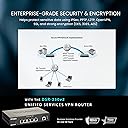
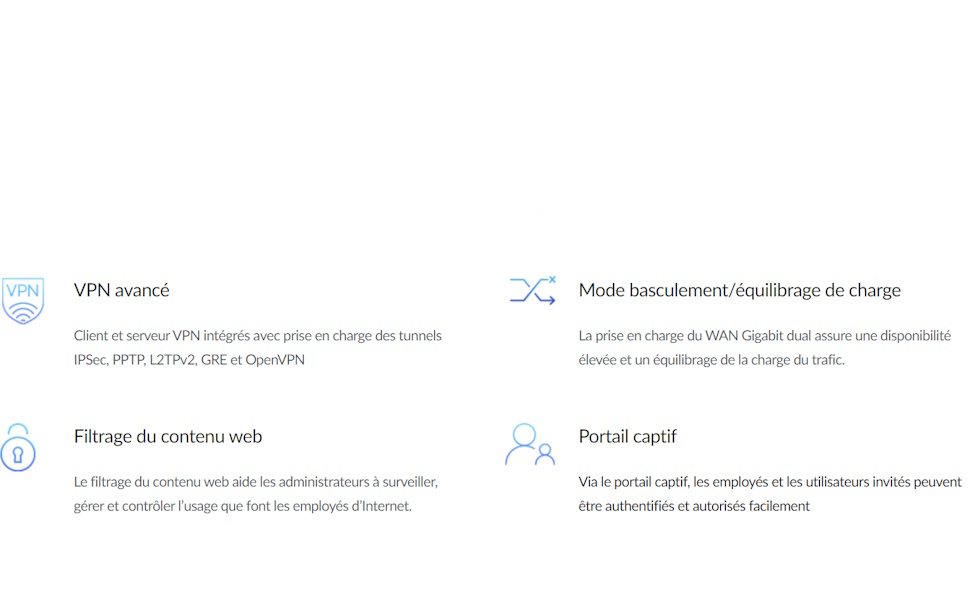
The D-Link DSR-250V2 is a high-performance unified services VPN router designed for small to medium businesses. Featuring dual Gigabit WAN ports for failover and load balancing, it delivers reliable internet connectivity. Its advanced firewall supports throughput up to 950 Mbps, while VPN capabilities (IPSec, PPTP, L2TP, OpenVPN) handle up to 75 secure tunnels at 200 Mbps. With dynamic web content filtering, application control, and a customizable captive portal, it offers comprehensive network management and security tailored for modern remote and distributed workforces.






| ASIN | B0C26QCXBX |
| Antenna Location | Home |
| Antenna Type | Internal |
| Best Sellers Rank | 352,226 in Computers & Accessories ( See Top 100 in Computers & Accessories ) 2,478 in Routers |
| Box Contents | Router, QIG, rubber feet (4), cable, AD/DC power adapter |
| Brand | D-Link |
| Brand Name | D-Link |
| Colour | Apple-Green |
| Compatible Devices | Personal Computer |
| Compatible devices | Personal Computer |
| Connectivity Protocol | Ethernet, IPSec, PPTP, L2TP, OpenVPN |
| Connectivity Technology | Ethernet |
| Control Method | Touch |
| Controller Type | Switch |
| Coverage | Network Security (Firewall, VPN, Web Content Filtering) |
| Customer Reviews | 3.0 out of 5 stars 30 Reviews |
| Data Transfer Rate | 200 Megabits Per Second |
| Frequency | 4 |
| Frequency Band Class | Single-Band |
| Frequency band class | Single-Band |
| Global Trade Identification Number | 00790069461828 |
| Has Internet Connectivity | Yes |
| Has Security Updates | Yes |
| Is Modem Compatible | Yes |
| Item Weight | 2 Pounds |
| LAN Port Bandwidth | 1000 Mbps |
| Manufacturer | D-Link |
| Manufacturer Part Number | DSR-250V2 |
| Maximum Upstream Data Transfer Rate | 200 Megabits Per Second |
| Model Name | DSR-250V2 |
| Model Number | DSR-250V2 |
| Model name | DSR-250V2 |
| Number of Ports | 6 |
| Operating System | ZyNOS |
| Other Special Features of the Product | Dry IP Protocol, GRE Tunnels, Internet Security, L2TP, PPTP, SSL VPN Tunnels, WAN failover |
| Router Firewall Security Level | Advanced |
| Router Network Type | wired |
| Security Protocol | WPA2 |
| Smart Home Compatibility | Not Smart Home Compatible |
| Special feature | Dry IP Protocol, GRE Tunnels, Internet Security, L2TP, PPTP, SSL VPN Tunnels, WAN failover |
| UPC | 790069461828 |
| Unit Count | 1.0 count |
| Wireless Compability | 802.11n |
| Wireless communication standard | 802.11n |
M**O
Solid Small Office Router/Firewall
This solution offers a solid feature set that works very well for small or remote office deployments. It’s easy to manage, performs reliably, and integrates cleanly into existing environments. The firewall is robust and flexible, providing strong security without unnecessary complexity. IPsec site‑to‑site VPN connectivity between this platform and a Palo Alto Networks firewall worked seamlessly, with stable tunnels and consistent performance. Overall, it delivers enterprise‑grade security and dependable functionality in a package that’s well suited for smaller or distributed offices.
F**R
Un reconditionné à neuf pas non fonctionnel du tout
Ce commentaire ne va pas vous permettre de juger la qualité du produit, mais plutôt de la version reconditionnée après plusieurs problèmes suite au firmware corrompus plusieurs appels et échanges par mail avec le Support de Link, il faut être avancé pour pouvoir régler ce problème. Outre ça une fois l’OS réparé dans les paramètres, le routeur avait été allumé pendant 7 ans ce qui pour un Routeur est déjà très bien. Soit c’est de la seconde main. Mais du à cette utilisation, plusieurs services essentiel et détection d’interface dans les ports n’était plus supporter ou dysfonctionnels engendrant ici une erreur hardware qui m’a découragé et m’a amené à renvoyer le produit.
K**.
Defaults Are Great; Can't Use Features
The default configuration of this router is great. Plug-and-play. However: Trying to use the features this router purports to have, particularly bandwidth management and QoS prioritization, frequently results in the entire network losing connectivity -- even when settings are removed. The only fix thus far has been to reset the router to factory defaults. Memory utilization is consistently above 80%, even at factory defaults. That doesn't leave a lot of wiggle room to make changes that could require more memory. The most recent firmware as of this comment does not address the issue. The DSR-250N worked great compared to this. I regret getting rid of it, despite learning of it's security vulnerability. I regret purchasing this router.
C**E
Nope!
System clock wrong. Cannot update the time. Logs show no time. WCF "Enable free trial" fails because of the wrong time. No other obvious path to get this "free" trial, for a trivial service that impacts such an important detail. Search/quick jump typos indicate a severe lack of detail orientation, e.g. "Adminsitration", Adminstration". Daily hangs. Complicated (and sluggish) GUI. Reports and details limited to a maximum of 15 lines per page. Port Configuration page displays an interface that cannot be disabled. Port status is frequently wrong. Firewall policies are inconsistent. Port forwarding: unable to loopback internally (internal IP > external IP > internal IP). Basically, the most important security device on a network: is flaky. Support replied quickly, but any level of QA should have caught these issues WAY before it was listed for sale. Very disappointed, and a total waste of time & effort.
V**R
Bets Needs updates only 15 port fowards saved.
First be sure to update firmware! mine came with an almost unusable version I am embarrassed to admit that I spent 2 evenings trying to set this up before checking and installing updates my thinking was to get the basics setup before allow connecting to the Outside world. I love the way the LAN clients DHCP settings all of the fields can be sorted this sort is missing for the Port forwarding settings. Current firmware version 1.02.B008 I cannot find anyway to change the default Management GUI IP address from the default of 192.168.10.1 If I change the LAN interface from the default IP you can no longer access the Management GUI from the LAN Limit of 15 port forwarding items and even the inactive ones count towards this total allows you to add just not save 16 and beyond. Can not enable NAT hairpin, loopback or reflection makes this router worthless for my use example I have a server that is a local computer inside the NAT firewall lets say it has a service listing on port 1234 I “port forward to the WAN port 4568 there is no problem accessing the service outside the network however I can not access it inside LAN on port 4568 using the WAN address. All other routers I have used have a feature that loopback the call as if it came from the WAN side if using the WAN address.
Trustpilot
2 weeks ago
2 weeks ago