Desertcart purchases this item on your behalf and handles shipping, customs, and support to Croatia.
🚀 Double your screen, double your impact — anywhere, anytime!
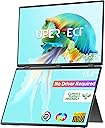
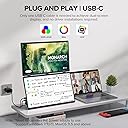
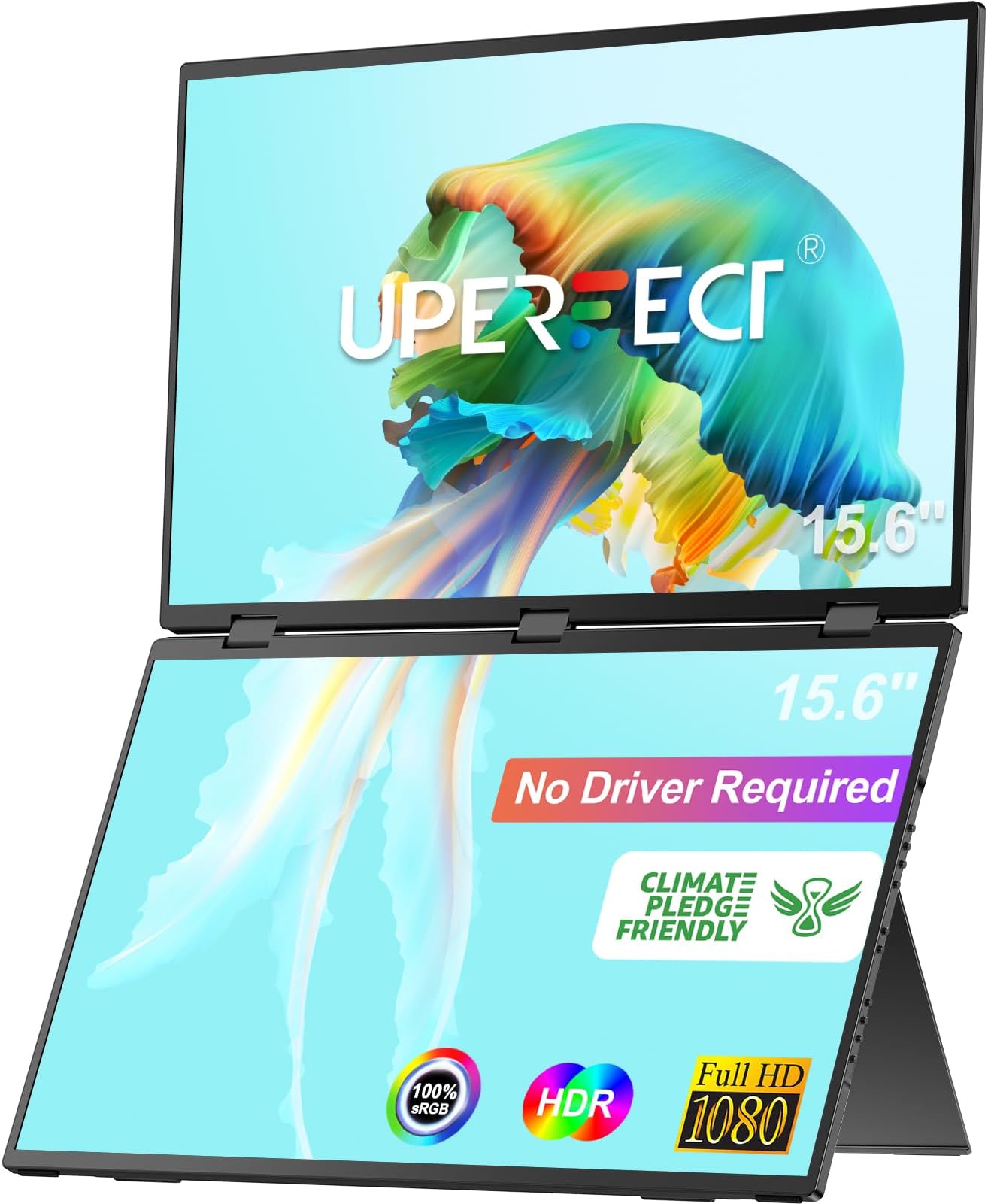
The UPERFECT Dual Portable Monitor is a premium 15.6-inch FHD 1080p dual-screen setup designed for professionals and gamers on the move. Featuring plug-and-play USB-C and HDMI connectivity, 360° rotation with an integrated gravity sensor, and a sturdy adjustable stand, it expands your workspace to 23.8 inches with vivid IPS displays. Compatible with Windows and MacOS, it supports seamless multitasking, gaming, and mobile workstation setups, all in a sleek, portable form factor.


| ASIN | B0CR456PWK |
| Adaptive Sync | FreeSync |
| Aspect Ratio | 16:9 |
| Aspect ratio | 16:9 |
| Best Sellers Rank | 17,746 in Computers & Accessories ( See Top 100 in Computers & Accessories ) 375 in Monitors |
| Brand | UPERFECT |
| Brand Name | UPERFECT |
| Colour | black |
| Colour Gamut Value | 100 |
| Compatible Devices | Desktop, Gaming Console, Laptop, Smartphone, Tablet |
| Contrast Ratio | 1200:1 |
| Country of Origin | China |
| Customer Reviews | 4.6 out of 5 stars 163 Reviews |
| Display Technology | IPS |
| Display Type | LCD |
| Hardware Connectivity | mini HDMI |
| Has Color Screen | Yes |
| Image Brightness | 300 milliCandela |
| Image contrast ratio | 1200:1 |
| Item Dimensions D x W x H | 2.5D x 35.6W x 20.3H centimetres |
| Item Weight | 1.5 Kilograms |
| Manufacturer | UPERFECT |
| Maximum Display Resolution | 1920 x 1080 Pixels |
| Model Number | 156 |
| Mounting Type | Wall Mount |
| Native Resolution | 1920x1080 |
| Network Connectivity Technology | HDMI, USB Type C |
| Picture Quality Enhancement Technology | freesync |
| Power Consumption Size | 30 Watts |
| Product Features | Built-In Speakers, Energy Efficient, Frameless, Height Adjustment, Portable |
| Product Warranty | 2 year manufacturer |
| Refresh Rate | 60 Hz |
| Resolution | FHD 1080p |
| Response Time | 1 Milliseconds |
| Screen Finish Type | Matte |
| Screen Size | 15.6 Inches |
| Screen size | 15.6 Inches |
| Screen surface description | Matte |
| Specific Uses For Product | Business, Desktop, Gaming |
| Total HDMI Port | 1 |
| Total USB 3.0 Ports | 2 |
| Total USB Ports | 1 |
| Total Video Out Ports | 2 |
| Unit Count | 1.0 count |
| Viewing Angle | 178 Degrees |
| Voltage | 5 Volts |
O**R
A Brilliant Portable Dual Monitor That Works With Everything I Threw At It
This monitor genuinely surprised me — in a good way. I bought it mainly out of curiosity and basically, I wanted one. I wasn’t sure how useful it would be to me and what I would do with it. I went on amazon and there were five potentially available, all different brands and at various price points. Ultimately, I had Amazon support to fall back on, but I ended up purchasing the Uperfect one, as I was more familiar with the brand. It’s ended up becoming part of my daily setup. So I decided to put the monitor through its paces but on what I wanted to test and was skeptical about. I did quickly check the mini hdmi port and everything was fine which is what i expected. I was more interested in how the two usb-c ports would work with my devices. Samsung S26 Ultra (USB C direct) Plugged straight in, no adapters, no drama. • Screen mirroring worked instantly. • Samsung DeX ran smoothly, and the monitor handled it like a champ — no lag, no weird scaling, no power issues. It basically turned my phone into a mini workstation in seconds. Nintendo Switch (USB C direct) This was the one I was most curious about. The Switch connected immediately, powered up, and displayed perfectly. No dock needed, no fiddling with settings. If you travel or game on the go, this alone makes the monitor worth it. Lenovo Yoga Book 9i (dual screen laptop) (USB C direct) This is where things got fun. The Yoga Book already has two screens, and adding this monitor gave me four usable displays at once. Windows recognised it instantly, extended the desktop with no fuss, and the whole setup stayed stable. For multitasking, this is ridiculous in the best possible way. In terms of functionality on the monitors: • Each monitor has its own set of function buttons, that includes separate OSD menus and so can control each screen how you wish. • Has three usb-c ports – the third is so if you wish to use the bottom screen only. • Loved the 360 degree rotation function. Fold the top screen over and then press a button and the picture rotates. • A Clone\Sequence switch button. So, my takeaways: Pros • Plug and play with everything I tested — phone, console, laptop • USB C power + display means fewer cables and less faffing about • Bright, sharp panel that doesn’t feel “portable” in the cheap sense • Surprisingly sturdy hinge and stand — better than I expected • Light enough to carry but solid enough not to wobble • Perfect for DeX, Switch gaming, and multi screen productivity Cons • The speakers are… fine. Not terrible, but you’ll prefer headphones (I did). • Would have loved a functional case to be included. • Cable length could be a touch longer depending on your setup. Quirks • Power – The monitor is a dual screen monitor and so requires more power than other monitors. Use the included power brick and cable supplied. I made the mistake to use my own and had issues. • USB C - when using the the two usb c ports in unison (one for power and one for signal) and you get connect\disconnect loops – always switch the cables around in the usb c ports. • Volume – the upper and lower screens share the same speakers. The volume adjustments can only be made through the menu on the upper screen, the lower screen’s menu will stay in its default position, and you can’t change that. None of the cons are deal breakers, and honestly, for the price and performance, they’re easy to overlook. The Quirks are really what you need to be aware of when learning how to use the monitor effectively. ________________________________________ Final Thoughts This monitor has ended up being far more useful than I expected. Whether I’m working, gaming, or just trying to stay productive away from my desk, it’s become one of those devices I now reach for without thinking. If you’re on the fence: don’t be. It worked for me, showed me it’s versatile, and it genuinely improved my setup, which I definitely was not expecting.
L**O
Amazing Dual Monitor: A Game-Changing Travel Companion for Productivity
TL;DR: I found the UPERFECT Dual Portable Monitor to be a perfect companion for developers, remote workers, and anyone needing multi-screen productivity on the go. It’s portable, well-built, ergonomically smart, and flexible enough for work, gaming, or content sharing. If you travel frequently or need a premium portable dual-screen setup, this monitor is an easy recommendation. I’ll definitely be bringing mine on my next trips. Pros: - Great value for money - Portable dual-screen setup with no drivers required - Great 1080p FHD displays, sharp enough and easy on the eyes - Solid, premium build and design, with brushed metal finish - Adjustable stand and ergonomic layout - Can run on USB-C alone without an external power supply for most use cases - Very useful 0–360° rotation, which adds flexibility and functionality Cons / Notes: - External power supply is required for full 100% brightness - 90° rotation is manual for one screen (not handled by the gravity sensor) FULL REVIEW: As a software engineer, I rely heavily on multi-monitor setups for coding, debugging, and multitasking. I got this dual portable monitor as my go-to solution when travelling or working from coffee shops, and it has exceeded my expectations. It is lightweight, premium built, and delivers a desktop-level workflow in a portable form factor without compromising on quality or usability. 1. Easy setup and compatibility - It worked seamlessly with my MacBook Air M4 (with BetterDisplay), MacBook Pro M3M (with BetterDisplay), and Windows laptops. - Both screens run independently at 1920x1080 HiDPI at 60Hz, perfect for coding and multitasking. - No drivers required, you just need to plug in via USB-C or HDMI + power supply, and it works instantly. - Comes with everything you need in the box: 2 x USB-C cables, 1 x HDMI to mini HDMI cable, 1 x Power adapter. - Note for Mac users: both USB-C cables must be connected (to monitor and MacBook) to enable separate displays (ABC monitor setup). 2. Comfortable display experience - On MacBooks with BetterDisplay, the HiDPI scaling makes text and UI sharp enough, and I had no issues with eye strain during long sessions. - I was afraid 300 nits brightness would not be enough, but it turns out to be plenty for indoor use, even in bright environments. - NOTE: the external power supply is required to reach 100% brightness. The USB-C connection alone limits brightness to about 70%, which I found to still be plenty for most situations. 3. Premium build and design - I loved the brushed metal design, it feels very durable and high-quality. - The hinges are firm and hold screens reliably in place. - The integrated adjustable stand is very sturdy and makes it easy to tilt, adjust, and rotate the dual monitor to a perfect ergonomic position. 4. Ergonomics and real-world use case - I love that the top screen sits at eye level, which I found to help reduce neck strain and improve focus. - I found it to be ideal for splitting work: debugging tools or main tasks on top, secondary apps below. - You can have the dual monitor sit in horizontal or vertical position. I found this feature to be amazing, specially when I need to have Slack open, reducing scrolling and improving readability. 5. Great customer service - Although not needed in this purchase, it is important to mention that I have always had a great experience with UPERFECT customer service. - They are always very fast in responding to emails and efficient in offering quick and easy resolutions.
T**S
Great quality and light for in the move !
Worked okay for 5 days then both screens flickered and switching off intermittently. Contacted UPERFECT support team and issue now resolved - faulty cable. Really happy with monitors quality and they’re really easy to fit in back pack - when on the move.
Z**D
Good but not great
Overall it is great. Dual screen no software required pretty much plug n play. I did have issues but was super impressed with their customer service and how they dealt with problems I was experiencing. So from me 5 stars.
N**E
Dual portable monitors for a tight space
When I'm out of the office, there is limited physical desk space. My main work is on one screen (Revit/CAD/3D/2D) and I use references on the other screen (pdf drawings, schedules, photos etc). I previously worked with a portable screen next to my smaller tablet PC, but this setup would often take up too much desk width. The screen on my tablet PC is too small for more serious work; even when just used for references. I have previously bought Uperfect portable monitors, and the specs of their dual monitor appeared to be exactly what I need. The monitors are powered by a single 45W USB-C wall adapter and I connected 2x USB-C cables to the 2x ports on my tablet PC. The screens were recognised straight away and I arranged them using the windows display settings. The screens are bright, colourful and sharp and although advertised as 100Hz, they actually run at FullHD in 120Hz perfectly! I tried the alternative option connecting only a single HDMI from the PC and the dual monitors appear in Windows as 1 single portrait'ish orientated monitor (1920x2160), but I found the setup as 2 separate screens with 2 cables more flexible for me. The monitor arrived well packaged in a minimal and environmentally friendly recyclable card box, printed instructions, 2x USB-C cables, 2x HDMI to miniHDMI cables, 45W USB-C UK adapter. The dual monitor has 2x miniHDMI ports, 3x USB-C ports. It is simple to change the input sources and to cycle through the dual display modes, each of the screens’ picture can be adjusted separately. My usual setup is to only use these dual monitors, with my tablet closed and tucked away behind, but when there is more room, I can use my tablet as a 3rd screen for emails. I also notice the dual monitors charge my tablet PC when connected over USB-C, which reduces cable clutter. I have taken a few photos in use at home. I also frequently take my Steam Deck out with me, so I was keen to try this too. I have the official Steam Deck Dock with 1xHDMI and 1xDisplayPort and I connected these using 1x 'DP1.4 to USB-C Bi-directional cable' and 1x of the included 'HDMI to miniHDMI' cables. In Desktop Mode, the screens are recognised as FullHD at 120Hz and I can arrange them one above the other. I can imagine this would work well for games that allow a map or controls on one screen and the main game on the other, but for me it was useful having the game on one screen and YouTube on the other. In Game Mode, the Steam Deck only allows a single screen to be used, but it’s still great as FullHD 120Hz and I can still connect the other screen separately to my tablet PC. I also occasionally use my Steam Deck as a workstation as I am trying to learn Blender, which I have on the bottom screen and YouTube tutorials above. I use my old Wacom tablet to draw and I don't notice any latency/lag, which is important for this use. The screen folds with a smooth firm action and allows the monitors to be angled in a variety of positions. The screen size suits me perfectly in use and it folds away neatly for travel.
W**U
Portable foldable dual monitor
It works very well with my macbook pro m3. Solid build and elegant design. It looks like a 15 inch laptop when folded. The customer service is very professional and helpful resolving triple monitor setup. Overall I'm very happy with this dual screen monitor
A**R
Beware of monitor dimming/yellowing.
First purchase lasted 3 weeks before there was a dimming of the top monitor. Returned within 30 days, bought another one and that seems OK so far. Other than that, it's a great bit of kit. Set up was a little confusing.
K**W
Great mobile screen to boost productivity
It's a little on the heavy side, but I am happy with how much productivity it has provided me with. Almost wish I had brought the bigger size but it wouldn't fit in my bag. Colour and brightness was good. Set up can be a bit temperamental, and could do with better instructions. But if you are tech-able. You can figure it out
I**A
Outstanding customer service and exactly what I needed
I’m extremely happy with this purchase. The screens are exactly what I was looking for — great size, very smooth 100Hz display, and super convenient for productivity, trading, multitasking, and travel. The picture quality looks sharp and clean, and setup was much easier than I expected. What really impressed me the most was the customer service. Absolutely outstanding. They were very responsive, helpful, and professional, making the whole experience even better. The monitors work great with my laptop setup and make working with multiple screens so much more comfortable. Definitely recommend this product to anyone looking for portable dual monitors with excellent quality and support.
K**様
想像以上の軽さと画質。モバイルモニターの進化に驚いた
ブログ作業のサブモニターとして購入。 開封して真っ先に感じたのが軽さだ。持ってみると本当に15.6インチかと思うほどで、想像をはるかに上回った。 画面サイズも実際に使うと広く感じる。作業領域が増えて、ブログ執筆の効率が明らかに上がった。 そして何より、この価格帯でここまでの品質が出せるのかという技術の進歩に純粋に感嘆した。発色も悪くなく、普段使いには十分すぎる。 専用ケース付きで持ち運びもしやすく、出先に持っていく気になれる重さとサイズ感。 モバイルモニターを初めて買う人にも自信を持っておすすめできる一台。
J**G
Professional Upgrade Experience – Large Portable Dual Monitor with Excellent Suppor
I recently upgraded to the 23.8” UPERFECT stacked dual-screen monitor and wanted to share my experience in full transparency. My original UPERFECT 18.5” stacked dual monitor (purchased in 2024) unfortunately developed a dual-screen issue after very limited use. Although the product was outside the warranty period and that model had already been discontinued, the customer support team took the time to communicate with me across time zones and work through possible solutions. After several professional exchanges, they offered a meaningful accommodation toward a current model. I ultimately upgraded to the 23.8” version, and the company honored a 25% refund after purchase as agreed. The new monitor arrived quickly and worked immediately out of the box. Setup on my Dell XPS 17 (Thunderbolt 4) was truly plug-and-play using the included cables and power supply. No drivers were required and both screens initialized correctly. The larger 23.8” format is much easier on the eyes for long work sessions and travel setups. The monitor also includes a useful mode that allows both panels to behave as one continuous display, which can be helpful for certain workflows. A couple practical notes for buyers: • The resolution is 1920×1080 per panel, which is acceptable but not extremely sharp for a screen of this size. Using Windows scaling (around 150%) helps improve readability. • Make sure your laptop supports DisplayPort Alt Mode or Thunderbolt if you intend to run both panels properly. Pros: • Large stacked dual-screen layout for portable productivity • Plug-and-play operation (no drivers needed) • Flexible display modes • Responsive and professional customer support Overall, I am satisfied with the upgraded monitor and especially with how the company handled the situation. The combination of portability and expanded screen space makes this a very practical tool for travel work.
M**X
Cool setup, but had issues
I had issues with this monitor and it stopped functioning properly within a couple of months. I was pretty frustrated, but the seller reached out and worked with me to resolve the issue, which I appreciated. The monitor itself was very cool when it was working, but unfortunately the unit I received was unreliable.
A**R
Perfect Dual Touch Screen for Work and Study
This portable laptop touch screen dual monitor has quickly become one of the most useful tools I own. From the first day I set it up, I noticed how much easier my daily tasks became. The touchscreen works smoothly with fast response and it feels natural to tap, scroll or drag items across the screen. The 2.5K resolution is another huge plus. Text is crisp and easy to read, images look sharp, and even small details stand out clearly. Compared to the usual 1080P portable monitors, this one makes long hours of reading and working far more comfortable on the eyes. The dual screen design is where the real convenience shows. I no longer have to switch tabs every few seconds. For schoolwork I can keep research articles open on one screen while typing notes on the other. For coding I can view my code on one side and test results on the other. Even during online meetings I can follow the call on one screen and take notes on the second without losing track. It saves so much time and effort that I now find it hard to imagine going back to a single screen. The included Microsoft MPP certified stylus adds even more value. Taking notes feels just like writing on paper and sketching ideas is quick and smooth. There is no noticeable lag so everything I write appears instantly. This makes studying, drawing diagrams or even brainstorming projects feel natural and efficient. Portability is another area where this monitor shines. The slim metal body is light enough to carry in my bag without adding weight. The integrated stand is sturdy yet folds away easily so I can set it up anywhere from a library desk to a coffee shop table. The 360 degree folding option means I can use it in whatever position is most comfortable whether upright for documents or flat for drawing. Overall this monitor makes work and study easier in every way. It saves me time, keeps everything organized and lets me work comfortably wherever I am.
Trustpilot
2 months ago
1 month ago