Desertcart purchases this item on your behalf and handles shipping, customs, and support to Croatia.
🎬 Elevate your home theater game—because your walls deserve a blockbuster!
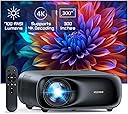
The NexiGo PJ40 (Gen 3) projector is a versatile, portable powerhouse featuring native 1080P resolution with D65 color calibration, 700 ANSI lumens brightness, and 20W built-in speakers. Designed for both indoor and outdoor use, it supports wireless screen mirroring across iOS, Android, and Windows devices via 5GHz Wi-Fi and Bluetooth 5.1 audio connectivity. With advanced keystone correction, adjustable fan noise levels, and multiple input ports including HDMI and USB, it transforms any space into a premium cinematic experience.


| ASIN | B0CRKLJ8HC |
| Additional Features | ① Native 1080P with 700 ANSI Lumens, D65 Calibrated ②Low Noise with adjustable fan speed, Latest Cooling system ③ Built-in 20w speaker features lifelike sound ④ HDMI CEC Support ⑤Wireless screen mirroring for IOS, Android, and Windows devices. |
| Antenna Location | Business, Gaming, Home Cinema |
| Best Sellers Rank | #110 in Video Projectors |
| Brand | NexiGo |
| Brightness | 700 lumen |
| Built-In Media | Power Cord, User Manual |
| Color | Black |
| Compatible Devices | TV Stick, iOS, Android |
| Connectivity Technology | Bluetooth, USB, Wi-Fi |
| Contrast Ratio | >10000:1 |
| Control Method | Touch |
| Controller Type | Button Control |
| Customer Reviews | 4.0 out of 5 stars 3,032 Reviews |
| Display Resolution Maximum | 3840 x 2160 |
| Display Type | LCD |
| Display resolution | 1920 x 1080 |
| Form Factor | Portable |
| Hardware Connectivity | Bluetooth, Ethernet |
| Item Weight | 3.56 kg |
| Lamp Wattage | 20 watts |
| Light Source Operating Life | 30000 hours |
| Manufacturer | Nexight INC |
| Maximum Image Size | 150 inches |
| Maximum Throw Distance | 30 feet |
| Mfr Part Number | PJ40 Gen 3 |
| Minimum Throw Distance | 6 feet |
| Model Name | PJ40 Gen 3 |
| Model Number | PJ40 Gen 3 |
| Mounting Type | Table Mount, Ceiling Mount, Tripod |
| Native Resolution | 1920 x 1080 |
| Number of Items | 1 |
| Number of Packs | 1 |
| Picture Quality Enhancement Technology | D65 Calibrated |
| Projector Maximum White Brightness | 700 ansi_lumens |
| Recommended Uses For Product | Business, Gaming, Home Cinema |
| UPC | 766214654544 |
| Unit Count | 1 Count |
| Vertical Keystone Correction | 15 centimeters |
| Wattage | 20 watts |
A**S
Fantastic budget projector
I had a decent, big name brand, bulb projector about six years ago and recently got interested in getting another one because of the new LED/LCD technology that's currently available. I watched a lot of reviews and decided this one looked like the best all around pick for me and I was correct. This thing is BRIGHT, like watchable in a fairly well lit room bright. Of course it's best in low light as any projector would be, but I can have lights on and even curtains open (blinds still shut) with almost no degradation in picture quality. I have it set up where it's about a 100" screen and the picture is crystal clear 1080p and I have no doubt it would look amazing all the way up to the possible 300" (which I can't wait to try when I can find a space big enough for it). I also just have the thing projecting on a flat white painted wall, no special screen or paint and it looks prefect, I can only imagine how good it would look on a purpose made screen. I originally hooked up the sound output through a bluetooth speaker, but there was a slight delay in the sound making it not line up with the picture. I disconnected the bluetooth and to my surprise the built in speakers actually sound great. I'm still going to try to run a hard line 3.5mm headphone cord to the speaker for booming sound when I want it, but I'm honestly very content with the unit itself. I have the thing mounted just a couple feet over my head and the fan noise at level 8 (stock setting) is basically zero, I don't even hear it when there's any audio playing. I haven't tried hooking up to a gaming system yet, but I'm fairly confident that it will preform well. I'll update this review if it's at all laggy once I do. I couldn't be happier with this purchase, for the price of a 50" television I have a 100"+ screen that absolutely rocks. Just a note, I do have mine set up where it requires no keystone correction which should give it the best chance of optimal performance. Be aware that it projects the picture evenly, equal up, down, and side to side, so you want to be as centered and straight on to your screen as possible. As you can probably gather I have nothing but good things to say about the PJ40, but I will be brutally honest and update this review if I encounter any issues in the future. 6 month update: I have typically used this projector for 2-3 hours each evening for the last six months and it's still as amazing as the day I got it. Every person that sees the image, size, and brightness of the screen is seriously impressed. I couldn't be happier with its performance. I still haven't even bothered getting a real screen or special paint for the wall because it looks perfect on my flat white wall. I think this projector is going to last, but even if it crapped out today, I have spent the equivalent of about $1.60 a day to own it at this point (around $300 to buy and owned for around 180 days), totally worth it already. There's no need to buy a more expensive projector for general home theater use.
J**.
A Great Budget-Friendly Projector
NexiGo PJ20 Projector Review I purchased this NexiGo PJ20 projector while it was on sale on Amazon as I was wanting one to use the projector this spring, summer, and fall to view movies outside in my Gazebo. I also ordered a 120-inch portable projector movie screen to be used with the projector. It is too cold right now outside so I am testing the projector inside to make sure it will meet my expectations. I first noticed how light this projector is which will make it easy to move the projector outside when I plan on using it to watch movies outside. My first impression was how easy it was to setup right out of the box and I added my Wi-Fi information to connect the projector to my Wi-Fi network. I was also really impressed with the quality of the video and the quality of the Dolby Audio sound. It is a budget-friendly affordable projector that offers a lot of features for the price. It has a native 1080p resolution, 500 ANSI lumens of brightness, and supports wireless screen mirroring and casting for iOS, Android, and Windows devices. The picture quality of the NexiGo PJ20 is very good, especially for the price. The native 1080p resolution provides a sharp and clear image, and the 500 ANSI lumens of brightness is sufficient for most viewing environments. It includes keystone correction control and video sharpness tuning. The NexiGo PJ20 has built-in Dolby Audio speakers that provide a decent sound experience. You also can connect external speakers for a better sound experience which you can do as the PJ20 also supports Bluetooth 5.1, which allows you to connect external speakers or headphones wirelessly. One of the best features of the NexiGo PJ20 is its support for wireless screen mirroring and casting. This allows you to easily project the screen of your iOS, Android, or Windows device without the need for any cables or adapters. This is a great feature for watching movies or videos on your phone or tablet, or for giving presentations and then mirroring or casting them to the projector. The PJ20 has two HDMI input ports, two USB connections, an Audio/Video input, and an audio output for headphones. It supports 5G Wi-Fi and Bluetooth 5.1 as previously mentioned. I used an Amazon Firestick to watch movies and powered the Firestick from one of the USB connections which had enough power for the Firestick to work flawlessly. My wife's first impression when she saw the movie projected on the wall of my bedroom was WOW. She really like the picture quality and size. Next I tried to cast my iPad to the projector as sometimes I cast video to watch from my iPad or iPhone. You just need to have the device on the same Wi-Fi network as the projector. I was able to cast my iPad easily and watch a movie flawlessly. Next I ran a HDMI cable from my Dish Network receiver and was able to watch anything on the projector that I could watch on the Dish receiver. You can also connect an older DVD player using the AV input port with the included RCA to 3.5 mm adapter. It has two USB ports which can be used to connect your mobile phone or tablet to the projector using cables. It is also used to update the firmware of the projector by downloading the update and saving the update to a USB drive. Then inserting the USB drive into the projector and the selecting the update function from the system settings menu. The USB ports can also be used to power a firestick or other streaming sticks as I did when powering my Amazon Firestick. My verdict is the NexiGo PJ20 is a great budget-friendly projector that offers a lot of features for the price. It is perfect for watching movies, playing games, or giving presentations. If you are looking for a versatile projector that is easy to use and affordable, the NexiGo PJ20 is a great option. I can’t wait for spring to arrive to start watching movies outside in the evenings.
C**T
Picture Quality is Stunning but figuring things out might be hard for Non-Tech Folks.
First, I am not what I would consider a “tech-person.” Things have to be very simple for me to try to figure out when it comes to technology. So, I was super thrilled at how easy it was to set up the PJ10 in terms of setting up the language, figuring out the focus, screen tilting, getting connected to the Wi-Fi, etc. The remote control is simple to use, but sometimes pushing the buttons wouldn’t always get me to the place I wanted to be. I found myself pushing the buttons multiple times in some instances to get to the screen or choice I wanted to get to. But to me, this is more of a minor annoyance than it is a major issue (I’m probably pushing buttons too fast, or off center, etc.) Also, the picture, color, clarity of the projection is stunningly magnificent, and the project is lightweight which is also a plus!! The only problems I had was really maneuvering through the menus to figure out how in the heck to get things (computer, iPhone) connected to mirror images. Some of the problem actually lied in the connected devices and trying to figure where to go what to do, etc. This had less to do with the projector itself. I’m pretty sure that if I just used connector cables like my HDMI cord, I would have got this thing up and running quite soon. But the draw for me to this project was the fact that I didn’t have to use any of these other connections to use it. I also couldn’t not figure out the Bluetooth function for the iPhone easily. I was able to figure out the iOS mirror screening from the iPhone but when I actually tried to mirror a movie from my iPhone to the projector, it would only do the sound from the projector, but not the actual picture itself. But again, I’m not sure that the problem is the projector, it’s probably me…LOL. Once I was able to figure out how to actually mirror and/or duplicate/extend my media from my computer to the projector, it became a whole lot of fun. The only thing is that you may have to connect a component audio source speaker because there is very little bass in the sound from the projector and the sound is a bit tin thin. However, there is very little fan noise coming from the machine which is ten times better than my old projector which made SOOO much noise and got so darn hot after a while, I had to shut the apparatus off. This is not the case with this projector. It hums quietly so as to not interfere with your viewing entertainment. Overall, I am satisfied with the projector, I just think I have to get a lot more practice in figuring out the Wi-Fi connection piece so I can continue using it without having to hook up any additional wires to it. Also, it does seem that I have to put in the Wi-Fi password each time I turn the machine back on and I’m wondering if there is a way that the Wi-Fi password stores itself into the projector, so I don’t have to spend time typing it back into the projector each time I use it. I give it an overall rating of 80%. It’s a pretty cool machine.
B**B
Very capable projector!
Overall, this little projector is great! I'll cover the items I tested and my thoughts on all of them along with a Pro/Con list. Let's start with the setup. It was very simple and fast to get from brand new start up to using the projector wirelessly. Next is the Miracast/IOS Casting. Both worked well for the supported devices I tested (Android 14 Tablet and iPhone 15/iOS 18.2). Both worked for projecting the screen and watching video. Bluetooth Speaker function also worked when tested from my Google Pixel Phone. USB/Network Storage Video/Photo/Media player worked very nicely out of the box. You can attach a jump drive with videos and can play them from the projector directly or setup a media server to serve the content. Online firmware update worked as expected and there were not hiccups applying the firmware. Pros: Fast setup and usage is intuitive throughout the menus. Multiple inputs makes it very easy to have different devices projecting. Image quality is good and Auto Keystone 4D works well. Color is very good an using the HDR setting makes it look as close to the original source as possible. Cons: This was the only major one in my opinion: Wireless on my network setup would not support WPA3 so I was limited to 2.4GHz only even though this lists 5GHz support. These are all minor: Also, cannot set time and date, it will do it automatically when connected to the internet. Cannot use American time settings (so it always displays military time instead of 12hr clock). Also, Miracast is supported on my Pixel device only Chromecast... Not a deal breaker, but it limits me to using only my tablet and iPhone. Overall, it's a nice little projector and it's worth a look and a buy.
P**E
NexiGo PJ40 LCD Projector
Recently, I purchased a projector for my basement theater. The NexiGo PJ40 LCD Protector seemed like an excellent option. My basement can be set for low light, with a twenty-by-twenty-foot area. Perfect for such a projector. I was pleased with how easy the setup was. From unboxing to running, took about 10 minutes. I should say I already had a screen and surround system ready. My projector is eleven feet from the wall screen to the projector. My screen is a 120-inch white panel. I chose to not mount it, rather have a stand about twenty inches off the ground. My connection is via HDMI to Amazon Cube then goes into a surround system. Now that a baseline has been established, let me go through the configuration process. After turning on the unit, the home screen was an excellent guide to configuring it to the current setup shown above. First, the unit needs to be focused. For this unit and pretty much all in this in price range, is a manual function. Second, was setting up the network. The unit comes with a hardwire network port to Wi-Fi. I chose Wi-Fi since I have a strong 1 gig internet. Always look for firmware updates, after connecting to the internet. Get any prospective bugs out. Next, you may notice the projected image is probably out of skew. Under the “Settings/Projection”, notice a selection called Auto Keystone. It attempts to adjust the skew based upon the height of the projector, in relationship to the screen height. For me, this did not entirely make the adjustment. No fear, the company programed a manual option. This was extremely helpful and was able to make a significant adjustment. As an observation, after manually setting the keystone values, I shut down and turned the unit back on. I wanted to make sure the values saved. As the machine booted up and ran diagnostics, the screen was askew: however, as soon as the until fully booted up, the screen adjustment was perfect. Then you will want to adjust the picture values. This allows you to select 16:9, or 4:3 as well as the type of movie mode you wish. For this setup, the surround system handles the sound. If all the sound comes from the unit itself, it has two 10Watt speakers, which are not bad at all. The unit can be connected to a PC, Miracast, IOS Cast, Files, Bluetooth, etc. All this can be performed wirelessly. There are many options, making this an excellent multipurpose projector. Conclusion: For the price range, this would be an excellent purchase. It is not every going to compete with high powered, expensive projectors, but for the price is packed with features. Everything appears to be designed around a projector for all purposes. The ability to adjust the screen image is appreciated. One tip for beginners to the projector arena, testing was performed watching analog moves up to 4k. Both had nice pictures. The drawback in not the fault of the projector, rather blowing up an analog movie. There just are not enough pixels in older movies. The older moved will sometime look a bit pixelated. I tried switch to 4:3 and helped, but did not go away. Perhaps some readers were not aware televisions were not as large as they are today. When you blow something up, just like a picture from a camera, it reaches a limit. Just keep that in mind. Makes an excellent holiday gift for friends and family. What are the basics? NexiGo PJ40 LCD Projector • Native 1080P with 700 ANSI Lumens • Native Resolution 1920 x 1080 • Max Supported Resolution 4096 x 2176 (Local video playback) o Via PC, thumb drive • Native 1080p (Supports 4K H.265 Decode) • Projection Size 50 - 300 in • Projector distance is 4.72 – 30.18ft • Speakers 10W x 2 • This uses LCD Imaging Technology, but employs LED light source • 3000:1 contrast ratio (Note: 3000:1 contrast ratio is good for dark rooms.) • lifespan of 30,000 hours
N**N
Great picture quality and sound - Highly Recommended
I don't have a lot of projector experience. I owned an Epson prior to this purchase. I wanted to get another projector for my bedroom, to watch TV & Movies in bed at night. I'm a huge fan of Nexigo's webcams so I wanted to try their projector. Unboxing the projector, you can immediately tell this projector is a high quality build and doesn't feel cheap like some of the others I've tried out in stores. It has a little weight to it, and feels very solid. I mounted a shelf on the wall next to my bed, specifically for the projector. I'm projecting onto the wall near the foot of my bed, approximately 12 feet away. That wall does not have a projector screen, or special projector paint on it. It's standard benjamin moore paint. However, the picture quality is exceptional. The epson I previously owned was also a 1080p projector, however, the quality from the Nexigo is even better. The built in speakers on this unit are also amazing. I used to have my previous setup with two Apple homepod Mini's to get enough sound. However, this Nexigo projector has very high quality build in speakers and I don't feel the need to add any additional sound sources. These speakers are definitely great for my needs, as they are plenty loud and good quality. To be honest, I've only found two very minor cons to this projector: 1) The power cord wasn't long enough. I believe it was 6 feet, but it wasn't long enough to reach the floor from the shelf I mounted it on. Not a big deal, I spent $10 and bought a longer one. 2) The internal fan is a little loud IF you place the projector on the brightest setting. However, I normally have the projector brightness set at 5 out of 10....and I can't hear it at all due to the HVAC/AC system. Overall I have to say I'm extremely impressed by this projector, especially for the price. I would highly recommend it, and will update my review with some photos.
S**R
Performs about as expected
Update (12/1/2022): Issue below turned out to be a short-term hiccup. It's back to it's normal operation, which is to say good, if not bright, picture, and very loud fan. Again, for the money, it's reasonable, as long as you know what you're getting. Update (11/16/2022): Turned it on today to find some pretty obvious vertical lines running across the entire screen. No idea why, and I've let it run for a bit to see if maybe this was a product of the room getting colder, but lines are still there. Unfortunately, it's outside the return window, so I guess I'll have to live with it until I'm ready to replace with something better. As I noted originally, it's cheap, so I knew going in that I was taking a chance. Given what I know now, I would not purchase again. If you want a projector for something where noise and reliability aren't a big deal, I guess this might suit your needs, but I think most folks should consider saving up longer and buying something with better quality. Original review: It's a $200-ish projector. As long as your expectations are in keeping with that price, you probably won't be disappointed. I was able to get a pretty good picture with my pull-up projector screen, and gaming, even FPS, is responsive enough to not ruin the game. Speaker is not loud enough to be sufficient, particularly with the fan noise, so plan on some sort of external speaker or headphones. Biggest downside of this projector for me is that it uses a hinged fresnel lens to handle keystone adjustment, and the more adjustment you use, the more difficult it becomes to keep the entire screen in focus (at more extreme keystone adjustments, the top or bottom of the screen tends to go out of focus). In the end, I settled for leaving some slight keystoning in the image, in favor of better focus. Again, given the price, I don't really expect better, but if you want a perfect picture, you're going to need to look at something in a higher price range. Pros: - Nice picture (again, for the price) - Bright enough for my needs (dark room / basement) - Cheap Cons: - Difficult to focus, and nearly impossible to get all areas of the screen focused, particularly if you're using the keystone adjustment - LOUD! - Gets washed out quickly by just about any ambient light - Remote is very basic, and on-screen menus are usable, but not great
S**B
Overall, a decent projector
I got this NexiGo PJ20 projector for our church to replace an older Epson that we have been using for a while. The unit arrived on time and was packaged well. One of the rubber feet on the bottom of the projector had come off and somehow attached itself to the front of the user manual, but that was easily resolved. It's a sleek unit, pleasing to the eye. The front has a large circular lens with a pop-off lens cap. The top front edge of the projector has embedded function buttons, designed to be operated from behind. The rear of the projector has two HDMI ports, two USB-A ports and one A/V port for inputs, and a 3.5mm output port. There's also a combination power switch and keystone adjustment knob. Included with the projector was a remote (requiring two AAA batteries), a power cable, an A/V cable, a user manual and a cleaning kit. Amazon did not mention a projector case with the NexiGo, but I was still disappointed that one was not included. I have purchased several projectors in the past and they all came with carrying cases. However, Amazon has many offered by other vendors that I can select from. Now to its performance. It is bright, even at its default setting. Brighter than the Epson. The overall picture clarity is good as well. Setting it up -- I connected an HDMI cable from my laptop to the HDMI1 input on the projector, because that would give me an apples-to-apples comparison to how we currently use the Epson. I did have to fiddle with the Windows 11 system settings at first, because although the projector displayed the PC image, Windows could not "detect" the NexiGo as a second monitor. I changed the desktop display settings from "duplicate" to "extended" to run my third-party presentation software (which I also had to reconfigure), enabling the NexiGo to function as a separate display. Still, Windows could not detect the NexiGo as a display. Perhaps the projector isn't recognizable as a display in Windows. Not a show-stopper for me. The included remote was a helpful plus. I used it straight out of the box to turn on the projector and to configure settings. I give it mixed reviews. It's simple enough to navigate through the on-screen menus, but at times I needed to be careful how I touch the buttons (example, short press vs. long press for the menu). Using the focusing function was a bit tricky. When I want to focus, a generic focus screen appears in place of the image I am actually trying to focus, which I don't like. To me that's extra overhead--but it does work. Finally, I wanted to see how the NexiGo connects wirelessly. I didn't get very far connecting to a network. It appears that this projector can connect only to discoverable networks that display on-screen. I wanted to connect to a hidden network, but found no provision for that, which was surprising. There was an "IP" icon that brings up a screen listing different protocols, but on that screen I was limited to selecting an icon showing a broken chain--which did absolutely nothing! (By the way, our wireless router was in an adjacent room, fully operational with no solid wall between it and the projector. My laptop and cellphone were not far from the projector, and they both had solid wi-fi connectivity, so I could conclude that a weak signal from the network was not the issue.) So I was happy to see that the NexiGo supports Window Cast. Of all the screen casting options this projector provides, the Window Cast seems to be the only one not requiring a standard network connection to function. So I selected this option from the on-screen menu, then set my laptop to search for the projector. Bingo! With one click I was connected. With my PC about ten feet from the projector, the picture quality was decreased slightly but not terribly. As I streamed some online videos, I noticed a one-half- to one-second delay between the video and the audio, which I found noticeable perhaps because I was looking for it. Sadly, before long, an intermittent connection issue occurred in which the transmission would become choppy. Attempting to resolve this, I moved the computer around to various distances from the projector, eventually placing it directly next to it. Didn't resolve the issue. I had kept the computer plugged in to AC all that time to maintain its power and keep the casting level constant. I did not do a firmware upgrade before testing the NexiGo. The manual recommended against it, saying that all new models are shipped with the most current firmware and there was no need to upgrade it out of the box. Perhaps I should have upgraded anyway? Would it have made a difference? All in all, I like the projector and plan to use it in place of the Epson in the future, but mainly for wired HDMI connectivity. There are a lot of features I did not test which may come in handy down the line. For its low price, this NexiGo is a pretty decent projector.
G**P
Great projector
Excellent product. Pure joy to use it.
P**N
OTTIMO PRODOTTO
Il prodotto è ottimo ed ha un rapoorto qualità/prezzo fantastico. Arrivato in tempo ed integro.
W**O
AMAZON E DHL, SÃO 10.
RAPIDEZ,SERIEDADE E RESPEITO COM O CLIENTE. PARABENS A ESTA DUPLA PERFEITA,AMAZON E DHL POIS AS DUAS SABEM COMO FAZER O CLIENTE SUPER SATISFEITO. RECOMENDO COM CERTEZA ESTE PROJETOR MUITO BOM MESMO E DE ÓTIMA QUALIDADE.
A**H
BEST VALUE PROJECTOR EVER!
The most famous affordable home cinema experince. PROS: -SHARP -LARGE -BRITH -GOOD COLORS -GOOD AND EASY MENU CONS: -NOT FOR GAMING: Even with gaming mode, it has a noticeable latency (like 1-2 seconds/1000ms+) dont game on this. Check on youtube, this stuff is good compared to its price. (VS expensive high-end projectors)
A**A
Appareil inutilisable
Rien ne fonctionne, ni le wifi,ni les ports usb, hdmi et flash drive. Contrairement à sa présentation il est incompatible avec android...pfft et en plus appareil qui a déjà été retourné par qqun d autre vu le paramétrage des réglages....
Trustpilot
3 days ago
1 week ago