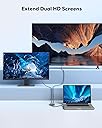
🚀 Elevate Your Workspace with Dual Displays!
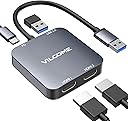
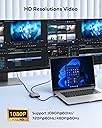
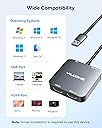
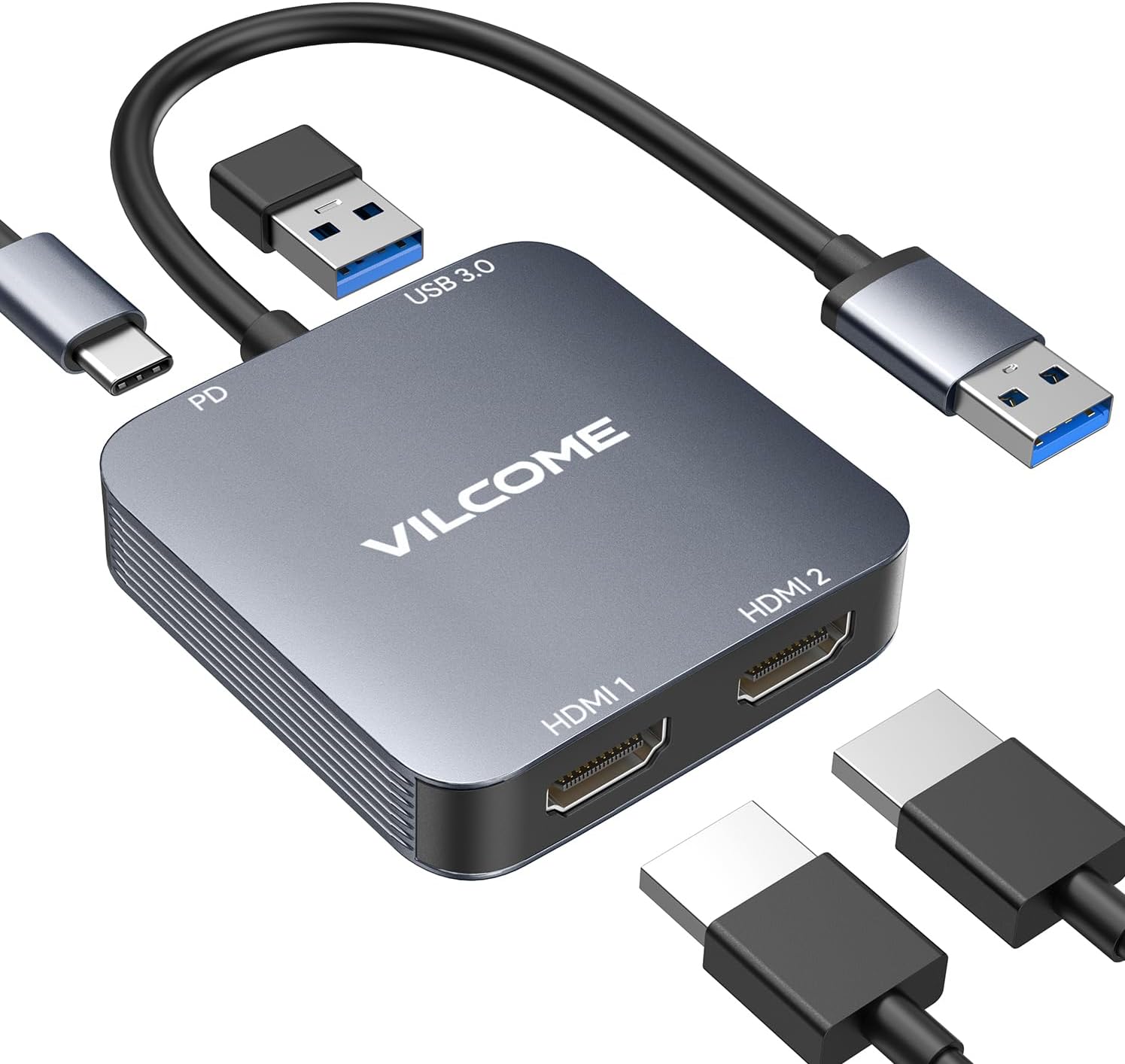
The Vilcome USB 3.0 to Dual HDMI Adapter is a versatile connectivity solution featuring two HDMI ports, a USB 3.0 port for high-speed data transfer, and a USB-C power port. It supports resolutions up to 1920x1080@60Hz, making it ideal for multitasking and media display. Compatible with various operating systems, this adapter ensures a seamless user experience with its plug-and-play functionality.
| ASIN | B0CQPF51NX |
| Additional Features | Fast Data Transfer |
| Best Sellers Rank | #681 in Video Converters |
| Brand | vilcome |
| Color | Grey |
| Compatible Devices | Desktops |
| Customer Reviews | 3.6 3.6 out of 5 stars (150) |
| Data Transfer Rate | 5 Gigabits Per Second |
| Enclosure Material | Aluminum |
| Hardware Interface | HDMI |
| Manufacturer | vilcome |
| Number of Ports | 4 |
| Operating System | OS X Lion, Windows 8, Windows 8.1 |
| Total Usb Ports | 1 |
| Warranty Description | 2 year |
J**J
2+ HDMI Without Losing A Port
This plugs into a USB-A port on an older PC, to provide two more HDMI video ports. But the great thing about it is, you don't even lose that port, because it also adds a PASS-THRU PORT, to bring you back that USB-A port you plugged into. Excellent!
A**Y
Update: stopped working
Updated review: This hub started failing exactly one month after purchase. So naturally I can't return it. The display on the second monitor started to be off in relation to the mouse cursor, so I had to start putting the cursor slightly to the right and below where I needed it to click. Now today, the monitor says no signal. I even switched from HDMI1 port on the hub to HDMI2 port. I even put the USB plug into a different port on my computer. Nada. Original headline and review: works great - the booklet tells how to get the drivers installed easily! Got this because it not only has input for HDMI monitors but also input for mac peripherals. Because it connects to the computer via USB so I can use it with any desktop or laptop I have. (In summary, it does have 2 HDMI inputs, one USB-C input (used by macs), and one USB-3 input.) Biggest tip to other users - it's not plug and play. But no big deal. The drivers are right there in your Finder/File Explorer and the booklet tells you exactly how to get them installed. Restart and easy peasy, second monitor connected via the hub's HDMI input. Now I finally found a way to have three HDMI inputs to my mac (mac mini has one and now this hub has two more). Right now I'm just using two monitors, but it's a great option as a wfh person to be able to add a third monitor in the future should I want to. I can now also use my new mac keyboard because my mac mini's two USB-C ports are already occupied. (I got tired of either clacky generic usb keyboards or frequent battery replacements for quieter bluetooth keyboards that suddenly quit after 2 years of use.)
M**O
Este producto es muy bueno y reúne todas las especificaciones que presenta
J**R
Works okay for now
My one computer could not do it but my second computer did. I having no issues right now with it. Setup was easy and using is okay.
V**X
I CAN HAVE TWO MONITORS NOW THANK YOU SO MUCH!!!
THIS IS THE SECOND BEST THING I BOUGHT THIS YEAR!!!
A**R
Product is good, build quality poor
Able to connect with 2 external monitors. Need displaylink drivers. After connecting the refresh rate 30hz. The Mouse was lagging and High CPU noticed it affected parallel tasks.
P**R
Software Installation is Tricky
Got this adapter. It requires software which I already expected. When you initially plug it in, Windows explorer will open up and the HDMI adapter will appear as a drive. There you will see the folder with the install software. Execute the install by double clicking the exe file,install the software and reboot.. However after 2 installs and several reboots, nothing. Almost returned it when I figure it out. Once you install the software and reboot it, the app is in the lower corner in the R/H taskbar where you have to right click the icon, select device, and then a box opens where you will see both HDMI 1 and HDMI 2. Then there's a checkbox next to the Automatic Starup. That checkbox was not checked off! You would think it would be checked off as the default upon installation. You will need to put a check mark in there and reboot your computer. Next time window starts, it will then launch the software and the HDMI adapter will work without issue. If you're not computer savvy you may end up returning it as a non-working unit. Just FYI, it's a plastic case and it feels slightly flimsy. I'm grabbing it and moving it, the two halves of the case moves. I was running Windows 10 business. It worked in my USB-A 2.0 port and USB-A 3.0 port. Update 9AUG24. After screen saver comes off, I find the screens swapped which requires unplugging and plugging it back in! Also, when it comes off screen saver or not, it sometimes freezes requiring again to unplug and plug it back in. Don't waste your money on this as it's a waste of both time and money.
L**E
Good
Good
D**N
Don’t waste your time. It’s very laggy, consumes cpu and is not usable. The drivers are also not signed so who knows if any malware is being installed on your system too.
D**C
Relatively easy to set up, however failed within a few months and unable to connect t0 multiple monitors Extremely poor support and response from seller Avoid - both and seek alternatives
J**Z
Manda diferentes imágenes a 2 monitores y los USB funcionan bien, pero hay que instalar software y alenta el equipo
F**.
El producto requiere descargar drivers separados para su utilización. Después de un Scan de los drivers incluídos, parece ser que tiene un riesgo significativo de que tenga virus. Especificamente, los drivers para este dispositivo en Windows se comportan como un trojano. No estoy seguro de que al descargar estos drivers funcione el producto como debería, pero de todas formas no vale la pena infectar su computadora con Virus para conseguir dos puertos HDMI. Aquí dejo fotos del scan de Virus que le hice a los drivers utilizando Virustotal.com
L**.
malo
Trustpilot
2 weeks ago
2 weeks ago